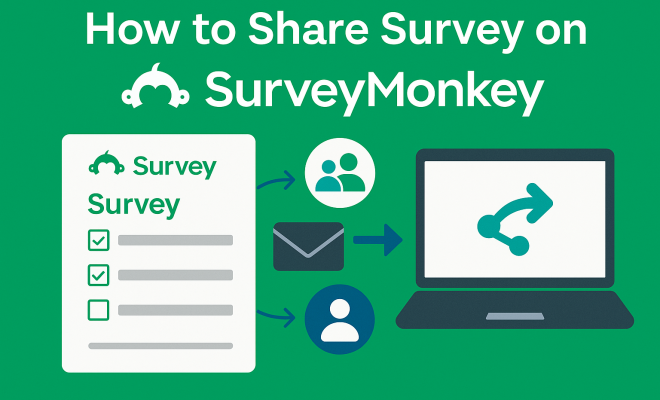
How to share survey on SurveyMonkey
“`html
So, you’ve poured your heart and soul into crafting the perfect survey on SurveyMonkey. You’ve meticulously designed your questions, agonized over the branching logic, and perhaps even spent hours perfecting the look and feel. It’s a work of art, really. But what’s the point of a brilliant survey if no one actually takes it? This is where the rubber meets the road: you need to successfully share survey on SurveyMonkey to gather those precious insights. And thankfully, SurveyMonkey offers a robust suite of options to get your questionnaire in front of the right eyeballs.
Choosing the right distribution method isn’t just about convenience; it’s about maximizing your response rate, reaching your target demographic effectively, and ultimately, getting actionable data. Different surveys call for different approaches. Are you trying to gather quick feedback from a broad audience? Or are you aiming for highly targeted responses from a specific group of stakeholders? The answer to these questions will heavily influence how you decide to share survey on SurveyMonkey. Let’s dive into the most effective strategies to ensure your survey doesn’t just sit there, unloved and unanswered, but instead becomes a powerful tool for data collection.
1. Web Link (URL): The Universal Connector
The web link, or URL, is arguably the most versatile and foundational method to share survey on SurveyMonkey. Think of it as the master key to your survey. Every survey you create on SurveyMonkey automatically generates a unique web link. This link is incredibly flexible and can be dropped almost anywhere online, making it an excellent choice for a wide array of distribution scenarios. Whether you’re aiming for a broad audience or a more niche group, this URL is your go-to starting point.
To access this link, you simply navigate to the ‘Collect Responses’ section of your survey. SurveyMonkey makes it prominent and easy to copy. Once you have it, the possibilities are vast. You can paste it into an email, embed it within a blog post, add it to your social media profiles, or even include it in a QR code. Its simplicity is its strength; anyone with internet access and the link can participate. This method is particularly effective for general feedback surveys, customer satisfaction questionnaires posted on websites, or quick polls shared across multiple platforms.
2. Email Invitation: Personalize Your Reach
When you need a more targeted, personalized, and often more professional approach to share survey on SurveyMonkey, email invitations are your best friend. SurveyMonkey’s integrated email collector allows you to send out invitations directly from the platform, tracking who has opened your email, who has clicked through, and who has completed the survey. This level of detail is invaluable for managing your response rates and following up effectively.
The beauty of email invitations lies in their ability to be customized. You can import contact lists, personalize the subject line and body of the email with merge fields (like the respondent’s name), and even schedule reminders for those who haven’t yet responded. This method is ideal for internal employee surveys, client feedback, academic research, or any situation where you have a defined list of participants and want to maintain a professional tone. The detailed analytics provided by SurveyMonkey for email collectors give you a clear picture of your outreach effectiveness, helping you understand where respondents might be dropping off.
3. Social Media Post: Tap into Your Network
In our hyper-connected world, social media is an indispensable tool for reaching diverse audiences quickly and efficiently. SurveyMonkey understands this, offering direct integrations to share survey on SurveyMonkey across major platforms like Facebook, Twitter, and LinkedIn. This method is fantastic for boosting visibility and gathering responses from a broad, often engaged, audience.
When you share your survey on social media, you’re leveraging the viral potential of these platforms. A well-crafted post, perhaps with an engaging image or a compelling question, can encourage shares and expand your survey’s reach exponentially. This approach is particularly effective for consumer preference surveys, public opinion polls, or gathering feedback on new products and services from your followers and their networks. Remember to tailor your message to each platform’s audience and consider using relevant hashtags to increase discoverability.
4. Website Embed: Seamless Integration
For those who want to integrate their survey directly into their existing online presence, embedding is a powerful option. SurveyMonkey allows you to embed your survey directly onto a webpage, making it appear as a seamless part of your site. This eliminates the need for respondents to click away to a separate URL, creating a smoother, more integrated user experience.
There are generally two main ways to embed: a full embed or a pop-up invitation. A full embed displays the entire survey directly on a page, which is perfect for dedicated feedback sections or in-depth questionnaires related to specific content. A pop-up, on the other hand, can be configured to appear after a certain time, scroll depth, or user action, providing a less intrusive way to invite feedback. This method is excellent for website feedback, customer satisfaction surveys tied to specific content, or gathering user experience insights directly where users are interacting with your brand.
5. QR Code: Bridging the Physical and Digital
QR codes have experienced a significant resurgence, becoming a ubiquitous tool for instantly connecting the physical world with digital content. SurveyMonkey allows you to generate a unique QR code for your survey’s web link, offering a remarkably convenient way to share survey on SurveyMonkey in real-world settings. Imagine the possibilities: event feedback, in-store customer opinions, or even quick polls at conferences. (See: CDC Youth Risk Behavior Survey.)
To use this, you simply generate the QR code from your SurveyMonkey collector options, download it, and then print it on flyers, posters, product packaging, business cards, or even display it on screens. Anyone with a smartphone can then scan the code and be instantly directed to your survey. This method is fantastic for gathering immediate feedback at events, soliciting opinions from customers in brick-and-mortar locations, or making surveys accessible in situations where typing a URL would be cumbersome. It’s a brilliant way to capture spontaneous insights.
6. SMS/Text Message: Direct and Immediate
In an age where most people are glued to their phones, SMS or text message invitations offer an incredibly direct and immediate way to share survey on SurveyMonkey. This method boasts high open rates and quick response times, making it ideal for time-sensitive feedback or reaching audiences who prefer mobile communication.
SurveyMonkey allows you to create an SMS collector, generating a short link that can be sent via text message. This is particularly useful for gathering feedback after a service interaction, customer support experience, or for quick polls from a known list of mobile numbers. While it requires you to have the phone numbers of your respondents (and their consent, of course), its effectiveness in reaching individuals directly on their preferred device is undeniable. Just keep the survey short and mobile-friendly to maximize completion rates.
7. Kiosk Mode: Dedicated On-Site Feedback
For businesses or organizations looking to collect feedback from visitors or customers at a physical location, SurveyMonkey’s Kiosk Mode is an invaluable feature. This allows you to set up a dedicated device, like a tablet or computer, to continuously display and refresh your survey, making it easy for multiple people to complete it sequentially.
Kiosk Mode is perfect for retail stores, museums, event booths, or reception areas where you want to gather on-the-spot feedback without requiring staff interaction. The survey automatically resets after each completion, ensuring privacy and readiness for the next respondent. It’s a fantastic way to capture immediate sentiment and user experience data in a controlled environment, providing a consistent and accessible feedback channel for anyone visiting your physical space.
Choosing the Right Distribution Strategy
Now that we’ve explored the various avenues to share survey on SurveyMonkey, the critical question remains: which one is right for your specific needs? The answer isn’t always singular; often, a multi-channel approach yields the best results. Think about your target audience first. Where do they spend their time online? How do they prefer to communicate? Are they tech-savvy or do they prefer simplicity?
For a broad, general audience, a combination of web links shared on social media, embedded on your website, and perhaps even a QR code in a public space might be effective. If you’re targeting a specific group of employees or clients, personalized email invitations with follow-up reminders will likely produce higher-quality responses. For immediate, on-site feedback, Kiosk Mode or a well-placed QR code could be your best bet. Don’t be afraid to experiment and track your results. SurveyMonkey’s analytics tools are there to help you understand which channels are performing best for each survey.
Optimizing for Response Rates Across Channels
Beyond simply choosing a distribution method, optimizing your survey and invitation for each channel is crucial. For email invitations, a compelling subject line and a clear, concise introduction explaining the survey’s purpose and estimated completion time can significantly boost open and click-through rates. When sharing on social media, a visually appealing graphic and a call to action that sparks curiosity can make all the difference. Remember, the digital landscape is crowded, and your survey needs to stand out.
Furthermore, ensure your survey itself is mobile-friendly. A large percentage of respondents will likely access your survey on a smartphone or tablet, regardless of how you share survey on SurveyMonkey. Long, complex questions or poorly formatted layouts on mobile devices can lead to high abandonment rates. Keep questions concise, use clear language, and leverage SurveyMonkey’s design tools to create an intuitive and engaging experience across all devices. A seamless user experience is paramount to collecting valuable data.
Data Privacy and Compliance Considerations
As you plan to share survey on SurveyMonkey, it’s imperative to keep data privacy and compliance in mind, especially with regulations like GDPR in Europe and CCPA in California. When collecting personal data, even seemingly innocuous details, you must ensure you have the appropriate consent from respondents. This is particularly relevant when using email or SMS collectors where you are directly contacting individuals.
Always be transparent about what data you are collecting, why you are collecting it, and how it will be used. SurveyMonkey provides features to help you anonymize responses if needed, or to clearly state your privacy policy. For instance, if you’re using email invitations, make sure your contact list is consent-based. If you’re embedding a survey on your website, ensure your site’s privacy policy covers the data collected through the survey. Neglecting these aspects can lead to legal issues and erode trust with your audience, making future data collection much harder.
Leveraging SurveyMonkey’s Advanced Features for Distribution
SurveyMonkey isn’t just about providing basic sharing links; it offers a suite of advanced features designed to enhance your distribution strategy. For example, you can set up A/B testing for your email invitations to see which subject lines or introductory messages yield better open rates. You can also integrate SurveyMonkey with other tools in your tech stack, such as CRM systems or marketing automation platforms, to streamline data flow and automate invitations based on customer interactions.
Consider using custom variables to pre-populate survey questions with known information about respondents, reducing their effort and increasing completion rates. This is especially useful for customer feedback surveys where you might already know their customer ID or purchase history. These advanced capabilities transform SurveyMonkey from a simple survey tool into a powerful data collection and management platform, ensuring you can not only share survey on SurveyMonkey effectively but also gather richer, more targeted insights. (See: New York Times on Data Collection.)
Analyzing Your Collector Data for Continuous Improvement
Once you’ve successfully started to share survey on SurveyMonkey and responses begin to roll in, don’t just sit back and wait for the final tally. Actively monitor your collector data. SurveyMonkey provides real-time statistics on how each collector is performing. Are certain email campaigns yielding higher open rates than others? Is your social media post generating traffic, but respondents are dropping off quickly? These insights are gold.
By analyzing this data, you can make informed adjustments to your distribution strategy mid-campaign. Perhaps your email subject line isn’t compelling enough, or your social media post needs a stronger call to action. Continuous monitoring and iteration are key to maximizing your response rates and ensuring you’re getting the most out of every effort you make to share survey on SurveyMonkey. It’s an ongoing process of learning, adapting, and refining your approach to reach your audience effectively.
The Power of Incentives and Follow-ups
Finally, consider the power of incentives and strategic follow-ups to further boost your response rates. While not a direct method to share survey on SurveyMonkey, these tactics significantly impact the effectiveness of your chosen distribution channels. A small incentive, like entry into a prize draw, a discount code, or a promise to share the aggregated results, can motivate hesitant respondents to complete your survey.
For email campaigns, gentle reminders to those who haven’t yet responded can often pick up a significant number of additional completions. SurveyMonkey’s email collector allows you to schedule these reminders easily. However, be mindful not to overdo it; a single, well-timed reminder is usually more effective than multiple pestering emails. The goal is to encourage participation without alienating your audience. Thoughtful incentives and polite follow-ups can transform a decent response rate into an excellent one, ensuring your efforts to share survey on SurveyMonkey truly pay off.
8. Audience Panels: Targeted Respondents on Demand
Sometimes, your target audience isn’t easily accessible through your existing networks or public channels. This is where SurveyMonkey Audience steps in, allowing you to buy responses from a highly specific demographic. It’s a powerful option when you need to share survey on SurveyMonkey with a group you wouldn’t otherwise reach, say, homeowners in a particular income bracket or professionals in a niche industry.
With SurveyMonkey Audience, you define your desired respondent criteria based on demographics, psychographics, and even behavioral traits. SurveyMonkey then distributes your survey to individuals who match these criteria from their global panel of millions of respondents. This method is incredibly efficient for market research, product development feedback, or academic studies requiring very specific participant profiles. While it comes with a cost, the ability to rapidly gather targeted data from a representative sample can be invaluable, saving you time and resources compared to trying to recruit such a specific group yourself.
9. Manual Data Entry: When Digital Isn’t an Option
Even in our digital age, there are times when surveys are conducted offline. Perhaps you’re at a trade show, conducting in-person interviews, or collecting feedback via paper forms. SurveyMonkey understands this reality and offers a “Manual Data Entry” collector. This isn’t a distribution method in the traditional sense, but it’s a crucial way to get non-digital responses into your SurveyMonkey account for analysis.
You can set up a manual collector, which essentially creates a digital version of your survey that you or a team member can use to input responses collected offline. This ensures all your data, regardless of its original collection method, lives in one centralized place for consistent reporting and analysis. It’s perfect for consolidating data from mixed-mode research projects, ensuring no valuable insight gets left behind just because it wasn’t collected digitally.
Expert Perspectives on Survey Distribution Effectiveness
Industry experts consistently highlight the importance of a multi-channel approach and tailoring your distribution to your audience. Dr. Sarah Miller, a data scientist specializing in market research, notes, “The biggest mistake companies make is using a ‘one-size-fits-all’ approach. A tech-savvy millennial will respond best to a social media link, while a busy executive might prefer a personalized email. Understanding these nuances is key to higher response rates and more representative data.”
Conversely, John Davies, a veteran in customer experience, emphasizes the power of integration. “Connecting your survey platform to your CRM or marketing automation system isn’t just about convenience; it allows you to trigger surveys at critical touchpoints – after a purchase, a support interaction, or a product trial. This contextual relevance significantly boosts engagement and the quality of feedback.” These insights underscore that successful distribution isn’t just about getting the link out there, but doing it smartly and strategically.
Common Pitfalls to Avoid When Distributing Your Survey
While SurveyMonkey makes it easy to share surveys, there are common mistakes that can derail your efforts. One major pitfall is over-surveying your audience. Bombarding the same group with too many surveys too frequently can lead to survey fatigue, resulting in lower open rates and higher abandonment. Plan your survey cadence carefully.
Another issue is not providing clear instructions or context. Respondents need to understand why they’re being asked to participate and what the survey is about. A generic link dropped without explanation can often be ignored. Similarly, neglecting mobile optimization, even if you share via email or social media, is a critical error. A clunky mobile experience is a guaranteed way to lose respondents. Finally, failing to test your distribution channels thoroughly before launch can lead to broken links, incorrect embeds, or emails landing in spam folders, wasting your precious outreach efforts.
Frequently Asked Questions (FAQ) about Sharing Surveys on SurveyMonkey
Q1: Can I share my SurveyMonkey survey on multiple platforms simultaneously?
Absolutely! In fact, a multi-channel approach is often recommended. You can generate a web link and then use that same link to create email invitations, social media posts, QR codes, and even embed it on your website. SurveyMonkey’s collector system allows you to manage and track responses from each of these different distribution methods, giving you a holistic view of your data.
Q2: How do I ensure my email invitations don’t end up in spam folders?
Several factors influence deliverability. Make sure your sender name is recognizable and professional. Craft a compelling, non-spammy subject line – avoid excessive capitalization, exclamation points, or trigger words. Ensure your contact list is clean and consent-based (avoiding purchased lists). Personalizing the email body can also help. SurveyMonkey’s email collector tools are designed with best practices in mind, but adhering to general email etiquette is crucial.
Q3: Is it possible to track which specific social media platform generated the most responses?
Yes, you can! When you create social media collectors in SurveyMonkey, you can generate a unique tracking link for each platform (e.g., one for Facebook, one for Twitter, one for LinkedIn). This allows SurveyMonkey’s analytics to show you exactly how many responses and completions came from each specific social media channel, helping you understand where your audience is most engaged.
Q4: What’s the best way to share a survey with an internal team or employees?
For internal teams, personalized email invitations are typically the most effective. You can import your employee list, use merge fields to address each person by name, and send reminders. This provides a professional touch and allows for easy tracking of who has responded. For on-site feedback in common areas, Kiosk Mode can also be very useful.
Q5: Can I restrict who can take my survey?
Yes, SurveyMonkey offers several options for restricting access. For email invitations, only those you send the email to can access the survey. For web links, you can add password protection or use an IP address filter. You can also set response limits per collector to prevent over-participation. These features are found within the ‘Collector Options’ for each distribution method.
Q6: If I embed a survey on my website, will it slow down my page loading speed?
SurveyMonkey’s embed code is generally optimized to be lightweight and shouldn’t significantly impact your website’s loading speed. However, as with any embedded content, ensure your overall website is optimized for performance. It’s always a good idea to test your page speed before and after embedding to monitor any changes.
Q7: How do incentives affect survey response rates?
Incentives can significantly boost response rates, especially for longer or more complex surveys, or when targeting busy individuals. Research suggests that even small incentives, like entry into a drawing or a minor discount, can increase completion rates by 10-15%. However, the incentive should be appropriate for your audience and the length of the survey. Overly generous incentives can sometimes attract less thoughtful responses.
“`
Trending Now
Frequently Asked Questions
How do I share my survey on SurveyMonkey?
To share your survey on SurveyMonkey, navigate to the 'Collect Responses' section where you can find your unique web link. You can copy this URL and share it through various channels such as email, social media, or embed it on your website for maximum reach.
What are the best ways to distribute a SurveyMonkey survey?
The best ways to distribute a SurveyMonkey survey include using the web link (URL), sharing via email invitations, posting on social media, or embedding it on your website. Each method can help you reach different audiences effectively based on your survey goals.
Can I share my SurveyMonkey survey on social media?
Yes, you can share your SurveyMonkey survey on social media by copying the unique web link generated for your survey. This allows you to reach a broader audience and increase your response rate by promoting it on platforms like Facebook, Twitter, or LinkedIn.
Is there a way to target specific audiences with my SurveyMonkey survey?
Yes, you can target specific audiences by using personalized email invitations or sharing the survey link in specific online communities relevant to your demographic. Tailoring your distribution method will help you gather more focused and actionable insights.
What should I consider when sharing my SurveyMonkey survey?
When sharing your SurveyMonkey survey, consider your target audience, the best distribution method (such as web link or email), and how to maximize engagement. Tailoring your approach based on the type of feedback you need can significantly influence your response rate.
What did we miss? Let us know in the comments and join the conversation.