The Tech Edvocate

Top Menu

  • Advertisement
  • Apps
  • Home Page
  • Home Page Five (No Sidebar)
  • Home Page Four
  • Home Page Three
  • Home Page Two
  • Home Tech2
  • Icons [No Sidebar]
  • Left Sidbear Page
  • Lynch Educational Consulting
  • My Account
  • My Speaking Page
  • Newsletter Sign Up Confirmation
  • Newsletter Unsubscription
  • Our Brands
  • Page Example
  • Privacy Policy
  • Protected Content
  • Register
  • Request a Product Review
  • Shop
  • Shortcodes Examples
  • Signup
  • Start Here
    • Governance
    • Careers
    • Contact Us
  • Terms and Conditions
  • The Edvocate
  • The Tech Edvocate Product Guide
  • Topics
  • Write For Us
  • Advertise

Main Menu

  • Start Here
    • Our Brands
    • Governance
      • Lynch Educational Consulting, LLC.
      • Dr. Lynch’s Personal Website
      • Careers
    • Write For Us
    • The Tech Edvocate Product Guide
    • Contact Us
    • Books
    • Edupedia
    • Post a Job
    • The Edvocate Podcast
    • Terms and Conditions
    • Privacy Policy
  • Topics
    • Assistive Technology
    • Child Development Tech
    • Early Childhood & K-12 EdTech
    • EdTech Futures
    • EdTech News
    • EdTech Policy & Reform
    • EdTech Startups & Businesses
    • Higher Education EdTech
    • Online Learning & eLearning
    • Parent & Family Tech
    • Personalized Learning
    • Product Reviews
  • Advertise
  • Tech Edvocate Awards
  • The Edvocate
  • Pedagogue
  • School Ratings

logo

The Tech Edvocate

  • Start Here
    • Our Brands
    • Governance
      • Lynch Educational Consulting, LLC.
      • Dr. Lynch’s Personal Website
        • My Speaking Page
      • Careers
    • Write For Us
    • The Tech Edvocate Product Guide
    • Contact Us
    • Books
    • Edupedia
    • Post a Job
    • The Edvocate Podcast
    • Terms and Conditions
    • Privacy Policy
  • Topics
    • Assistive Technology
    • Child Development Tech
    • Early Childhood & K-12 EdTech
    • EdTech Futures
    • EdTech News
    • EdTech Policy & Reform
    • EdTech Startups & Businesses
    • Higher Education EdTech
    • Online Learning & eLearning
    • Parent & Family Tech
    • Personalized Learning
    • Product Reviews
  • Advertise
  • Tech Edvocate Awards
  • The Edvocate
  • Pedagogue
  • School Ratings
  • Nostalgija kot oblikovalski jezik sodobnih spletnih igralniških iger

  • Piedzīvojuma naratīvs spēļu automātu bonusu ainās

  • Kā bingo elementi parādās mūsdienu kazino spēļu bibliotēkās

  • Luksusa tēli kazino spēļu vizuālajā valodā

  • Les studios de casino en direct rapprochent le jeu en ligne de l’expérience audiovisuelle

  • Wie Spieletitel Thema und Genre vor dem Start vermitteln

  • Wie Vorschaubilder die Orientierung in digitalen Casino Lobbys prägen

  • This One Privacy Camera Feature Could Change Smart Homes Forever

  • Unprecedented: White House Mandates AI Security Incident Reporting After Troubling Breaches

  • The AI Storm Tracker Predicting Viral Narratives Just Landed $7 Million – Here’s Why It Matters

Digital & Mobile Technology
Home›Digital & Mobile Technology›How to Remove Sound From Videos on iPhone and iPad

How to Remove Sound From Videos on iPhone and iPad

By Matthew Lynch
May 4, 2023
0
Spread the love

Removing the sound from videos on iPhone and iPad is a useful technique that can come in handy in various situations. Maybe you recorded a video with background noise, or you just want to create a silent presentation. Fortunately, removing audio from videos on these Apple devices is easy and straightforward.

In this article, we’ll guide you through the steps involved in removing audio from videos on your iPhone or iPad. Here’s how to do it.

Step-by-step guide to removing sound from videos on iPhone and iPad

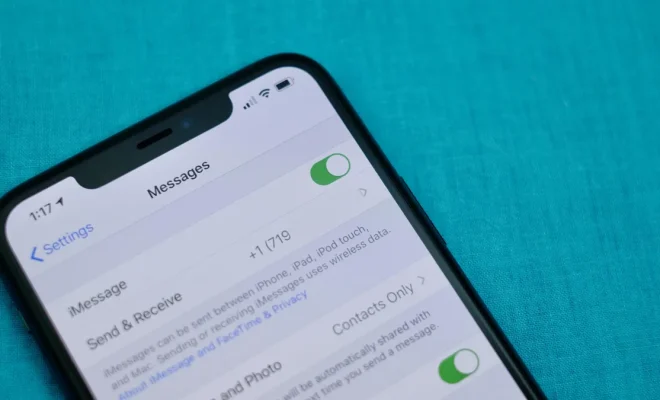
1. Launch the Photos app on your iPhone or iPad.

2. Navigate to the video you want to remove the sound from and tap to open it.

3. Tap the Edit button located at the top right corner of the screen.

4. In the editor, tap on the three circles button located at the bottom left corner of the screen.

5. Swipe down the menu and select the volume icon.

6. Drag the volume slider all the way to the left to turn off the audio. You will see the sound icon next to the slider disappear, which means the audio is now muted.

7. Tap Done to save the changes.

8. If you wish to undo the changes you made, tap Revert at the bottom right corner of the screen.

9. Once you’re satisfied with the changes, tap Done to save and exit the editing mode.

10. Finally, tap the Share button and choose where you want to save the modified video, whether it’s sharing it via email or saving it to your device.

And that’s it! The audio from your video has been removed.

Conclusion

Removing audio from videos on your iPhone and iPad is a simple and quick process. It only takes a few steps to mute the sound in your videos using the built-in editor in the Photos app. Whether you are creating a video presentation or just want to keep the content of your video without the background noise or audio, you can follow the steps above to remove the audio easily. 

Previous Article

How to Remove Registered Devices From Amazon ...

Next Article

How to Remove Unwanted Objects From Photos

Matthew Lynch

Related articles More from author

  • Digital & Mobile Technology

    Protecting Your Yahoo Mail With 2-Step Authentication

    June 9, 2023
    By Matthew Lynch
  • Digital & Mobile Technology

    Can I hide only certain Facebook friends from other Facebook friends?

    July 31, 2023
    By Matthew Lynch
  • Digital & Mobile Technology

    How to See Who Viewed Your Instagram Posts

    June 9, 2023
    By Matthew Lynch
  • Digital & Mobile Technology

    The Fastest VPN Services (One Is Even Completely Free)

    June 12, 2023
    By Matthew Lynch
  • Digital & Mobile Technology

    3 Easy Ways to Send a Complete Webpage via Email

    July 31, 2023
    By Matthew Lynch
  • Digital & Mobile Technology

    4 Reasons You Should Sell Dogecoin and Why You Might Keep it

    July 31, 2023
    By Matthew Lynch

Search

Login & Registration

  • Log in
  • Entries feed
  • Comments feed
  • WordPress.org

Newsletter

Signup for The Tech Edvocate Newsletter and have the latest in EdTech news and opinion delivered to your email address!

About Us

Since technology is not going anywhere and does more good than harm, adapting is the best course of action. That is where The Tech Edvocate comes in. We plan to cover the PreK-12 and Higher Education EdTech sectors and provide our readers with the latest news and opinion on the subject. From time to time, I will invite other voices to weigh in on important issues in EdTech. We hope to provide a well-rounded, multi-faceted look at the past, present, the future of EdTech in the US and internationally.

We started this journey back in June 2016, and we plan to continue it for many more years to come. I hope that you will join us in this discussion of the past, present and future of EdTech and lend your own insight to the issues that are discussed.

Newsletter

Signup for The Tech Edvocate Newsletter and have the latest in EdTech news and opinion delivered to your email address!

Contact Us

The Tech Edvocate
910 Goddin Street
Richmond, VA 23231
(601) 630-5238
[email protected]

Copyright © 2026 Matthew Lynch. All rights reserved.