Master Remote Presentations: 7 Tips for Engaging Audiences
“`html
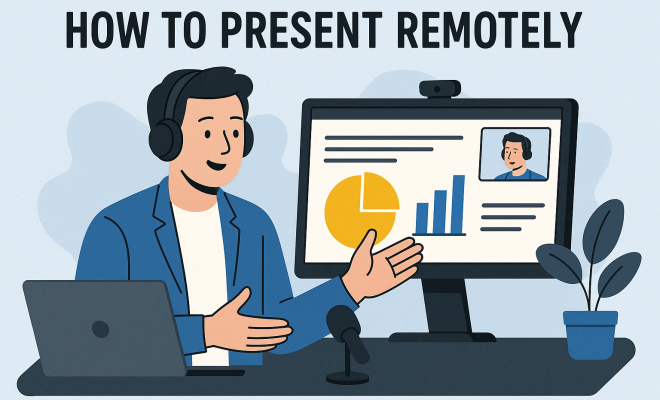
As our work environments increasingly shift to virtual settings, mastering the art of remote presentation has become vital. Whether you’re pitching to clients, delivering a lecture, or conducting a workshop, the ability to effectively present your ideas remotely can make or break your success. In this article, we’ll explore seven essential remote presentation tips that will help you engage your audience and deliver compelling content, all while navigating the digital landscape.
1. Know Your Audience: Tailor Your Content for Impact
The foundation of an effective presentation starts with understanding your audience. Knowing who you are speaking to allows you to tailor your content to meet their interests, expectations, and level of expertise. Start by gathering information about the attendees—demographics, their familiarity with the topic, and what they hope to take away from the session.
For instance, if you’re presenting to a group of industry experts, you might delve deeper into technical details or share innovative case studies. Conversely, if your audience includes novices, simplifying jargon and focusing on fundamental concepts will be more effective. Engaging your audience begins with this tailored approach, ultimately leading to better interaction and satisfaction.
2. Choose the Right Tools: Leverage Technology
When it comes to remote presentations, the tools you choose can significantly impact the quality of your delivery. There are numerous platforms available, like Zoom, Microsoft Teams, or Google Meet, each offering distinct features. Make sure to select a platform that aligns with your presentation style and audience needs.
For enhanced engagement, consider using interactive tools like Slido or Mentimeter that allow audience participation through polls and Q&A sessions. Moreover, familiarize yourself with the chosen technology ahead of time. A technical glitch during your presentation can distract your audience and detract from your message. Thus, a quick rehearsal or test run can help you navigate these potential pitfalls.
3. Craft Compelling Visuals: Enhance Understanding
Visual elements can significantly enhance your presentation, making it easier for your audience to grasp complex ideas. A well-designed slide deck with relevant images, infographics, and concise text can help convey your message more effectively than words alone. Aim for a balance between visuals and text—too much text can overwhelm your audience, while too few visuals may lead to disengagement.
Use a consistent style across your slides, including fonts, colors, and layouts. This cohesiveness not only looks professional but also helps guide your audience’s focus. Additionally, consider incorporating videos or animations to demonstrate processes or showcase testimonials, as these can add an engaging dynamic to your presentation.
4. Practice Your Delivery: Master the Art of Timing
Once you’ve prepared your content and visuals, it’s time to hone your delivery. Practicing your presentation multiple times can help you become more comfortable with the material and improve your timing. Aim to rehearse in front of a mirror, record yourself, or seek feedback from a colleague. This practice allows you to refine your pacing, intonation, and body language.
Timing is crucial, especially in a remote setting where attention spans may dwindle. Aim for concise yet informative segments, and be mindful of your audience’s reaction. If they seem disengaged, don’t hesitate to adjust your delivery in real-time—whether that means speeding up, elaborating on a point, or inviting questions more frequently. This flexibility can greatly enhance the overall experience.
5. Engage Your Audience: Foster Interaction
One significant challenge of remote presentations is keeping your audience engaged. Fortunately, there are various strategies you can employ to foster interaction. Start by posing open-ended questions throughout your presentation, prompting participants to reflect and respond. This encourages active participation and keeps the energy alive.
Incorporating breakout sessions can also facilitate smaller group discussions, allowing audience members to engage directly with the content and each other. Finally, utilize tools like chat boxes or reaction emojis to encourage real-time feedback. Engaging your audience in these ways transforms a one-way lecture into a dynamic discussion, ultimately leading to a more memorable presentation.
6. Manage Your Environment: Create a Professional Space
Your presentation environment plays a pivotal role in how effective and professional your presentation appears. Ensure that your background is tidy and free of distractions. A neutral or branded backdrop can enhance your professionalism and focus your audience’s attention on you rather than what’s behind you. (See: Effective presentation tips from CDC.)
Lighting is another crucial factor. Natural light is ideal, but if that’s not available, use a ring light or desk lamp to ensure your face is well-lit. Additionally, consider your audio quality; using a good microphone can help convey clarity, while minimizing background noise enhances your audience’s experience. A well-managed environment signals to your audience that you value their time and are committed to delivering quality content.
7. Follow Up Post-Presentation: Keep the Conversation Going
Just because your presentation has concluded doesn’t mean the engagement should stop. Following up with your audience can reinforce key points and continue the conversation. Consider sending out a thank-you email that includes key takeaways, additional resources, or links to the recorded presentation for those who may have missed it.
Moreover, invite feedback to learn what worked and what could be improved. This not only helps you grow as a presenter but also demonstrates your willingness to engage and listen to your audience. Establishing a follow-up conversation can lead to networking opportunities and foster long-term relationships, further enhancing the impact of your presentation.
8. Utilize Storytelling Techniques: Make Your Message Stick
Storytelling is a powerful tool in any presentation. By weaving stories into your points, you can make your content more relatable and memorable. People are naturally drawn to narratives; they help illustrate your message and connect with your audience on an emotional level. For example, instead of simply presenting statistics about industry trends, share a story about a company that successfully adapted to those trends. This not only makes your presentation more engaging but also helps your audience retain the information better.
To effectively incorporate storytelling, start with a hook—something that grabs your audience’s attention right away. Then, build your narrative around a conflict or challenge that is resolved by the end of your presentation, ideally aligning with the key messages you want to convey. Remember to keep your stories concise and relevant to the topic at hand.
9. Incorporate Real-Time Data: Stay Relevant
In a world that’s constantly changing, incorporating real-time data can significantly enhance the relevance and impact of your presentation. For instance, if you’re discussing market trends, share the latest statistics or news articles that highlight those trends. Tools like Google Trends or live polling during your presentation can help showcase up-to-date information, making your content more engaging and credible.
When you present real-time data, it shows your audience that you’re informed and have done your homework. It also allows attendees to see how the information applies to current events or situations, making your insights more actionable. Just ensure that the data is from reputable sources to bolster your credibility further.
10. Enhance Accessibility: Be Inclusive
Accessibility is an essential consideration in remote presentations. Not all audience members may have the same level of comfort with technology or may have disabilities that affect their ability to engage with your content. Providing materials in multiple formats—such as PDF handouts or closed captioning—can help ensure everyone can participate fully.
Consider using platforms that offer accessibility features, like screen reader support or language translation tools. Make sure to also give your audience the option to ask questions through different channels—some may prefer speaking up during the session, while others might feel more comfortable using chat. By being inclusive, you not only foster a better learning environment but also show your commitment to reaching all attendees.
11. Learn from Experienced Presenters: Analyze What Works
Observing seasoned presenters can provide valuable insights into effective presentation techniques. Tune in to webinars or virtual conferences and pay attention to how experienced speakers engage their audience, handle questions, and structure their sessions. Take notes on what captivates you and think about how you can adapt those techniques to your style.
Don’t hesitate to reach out to these professionals for advice or mentorship. Many are more than willing to share their tips and tricks, which can help you refine your own presentation skills. Analyzing a variety of presentation styles will also help you identify what resonates with different audiences, allowing you to adapt your approach accordingly.
12. Frequently Asked Questions (FAQ)
What are the best platforms for remote presentations?
Some of the most popular platforms for remote presentations include Zoom, Microsoft Teams, Google Meet, and Webex. Each has unique features, so the best choice depends on your specific needs, like the size of your audience and the type of interaction you want to facilitate.
How can I reduce anxiety before a remote presentation?
Feeling nervous before a presentation is completely natural. To ease anxiety, practice your presentation multiple times, visualize a successful outcome, and take deep breaths before you start. Preparation and familiarity with your material can also boost your confidence. (See: Remote presentation tips from NY Times.)
What should I do if my audience isn’t engaging?
If you notice your audience is disengaged, try to switch things up by asking questions, incorporating polls, or taking a moment to invite feedback. It can help to pause and give attendees a chance to interact; sometimes, a simple acknowledgment can rekindle interest.
How long should a remote presentation last?
The ideal length of a remote presentation can vary, but generally, aim for 20 to 30 minutes, followed by a Q&A session. Keeping your presentation concise helps maintain audience attention while allowing ample time for interaction.
Is it necessary to share my screen during a presentation?
Sharing your screen can be helpful to illustrate your points, especially if you’re using visuals or demonstrating software. However, it’s not always necessary. If your content is straightforward, you might choose to engage more with your audience instead.
13. Understand the Psychology of Remote Engagement: Keep Them Hooked
Understanding how remote audiences engage psychologically can significantly enhance your presentation’s effectiveness. In a physical space, presenters can often read the room and adjust their delivery accordingly. However, in a virtual environment, engagement can drop dramatically, often because attendees feel disconnected from the speaker.
According to a study by the University of Minnesota, audiences participating in virtual meetings retain only about 20% of the information presented after a week. This highlights the necessity for techniques that keep the audience engaged throughout, such as calling out audience members, using their names, or asking questions that make them think actively.
Additionally, consider using the Fogg Behavior Model, which emphasizes the importance of motivation, ability, and prompts in driving behavior. To apply this to your presentation, provide compelling reasons for your audience to engage (motivation), ensure they can easily participate (ability), and include clear calls to action (prompts). This approach helps create a more interactive experience and enhances overall retention.
14. Utilize Gamification: Make Learning Fun
Incorporating gamification into your remote presentations can significantly boost engagement levels. Gamification involves applying game-design elements in non-game contexts, which can make learning and participation more enjoyable. Strategies can include quizzes, point systems, and challenges related to your content.
For example, you could create a multiple-choice quiz at the end of your presentation using platforms like Kahoot! or Quizizz, where participants compete for points based on their answers. This not only reinforces learning but also adds a fun element, making your presentation more memorable.
According to a study from the University of Colorado, gamification can increase learning retention by up to 40%. This shows that when you present your material in a competitive and engaging manner, it encourages active participation and helps solidify the information in your audience’s minds.
15. Address Technical Challenges: Prepare for the Unexpected
Technical issues can present significant hurdles during remote presentations. From internet connectivity issues to software glitches, these challenges can arise unexpectedly and derail your carefully planned presentation. Being prepared for these potential disruptions is key to maintaining your professionalism and composure.
Consider having a backup plan, such as providing an alternative way to connect if internet issues arise. You might also pre-record parts of your presentation, so if technical difficulties occur, you can still deliver your content without losing momentum. Additionally, share your contact information with participants ahead of time so they can reach out for assistance if needed. (See: Harvard's best practices for remote learning.)
According to a survey conducted by the online communication platform Zoom, 70% of remote workers have experienced technical challenges during virtual meetings, underscoring the importance of preparing for the unexpected. By acknowledging this reality and having strategies in place, you can minimize frustration for both yourself and your audience.
16. Test Your Equipment Beforehand: Ensure a Smooth Experience
Nothing is more distracting than a presentation interrupted by audio issues or poor video quality. Testing your equipment well in advance ensures a smooth experience. Make sure your microphone and camera are functioning correctly, and check your internet connection speed. Many platforms offer tools to run these tests ahead of time—take advantage of them!
It’s also wise to have a backup plan in case of equipment failure. For example, have a secondary device ready to join the meeting in case your primary device encounters issues. This extra step can save you from unnecessary stress and help maintain your credibility as a professional presenter.
17. Solicit Continuous Feedback: Evolve Your Approach
Feedback is essential for growth, especially in the realm of presentations. After your remote presentation, actively solicit feedback from your audience. You can use surveys or follow-up emails to gather insights about what they found helpful or what could be improved. This not only shows your commitment to continuous improvement but also engages your audience further by valuing their opinions.
Incorporate this feedback into your future presentations, adapting your techniques and content accordingly. Studies show that presenters who seek feedback can improve their effectiveness by up to 30%, significantly enhancing the overall quality of their future presentations.
18. Emphasize the Importance of Networking: Building Connections
Remote presentations are not just about delivering content; they also provide valuable networking opportunities. Encourage your audience to connect with each other during or after the presentation. You can create dedicated chat rooms or breakout sessions where participants can exchange ideas and contacts.
Networking during remote events is crucial, especially in a hybrid work environment. According to LinkedIn’s 2020 report, 82% of professionals consider networking essential for career advancement. By fostering an environment that encourages connections, you’re not only enhancing the value of your presentation but also contributing to your audience’s professional growth.
19. Conclusion: Practice Makes Perfect
Mastering remote presentation skills doesn’t happen overnight. By applying these remote presentation tips—including understanding your audience, using the right tools, crafting compelling visuals, practicing your delivery, engaging your audience, managing your environment, following up, utilizing storytelling, incorporating real-time data, and enhancing accessibility—you’ll be well on your way to delivering impactful presentations that resonate. With the rise of virtual meetings, these skills are not just beneficial; they’re essential for success in our increasingly digital world. So, take the time to refine your approach, and watch your remote presentations soar!
“`
Trending Now
Frequently Asked Questions
What are the best tips for presenting remotely?
To effectively present remotely, know your audience to tailor your content, choose the right technology that suits your presentation style, and engage with interactive tools. Additionally, practice your delivery, maintain good eye contact through the camera, and be prepared for technical issues to ensure a smooth presentation.
How can I engage my audience during a virtual presentation?
Engaging your audience during a virtual presentation can be achieved by tailoring your content to their interests, using interactive tools like polls or Q&A sessions, and encouraging participation throughout your talk. Additionally, maintain an enthusiastic tone and utilize visual aids to keep your audience interested.
What technology should I use for remote presentations?
The technology you choose for remote presentations should align with your audience's needs and your presentation style. Popular platforms include Zoom, Microsoft Teams, and Google Meet. Consider using interactive tools like Slido or Mentimeter to enhance audience engagement during your presentation.
How do I tailor my presentation for my audience?
To tailor your presentation for your audience, gather information about their demographics, familiarity with the topic, and what they hope to learn. Adjust your content's complexity and focus accordingly—use technical details for experts and simplify concepts for novices to enhance engagement.
What should I do if there is a technical issue during my presentation?
If you encounter a technical issue during your presentation, remain calm and address the problem quickly. Have a backup plan, such as an alternative platform or pre-recorded materials. Familiarizing yourself with the technology beforehand can also minimize disruptions and help you troubleshoot effectively.
Have you experienced this yourself? We’d love to hear your story in the comments.