How to migrate from Origin to EA app
“`html
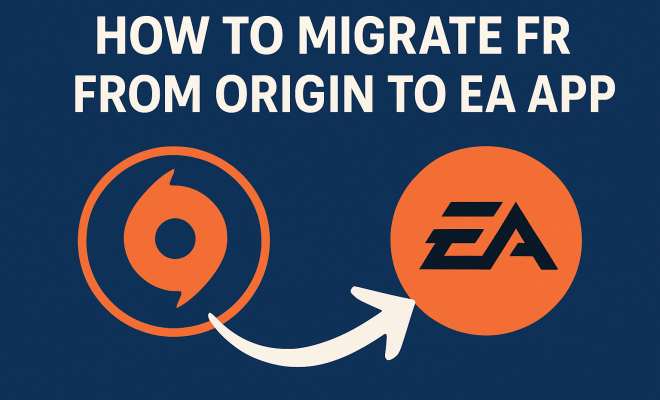
The gaming community has seen significant changes in recent years, especially with the evolution of digital distribution platforms. One of the most notable shifts is EA’s transition from their Origin platform to the new EA app. If you’re a gamer who still relies on Origin, you may be wondering how to migrate from Origin to EA app. Not only does this transition promise a smoother experience, but it also brings a host of new features and improvements. In this comprehensive guide, we’ll explore the reasons behind this migration, walk you through the process step by step, and discuss what you can expect from the EA app.
1. Understanding the Need for Migration
Origin has served as EA’s digital storefront and game launcher for a decade. However, as gaming technology has advanced, so have user expectations. Players want faster load times, better performance, and more streamlined interfaces. The EA app was developed with these needs in mind, offering a modernized solution to enhance player experience.
By transitioning to the EA app, players will benefit from improved performance, including quicker downloads and game launches. The new app also supports a wider range of features, such as cloud saves and a more intuitive user interface. Ultimately, migrating from Origin to EA app isn’t just about keeping up with technology; it’s about enhancing your gaming experience overall.
2. What’s New in the EA App?
Before diving into the migration process, it’s essential to understand what the EA app brings to the table. The app boasts a more user-friendly design, making navigation simpler and more enjoyable. In addition, it incorporates integrated social features, allowing you to connect with friends easily.
Another significant enhancement is the app’s cloud save functionality, which ensures that your game progress is saved and accessible from any device. With improved performance and reliability, the EA app is designed to optimize your gaming experience, making it a worthy upgrade from Origin.
One of the most exciting features introduced with the EA app is the enhanced game discovery tools. You can now explore upcoming titles, seasonal events, and even promotions that are tailored to your gaming preferences. This level of personalization keeps you informed and engaged, ensuring you never miss out on new gaming experiences.
Additionally, the EA app integrates seamlessly with subscription services like EA Play. This integration allows you to access a vast library of games at your fingertips, making it easier than ever to try new titles without the need for a hefty purchase. You can enjoy trials of new releases, which gives you a chance to experience games before committing to a buy.
3. Preparing for the Migration
Before you begin the process of migrating from Origin to EA app, there are a few preparatory steps you should take. First, ensure that your computer meets the minimum system requirements for the EA app. These requirements may differ from those of Origin, so it’s important to check before proceeding.
Next, back up your game files and any saved data. While the migration process is designed to be seamless, having a backup ensures that you won’t lose any progress during the transition. Once you’ve prepared your system, you’re ready to start the migration process.
Moreover, consider checking your internet connection speed. A stable and fast connection will significantly enhance your migration experience, allowing for quicker downloads and updates. If you’re using Wi-Fi, it might be worthwhile to switch to a wired connection for the migration process to minimize interruptions.
4. Step-by-Step Migration Process
Now that you’re prepared, let’s go through the steps to migrate from Origin to EA app:
- Download the EA App: Go to the official EA website and download the EA app installer. Ensure you grab the latest version to avoid compatibility issues.
- Install the EA App: Open the downloaded file and follow the on-screen instructions to install the app on your system.
- Log In to Your EA Account: Once installed, launch the app and log in using your existing EA credentials. Your account information from Origin will transfer automatically.
- Import Your Games: After logging in, the EA app will automatically scan your system for any games associated with your EA account. It will import these games into the new library.
- Check Game Files: After the import, verify that all your games are present and that saved data is intact. If any games are missing, you may need to re-download them.
Following these steps will ensure a smooth transition to the EA app, enabling you to enjoy its features right away.
5. Troubleshooting Common Migration Issues
During the migration process, you may encounter a few issues. Here are some common problems and their solutions: (See: Electronic Arts overview.)
- Missing Games: If some of your games do not appear in the EA app after migration, ensure that you have logged in with the correct EA account. You may need to manually add games if they are still not recognized.
- Installation Errors: If you face issues downloading or installing the EA app, check your internet connection and firewall settings. Sometimes, security software can block installations.
- Performance Issues: If the EA app runs slowly post-migration, consider closing unnecessary background applications or checking your system’s performance settings.
By being aware of these potential issues, you can tackle them efficiently and get back to gaming.
6. Benefits of the EA App for Gamers
Transitioning to the EA app comes with numerous advantages that can significantly enhance your gaming experience. Firstly, the app provides a more streamlined interface. This means navigating through your game library, accessing social features, and launching games is much more intuitive than it was on Origin.
Secondly, the EA app supports cloud saves, which is a game-changer for players who switch between devices. Your progress can be picked up from any supported platform, ensuring you never lose your hard-earned achievements. The app also features a robust community engagement interface, allowing gamers to connect and play together seamlessly.
Additionally, the EA app offers improved customer support options. The integrated help center is designed for quick navigation and provides answers to common questions. If you run into issues, you can easily submit a ticket or access live chat support, which is an improvement over the Origin platform’s support system.
Another noteworthy benefit is the enhanced performance metrics and analytics that the EA app provides. Gamers can track their gameplay statistics, achievements, and even monitor their gaming habits. This feature not only encourages growth and improvement but also allows gamers to engage more deeply with their favorite titles.
7. What Happens to Your Origin Account?
One concern many gamers have is the fate of their Origin accounts post-migration. Rest assured, your Origin account will remain intact. The EA app essentially acts as an upgraded interface that connects to the same account. Your game library, purchase history, and friends list will all carry over seamlessly.
This means that while you should migrate from Origin to EA app for the enhanced features and experience, you won’t lose any of your previous accomplishments or purchases. Everything you’ve built on Origin will be accessible in the EA app.
In fact, EA has stated that they are committed to ensuring that all user data is preserved throughout this transition. This includes your achievements, game settings, and any digital content you’ve purchased. You can dive right back into your gaming journey without missing a beat.
8. Keeping Your Games Updated
After successfully migrating from Origin to EA app, it’s crucial to keep your games updated for optimal performance. The EA app has a built-in feature that automatically updates your games to the latest version, ensuring you always have the latest content and fixes.
However, you can also manage these settings manually. If you prefer to control when updates are installed, go to the settings menu in the EA app and adjust the update preferences accordingly. Keeping your games current is essential not only for gameplay but also for security and stability.
In addition to regular updates, the EA app offers you the option to participate in beta testing for upcoming features or game updates. Engaging in beta programs not only allows you to experience new content first but also gives you a voice in shaping the future of your favorite games.
9. Final Thoughts on the Migration Process
Migrating from Origin to EA app is a straightforward process that unlocks a plethora of benefits for gamers. From a smoother gaming experience to quicker performance and better community engagement, the EA app is designed with the modern player in mind.
As you prepare for this transition, remember to back up your data, follow the migration steps carefully, and stay updated on any new features or enhancements that may be introduced in the EA app. With this guide in hand, you’ll be well-equipped to make the switch and take full advantage of everything the EA app offers.
10. Frequently Asked Questions
What is the EA app?
The EA app is EA’s latest game launcher and digital storefront, designed to replace Origin. It aims to provide a better user experience with improved performance, a modern interface, and enhanced features like cloud saves and integrated social tools. (See: impact of technology on gaming.)
Will my games transfer automatically?
Yes, when you migrate from Origin to EA app, your game library and associated data will transfer automatically as long as you log in with the same EA account.
Do I need to uninstall Origin before migrating?
No, you do not need to uninstall Origin before migrating. The EA app can coexist with Origin on your computer. However, you may choose to uninstall Origin after the migration is complete.
What if I encounter issues during the migration?
If you experience problems during migration, refer to the troubleshooting section in this guide. Common issues include missing games or installation errors, which have straightforward solutions outlined above.
Is my personal data safe during the migration?
Yes, EA has stated that your personal data will remain secure during the transition. Your account information, purchase history, and game data will be preserved throughout the migration process.
Can I still play my Origin games in the EA app?
Absolutely! The EA app allows you to play all of your previously purchased Origin games, as they will be transferred to your new library once the migration is complete.
What features will I lose from Origin after migrating?
While the EA app aims to retain and enhance most features found in Origin, it’s important to check EA’s announcements for any specific features that may not carry over. Generally, the app is designed to improve upon its predecessor rather than remove functionality.
Can I access EA Play through the EA app?
Yes, the EA app provides seamless access to EA Play, EA’s subscription service, which allows you to play a wide range of games and enjoy exclusive trials of new releases. Just make sure you have an active subscription to access these benefits.
What are the system requirements for the EA app?
The system requirements for the EA app may differ from those of Origin. It’s best to check the official EA website for the latest specifications to ensure your system is compatible.
How does the EA app handle game downloads and installations?
The EA app offers a more efficient downloading system than Origin. You can pause and resume downloads, prioritize downloads, and the app will automatically update games to their latest versions. This functionality aims to minimize downtime and optimize your gaming time.
11. Comparing Origin and EA App: A Detailed Analysis
It’s helpful to take a closer look at how the EA app stacks up against its predecessor, Origin. While both platforms serve the purpose of managing your game library, the user experience differs greatly. The EA app’s interface is cleaner and less cluttered, allowing gamers to find their favorite titles more easily. With a focus on social interaction, the EA app provides smoother integration for chatting and playing with friends.
Origin, while functional, had a reputation for being sluggish and less responsive. In contrast, the EA app has been optimized to load faster, ensuring that players spend less time waiting and more time playing. For example, the app claims to reduce game-launch times by approximately 30%, making it a significant improvement for gamers eager to dive into their adventures.
Another area of improvement is the store integration. The EA app features a more dynamic storefront that highlights deals and new releases more effectively than Origin. It uses personalized recommendations based on your gaming habits, so you can discover new titles that match your interests. This recommendation system is a noteworthy enhancement, as it makes finding games much more intuitive than scrolling through endless lists.
12. Expert Perspectives on the Transition
Industry experts have provided insights into what this transition means for gamers. According to gaming analyst Mark Thompson, “The switch from Origin to the EA app is not just a cosmetic change; it’s a strategic move to keep pace with competitors like Steam and Epic Games Store.” He notes that the new features, particularly the cloud saves and social integration, are critical in attracting a younger demographic that values connectivity in gaming. (See: current trends in the gaming industry.)
Another insight comes from developer Sarah Lee, who states, “The EA app’s improved performance metrics will not only benefit players but also developers. Understanding player behavior through analytics will help shape future game designs, making the gaming experience more engaging.” This perspective highlights the broader implications of the EA app beyond just user experience—it could potentially influence game development trends within EA.
13. Future Updates and Features
The EA app is designed to evolve over time, with EA already hinting at future updates. One of the most anticipated features is the integration of virtual reality (VR) support, which would allow players to experience games in new, immersive ways. This aligns with EA’s commitment to staying at the forefront of gaming technology.
Moreover, EA has plans to enhance community features further. Upcoming updates may include forums and discussion boards directly within the app, allowing players to connect, share tips, and collaborate on challenges in real-time. This could foster a stronger sense of community among players, something that has become increasingly important in today’s gaming landscape.
EA has also hinted at expanding its subscription offerings beyond EA Play, potentially bundling additional content or exclusive access to events for subscribers. This could provide even more value to gamers who choose to engage with the platform fully.
14. Community Feedback and Reactions
The transition from Origin to the EA app has sparked a mix of reactions within the gaming community. Many players have expressed excitement over the new features and improved performance, noting that the app feels like a breath of fresh air compared to Origin. Users have praised the streamlined interface, which makes finding and launching games a more enjoyable experience.
However, some players have voiced concerns about the migration process. Reports of minor glitches during the transition have surfaced, leading to discussions on forums about how to resolve them. EA has acknowledged this feedback and is actively working on patches to improve the user experience further. The company has committed to transparency during this transition, frequently updating users on progress and changes.
Overall, while there have been some bumps along the way, the majority of the community seems optimistic about the EA app’s potential to be the leading platform for EA titles.
15. Conclusion: Embracing the Change
Migrating from Origin to the EA app is more than just switching platforms; it’s a step toward a more connected, efficient, and enjoyable gaming experience. With improvements in performance, community engagement, and game accessibility, gamers can look forward to a future that prioritizes their needs and preferences.
As you embark on this transition, remember that your gaming journey is about to become richer and more integrated. Embrace the change and get ready to explore all that the EA app has to offer. With the right preparation and a positive attitude, you’ll soon be reaping the rewards of this exciting new platform.
“`
Trending Now
Frequently Asked Questions
How do I migrate my games from Origin to the EA app?
To migrate your games from Origin to the EA app, download the EA app from the official website and install it. Log in with your EA account, and the app will automatically recognize your existing games from Origin, allowing you to access and manage them seamlessly.
What are the benefits of using the EA app over Origin?
The EA app offers improved performance with faster load times, a more intuitive user interface, integrated social features, and cloud save functionality. These enhancements provide a smoother and more enjoyable gaming experience compared to the older Origin platform.
Is the EA app free to download?
Yes, the EA app is free to download and use. You can access it by visiting the official EA website, where you can install it and start managing your games without any cost.
Can I still access my Origin account after migrating to the EA app?
Yes, after migrating to the EA app, you can still access your Origin account. The EA app is designed to integrate with your existing account, ensuring that all your purchased games and progress remain intact.
What features are exclusive to the EA app?
The EA app includes exclusive features such as cloud saves, a revamped user interface, and integrated social features for easier connectivity with friends. These enhancements are aimed at providing a more modern and efficient gaming experience.
Agree or disagree? Drop a comment and tell us what you think.