Mastering CRM: How to Import Contacts Seamlessly
“`html
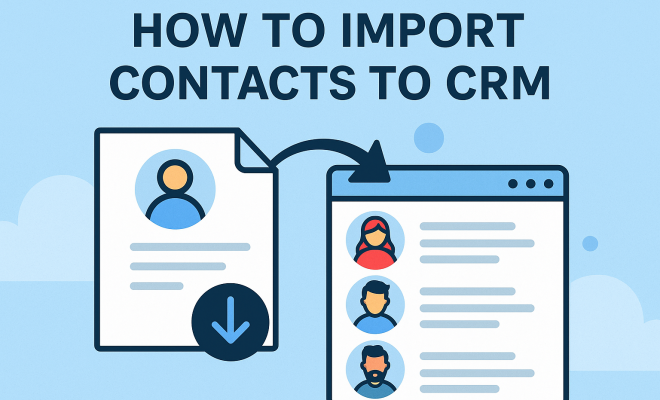
In today’s fast-paced business environment, managing customer relationships efficiently is crucial, and one of the first steps in this journey is knowing how to import contacts to CRM. Customer Relationship Management (CRM) systems are powerful tools that help businesses streamline their processes, but without the right contacts, they can’t function optimally. In this article, we’ll explore the key aspects of importing contacts into CRM systems, ensuring you have the knowledge you need to maximize your CRM’s potential.
1. Understanding CRM and Its Importance
Before diving into the process of importing contacts, it’s essential to understand what a CRM is and why it matters. A CRM system is designed to manage a company’s interactions with current and potential customers. It helps businesses organize customer data, track sales, and automate communication, ultimately enhancing customer service.
The importance of CRM cannot be overstated. According to a study by Salesforce, 91% of companies with more than 11 employees use a CRM system. This statistic highlights how integral CRM software has become in fostering strong customer relationships and driving sales efficiency. By importing contacts to CRM, businesses can ensure that their sales teams have immediate access to the information they need to succeed.
2. Types of Contacts You Can Import
When learning how to import contacts to CRM, it’s crucial to identify the types of contacts that can be imported. Typically, these include:
- Leads: Individuals who have expressed interest in your products or services.
- Customers: Existing clients who have made purchases.
- Prospects: Potential customers who fit your target demographic.
- Partners: Businesses that collaborate with you in some capacity.
Each type of contact serves a different purpose in your sales funnel, and understanding these distinctions can help you manage your CRM data more effectively. For instance, leads may require different follow-up strategies compared to existing customers.
3. Preparing Your Contact List
Preparation is key when it comes to importing contacts into your CRM. Before you execute the import, you’ll want to organize your contact list accurately. This means reviewing the data for duplicates, ensuring that all fields are filled properly, and formatting the data according to your CRM’s requirements.
Most CRMs accept CSV (Comma-Separated Values) files for importing contacts. It’s advisable to export your contact list from its original source—be it an Excel spreadsheet, email service, or another CRM—and save it as a CSV file. Clean up the data by removing any irrelevant fields, correcting any inconsistencies, and organizing the information into clear categories. A well-structured contact list will make the import process smoother and more effective.
4. Choosing the Right CRM
Not all CRM systems are created equal, and the choice of CRM can impact your ability to import contacts effectively. Popular CRMs like Salesforce, HubSpot, and Zoho each have their unique features and importing processes. It’s crucial to choose a CRM that not only meets your current needs but also scales with your business.
As you evaluate options, consider factors like user-friendliness, integration capabilities with other tools, and customer support. For instance, if your business heavily uses Gmail or Outlook, you might prefer a CRM that integrates seamlessly with those platforms, making it easier to import contacts directly from your email. (See: Importance of data management in organizations.)
5. Step-by-Step: How to Import Contacts to CRM
Now that you’re prepared and have chosen the right CRM, let’s discuss how to actually import contacts to CRM. Here’s a step-by-step guide:
- Log into your CRM: Start by accessing your CRM dashboard.
- Navigate to the Import Section: Look for an option like “Import Contacts” or “Data Import” — this may vary by CRM.
- Upload Your CSV File: Choose the CSV file that you prepared earlier and upload it.
- Map Your Fields: Match columns in your CSV file with the corresponding fields in the CRM (e.g., Name, Email, Phone Number).
- Review and Confirm: Carefully review the mapping and confirm the import. Most CRMs provide a summary of what will be imported.
- Execute the Import: Once everything looks good, hit the import button and wait for the process to complete.
- Verify the Import: After the import, check a sample of records to ensure everything has been imported correctly.
This process can usually be completed in a matter of minutes, but the length of time may vary depending on the size of your contact list.
6. Common Challenges and How to Overcome Them
While importing contacts to a CRM is generally straightforward, you might encounter a few challenges along the way. Here are some common issues and how to deal with them:
- Duplicate Contacts: If your list contains duplicates, most CRMs have a built-in feature to identify and merge duplicate entries during the import process. Be sure to enable this feature to maintain a clean database.
- Incorrect Field Mapping: If you mistakenly map a field (like email) to the wrong category (like phone number), your contact data could be rendered useless. Always double-check your mappings before finalizing the import.
- Data Format Issues: Each CRM has specific requirements for data formats (such as date formats). Ensure your CSV adheres to these guidelines to avoid errors during import.
Being aware of these challenges allows you to anticipate problems and take proactive measures to ensure a smooth import process.
7. Post-Import Actions to Maximize CRM Efficiency
Once you’ve successfully imported your contacts to CRM, there are several actions you can take to maximize your CRM’s efficiency:
- Segmentation: Organize your contacts into segments based on criteria like demographics or purchase behavior. This will allow for targeted marketing efforts.
- Regular Updates: Keep your contact information current by scheduling regular reviews of your database. Outdated information can lead to inefficient communication.
- Utilize Automation: Leverage your CRM’s automation features for follow-up emails or reminders, allowing you to focus on more strategic tasks.
By implementing these strategies, you’ll not only strengthen your customer relationships but also enhance your team’s productivity.
8. Integrating Your CRM with Other Tools
Integrating your CRM with other tools can significantly streamline your processes, especially when importing contacts. Many businesses use email marketing platforms, social media management tools, and accounting software, and ensuring these systems communicate with your CRM can save time and reduce errors.
For example, if you’re using Mailchimp for email marketing, you can often directly import your Mailchimp contacts into your CRM. This integration not only allows for a seamless transfer of data but also ensures that your marketing efforts align with your sales strategy. Look for CRMs that offer integration capabilities with the tools your business relies on the most.
Additionally, consider utilizing APIs (Application Programming Interfaces) for custom integrations if your business has unique needs. This can streamline the import process further and help automate updates in real-time.
9. Data Security and Compliance
When importing contacts to CRM, it’s vital to consider data security and compliance with regulations such as GDPR (General Data Protection Regulation) or CCPA (California Consumer Privacy Act). These laws dictate how businesses should handle personal data and what rights customers have regarding their information. (See: The role of technology in business.)
Ensure that your contact import process complies with all relevant regulations by obtaining consent from your contacts before importing their data. This may involve ensuring that your contacts have opted in to receive communications or have agreed to your privacy policy.
Moreover, look for CRMs that prioritize data security, utilizing encryption and secure data storage methods to protect sensitive information. Regularly review your CRM’s security settings and practices to ensure they align with best practices for data protection.
10. FAQs About Importing Contacts to CRM
Q1: Can I import contacts from multiple sources into my CRM?
Yes, most CRMs allow you to import contacts from various sources, including spreadsheets, other CRMs, email accounts, and more. Just make sure to format the data correctly for each source before importing.
Q2: What file formats does my CRM support for contact import?
The most common file format for importing contacts is CSV (Comma-Separated Values). However, some CRMs may also support Excel files (.xls or .xlsx) and other formats. Always check the documentation for your specific CRM to ensure compatibility.
Q3: How can I check if my contacts were imported correctly?
After importing, it’s a good practice to review a sample of the imported records in your CRM. Look for missing information, incorrect mapping, or any duplicates that may have slipped through. Most CRMs provide import logs that can help you identify any issues during the import process.
Q4: Can I automate the import process in my CRM?
Many CRMs offer automation features that allow you to schedule regular imports or sync data from other systems automatically. Check your CRM’s help documentation or support resources for specific instructions on setting up automation.
Q5: What should I do if I encounter errors during the import process?
If you run into errors, first review the error messages provided by your CRM. Common issues often relate to data formatting or incorrect field mapping. You may need to adjust your CSV file and attempt the import again. If problems persist, consulting your CRM’s support resources or community forums can provide additional guidance.
11. Future Trends in CRM Data Management
The landscape of CRM systems and data management is continually evolving. As businesses increasingly rely on data-driven decision-making, the demand for more advanced CRM features is growing. Here are a few trends to keep an eye on:
- AI and Machine Learning: The integration of AI into CRMs is set to revolutionize how businesses manage customer relationships. AI can analyze customer data for patterns, predict future behaviors, and even automate responses, leading to more personalized interactions.
- Enhanced Data Analytics: As the volume of data grows, the need for sophisticated analytics tools within CRMs will become more important. Businesses will look for CRMs that can offer deeper insights into customer behavior and sales trends.
- Mobile CRM Solutions: With remote work becoming more common, mobile-friendly CRM solutions are on the rise. Users can access their CRM on the go, making it easier to stay connected with customers and manage contacts from anywhere.
- Integrations with Social Media: As social media continues to be a vital communication channel, CRMs that integrate with social platforms will allow businesses to import contacts and track interactions more effectively.
Staying ahead of these trends will help businesses leverage their CRM systems to improve customer relationships and streamline operations.
12. Best Practices for Importing Contacts to CRM
To ensure a successful contact import process, consider the following best practices:
- Back Up Your Data: Always create a backup of your original contact list before you start the import process. This provides a safety net in case something goes wrong during the import.
- Test with a Small Sample: If you’re importing a large number of contacts, it’s wise to test the import process with a small sample first. This allows you to identify any issues without risking your entire contact database.
- Document Your Process: Create a step-by-step guide for your team on how to import contacts. This documentation can be invaluable for training new employees or for future imports.
- Seek Feedback: After the import process, solicit feedback from your team about any difficulties they encountered. This can help you refine the process for next time.
13. Case Study: Successful CRM Contact Importation
Let’s take a look at a case study of a small business, Tech Innovations, that successfully imported contacts into their CRM.
Tech Innovations, a startup focusing on software solutions, had been managing customer interactions via spreadsheets. As their business grew, they decided to switch to a CRM to manage customer relationships more effectively. They had compiled a contact list of around 5,000 entries from various sources, including trade shows, online inquiries, and past customers.
The team followed a structured approach to import their contacts:
- They cleaned up their data, removing duplicates and irrelevant entries.
- They exported their data into a CSV format as required by their chosen CRM, Salesforce.
- After testing the import with a smaller batch, they confirmed that all fields were accurately mapped.
- The final import was completed successfully, with the team verifying the data integrity afterward.
As a result, Tech Innovations was able to leverage their CRM to segment customers more effectively and automate follow-up communications, leading to a 30% increase in customer engagement within three months. This case demonstrates the power of a well-executed contact import into CRM systems.
Final Thoughts on Importing Contacts
Importing contacts to CRM is a foundational skill that every business should master to nurture its customer relationships effectively. By understanding the types of contacts, preparing your lists, choosing the right CRM, and following the correct import process, you can ensure that your CRM works optimally for your organization. With the right practices in place, you can transform your CRM from a simple database into a powerful tool that drives sales and enhances customer satisfaction.
“`
Trending Now
Frequently Asked Questions
What is the importance of importing contacts to a CRM?
Importing contacts to a CRM is crucial as it enables businesses to manage customer relationships effectively. It ensures that sales teams have immediate access to essential information, helping to streamline processes, track interactions, and enhance customer service.
What types of contacts can be imported into a CRM?
Typically, you can import several types of contacts into a CRM, including leads, customers, prospects, and partners. Each type plays a distinct role in your sales funnel and helps in managing your CRM data more effectively.
How does CRM software help businesses?
CRM software helps businesses by organizing customer data, tracking sales, automating communication, and ultimately enhancing customer service. It fosters strong customer relationships and drives sales efficiency, making it an essential tool for modern businesses.
Why do companies use CRM systems?
Companies use CRM systems to manage interactions with current and potential customers, streamline processes, and improve customer service. With over 91% of companies with more than 11 employees using CRM, it's a vital tool for fostering strong customer relationships.
What are leads and how do they fit into CRM?
Leads are individuals who have shown interest in your products or services. In a CRM, they are vital for tracking potential sales opportunities and nurturing relationships, helping businesses convert interest into actual sales.
Have you experienced this yourself? We’d love to hear your story in the comments.