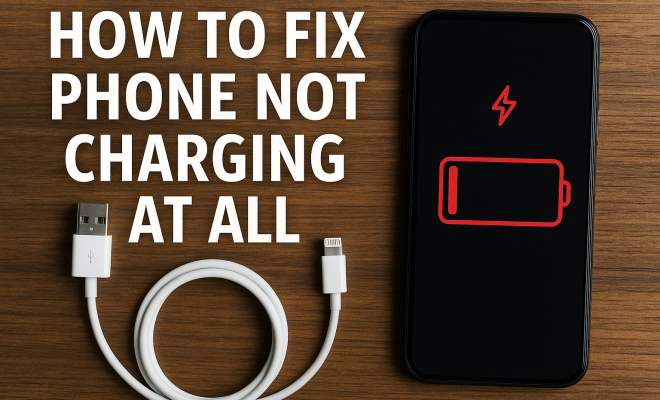
How to fix phone not charging at all
“`html
We’ve all been there: your phone not charging, leaving you feeling stranded and stressed. Whether you’re rushing out the door or simply want to crawl into bed but can’t because your phone won’t juice up, it’s a frustrating predicament. Fortunately, there are several common reasons this happens and straightforward solutions to get your device back on track. Here’s a detailed look at how to troubleshoot when your phone refuses to charge.
1. Check the Charging Cable
The first step in diagnosing why your phone is not charging is to inspect the charging cable. Cables can become frayed or damaged over time, especially with repeated bending and twisting. If you notice any visible wear, such as exposed wiring or kinks, it’s time to replace the cable. Remember to always use a high-quality, certified cable compatible with your device brand to ensure optimal charging.
Additionally, try using a different charging cable if you have one on hand. This can help determine if the issue lies with the cable itself. Many users find that they have multiple cables from previous devices that can serve as a temporary solution. If a different cable charges your phone, then your original cable is likely at fault.
2. Inspect the Charging Port
It’s not just the cable that can cause issues; your phone’s charging port can accumulate dust, lint, and other debris over time. If you notice that your phone is not charging properly, take a close look at the port. Using a flashlight, check for any blockages that could be preventing a secure connection.
To clean the port, use a soft brush or a toothpick to gently dislodge any debris. Be careful not to damage the delicate components inside. After cleaning, try plugging in your charger again. If your phone starts charging, you’ve solved the issue. If not, you may need to explore other solutions.
3. Test the Wall Adapter
Your wall adapter is another potential culprit when your phone is not charging. Sometimes, these adapters can become faulty, especially if they have a history of overheating or are of lower quality. If possible, test your phone with a different wall adapter that you know works. This simple step can help you determine whether you need to replace the adapter.
It’s also worth noting that using a different power source, such as a USB port on your computer or a power bank, can help isolate the problem. If your phone charges with another adapter but not with yours, it’s time for a new one!
4. Check for Software Issues
Sometimes, your phone may not charge due to software glitches. If your phone seems to be charging inconsistently, it might be worth restarting it to see if that resolves the issue. This can help clear temporary bugs that could be affecting the charging process.
If restarting doesn’t help, ensure your device is updated with the latest software. Manufacturers often roll out updates that fix bugs and improve performance, including charging issues. Go to your phone’s settings and check for any available updates. Installing these can sometimes resolve the charging problem. (See: cleaning mobile devices.)
5. Examine Battery Health
Your phone’s battery may be the root of the problem if it’s not charging at all. Batteries have a limited lifespan, and over time, they can lose their ability to hold a charge. Most smartphones will have a battery health feature in their settings where you can see the current condition of your battery.
If the battery health percentage is low, it might be time for a replacement. Take your phone to a certified technician or authorized service center to have the battery assessed. Often, a simple battery replacement can breathe new life into your device.
6. Disable Battery-Saving Mode
If your phone is in battery-saving mode, it may restrict charging capabilities. This mode is designed to prolong battery life by limiting background processes and reducing performance. Some phones will also prevent certain functions, including charging speed, when in this mode.
Check your settings to see if battery-saving mode is enabled. If it is, try disabling it and then reconnecting your charger. You may find that your phone charges more effectively with this setting turned off.
7. Seek Professional Help
If you’ve tried all the above steps and your phone is still not charging, it may be time to seek professional assistance. There could be an internal hardware issue that requires expert attention. This could involve issues with the motherboard or other internal components that are beyond your capability to fix.
Contact your phone manufacturer’s support service or visit a local repair shop. They can run extensive diagnostics to identify the underlying problem and recommend the best course of action. It’s better to get a professional opinion rather than risking further damage to your device by attempting repairs yourself.
8. Understanding Common Charging Problems
There are some common issues that people encounter with charging their phones. Knowing these can help you diagnose and troubleshoot more effectively. Here are a few:
- Overheating: If your phone gets too hot while charging, it may stop charging as a safety precaution. Make sure you’re using a compatible charger and try letting the phone cool down before charging it again.
- Faulty Power Source: Sometimes, the outlet you’re using may just not be providing enough power. Test it with another device to ensure it’s functioning properly.
- Charging while using the phone: Using power-intensive applications while the phone charges can slow down the charging speed. If you notice slower charging times, try to limit usage during charging sessions.
9. Statistics on Phone Charging Issues
According to a study conducted by the Consumer Technology Association, around 20% of smartphone users have experienced charging issues at some point. Among these, 50% identified faulty cables and adapters as the most common problem, while 30% noted that software glitches were the culprit. Understanding these statistics can help you feel less isolated if you find yourself in the same situation.
Additionally, a surprising statistic reveals that over 75% of users do not regularly check their battery health, which could lead to preventable charging issues. Keeping an eye on your battery’s condition can save you from unexpected charging failures down the line. (See: phone charging tips.)
10. Expert Perspectives on Phone Charging
According to tech experts, the key to maintaining a healthy charging system lies in regular monitoring and quality equipment. Dr. Emily Chen, a tech researcher, notes, “Many users overlook the importance of using certified accessories. Cheaper alternatives may be tempting, but they can lead to long-term damage.”
Additionally, battery expert Dr. Robert Johnson emphasizes that “understanding the lifecycle of your battery can help you make informed decisions about replacements and care. Most lithium-ion batteries last between 2-3 years.” Regularly checking your battery health can save you time and frustration in the long run.
11. Battery Lifespan and Maintenance
Understanding how to extend your battery’s lifespan can greatly reduce the chance of running into charging issues. Here are some essential tips:
- Avoid Extreme Temperatures: High heat can damage battery cells, leading to faster degradation. Similarly, extreme cold can temporarily reduce battery performance.
- Charge Smart: Avoid letting your battery drop to 0% frequently. Aim to keep it between 20-80% charged for optimal health.
- Use Battery Saver Options: Many smartphones come equipped with battery optimization features that can help extend battery life by controlling background activity.
12. Frequently Asked Questions (FAQ)
What should I do if my phone is still not charging after trying all the above solutions?
If you’ve gone through all the troubleshooting steps and your phone is still not charging, it’s best to seek professional help. There may be internal hardware issues that require expert diagnosis and repair.
Can I use any charger to charge my phone?
Not all chargers are created equal. It’s essential to use a charger that is compatible with your phone’s specifications. Using an incompatible charger can lead to suboptimal charging or potential damage to your device.
How can I tell if my charging cable is damaged?
Look for visible signs of wear such as fraying, exposed wires, or kinks in the cable. If the cable doesn’t charge your phone in any outlet, it’s likely time for a replacement.
Why does my phone charge slowly?
Slow charging can be due to several factors: using a low-quality charger, charging while using the phone, or having a damaged charging cable. Check all components in the charging process to identify the issue.
Is it safe to use third-party chargers?
While some third-party chargers are safe and certified, many are not. It’s best to stick with chargers that are recommended by your phone manufacturer to avoid damaging your device. (See: charging technology research.)
13. Unexpected Charging Problems and Solutions
While the common issues are relatively straightforward, there are some unusual problems that can also lead to a situation where your phone is not charging. Let’s explore a few of these less common scenarios:
- Dirty Connections: Sometimes the connectors on either your charger or your phone can get dirty. If you notice any discoloration or grime, carefully clean them with isopropyl alcohol and a soft cloth.
- Water Damage: If your phone has been exposed to moisture, this could affect the charging port. Make sure the port is completely dry before attempting to charge. If you suspect water damage, it’s best to consult a professional.
- Software Corruption: In rare cases, your operating system could become corrupted, preventing normal charging. A factory reset may be necessary, but ensure all data is backed up before proceeding.
14. Battery Replacement: Is It Worth It?
As mentioned earlier, if your battery health is low, a replacement could be the solution. But is it worth the cost? Here are some factors to consider:
- Device Age: If your phone is relatively new (under two years), replacing the battery can extend its life significantly. However, for older devices, consider the cost of replacement versus investing in a new phone.
- Performance Issues: If your phone is slowing down and you notice poor battery performance, a new battery can sometimes rejuvenate the device. It may restore the speed and functionality you expect.
- Environmental Considerations: Extending the life of your current phone by replacing the battery is often more environmentally friendly than purchasing a new device. This helps reduce electronic waste.
15. How to Maintain Your Charger and Accessories
Keeping your charging accessories in good condition is essential for long-term use. Here are a few tips to help you maintain them:
- Store Properly: Avoid wrapping cables tightly or bending them sharply, as this can lead to premature wear. Instead, loop them loosely or use cable ties to keep them organized.
- Protect from Extreme Conditions: Keep chargers away from direct sunlight and moisture, as these elements can degrade their performance. If traveling, consider a protective case for your charger.
- Regularly Inspect Accessories: Make it a habit to check your cables and adapters for any signs of damage. The sooner you spot an issue, the easier it is to replace before it leads to charging problems.
16. The Future of Charging Technology
Charging technology is evolving rapidly, with new advancements being made that could change how we think about phone charging. Here are a few trends to watch:
- Fast Charging: Many smartphones now support fast charging technology, which can significantly reduce the time it takes to charge your device. Understanding your phone’s capabilities can help you take advantage of this feature.
- Wireless Charging: As more devices adopt wireless charging, it’s becoming a popular alternative to traditional charging. Ensure your phone supports this feature if you’re considering making the switch.
- Smart Charging Solutions: Innovations such as solar-powered chargers and eco-friendly options are becoming more accessible. These can be great for sustainability-conscious users looking to charge their devices without increasing their carbon footprint.
17. Conclusion: Staying Prepared for Charging Issues
Experiencing a situation where your phone is not charging can be incredibly inconvenient, but by understanding the common causes and solutions, you can troubleshoot efficiently. Regular maintenance of your charging equipment, such as cables and adapters, can reduce the likelihood of these issues arising in the future.
Keep your device’s software updated and become familiar with your battery’s health to better manage potential problems. And remember, when in doubt, don’t hesitate to consult a professional. A little proactive care can go a long way in keeping your phone running smoothly and charged up when you need it most.
“`
Trending Now
Frequently Asked Questions
Why is my phone not charging at all?
There are several reasons your phone might not charge, including a faulty charging cable, a dirty charging port, or a malfunctioning wall adapter. Start by inspecting these components to identify the issue.
How can I fix my phone that won't charge?
To fix a phone that won't charge, first check the charging cable and replace it if damaged. Then, inspect and clean the charging port for debris. Lastly, test the wall adapter to ensure it's working properly.
What should I do if my charging cable is damaged?
If your charging cable is damaged, replace it with a high-quality, certified cable compatible with your device. Using a different cable can also help determine if the original was the issue.
How do I clean my phone's charging port?
To clean your phone's charging port, use a soft brush or a toothpick to gently remove any dust or debris. Be careful not to damage the internal components while cleaning.
Can a faulty wall adapter prevent my phone from charging?
Yes, a faulty wall adapter can prevent your phone from charging. If your phone isn't charging, try using a different wall adapter to see if that resolves the issue.
Agree or disagree? Drop a comment and tell us what you think.