The Tech Edvocate

Top Menu

  • Advertisement
  • Apps
  • Home Page
  • Home Page Five (No Sidebar)
  • Home Page Four
  • Home Page Three
  • Home Page Two
  • Home Tech2
  • Icons [No Sidebar]
  • Left Sidbear Page
  • Lynch Educational Consulting
  • My Account
  • My Speaking Page
  • Newsletter Sign Up Confirmation
  • Newsletter Unsubscription
  • Our Brands
  • Page Example
  • Privacy Policy
  • Protected Content
  • Register
  • Request a Product Review
  • Shop
  • Shortcodes Examples
  • Signup
  • Start Here
    • Governance
    • Careers
    • Contact Us
  • Terms and Conditions
  • The Edvocate
  • The Tech Edvocate Product Guide
  • Topics
  • Write For Us
  • Advertise

Main Menu

  • Start Here
    • Our Brands
    • Governance
      • Lynch Educational Consulting, LLC.
      • Dr. Lynch’s Personal Website
      • Careers
    • Write For Us
    • The Tech Edvocate Product Guide
    • Contact Us
    • Books
    • Edupedia
    • Post a Job
    • The Edvocate Podcast
    • Terms and Conditions
    • Privacy Policy
  • Topics
    • Assistive Technology
    • Child Development Tech
    • Early Childhood & K-12 EdTech
    • EdTech Futures
    • EdTech News
    • EdTech Policy & Reform
    • EdTech Startups & Businesses
    • Higher Education EdTech
    • Online Learning & eLearning
    • Parent & Family Tech
    • Personalized Learning
    • Product Reviews
  • Advertise
  • Tech Edvocate Awards
  • The Edvocate
  • Pedagogue
  • School Ratings

logo

The Tech Edvocate

  • Start Here
    • Our Brands
    • Governance
      • Lynch Educational Consulting, LLC.
      • Dr. Lynch’s Personal Website
        • My Speaking Page
      • Careers
    • Write For Us
    • The Tech Edvocate Product Guide
    • Contact Us
    • Books
    • Edupedia
    • Post a Job
    • The Edvocate Podcast
    • Terms and Conditions
    • Privacy Policy
  • Topics
    • Assistive Technology
    • Child Development Tech
    • Early Childhood & K-12 EdTech
    • EdTech Futures
    • EdTech News
    • EdTech Policy & Reform
    • EdTech Startups & Businesses
    • Higher Education EdTech
    • Online Learning & eLearning
    • Parent & Family Tech
    • Personalized Learning
    • Product Reviews
  • Advertise
  • Tech Edvocate Awards
  • The Edvocate
  • Pedagogue
  • School Ratings
  • Can Kayak book directly

  • How to list hotel on Booking.com

  • How to optimize Airbnb listing

  • How to get more bookings on Booking.com

  • How accurate is Kayak price forecast

  • How does Hopper app work

  • Travelocity vs Hotels.com comparison

  • Is Kayak a booking site or search engine

  • Can Google Flights find error fares

  • How to bundle flights and hotels Travelocity

Digital & Mobile Technology
Home›Digital & Mobile Technology›How to Fix Not Getting Text Notifications on iPhone

How to Fix Not Getting Text Notifications on iPhone
By Matthew Lynch
June 1, 2023
0
Spread the love

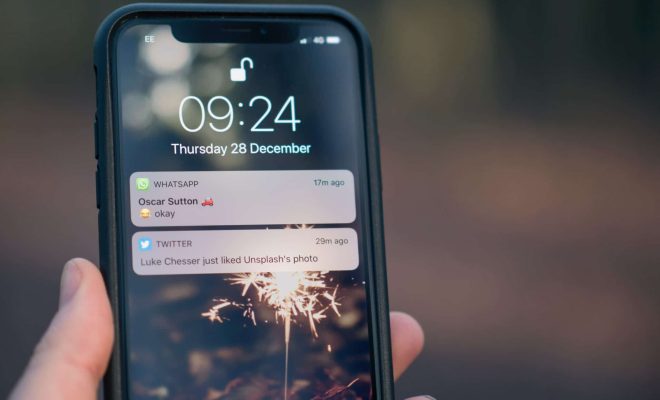
As an iPhone user, not receiving text notifications can be frustrating and can cause you to miss important messages. There are several reasons why you may not be receiving text notifications, including settings issues, software glitches, and hardware malfunctions. In this article, we will go through a few solutions that can help you fix not getting text notifications on your iPhone.

1. Check Your Notification Settings

The first thing you need to do is to check your notification settings. Make sure that notifications for text messages are enabled. To do this, go to Settings > Notifications > Messages. Ensure that “Allow Notifications” is toggled on, and that the “Sound”, “Badge App Icon”, and “Show on Lock Screen” options are also selected.

2. Turn on Do Not Disturb Mode

If you have Do Not Disturb mode turned on, you will not receive any notifications, including text ones. Check to ensure this mode is turned off. Go to Settings > Do Not Disturb and toggle it off.

3. Restart your iPhone

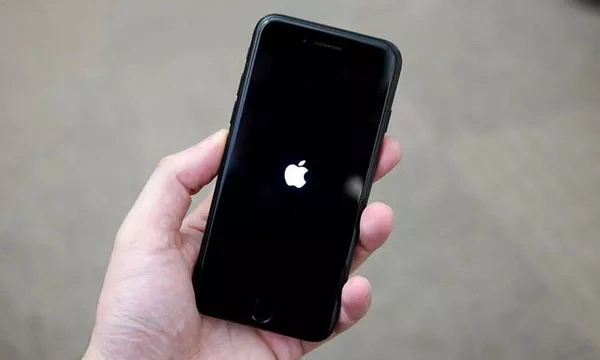
Restarting your iPhone can help you fix the problem of not getting text notifications. To restart, simply press and hold the power button until the slider appears on the screen. Drag the slider to the right to turn off your iPhone. Wait for a few seconds and then press and hold the power button to turn it back on.

4. Update your iPhone Software

Outdated software can cause your iPhone to malfunction and not receive text notifications. So, always keep your iPhone software up to date. Go to Settings > General > Software Update and check if there is any update available. If there is, tap on Download and Install to update your iPhone.

5. Reset Network Settings

Resetting network settings can also help you fix the issue of not getting text notifications. Go to Settings > General > Reset and tap on “Reset Network Settings”. This option will erase all your saved Wi-Fi passwords, but it will reset your iPhone network settings to the default settings.

6. Reset All Settings

If all solutions fail, the last option is to reset your iPhone to factory settings. Before taking this step, make sure you have a backup of all your data as it will erase everything on your iPhone.

To reset your iPhone, go to Settings > General > Reset and tap on “Reset All Settings”. This option will reset all your iPhone settings to the default settings. After the reset, test whether you are receiving text notifications.

In conclusion, not getting text notifications on your iPhone can be frustrating, but there are several ways you can fix the problem. Try the solutions above one by one until you find the perfect fix for your iPhone.

Previous Article

How to Stop Apple Music From Automatically ...

Next Article

How to Make a Flyer with Microsoft ...

Matthew Lynch

Related articles More from author

  • Digital & Mobile Technology

    How to Open a DMG File on a Mac

    June 22, 2023
    By Matthew Lynch
  • Digital & Mobile Technology

    Can a Home Network Share Two Internet Connections?

    June 10, 2023
    By Matthew Lynch
  • Digital & Mobile Technology

    How to Use Apple Wallet

    July 6, 2023
    By Matthew Lynch
  • Digital & Mobile Technology

    Best SiriusXM Portable Satellite Radios of 2023

    June 8, 2023
    By Matthew Lynch
  • Digital & Mobile Technology

    How to Do a T Test in Excel

    June 26, 2023
    By Matthew Lynch
  • Digital & Mobile Technology

    Set Up Internet Connections in Windows XP

    June 14, 2023
    By Matthew Lynch

Search

Login & Registration

  • Log in
  • Entries feed
  • Comments feed
  • WordPress.org

Newsletter

Signup for The Tech Edvocate Newsletter and have the latest in EdTech news and opinion delivered to your email address!

About Us

Since technology is not going anywhere and does more good than harm, adapting is the best course of action. That is where The Tech Edvocate comes in. We plan to cover the PreK-12 and Higher Education EdTech sectors and provide our readers with the latest news and opinion on the subject. From time to time, I will invite other voices to weigh in on important issues in EdTech. We hope to provide a well-rounded, multi-faceted look at the past, present, the future of EdTech in the US and internationally.

We started this journey back in June 2016, and we plan to continue it for many more years to come. I hope that you will join us in this discussion of the past, present and future of EdTech and lend your own insight to the issues that are discussed.

Newsletter

Signup for The Tech Edvocate Newsletter and have the latest in EdTech news and opinion delivered to your email address!

Contact Us

The Tech Edvocate
910 Goddin Street
Richmond, VA 23231
(601) 630-5238
[email protected]

Copyright © 2026 Matthew Lynch. All rights reserved.