The Tech Edvocate

Top Menu

  • Advertisement
  • Apps
  • Home Page
  • Home Page Five (No Sidebar)
  • Home Page Four
  • Home Page Three
  • Home Page Two
  • Home Tech2
  • Icons [No Sidebar]
  • Left Sidbear Page
  • Lynch Educational Consulting
  • My Account
  • My Speaking Page
  • Newsletter Sign Up Confirmation
  • Newsletter Unsubscription
  • Our Brands
  • Page Example
  • Privacy Policy
  • Protected Content
  • Register
  • Request a Product Review
  • Shop
  • Shortcodes Examples
  • Signup
  • Start Here
    • Governance
    • Careers
    • Contact Us
  • Terms and Conditions
  • The Edvocate
  • The Tech Edvocate Product Guide
  • Topics
  • Write For Us
  • Advertise

Main Menu

  • Start Here
    • Our Brands
    • Governance
      • Lynch Educational Consulting, LLC.
      • Dr. Lynch’s Personal Website
      • Careers
    • Write For Us
    • The Tech Edvocate Product Guide
    • Contact Us
    • Books
    • Edupedia
    • Post a Job
    • The Edvocate Podcast
    • Terms and Conditions
    • Privacy Policy
  • Topics
    • Assistive Technology
    • Child Development Tech
    • Early Childhood & K-12 EdTech
    • EdTech Futures
    • EdTech News
    • EdTech Policy & Reform
    • EdTech Startups & Businesses
    • Higher Education EdTech
    • Online Learning & eLearning
    • Parent & Family Tech
    • Personalized Learning
    • Product Reviews
  • Advertise
  • Tech Edvocate Awards
  • The Edvocate
  • Pedagogue
  • School Ratings

logo

The Tech Edvocate

  • Start Here
    • Our Brands
    • Governance
      • Lynch Educational Consulting, LLC.
      • Dr. Lynch’s Personal Website
        • My Speaking Page
      • Careers
    • Write For Us
    • The Tech Edvocate Product Guide
    • Contact Us
    • Books
    • Edupedia
    • Post a Job
    • The Edvocate Podcast
    • Terms and Conditions
    • Privacy Policy
  • Topics
    • Assistive Technology
    • Child Development Tech
    • Early Childhood & K-12 EdTech
    • EdTech Futures
    • EdTech News
    • EdTech Policy & Reform
    • EdTech Startups & Businesses
    • Higher Education EdTech
    • Online Learning & eLearning
    • Parent & Family Tech
    • Personalized Learning
    • Product Reviews
  • Advertise
  • Tech Edvocate Awards
  • The Edvocate
  • Pedagogue
  • School Ratings
  • A Visitors Guide to Colorado Springs (CO), United States

  • 5 Pairs of Shoes That Will Instantly Step Your Shoe Game Up

  • Radiant Youthful Skin is the Perfect Christmas Gift

  • Give Your Loved One the Gift of Youthful, Radiant Skin this Christmas

  • Give Your Loved One the Gift of a Restful Night Sleep this Christmas

  • Nex Playground’s Holiday Sales Bring Active Play Indoors This Seaso

  • A Visitors Guide to Louisville (KY), United States

  • A Visitor’s Guide to Nashville-Davidson (TN), United States

  • A Visitors Guide to Portland (OR), United States

  • 7 Men’s Bruno Marc Shoes That Are the Perfect Christmas Gift

Digital & Mobile Technology
Home›Digital & Mobile Technology›How to Fix ‘BOOTMGR Is Missing’ Errors

How to Fix ‘BOOTMGR Is Missing’ Errors

By Matthew Lynch
June 12, 2023
0
Spread the love

If you encounter a message that says “BOOTMGR Is Missing” while booting up your computer, it means that the Boot Manager, which is essential for starting up your Windows operating system, is not working properly. This can be caused by various reasons such as corrupt system files or damaged hardware. Here are some effective ways to fix this error:

Method 1: Use Startup Repair

If you have a Windows installation disc, insert it into your computer and restart it. Boot from the disc and select “Repair your computer” from the Install Windows screen. From the System Recovery Options, click on “Startup Repair” and wait for the process to complete. Once it finishes, restart your computer and check if the error is resolved.

Method 2: Rebuild BCD

Boot your computer using the Windows installation disc and select “Repair your computer” from the Install Windows screen. From the System Recovery Options menu, click on “Command Prompt”. Enter the following commands in sequence:

bootrec.exe /fixmbr

bootrec.exe /fixboot

bootrec.exe /rebuildbcd

After executing the commands successfully, restart your computer and check if the error is fixed.

Method 3: Check for Connectivity Issues

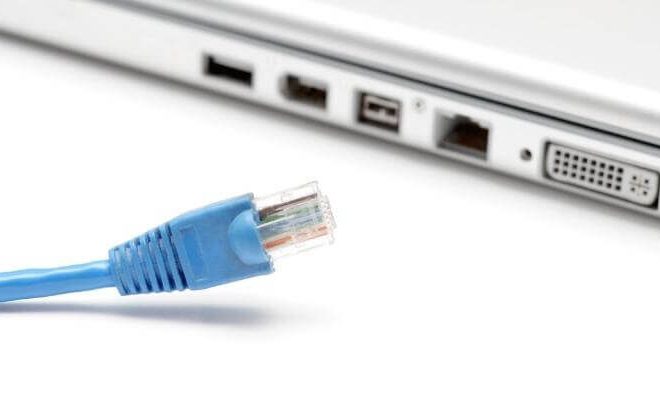
Sometimes, the BOOTMGR error can occur due to loose or damaged cables or connections. Check all the cables connecting your hard drive and motherboard and make sure they are secure. If any cables look damaged or worn out, replace them immediately.

Method 4: Check for Hard Drive Errors

Press F2 or Del key during bootup to enter the BIOS setup. From there, check if your hard drive is listed and set as the primary boot device. If it’s not listed, it means that either the hard drive is not connected properly or it has failed. In either case, you need to replace the hard drive. If it’s listed, run a diagnostic test to check if there are any file system errors or bad sectors on the hard drive. You can use tools like CHKDSK or Disk Utility to run the diagnostic test.

Method 5: Reinstall Windows

If none of the above methods work, the last resort is to reinstall Windows. However, this will delete all your data and files, so make sure to back up your important data before proceeding. Boot your computer using the Windows installation disc and select “Custom (advanced)” from the Install Windows screen. Follow the on-screen instructions to reinstall Windows.

In conclusion, the “BOOTMGR Is Missing” error can be frustrating, but there are several ways to fix it. Try the above methods one by one until you find the one that works for you. If you’re not confident in your ability to fix the error, seek the assistance of a professional technician.


Previous Article

Activities to Teach Students to Identify Shapes ...

Next Article

How to Fix It When the Snapchat ...

Matthew Lynch

Related articles More from author

  • Digital & Mobile Technology

    Why Twitter’s Third-Party App Ban Is Terrible for Users

    June 3, 2023
    By Matthew Lynch
  • Digital & Mobile Technology

    What Does Embed Mean?

    June 12, 2023
    By Matthew Lynch
  • Digital & Mobile Technology

    Fixes to Try When Adobe Acrobat Reader Can’t Open PDF Files on Windows

    August 5, 2023
    By Matthew Lynch
  • Digital & Mobile Technology

    What Is Microsoft PowerPoint and How Do I Use It?

    June 4, 2023
    By Matthew Lynch
  • Digital & Mobile Technology

    YouTube vs. TikTok: Which Is Better for Viewers?

    June 23, 2023
    By Matthew Lynch
  • Digital & Mobile Technology

    What Are TikTok Gifts, Diamonds, and Coins?

    June 6, 2023
    By Matthew Lynch

Search

Login & Registration

  • Register
  • Log in
  • Entries feed
  • Comments feed
  • WordPress.org

Newsletter

Signup for The Tech Edvocate Newsletter and have the latest in EdTech news and opinion delivered to your email address!

About Us

Since technology is not going anywhere and does more good than harm, adapting is the best course of action. That is where The Tech Edvocate comes in. We plan to cover the PreK-12 and Higher Education EdTech sectors and provide our readers with the latest news and opinion on the subject. From time to time, I will invite other voices to weigh in on important issues in EdTech. We hope to provide a well-rounded, multi-faceted look at the past, present, the future of EdTech in the US and internationally.

We started this journey back in June 2016, and we plan to continue it for many more years to come. I hope that you will join us in this discussion of the past, present and future of EdTech and lend your own insight to the issues that are discussed.

Newsletter

Signup for The Tech Edvocate Newsletter and have the latest in EdTech news and opinion delivered to your email address!

Contact Us

The Tech Edvocate
910 Goddin Street
Richmond, VA 23231
(601) 630-5238
[email protected]

Copyright © 2025 Matthew Lynch. All rights reserved.