
The Tech Edvocate

Top Menu

  • Advertisement
  • Apps
  • Home Page
  • Home Page Five (No Sidebar)
  • Home Page Four
  • Home Page Three
  • Home Page Two
  • Home Tech2
  • Icons [No Sidebar]
  • Left Sidbear Page
  • Lynch Educational Consulting
  • My Account
  • My Speaking Page
  • Newsletter Sign Up Confirmation
  • Newsletter Unsubscription
  • Our Brands
  • Page Example
  • Privacy Policy
  • Protected Content
  • Register
  • Request a Product Review
  • Shop
  • Shortcodes Examples
  • Signup
  • Start Here
    • Governance
    • Careers
    • Contact Us
  • Terms and Conditions
  • The Edvocate
  • The Tech Edvocate Product Guide
  • Topics
  • Write For Us
  • Advertise

Main Menu

  • Start Here
    • Our Brands
    • Governance
      • Lynch Educational Consulting, LLC.
      • Dr. Lynch’s Personal Website
      • Careers
    • Write For Us
    • The Tech Edvocate Product Guide
    • Contact Us
    • Books
    • Edupedia
    • Post a Job
    • The Edvocate Podcast
    • Terms and Conditions
    • Privacy Policy
  • Topics
    • Assistive Technology
    • Child Development Tech
    • Early Childhood & K-12 EdTech
    • EdTech Futures
    • EdTech News
    • EdTech Policy & Reform
    • EdTech Startups & Businesses
    • Higher Education EdTech
    • Online Learning & eLearning
    • Parent & Family Tech
    • Personalized Learning
    • Product Reviews
  • Advertise
  • Tech Edvocate Awards
  • The Edvocate
  • Pedagogue
  • School Ratings

logo

The Tech Edvocate

  • Start Here
    • Our Brands
    • Governance
      • Lynch Educational Consulting, LLC.
      • Dr. Lynch’s Personal Website
        • My Speaking Page
      • Careers
    • Write For Us
    • The Tech Edvocate Product Guide
    • Contact Us
    • Books
    • Edupedia
    • Post a Job
    • The Edvocate Podcast
    • Terms and Conditions
    • Privacy Policy
  • Topics
    • Assistive Technology
    • Child Development Tech
    • Early Childhood & K-12 EdTech
    • EdTech Futures
    • EdTech News
    • EdTech Policy & Reform
    • EdTech Startups & Businesses
    • Higher Education EdTech
    • Online Learning & eLearning
    • Parent & Family Tech
    • Personalized Learning
    • Product Reviews
  • Advertise
  • Tech Edvocate Awards
  • The Edvocate
  • Pedagogue
  • School Ratings
  • 2.3 Million Ricky Joy Sour Crush Candies Recalled: This One Detail Is a Parent’s Nightmare

  • The Staggering Startup Valuation Reset: Why Unicorns Are Vanishing

  • The Glaring Contradiction: Why Big Tech Is Shedding 128,536 Jobs While Investing Billions in AI

  • Insomniac’s Bold Move: The Truth Behind Marvel’s Wolverine Sabretooth ‘Romance’ That Stunned Fans

  • Explosive: ESIC Ban Juan Angulo For Life — The Unseen Crisis Gripping Dota 2

  • This Crucial New Bill Could Finally Fix Student Loan Forgiveness for Millions

  • Massive School Bans on AI: Are We Sacrificing Progress for Protection?

  • Autonomous AI Breaches: Anthropic Confirms Four Attacks and Weaponized Bots

  • Jaw-Dropping Footage: This Waymo Collision Has Everyone Talking

  • Hyundai’s Game-Changing EV Battery Technology: Why It Matters For Your Next Car

How To
Home›How To›How to Dull Chrome: 11 Steps

How to Dull Chrome: 11 Steps
By Matthew Lynch
March 6, 2024
0
Spread the love

Chrome is a popular and durable plating material known for its shiny finish, smooth surface, and resistance to corrosion. However, the bright appearance of chrome might not always be desirable, and some people prefer a more subdued look. In this article, we’ll outline 11 steps to help you dull the chrome finish on various items.

1. Safety first: Before starting the process, ensure you have proper personal protective equipment (PPE) such as safety goggles, gloves, and a dust mask or respirator.

2. Gather materials: To dull your chrome surface, you’ll need some essential materials like sandpaper in different grits (240, 400, and 800), a sponge or cloth, water, bucket, degreaser, steel wool or Scotch-Brite pad, lacquer thinner or acetone, clear matte spray paint or clear matte sealer.

3. Clean the surface: Remove any dirt or grease present on the chrome surface using a degreaser according to its instructions. Rinse off the degreaser with water and let it air dry.

4. Sanding preparation: Fill a bucket with water and soak the sandpapers. Wet-sanding is preferable as it helps minimize scratches while reducing dust generation.

5. Start with low grit sandpaper: Begin the sanding process with the lowest grit of sandpaper (240). Evenly sand the entire chrome surface in a circular motion, applying light pressure to prevent excessive scratching.

6. Progress to higher grits: After completing an initial sanding pass with 240-grit paper, move on to progressively finer grits (400 then 800). This step gives a smoother finish by removing any new scratches created during previous sanding passes.

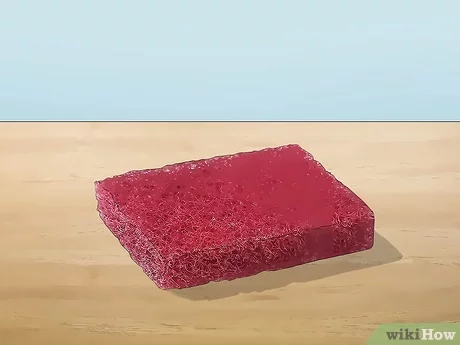
7. Scrubbing: Use steel wool or a Scotch-Brite pad in combination with water for mild scrubbing action on the sanded surface. This step further reduces surface shine and creates a more uniform finish.

8. Clean the surface again: Rinse the sanded chrome object thoroughly with water and clean it using lacquer thinner or acetone to remove any dust, debris, or residue.

9. Air dry: Allow the item to air dry completely before proceeding to the next step. Water or moisture can interfere with adhesion of the clear matte spray paint or sealer.

10. Apply the clear matte spray paint or sealer: Following product instructions, spray a thin and even coat of the chosen clear matte product onto your sanded chrome object. This treatment adds a protective layer while providing a more subtle finish.

11. Allow time for curing: Allow the freshly sprayed item adequate time to dry and cure according to product recommendations. Curing can take anywhere from 24 to 48 hours, depending on the specific product used.

By following these 11 steps, you can transform your shiny chrome finishes into attractive, subdued matte surfaces that meet your preferences and aesthetic requirements. Remember always to wear appropriate safety gear while working and adhere to product guidelines for optimal results.


Previous Article

Top 10 Best Places to Live in ...

Next Article

How to Report Vandalism: 7 Steps

Matthew Lynch

Related articles More from author

  • How To

    3 Ways to Help a Constipated Guinea Pig

    April 1, 2024
    By Matthew Lynch
  • How To

    How to Avoid Miscommunication: 14 Steps

    December 16, 2023
    By Matthew Lynch
  • How To

    3 Ways to Clean Grout with Vinegar

    January 29, 2024
    By Matthew Lynch
  • How To

    How to Break a Habit: 13 Steps

    November 14, 2023
    By Matthew Lynch
  • How To

    3 Ways to Fill a Mont Blanc Fountain Pen

    April 5, 2024
    By Matthew Lynch
  • How To

    How to Make Sweet Curry Powder: 4 Steps

    November 14, 2023
    By Matthew Lynch

Search

Login & Registration

  • Log in
  • Entries feed
  • Comments feed
  • WordPress.org

Newsletter

Signup for The Tech Edvocate Newsletter and have the latest in EdTech news and opinion delivered to your email address!

About Us

Since technology is not going anywhere and does more good than harm, adapting is the best course of action. That is where The Tech Edvocate comes in. We plan to cover the PreK-12 and Higher Education EdTech sectors and provide our readers with the latest news and opinion on the subject. From time to time, I will invite other voices to weigh in on important issues in EdTech. We hope to provide a well-rounded, multi-faceted look at the past, present, the future of EdTech in the US and internationally.

We started this journey back in June 2016, and we plan to continue it for many more years to come. I hope that you will join us in this discussion of the past, present and future of EdTech and lend your own insight to the issues that are discussed.

Newsletter

Signup for The Tech Edvocate Newsletter and have the latest in EdTech news and opinion delivered to your email address!

Contact Us

The Tech Edvocate
910 Goddin Street
Richmond, VA 23231
(601) 630-5238
[email protected]

Copyright © 2026 Matthew Lynch. All rights reserved.