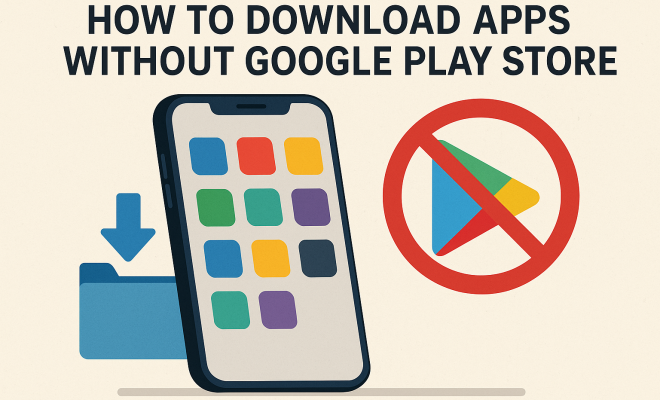
How to download apps without Google Play Store
“`html
In the age of smartphones, apps have become an integral part of our daily lives, but not everyone is comfortable relying solely on the Google Play Store for their downloads. Whether you want to access a broader range of applications, need to download region-specific apps, or perhaps you’re using a device that doesn’t support Google Play, understanding how to download apps without Google Play Store can be a game-changer. In this article, we’ll explore nine effective methods for downloading apps outside the Google Play ecosystem.
1. Using APK Files:
One of the most common methods to download apps without Google Play Store is through APK files. An APK file is an Android Package Kit, which is the file format used by the Android operating system for the distribution and installation of mobile apps. You can find APKs on various websites, such as APKMirror or APKPure.
However, before you download an APK, ensure you’re sourcing it from a trustworthy site to avoid malware or malicious software. Once downloaded, you’ll need to enable the ‘Install from Unknown Sources’ option in your device settings, allowing you to install apps that aren’t from the Play Store. This method is straightforward but requires caution regarding the sites you choose.
2. Using Third-Party App Stores:
If APKs seem a bit daunting, using third-party app stores can be a hassle-free alternative. Stores like Aptoide, F-Droid, and Amazon Appstore offer a wide array of applications without needing Google Play. Aptoide, for instance, allows users to create their own stores, making it a community-driven platform.
While these platforms can offer apps not available in the Play Store, they also come with risks. Not all apps are vetted as thoroughly as those in the Play Store, so it’s crucial to read user reviews and check permissions before installation. Choose reputable stores to minimize risks and enhance your app experience.
3. Using Direct Downloads from Developers:
Some developers provide direct download links for their applications on their official websites. This is common for apps that are in beta testing or those that are not yet available in the Google Play Store. By downloading directly from the developer, you can ensure you’re getting the latest version of the app.
However, you should always verify the authenticity of the website before downloading the app. Look for HTTPS in the URL and check for any indications of security. This will help protect your device from malicious installations and ensure you’re downloading genuine software.
4. Using Android Emulators:
If you’re looking to run Android apps on a non-Android device, Android emulators like BlueStacks or NoxPlayer can be an excellent solution. These emulators allow you to download apps directly onto your computer without needing the Google Play Store.
Installing an emulator can be a bit resource-intensive, so make sure your PC meets the requirements. Once installed, you can either use the built-in app store within the emulator or download APK files directly, giving you flexibility in accessing apps. This method is especially useful for gamers who want to enjoy mobile titles on a larger screen.
5. Using VPN to Access Region-Locked Apps:
Sometimes, the apps you want may be unavailable in your country due to regional restrictions. A VPN (Virtual Private Network) can help you bypass these restrictions by masking your IP address and allowing you to appear as if you’re browsing from another location.
After connecting to a VPN server in a different country, you can access the Google Play Store as if you were located there. Additionally, you can also find region-specific APKs to download. Just remember to select a reputable VPN service to ensure your data remains secure.
6. Using Sideloading Techniques:
Sideloading is another method to download apps without Google Play Store, where you install apps from outside the standard app store. This typically involves downloading an APK file and then installing it directly on your device. Make sure you enable installation from unknown sources as mentioned earlier. (See: Understanding APK file format.)
While sideloading is a straightforward process, it’s essential to be cautious. Always check app permissions and scan your downloads for viruses or malware. Additionally, sideloading can lead to compatibility issues with some devices, so ensure that your device supports the app.
7. Developing Your Own Apps:
If you’re tech-savvy or have an interest in programming, developing your own apps can be a rewarding way to have complete control over your applications. Platforms like Android Studio provide the necessary tools for building and testing your apps without needing to publish them on the Google Play Store.
This method not only allows you to create custom solutions tailored to your needs, but you also maintain control over the distribution. You can install your app on your device by enabling developer options, making this a suitable method for enthusiasts and developers alike.
8. Using iOS Devices with Alternative App Stores:
While this article primarily focuses on Android, it’s worth noting that iOS users can also find ways to download apps outside the Apple App Store. Utilizing alternative app stores like Cydia can provide access to a range of apps that Apple’s ecosystem might restrict.
However, this often requires jailbreaking your device, which can void warranties and expose your device to security threats. If you’re considering this, always weigh the pros and cons and ensure you fully understand the risks associated with jailbreaking.
9. Understanding the Legal Implications:
One crucial aspect of downloading apps without the Google Play Store is understanding the legal implications. While downloading free apps from third-party sources may seem harmless, there are legal considerations to keep in mind, especially regarding copyright and the terms of service.
Always check the licensing agreements and be mindful of intellectual property laws in your region. Some apps may be free to download but can have licensing restrictions that could pose legal troubles. Being informed can save you from potential issues down the line.
10. Exploring the Risks and Rewards:
When you decide to download apps without Google Play Store, it’s essential to weigh both the risks and benefits. On one hand, you gain access to a wealth of applications that you might not find in the Play Store, including niche software and various tools for productivity, gaming, and customization.
However, this freedom comes with risks. Downloading from unknown sources can expose your device to malware, spyware, and other security threats. Users may face privacy concerns, as some third-party apps may not adhere to stringent data protection standards. Reviewing user feedback and ratings can mitigate some risks, but it’s never a foolproof method.
For example, a study by cybersecurity firm Symantec found that around 1 in 36 apps downloaded outside official stores contained malware. This statistic is a stark reminder that while the allure of accessing exclusive apps is strong, the potential for harmful software is equally present.
11. Creating a Backup Plan:
Before diving into non-Google Play app downloads, it’s wise to formulate a backup plan. Should an app cause issues on your device, having a recent backup can save you time and stress. Utilize cloud services or local storage solutions to back up your essential data regularly.
In addition to backups, consider setting up a dedicated device for testing new or unverified applications. This strategy can prevent potential system-wide issues while allowing you to explore various apps. Some users opt to keep a secondary phone for such experiments, ensuring their primary device remains secure.
12. FAQs About Downloading Apps Without Google Play Store:
Can all apps be downloaded without Google Play Store?
Not all apps are available for download outside the Google Play Store. Some applications are exclusive to the Play Store due to licensing agreements or privacy concerns. However, many popular apps can be found as APK files or on alternative app stores. (See: Importance of safe app installation.)
Is it safe to download APK files?
Downloading APK files can be safe, but it depends on the source. Always choose reputable websites or developers for your APK downloads. Scanning files for malware using tools like VirusTotal can also enhance your safety.
What should I do if an app fails to install?
If an app fails to install, check your device settings to ensure that installations from unknown sources are enabled. Additionally, verify the compatibility of the app with your device and check for sufficient storage space. If the problem persists, consider reaching out to the app’s developer for support.
Can I get updates for sideloaded apps?
Most sideloaded apps do not receive automatic updates like those downloaded from the Google Play Store. To update these apps, you usually need to download the latest APK version manually from the source or the developer’s website.
What if the app I want is unavailable in my country?
Using a VPN can help you access apps that are region-locked. By connecting to a server in a different country, you can download apps as if you were in that location. Remember that using a VPN might have legal implications depending on your local laws, so check your regulations first.
13. Additional Tips for Safe App Downloading
In addition to the points already covered, here are some extra tips to ensure that your experience of downloading apps without Google Play Store is as safe and enjoyable as possible.
Check App Permissions Carefully
Before installing any app, pay close attention to the permissions it requests. Apps that ask for more permissions than necessary may pose a risk to your privacy and security. For example, a simple calculator app should not need access to your contacts or location. Always question unusual permission requests and consider whether the app’s functionality justifies them.
Use Antivirus Software
Installing a reputable antivirus application can add an extra layer of protection against potential threats. Many antivirus apps offer real-time scanning, which can identify and block malware before it has a chance to infect your device. Regularly scanning your device can help keep it secure, especially after sideloading apps.
Stay Updated on Security Practices
The landscape of app security is constantly evolving. Keeping yourself informed about the latest security practices and threats can help you make better decisions. Follow tech blogs, cybersecurity news sites, or forums dedicated to app security to stay ahead of potential risks.
14. Understanding App Compatibility
When downloading apps from non-Google sources, it’s vital to consider device compatibility. Some apps may be designed for specific versions of Android or certain hardware configurations. Before downloading, check the app’s requirements and user reviews to confirm that it works well on your device. Compatibility issues can lead to apps not functioning correctly or causing crashes, so it’s always best to do your homework first.
15. Popular Alternative App Stores
While just mentioning some third-party app stores previously, it’s worth elaborating on a few popular options that are widely used.
Aptoide
Aptoide is a well-known alternative app store where users can find a variety of applications not available on the Play Store. It’s community-driven, allowing developers to set up their own stores and offer their apps directly to users. Aptoide also has a built-in malware scanner to help users avoid unsafe applications. (See: Recent developments in app stores.)
F-Droid
F-Droid specializes in free and open-source software (FOSS). It’s a great option for those who prefer applications that respect user freedoms and privacy. All apps available on F-Droid are vetted for security, ensuring a safer experience for users.
Amazon Appstore
Although primarily designed for Amazon devices, the Amazon Appstore can be downloaded and used on any Android device. It features a wide range of applications, including many popular games and productivity tools. Users can also find exclusive apps not available in the Google Play Store.
16. Community Resources and Forums
Engaging with online communities can provide invaluable insights into the world of downloading apps without the Google Play Store. Websites like Reddit have dedicated subreddits where users share their experiences, tips, and recommendations. Consider joining these forums to learn from others or even ask for advice on specific apps or methods.
17. What to Do If You Encounter Issues
Sometimes, you may face problems while trying to download or install apps from external sources. Here are some common issues and troubleshooting tips.
Installation Errors
If you experience installation errors, it could be due to several reasons, such as insufficient storage space or incompatible APK versions. Make sure you clear some space on your device and double-check the version of the app you are trying to install against your device specifications.
Unexpected App Behavior
If an app behaves unexpectedly, such as crashing or failing to load, it might be due to bugs or compatibility issues. Consider checking for updates from the developer, or seek alternatives that may be more stable.
Security Alerts
If you receive security alerts after installing an app, you may want to uninstall it immediately and scan your device for potential malware. It’s better to be safe than sorry when it comes to potential threats from sideloaded apps.
18. Summary
Knowing how to download apps without Google Play Store opens up numerous opportunities to expand your app library and access content that might otherwise be restricted. However, with great power comes great responsibility. Always prioritize your device’s security and legality when venturing outside the Google Play ecosystem. By following the advice and methods outlined above, you can safely and effectively navigate your app downloading adventures. Always stay informed about the apps you choose and remember to exercise caution in every download.
“`
Trending Now
Frequently Asked Questions
How can I download apps without using the Google Play Store?
You can download apps without the Google Play Store by using APK files from trusted websites, third-party app stores like Aptoide or Amazon Appstore, or directly from developers' websites. Make sure to enable 'Install from Unknown Sources' in your device settings for APK installations. We covered Android 17 security features in more detail.
Is it safe to download APK files from the internet?
Downloading APK files can be safe if sourced from reputable websites like APKMirror or APKPure. Always ensure to check user reviews and permissions before installation to avoid malware. It's essential to be cautious and only download from trustworthy sites.
What are third-party app stores, and are they safe?
Third-party app stores, such as Aptoide and F-Droid, provide applications outside the Google Play ecosystem. While they offer a variety of apps, not all are thoroughly vetted, so it's important to read reviews and choose reputable stores to minimize risks.
Can I download apps directly from developers?
Yes, many developers offer direct downloads of their apps from their official websites. This method can provide access to the latest versions and features, but ensure that you trust the developer to avoid potential security risks.
What do I need to enable to install apps from unknown sources?
To install apps from unknown sources, you need to enable the 'Install from Unknown Sources' option in your device's settings. This allows you to install applications not sourced from the Google Play Store, but be cautious about the origins of the apps.
What did we miss? Let us know in the comments and join the conversation.