Master Email Aliases: Boost Privacy & Organize Your Inbox
“`html
In a world where our inboxes can quickly become overwhelming, creating an email alias can be a game-changer. Whether you’re looking to manage subscriptions, enhance your online privacy, or streamline your communication, knowing how to create an email alias is a skill every savvy internet user should master. This comprehensive guide will explore the ins and outs of email aliases, why they matter, and how you can easily set one up for your own use.
1. What is an Email Alias?
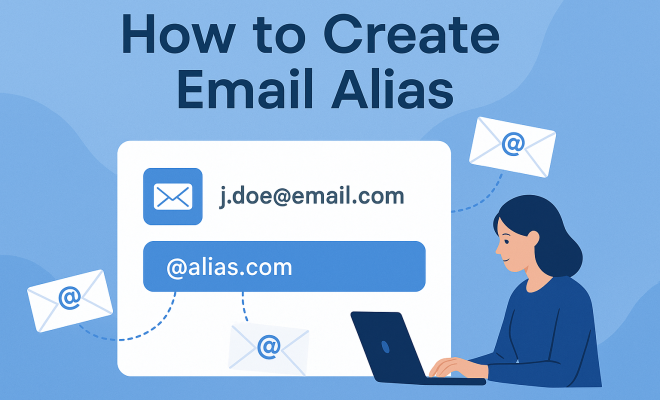
At its core, an email alias is a forwarding address that allows you to receive emails without disclosing your primary email address. It functions like a pseudonym, giving you the ability to create multiple identities or addresses that funnel into a single inbox. For example, you might have an email alias like [email protected] that forwards to your personal email, such as [email protected].
Email aliases are particularly useful because they help maintain privacy and organization. Instead of revealing your primary address when signing up for newsletters, social media, or online shopping, you can use an alias to keep your main email free from clutter and spam.
2. Why You Should Create an Email Alias
Creating an email alias comes with numerous advantages. Here are some compelling reasons to consider:
- Privacy Protection: Using an email alias helps shield your identity. This can be particularly important in today’s landscape of data breaches and privacy concerns.
- Spam Management: Aliases allow you to control where your emails come from. If one of your aliases begins to receive an excessive amount of spam, you can disable it without affecting your primary email.
- Organizational Benefits: You can create specific aliases for different purposes (e.g., work, personal, subscriptions), helping to keep your inbox organized.
- Professional Appearance: For businesses, using aliases can create a more professional image. Instead of using a generic email provider, you can create an alias with your own domain.
3. How to Create Email Alias with Popular Email Providers
Now that you understand the benefits, let’s dive into how to create an email alias with some of the most popular email providers.
Gmail
Gmail users can create an email alias simply by adding a plus sign (+) followed by any word or phrase before the @ symbol. For example, if your email is [email protected], you can create aliases like [email protected] or [email protected]. All emails sent to these aliases will still arrive in your primary inbox.
For more formal email aliases, such as those for a business, you would need to set these up through Google Workspace, where you can create specific aliases for different users.
Outlook
Outlook allows users to create an alias through their account settings. Simply go to Settings > View all Outlook settings > Sync email. Here, you can add a new alias that will forward to your existing email address. You can also choose to send emails from the alias, maintaining a consistent appearance.
Yahoo Mail
Yahoo Mail users can create an alias by selecting Account Info > Account Security > Yahoo Account Key > Create an Account Key. Aliases can be created for various purposes, allowing users to control correspondence while keeping their main email hidden.
4. Using Email Aliases for Enhanced Privacy
In an age where online privacy is paramount, email aliases serve as a valuable tool for protecting your identity. By using an alias whenever you sign up for online services, you reduce the risk of your primary email being exposed to potential breaches.
For example, if you use an alias like [email protected] for online purchases, you can easily disable that alias if it starts receiving spam. This prevents retailers from selling your information to third parties and helps you maintain control over your personal data.
5. Organizing Your Inbox with Email Aliases
One of the best ways to keep your digital life organized is through the strategic use of email aliases. By assigning different aliases for specific categories — such as work, hobbies, or subscriptions — you can filter and manage your incoming messages more effectively. (See: Learn more about email aliases.)
For instance, you might use an alias like [email protected] for all newsletter sign-ups. This way, you can create a separate folder in your inbox to easily access these emails, making it simpler to find important information without sifting through unrelated messages.
6. Combining Email Aliases with Other Tools
Email aliases can work in tandem with various productivity and communication tools. For example, tools like Trello, Slack, and Asana often allow you to integrate email communication into their workflows.
By using an email alias that corresponds to a specific project or team, you can centralize all related communication. This can lead to greater efficiency, as you won’t have to search through unrelated emails to find important messages related to your work.
7. Common Misconceptions About Email Aliases
Despite the numerous benefits of email aliases, some misconceptions can lead users to hesitate in utilizing this feature. Let’s debunk a few of the most common myths:
- Myth 1: Email aliases are only for businesses. Reality: Anyone can create an email alias, whether for personal use or professional purposes.
- Myth 2: Aliases are complicated to set up. Reality: Most email providers offer straightforward methods for creating aliases, often within just a few clicks.
- Myth 3: You can’t send emails from an alias. Reality: Many email services allow you to send emails from your alias, making it appear as if you’re using that address directly.
8. Best Practices for Using Email Aliases
To get the most out of your email aliases, consider the following best practices:
- Be Descriptive: Choose alias names that clearly reflect their purpose. This will make it easier to manage your emails.
- Monitor Usage: Keep an eye on how often you use each alias and adjust as necessary. If an alias starts receiving too much spam, consider changing it.
- Regularly Update Your Aliases: Periodically review your aliases to see if they still serve a purpose. If not, don’t hesitate to delete them.
9. Future of Email Aliases: A Growing Trend
The use of email aliases is on the rise. As more people become aware of the privacy and organizational benefits they offer, we can expect to see greater adoption of this feature. Tech experts predict that email aliasing could become a standard practice not just for individuals but also for businesses striving to protect their customer data.
In a digital age filled with increasing cybersecurity threats, creating an email alias is not just a helpful practice; it’s becoming a necessity. By embracing this simple yet effective tool, you can take control of your online presence and enhance your overall communication strategy.
In conclusion, learning how to create an email alias opens up a world of possibilities for managing your personal and professional life. Whether you’re after privacy, organization, or simply a more streamlined inbox, implementing email aliases can have a profound impact on your digital experience.
10. Real-Life Examples of Using Email Aliases
To better understand the practical applications of email aliases, let’s look at a few real-life scenarios where they can prove invaluable:
Scenario 1: Job Applications
If you’re job hunting, you might set up an alias specifically for your applications, like [email protected]. This way, all correspondence from potential employers can be filtered into a dedicated folder. You can keep track of interviews, follow-ups, and offers without them mixing with your personal emails.
Scenario 2: Online Shopping
When signing up for various retail sites, you could use an alias like [email protected]. This helps separate promotional emails and order confirmations from your regular inbox. If you start receiving unwanted spam, you can easily delete or disable that alias without affecting your main email.
Scenario 3: Mailing Lists and Newsletters
For those who subscribe to numerous newsletters, using an alias such as [email protected] can simplify management. You can create filters in your email client that automatically categorize these emails into a specific folder, allowing you to keep your main inbox clutter-free and still receive all the information you want.
11. Email Aliases vs. Disposable Email Services
As you explore ways to manage your email, you might come across disposable email services that offer temporary addresses. While both email aliases and disposable emails serve the purpose of protecting your primary email address, they have distinct differences:
- Longevity: Email aliases are typically permanent and can be reused, while disposable email addresses are usually temporary and expire after a certain period.
- Management: With aliases, you have control over your communication flow, while disposable emails often lack management features, making it harder to track important messages.
- Integration: Aliases are integrated into your existing email account, allowing for seamless management alongside your other emails. In contrast, disposable emails often require checking a separate inbox.
Choosing between an alias and a disposable email address largely depends on your needs—if you foresee ongoing communication with a sender, an alias is preferable. For one-time sign-ups or short-term projects, a disposable email may suffice. (See: Telework and email privacy considerations.)
12. How Email Aliases Impact Email Marketing
From the perspective of marketers, email aliases can also play a significant role. For instance, companies can utilize unique aliases for different campaigns to analyze engagement more effectively. If they notice one alias is generating a high volume of spam complaints, they might reconsider their approach or content strategy for that specific audience.
Moreover, marketers can use aliases to segment their audiences. This means creating specific aliases for different demographics or interests. By sending tailored content to each alias, businesses can enhance customer experience and improve conversion rates.
13. FAQ: Common Questions About Creating Email Aliases
What is the difference between an email alias and a forwarding address?
An email alias is typically a secondary address that forwards messages to your primary inbox, while a forwarding address is a distinct email that redirects messages from one email account to another. An alias does not exist as a separate account, whereas a forwarding address often does.
Can I create multiple aliases from the same primary email?
Yes! Most email providers allow you to create multiple aliases linked to a single primary email account. This is particularly useful for organizing different aspects of your life without needing to manage multiple accounts.
Are there any downsides to using email aliases?
The primary downside is that some websites may not accept email addresses that contain plus signs (+). Additionally, if not managed correctly, it can become easy to forget which aliases you’ve created, leading to potential email mismanagement.
How can I keep track of my email aliases?
To stay organized, consider maintaining a simple spreadsheet or document that lists all your aliases and their purposes. Additionally, you can leverage email management tools that allow for tags or labels to help you categorize and filter your aliases effectively.
Can I create an email alias for my domain?
If you own a domain, many web hosting services and email hosting platforms allow you to create aliases. This is a common feature of professional email solutions, providing you with control over multiple email addresses associated with your domain.
Is an email alias secure?
While email aliases enhance privacy by masking your primary email, they are not completely immune to spam or phishing attacks. It’s essential to stay vigilant and use additional security measures, such as two-factor authentication, to protect your main account.
14. How to Choose the Right Email Alias for Your Needs
When creating an email alias, it’s important to tailor it to your specific needs. Here’s a quick guide to help you determine the best naming conventions and purposes for your aliases:
1. Identify Your Needs
Think about what you’ll be using the alias for. Is it for online shopping, professional correspondence, or newsletter subscriptions? Identifying the purpose will guide you in creating a meaningful alias.
2. Use Relevant Keywords
Incorporate keywords related to the alias’s purpose. For instance, if you’re using it for travel bookings, something like [email protected] makes it immediately clear where that email is coming from. (See: Email privacy in the digital age.)
3. Keep It Simple
Avoid overly complicated aliases. Simple, clear, and concise aliases are easier to remember and manage. Long or complex aliases can lead to errors when entering them into forms.
15. Understanding the Legal Aspects of Email Aliases
While email aliases offer many conveniences, it’s also wise to be aware of the legal considerations surrounding their use, especially for businesses:
Data Protection Regulations
Depending on your location, data protection regulations such as GDPR in Europe may have implications on how you manage email communications, including the use of aliases. Ensure that you are compliant with these regulations if you are using aliases for business purposes.
Record Keeping
For businesses, it’s important to maintain records of communications sent from email aliases. Some industries may require documentation of all correspondence for legal reasons. Make sure your email management system accommodates this need.
16. Future Trends in Email Aliases
As technology evolves, the way we use email aliases may also change. Here are a few trends to watch for:
Enhanced Automation
With the rise of artificial intelligence, we may see smarter email management tools that can automatically sort emails directed to aliases based on context and content, further streamlining organization.
Integration with Other Platforms
More businesses will likely integrate email aliasing with customer relationship management (CRM) systems for better communication tracking and segmentation. This will enhance marketing efforts and customer engagement.
17. Conclusion: Unlocking the Full Potential of Email Aliases
By understanding the various ways to create and utilize email aliases, you can significantly improve your digital communication and organizational skills. Whether for personal or professional use, an email alias serves as a valuable tool for managing your online presence.
As privacy concerns continue to grow, mastering the art of how to create an email alias not only enhances your control over your inbox but also empowers you to navigate the digital world with greater confidence and security.
“`
Trending Now
Frequently Asked Questions
What is an email alias?
An email alias is a forwarding address that allows you to receive emails without revealing your primary email address. It acts as a pseudonym, enabling you to create multiple identities that funnel into a single inbox, helping maintain privacy and organization.
How do I create an email alias?
To create an email alias, access your email settings and look for the option to add an alias. Follow the prompts to set up a new forwarding address, which will direct emails to your primary inbox while keeping your main address private.
Why should I use an email alias?
Using an email alias offers several advantages, including privacy protection, spam management, improved organization, and a more professional appearance for businesses. It allows you to control your incoming emails and keep your primary inbox clutter-free.
Can I use multiple email aliases?
Yes, you can create multiple email aliases for different purposes, such as work, personal use, or subscriptions. This helps you manage your inbox more effectively and reduces the risk of spam in your primary email address.
Are email aliases safe to use?
Email aliases are generally safe to use as they help protect your primary email address from exposure. However, it's essential to use them wisely and choose reputable services to ensure your privacy and security are maintained.
What did we miss? Let us know in the comments and join the conversation.