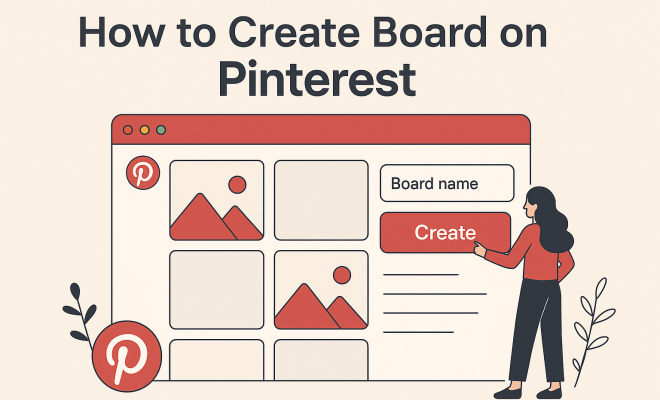
How to create board on Pinterest
“`html
Pinterest has become a powerhouse in the realm of social media, serving as a visual discovery platform where users can explore ideas, share inspiration, and curate their interests. With millions of users turning to Pinterest for everything from DIY projects to home decor and fashion, knowing how to create a Pinterest board is essential for anyone looking to harness the platform’s creative potential. Whether you’re an aspiring chef, a DIY enthusiast, or a fashion-forward individual, this guide will walk you through the steps and strategies to create boards that not only inspire but also capture the attention of other users.
1. What is Pinterest and Why Use It?
Pinterest is more than just a social media platform; it’s a visual search engine filled with ideas, tutorials, and inspiration across a multitude of categories. What’s unique about Pinterest is its focus on sharing images and videos — users can pin their favorite content from the web or upload their own images to create boards organized around specific themes or interests.
The reason to use Pinterest is simple: it acts as a digital scrapbook, making it easy to collect and categorize ideas for future reference. Whether you’re planning a wedding, redecorating your home, or compiling a bucket list of travel destinations, creating a Pinterest board provides a centralized hub for your visual inspirations.
2. Getting Started: Setting Up Your Pinterest Account
Before you can start creating boards, you need to set up your Pinterest account. If you haven’t done so already, visit the Pinterest website or download the app from your device’s app store. You can choose to sign up with your email address, Google account, or Facebook account. Once you’ve created your account, a personalized experience awaits you.
After signing up, Pinterest will prompt you to select topics of interest. This step is crucial, as it helps Pinterest curate your home feed with relevant pins that align with your preferences. Consider your hobbies, interests, and the types of content you want to discover when making your selections.
3. How to Create a Pinterest Board: Step-by-Step Instructions
Now that you have your Pinterest account set up, it’s time to dive into the fun part: creating your first board! Here’s how to create a Pinterest board in just a few simple steps:
- Step 1: Click on your profile icon in the top right corner.
- Step 2: Select the “Boards” tab, then click on the “+” icon to create a new board.
- Step 3: Name your board something descriptive that reflects its theme, such as “Healthy Recipes” or “Travel Destinations.”
- Step 4: Choose whether you want your board to be public (visible to everyone) or secret (only visible to you and people you choose).
- Step 5: Add a description to your board. This is an excellent opportunity to include keywords for better search visibility.
- Step 6: Click “Create Board” to finalize.
Congratulations! You’ve just created your first Pinterest board. Now the real fun begins as you start filling it with pins.
4. Pinning with Purpose: Adding Pins to Your Board
Once your board is ready, you’ll want to start adding content that resonates with its theme. You can pin content from the web or upload your own images. Here’s how:
- Pin from the Web: When you find an image or article you love, click on the Pinterest save button (usually found in the corner of the image) to pin it directly to your board. You’ll also get the option to choose which board you want to save it to.
- Upload Your Own Pins: If you have photos or designs you want to share, you can upload them. Click on the “+” icon in the top right corner, select “Create Pin,” and then upload your image. Add a title and description, and choose the board you want it to go on.
Remember, the more relevant and high-quality your pins, the more likely they are to attract other users’ attention. Use clear images, engaging descriptions, and link back to the original source whenever possible to give credit and provide more context. (See: Wikipedia page on Pinterest.)
5. Organizing Your Boards: Best Practices
As you create more boards, organization becomes crucial. Here are some best practices to keep your Pinterest boards neat and user-friendly:
- Use Specific Titles: Make sure your board names are specific and descriptive. Instead of naming a board simply “Food,” consider “Quick Vegan Meals” or “Desserts for Special Occasions.” This helps users know exactly what to expect.
- Group Related Boards: If you have multiple boards within a theme, keep them grouped together. For example, if you have a travel board, you might have separate boards for “Europe Travel” and “Adventure Trips.” This way, followers can easily find related content.
- Regularly Update Your Boards: Don’t let your boards become stagnant. Regularly add fresh pins or remove any outdated ones. Keeping your boards up-to-date engages your audience and keeps them returning for more inspiration.
Organizing your boards not only makes them visually appealing but also increases the likelihood of engagement from followers.
6. Collaborative Boards: Sharing Ideas with Friends
One of the unique features of Pinterest is the ability to create collaborative boards. This allows multiple users to contribute to a single board, making it a great tool for group projects or shared interests. Here’s how you can create a collaborative board:
- Step 1: Create a new board or select an existing one.
- Step 2: Go into the board settings and toggle the option for “Collaborators.”
- Step 3: Invite friends by entering their Pinterest usernames or email addresses. They’ll receive a notification and can start adding pins!
Collaborative boards are excellent for planning events, such as weddings or vacations, where multiple perspectives can enrich the board’s content.
7. Promoting Your Pinterest Boards
Creating a board is just part of the equation; promoting it effectively is key to gaining followers and engagement. Here are some strategies to increase the visibility of your boards:
- Pin Consistently: Regular activity on Pinterest can boost your visibility. Aim to pin daily, whether it’s your content or repinning others’ related content.
- Leverage SEO: Use relevant keywords in your board titles and descriptions to help users find your boards through Pinterest search. Think about what potential followers might type in when looking for ideas.
- Share on Other Platforms: Promote your Pinterest boards on other social media platforms like Instagram, Facebook, or Twitter. This cross-promotion can attract more followers.
The more you engage with the community and share your boards, the more likely you’ll grow your audience.
8. Popular Categories and Ideas for Pinterest Boards
Knowing what type of boards to create can be daunting, especially with so many possibilities. Here are some popular categories that resonate well with Pinterest users:
- Home Decor: Share your favorite styles, DIY projects, or renovation ideas.
- Fashion: Create boards for seasonal looks, outfits, or specific clothing items.
- Recipes: Pin your favorite recipes, meal prep ideas, or baking tips.
- Travel: Document places you want to visit or share travel itineraries.
Choosing a popular category can help your boards gain traction faster, but don’t hesitate to get niche. Unique boards can attract dedicated followers who are interested in your specific tastes. (classroom social media tips)
9. Understanding Pinterest Analytics
As you begin to grow your presence on Pinterest, understanding how to measure the success of your boards is pivotal. Pinterest offers analytics tools that allow you to track engagement, impressions, and more:
- Profile Analytics: Provides insights into how many people view your profile and boards, helping you gauge overall interest.
- Pin Performance: Check how individual pins are performing in terms of saves and clicks. This can help you identify what resonates most with your audience.
- Audience Insights: Learn about the demographics and interests of your followers to better tailor your content.
Using Pinterest analytics can guide your strategy moving forward, helping you refine your boards and pins to match what your audience wants to see.
10. Advanced Techniques for Pinterest Board Creation
Once you’ve mastered the basics of how to create a Pinterest board, you may want to explore more advanced techniques to enhance your boards and boost engagement: (See: CDC's insights on technology and youth.)
- Create Thematic Boards: Instead of generic boards, consider creating themed boards that align with current trends, like “Sustainable Living” or “Home Office Inspirations.” These trendy themes can attract users who are searching for specific topics.
- Utilize Rich Pins: Rich Pins provide more context about an idea because they include extra information directly on the pin. For example, product pins show real-time pricing and availability that can drive traffic to your website. Setting up Rich Pins takes a bit more effort but can significantly improve engagement with your boards.
- Incorporate Video Pins: Video content is growing on Pinterest. Adding video pins allows you to showcase tutorials, DIY projects, or even short clips of your travels. Videos can engage users more effectively than static images, driving higher interactions.
By leveraging these advanced techniques, you can stand out from the crowd on Pinterest and keep your audience engaged with fresh, innovative content.
11. How to Optimize Your Pinterest Board for SEO
Optimizing your Pinterest board for search engines can greatly enhance your visibility and engagement. Here are some top tips:
- Keyword Research: Use tools like Pinterest’s own search bar to find trending keywords related to your niche. This helps you understand what terms your target audience is searching for and allows you to incorporate these keywords into your board title and description.
- High-Quality Images: Use visually appealing, high-resolution images that are optimized for Pinterest’s preferred aspect ratio (2:3). Images that are eye-catching and relevant to your content are more likely to be saved and shared.
- Engaging Descriptions: Write compelling descriptions for your pins that include keywords naturally. This not only helps with SEO but also entices users to click on your pins for more information.
Focusing on SEO will help your boards get discovered more easily by users who are searching for relevant ideas and inspiration.
12. Creating Seasonal and Timely Boards
Seasonal boards can capitalize on current trends and holidays. Consider creating boards that reflect upcoming events or seasonal changes:
- Holiday Preparation: Create boards for major holidays like Christmas, Halloween, or Thanksgiving, filled with recipes, decorations, and gift ideas. These boards can see a spike in interest leading up to the holidays.
- Seasonal Trends: For example, in spring, a board dedicated to backyard gardening ideas or summer-themed parties can attract users looking for inspiration during those times.
- Event-Specific Boards: If you’re planning a wedding, create a board for specific details like floral arrangements, venues, and dresses. Tailoring your boards to specific events can tap into a niche audience.
By aligning your boards with seasonal content, you can enhance engagement and attract users who are actively looking for timely inspiration.
13. Frequently Asked Questions (FAQ)
How many boards should I create on Pinterest?
There’s no set limit to the number of boards you can create, but aim for a mix that allows you to showcase your interests without overwhelming your audience. Start with a few boards and expand as you find your niche.
Can I change a board from public to secret later?
Yes! You can easily change the visibility of your board from public to secret and vice versa at any time from the board’s settings.
What types of pins perform best on Pinterest?
Visually appealing images, infographics, DIY tutorials, and videos tend to perform well. Quality over quantity matters; it’s better to have fewer, high-quality pins than many low-quality ones. See also The Ed Advocate article.
How often should I pin new content?
Consistency is crucial on Pinterest. Aim to pin several times a week to keep your audience engaged. You can also use scheduling tools to plan and distribute your content evenly. (See: New York Times article on Pinterest boards.)
Can I promote my Pinterest boards outside of Pinterest?
Absolutely! Sharing your boards on other social media platforms, blogs, or websites can help increase visibility and attract more followers.
14. Using Pinterest for Business: A Guide
Pinterest isn’t just for personal use; businesses can thrive on this platform too. If you’re looking to leverage Pinterest for your brand, here are some essential steps:
- Create a Business Account: Start by setting up a Pinterest Business account. This gives you access to analytics, ad tools, and additional features to promote your content effectively.
- Optimize Your Profile: Use your business name, a clear profile picture, and a description that includes relevant keywords. This helps users find your brand more easily.
- Focus on High-Quality Visuals: For businesses, high-quality pin visuals are crucial. Use professional photography and design to showcase your products or services effectively.
- Engage with Your Audience: Reply to comments and messages, repin relevant content from others, and create boards that cater to your audience’s interests. Building a community will foster loyalty and encourage repeat visits to your boards.
Using Pinterest for business can boost your marketing efforts, driving traffic to your website and increasing brand awareness.
15. Pinterest Etiquette: Do’s and Don’ts
Engaging with the Pinterest community comes with its own set of etiquette rules. Here’s a quick guide:
- Do: Give credit to original creators by linking back to their content when pinning.
- Do: Pin regularly, but avoid spamming your audience with excessive content in a short time.
- Don’t: Mislead users with deceptive titles or images that don’t represent the content accurately.
- Don’t: Only promote your products. Mix in relevant content from other creators to provide value to your followers.
Respecting these guidelines will create a positive experience for you and other users on the platform.
16. Conclusion: Elevate Your Pinterest Experience
Creating a Pinterest board is just the beginning of your journey into this visually driven platform. By following these steps and implementing various strategies, you can curate boards that not only inspire you but also resonate with a broader audience. Whether you’re looking to gain followers, share your passions, or find new ideas, mastering how to create a Pinterest board will empower you to make the most of this unique platform. So go ahead, unleash your creativity and start pinning!
“`
Trending Now
Frequently Asked Questions
What is a Pinterest board?
A Pinterest board is a collection of pins organized around a specific theme or interest. Users can create boards to curate images, videos, and ideas, making it easier to categorize and reference content that inspires them, whether it’s for DIY projects, fashion, or home decor.
How do I create a Pinterest account?
To create a Pinterest account, visit the Pinterest website or download the app. You can sign up using your email, Google account, or Facebook account. After setting up your account, select your interests to personalize your feed and start exploring.
Why should I use Pinterest?
Pinterest serves as a visual discovery platform and a digital scrapbook. It allows users to collect, categorize, and share ideas visually, making it an ideal tool for planning events, gathering inspiration for projects, or simply exploring new interests.
Can I upload my own images to Pinterest?
Yes, Pinterest allows users to upload their own images in addition to pinning content from the web. This feature enables you to create personalized boards filled with your unique ideas and inspirations, enhancing your overall Pinterest experience.
How do I organize my Pinterest boards?
You can organize your Pinterest boards by creating them around specific themes or interests. Use descriptive titles and cover images for each board to make them visually appealing and easy to navigate, helping others discover your curated content.
What's your take on this? Share your thoughts in the comments below — we read every one.