The Tech Edvocate

Top Menu

  • Advertisement
  • Apps
  • Home Page
  • Home Page Five (No Sidebar)
  • Home Page Four
  • Home Page Three
  • Home Page Two
  • Home Tech2
  • Icons [No Sidebar]
  • Left Sidbear Page
  • Lynch Educational Consulting
  • My Account
  • My Speaking Page
  • Newsletter Sign Up Confirmation
  • Newsletter Unsubscription
  • Our Brands
  • Page Example
  • Privacy Policy
  • Protected Content
  • Register
  • Request a Product Review
  • Shop
  • Shortcodes Examples
  • Signup
  • Start Here
    • Governance
    • Careers
    • Contact Us
  • Terms and Conditions
  • The Edvocate
  • The Tech Edvocate Product Guide
  • Topics
  • Write For Us
  • Advertise

Main Menu

  • Start Here
    • Our Brands
    • Governance
      • Lynch Educational Consulting, LLC.
      • Dr. Lynch’s Personal Website
      • Careers
    • Write For Us
    • The Tech Edvocate Product Guide
    • Contact Us
    • Books
    • Edupedia
    • Post a Job
    • The Edvocate Podcast
    • Terms and Conditions
    • Privacy Policy
  • Topics
    • Assistive Technology
    • Child Development Tech
    • Early Childhood & K-12 EdTech
    • EdTech Futures
    • EdTech News
    • EdTech Policy & Reform
    • EdTech Startups & Businesses
    • Higher Education EdTech
    • Online Learning & eLearning
    • Parent & Family Tech
    • Personalized Learning
    • Product Reviews
  • Advertise
  • Tech Edvocate Awards
  • The Edvocate
  • Pedagogue
  • School Ratings

logo

The Tech Edvocate

  • Start Here
    • Our Brands
    • Governance
      • Lynch Educational Consulting, LLC.
      • Dr. Lynch’s Personal Website
        • My Speaking Page
      • Careers
    • Write For Us
    • The Tech Edvocate Product Guide
    • Contact Us
    • Books
    • Edupedia
    • Post a Job
    • The Edvocate Podcast
    • Terms and Conditions
    • Privacy Policy
  • Topics
    • Assistive Technology
    • Child Development Tech
    • Early Childhood & K-12 EdTech
    • EdTech Futures
    • EdTech News
    • EdTech Policy & Reform
    • EdTech Startups & Businesses
    • Higher Education EdTech
    • Online Learning & eLearning
    • Parent & Family Tech
    • Personalized Learning
    • Product Reviews
  • Advertise
  • Tech Edvocate Awards
  • The Edvocate
  • Pedagogue
  • School Ratings
  • 100 Best Revenue Recognition Apps

  • Dramatic: AI Surveillance Giant Cuts Hundreds of Jobs Amid Privacy Backlash

  • Dramatic: Anthropic Claude AI Just Banned ‘Cruel’ Behavior — Here’s Why It Matters

  • This One Shift in Gaming VC Could Reshape the Entire Industry

  • The AI Doctor Is Coming: Is It a Miracle or a Menace?

  • Unmasking the AI Deepfake Threat: Why Corporate America’s Billions Are at Risk

  • Shocking: China’s AI Programmers Collapse — A Disturbing Glimpse Into Our Future?

  • Dramatic Spike: College Costs Projected to Soar 7.5% — Are You Ready?

  • 20 Million Records Exposed: The Reckless Truth Behind the Oracle Health Data Breach

  • The AI Cybersecurity Threat: A Dangerous New Frontier

Digital & Mobile Technology
Home›Digital & Mobile Technology›How to Convert MOV Videos to MP4 on Your iPhone for Free

How to Convert MOV Videos to MP4 on Your iPhone for Free
By Matthew Lynch
June 22, 2023
0
Spread the love

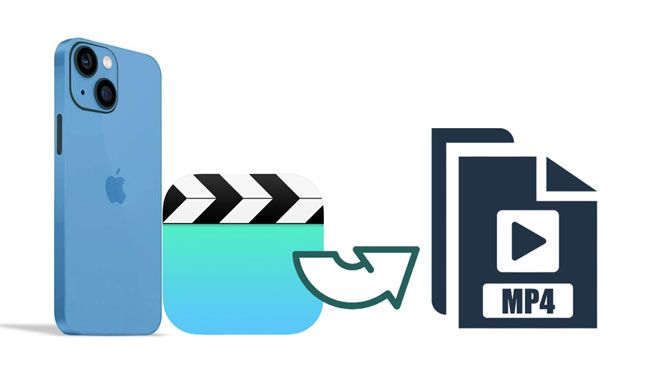
As an iPhone user, you might have noticed that not all video formats are compatible with your device. One such format is the MOV format, which is commonly used on Mac computers and other devices. However, this format is not supported by some video players on your iPhone. So, if you have a collection of MOV videos that you want to play on your iPhone, you need to convert them to a compatible format like MP4. Here’s how to convert MOV videos to MP4 on your iPhone for free.

Step 1: Download a Video Converter App

The first step is to download a video converter app that can help you convert MOV videos to MP4. There are a number of free video converter apps available on the App Store that you can use. One such app is Video Converter – Convert Video, which is available for free.

Step 2: Launch the App

Once you’ve downloaded the video converter app, launch it on your iPhone. You should see the app’s home screen, which will display a list of features and options that you can use to convert your videos.

Step 3: Add the MOV Files

The next step is to add the MOV videos that you want to convert to the app. You can do this by tapping on the Add File option and selecting the MOV files from your device’s storage. You can also choose to add video files from your Dropbox, Google Drive or any other cloud storage you may have.

Step 4: Choose Output Format

After adding the MOV files, you need to choose the output format as MP4. To do this, tap on the Output Format option and select the MP4 video format.

Step 5: Convert the Videos

Now that you have chosen the output format, the last step is to convert the videos. Simply tap on the Convert option and wait for the app to convert your MOV videos to MP4. The time taken for the conversion process will depend on the size of your videos.

Step 6: Save the Converted Videos

After the conversion process is complete, the app will display a message stating that your videos have been converted successfully. You can then tap on the Converted Files option to view the MP4 videos. You can choose to save them on your device or share them with others.

Previous Article

Best Wi-Fi Cards for Your PC

Next Article

StumbleUpon Alternative Sites That Still Work to ...

Matthew Lynch

Related articles More from author

  • Digital & Mobile Technology

    How to Download and Play Fortnite on PS5

    June 30, 2023
    By Matthew Lynch
  • Digital & Mobile Technology

    Best Sites With Free Action Movies

    June 8, 2023
    By Matthew Lynch
  • Digital & Mobile Technology

    How to Activate Water Lock on Your Fitbit

    June 5, 2023
    By Matthew Lynch
  • Digital & Mobile Technology

    What Is a CTF Loader, and How Do You Fix Its High CPU Usage?

    August 5, 2023
    By Matthew Lynch
  • Digital & Mobile Technology

    What Is “Other” Storage on Mac and How Do You Clear It?

    June 12, 2023
    By Matthew Lynch
  • Digital & Mobile Technology

    What is Offsite Storage?

    May 25, 2023
    By Matthew Lynch

Search

Login & Registration

  • Log in
  • Entries feed
  • Comments feed
  • WordPress.org

Newsletter

Signup for The Tech Edvocate Newsletter and have the latest in EdTech news and opinion delivered to your email address!

About Us

Since technology is not going anywhere and does more good than harm, adapting is the best course of action. That is where The Tech Edvocate comes in. We plan to cover the PreK-12 and Higher Education EdTech sectors and provide our readers with the latest news and opinion on the subject. From time to time, I will invite other voices to weigh in on important issues in EdTech. We hope to provide a well-rounded, multi-faceted look at the past, present, the future of EdTech in the US and internationally.

We started this journey back in June 2016, and we plan to continue it for many more years to come. I hope that you will join us in this discussion of the past, present and future of EdTech and lend your own insight to the issues that are discussed.

Newsletter

Signup for The Tech Edvocate Newsletter and have the latest in EdTech news and opinion delivered to your email address!

Contact Us

The Tech Edvocate
910 Goddin Street
Richmond, VA 23231
(601) 630-5238
[email protected]

Copyright © 2026 Matthew Lynch. All rights reserved.