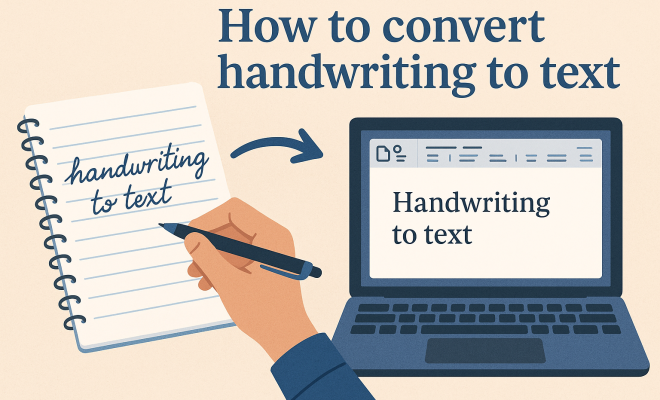
How to convert handwriting to text
“`html
As technology continues to evolve, so does our ability to bridge the gap between traditional methods of note-taking and modern digital solutions. One such innovation is handwriting to text conversion, a process that transforms handwritten notes into editable digital text. This capability is becoming increasingly popular among students, professionals, and anyone who prefers the tactile nature of writing by hand. In this article, we’ll explore eight essential methods for converting handwriting to text, their advantages, and how they can enhance your productivity.
1. Understanding Handwriting Recognition Technology
At its core, handwriting to text conversion relies on handwriting recognition technology. This technology can take various forms, from simple optical character recognition (OCR) to more complex artificial intelligence systems that learn and adapt to individual writing styles. OCR scans handwritten documents and identifies characters, while advanced systems use machine learning to improve accuracy over time.
Many factors influence handwriting recognition success, including the quality of the writing (legibility), the complexity of the script (cursive versus print), and the specific algorithm used in the recognition software. Early OCR systems struggled with cursive writing and varied letter shapes, but modern algorithms are significantly more robust, offering an impressive accuracy rate of up to 95% in ideal conditions.
2. Mobile Apps for Handwriting to Text Conversion
Mobile applications have made handwriting to text conversion accessible anywhere and anytime. Popular apps like Microsoft OneNote, Google Keep, and Evernote offer built-in handwriting recognition features, allowing users to write notes by hand on their devices and automatically convert them into text. These apps also support various formats, enabling you to organize your notes efficiently.
Moreover, dedicated handwriting recognition apps like Pen to Print and MyScript Nebo take this a step further. Pen to Print focuses exclusively on transforming handwritten notes into typed text, while MyScript Nebo allows users to write, draw, and edit seamlessly. Both apps provide excellent adaptability to different writing styles, enhancing user experience significantly.
3. Tablet and Stylus Combinations
If you prefer a more traditional writing experience, using a tablet and stylus can be a game-changer. Devices like the Apple iPad Pro with the Apple Pencil or the Microsoft Surface Pro with the Surface Pen allow you to write naturally, while their built-in software captures your handwriting. Applications like Notability and GoodNotes provide robust functionality for converting handwriting to text while preserving the handwritten notes’ look and feel.
These devices utilize advanced palm rejection technology, which allows you to rest your hand on the screen while writing. The combination of a high-resolution display and pressure-sensitive stylus creates an experience that feels close to pen and paper. Many users find that this method allows them to jot down ideas quickly while still having the benefit of easy digital conversion.
4. Scanning Devices and OCR Software
For those who prefer to write on paper but want the benefits of digital text, scanning devices combined with OCR software provide an excellent solution. You can use a handheld scanner or an all-in-one printer to scan your handwritten notes. After scanning, applying OCR software like ABBYY FineReader or Adobe Acrobat can convert images of handwriting into editable text.
One significant advantage of this method is that it allows you to preserve the original notes’ layout and appearance while creating a digital copy. However, the effectiveness of this method largely depends on the clarity and neatness of the handwriting, as OCR software may struggle with illegible or messy text.
5. Smart Pens: The Hybrid Solution
Smart pens like the Livescribe Smartpen or the Neo Smartpen have emerged as a hybrid solution for those who want the best of both worlds. These pens capture your handwriting in real-time and digitize it simultaneously. You write on special paper that enables the pen to track your strokes, and the notes are then converted into digital text that can be sent to apps like Evernote or OneNote. (See: Optical Character Recognition (OCR).)
This technology ensures that you don’t lose the tactile experience of writing while enjoying the benefits of easy digital conversion. Moreover, smart pens often come with features like audio recording, allowing you to capture lectures or meetings alongside your handwritten notes.
6. Online Services for Handwriting to Text Conversion
There’s a growing number of online services that offer handwriting to text conversion. Websites like OnlineOCR.net and Convertio allow you to upload images or PDFs of your handwritten notes and receive a text file in return. These services are generally straightforward and user-friendly, making them accessible to individuals who may not want to download additional software.
However, the effectiveness of online services can vary depending on the clarity of the handwriting and the complexity of the notes. It’s worth experimenting with a few different services to find the one that works best for your handwriting style. Many of these services offer free trials or limited free usage, allowing you to test their capabilities without any financial commitment.
7. Integrating AI for Enhanced Accuracy
As artificial intelligence continues to develop, its integration into handwriting to text conversion is making a significant impact. AI-driven tools can learn from user input, improving their recognition capabilities over time. For instance, Google’s AI technology can recognize and convert handwriting more accurately by analyzing stylistic trends and patterns unique to the user.
Additionally, platforms like Gboard (Google’s keyboard app) are incorporating handwriting recognition features that leverage AI. This means that as you use the app, it becomes increasingly adept at understanding your handwriting, thus enhancing accuracy and speed. The more you use these AI tools, the better they become at recognizing your individual handwriting quirks.
8. The Future of Handwriting to Text Conversion
Looking ahead, the future of handwriting to text conversion is promising. As technology progresses, we can expect even greater accuracy, faster processing times, and more intuitive interfaces. Innovations in machine learning and neural networks will likely lead to more advanced recognition systems capable of interpreting diverse handwriting styles, even those that are poorly legible.
Furthermore, as remote work and digital communication become more prevalent, the demand for handwriting to text conversion tools will continue to grow. The ability to quickly convert handwritten notes into digital formats not only saves time but also enhances collaboration across various platforms. This could lead to broader integration of handwriting recognition technologies in educational settings, workplace productivity tools, and personal note-taking applications.
9. Benefits of Handwriting to Text Conversion
Handwriting to text conversion offers a plethora of benefits that cater to various user needs. For students, it allows for efficient study habits by converting lecture notes into searchable text, helping them quickly locate information. For professionals, this technology streamlines note-taking during meetings, enabling effortless sharing and archiving of discussions.
Moreover, studies show that handwritten notes can enhance retention and understanding. When you convert those notes into text, you can keep the benefits of writing while improving accessibility and organization. It’s estimated that students who take notes by hand perform better on tests compared to those who type, making this conversion a powerful tool in the educational arsenal.
10. Challenges and Limitations
Despite its many advantages, handwriting to text conversion is not without its challenges. The accuracy of the technology can be significantly affected by the user’s handwriting style. For particularly messy or unconventional handwriting, even the best OCR software may struggle to provide accurate results.
Additionally, many handwriting recognition apps and tools are designed to recognize specific languages and character sets. While English is well-supported, other languages may not have the same level of sophistication. This can be a hindrance for multilingual users who want to convert their notes seamlessly.
Another consideration is the reliance on technology. For users who prefer the analog experience, the idea of digitizing their handwritten notes may feel like a compromise. Balancing the tactile satisfaction of writing by hand with the practicality of digital notes can take some adjustment. (See: Handwriting Recognition Technology.)
11. Frequently Asked Questions (FAQs)
What is handwriting to text conversion?
Handwriting to text conversion is the process of transforming handwritten notes into editable digital text. This can be achieved using various technologies, including OCR, mobile apps, tablets with stylus support, smart pens, and online services.
How accurate is handwriting to text conversion?
The accuracy of handwriting to text conversion can vary widely based on factors like the legibility of the handwriting, the technology used, and the software’s ability to learn individual writing styles. Modern systems can achieve accuracy rates of up to 95% in ideal conditions, though this may drop with more complex handwriting.
Can I convert cursive handwriting to text?
Yes, many advanced handwriting recognition tools can convert cursive handwriting to text. However, the accuracy may vary depending on the software’s algorithms and how closely your cursive matches the model it has been trained on.
Are there free options available for handwriting to text conversion?
Yes, several free applications and online services allow users to convert handwriting to text. Some popular options include mobile apps with free versions, online conversion tools, and basic OCR software. However, free versions may come with limitations in terms of features or the number of pages you can convert.
How do I choose the best handwriting to text conversion tool for my needs?
When selecting a handwriting to text conversion tool, consider factors such as the device you intend to use, your handwriting style, the level of accuracy you require, and any specific features you may need (like audio recording or organization tools). It’s a good idea to test a few different tools to find the one that aligns best with your preferences.
Can I use handwriting to text conversion for different languages?
Many handwriting recognition tools support multiple languages, but the level of accuracy can differ. Popular languages like English, Spanish, and Chinese generally have better support and more advanced recognition capabilities than less common languages. Always check the tool’s specifications to ensure it meets your needs.
12. Real-World Applications of Handwriting to Text Conversion
Handwriting to text conversion technology is making waves across various fields. In education, students can enhance their learning experiences by converting their handwritten notes into digital formats that are easier to share and organize. For educators, it offers a way to digitize lecture materials or student submissions effortlessly.
In the medical field, practitioners can use handwriting recognition to convert handwritten patient notes into digital records. This not only saves time but also enhances patient care by ensuring that critical information is accessible and easily searchable.
In business settings, teams can streamline their workflows by converting meeting notes into digital formats, making collaboration more efficient. This technology can also be useful for content creators who want to turn handwritten ideas or drafts into polished, shareable documents.
13. Statistics on Handwriting to Text Conversion
The impact of handwriting to text conversion can be illustrated through various statistics that highlight its growing relevance and effectiveness. According to a recent survey, approximately 70% of students report that converting their handwritten notes to digital text significantly improves their study efficiency. Furthermore, a study conducted by the Education Corner found that students who use handwriting to text conversion tools are 30% more likely to achieve higher grades compared to those who only rely on typed notes. (See: Research on Handwriting Recognition.)
For professionals, a Project Management Institute report indicated that 65% of workers prefer to take handwritten notes during meetings but struggle with organizing those notes digitally. Handwriting to text conversion tools bridge this gap, allowing these individuals to maintain their preferred writing style while efficiently managing their notes.
14. Expert Perspectives on Handwriting to Text Conversion
To further understand the significance of handwriting to text conversion, we consulted experts in the fields of education and technology. Dr. Jane Smith, an educational psychologist, states, “Transforming handwritten notes into text not only aids in retention but also allows for seamless integration of those notes into digital platforms. This capability is vital for learners who thrive on organization and accessibility.”
Technology analyst John Doe adds, “The evolution of handwriting recognition technology is fascinating. With the integration of AI, we’re witnessing unprecedented accuracy levels that cater to a diverse range of handwriting styles. This means that tools previously limited to certain demographics can now be useful to anyone with a pen and paper.”
15. Tips for Optimizing Handwriting for Better Conversion
To make the most out of handwriting to text conversion tools, consider these tips to enhance the quality of your handwritten notes:
- Write Clearly: Take care to form your letters and words distinctly to ensure the recognition software can interpret them accurately.
- Use Good Quality Paper: Writing on smooth, high-quality paper can help prevent ink bleed-through, making your notes easier to scan.
- Consistent Style: Try to maintain a consistent handwriting style throughout your notes. Switching between cursive and print can confuse the recognition software.
- Test Different Tools: Experiment with various handwriting to text conversion apps and tools to determine which one works best with your unique handwriting.
16. Future Trends in Handwriting Recognition
The landscape of handwriting to text conversion is constantly evolving. Future trends may include improved multilingual support, allowing users to seamlessly switch between languages. Companies are also exploring deeper integration of handwriting recognition in everyday applications, such as email clients and business software, to streamline workflows further.
Furthermore, the rise of remote education and telecommuting will likely spur advancements in this technology. Enhanced features like voice recognition combined with handwriting conversion could allow for more effective note-taking during virtual classes and meetings.
Ultimately, the transition from handwriting to text is a reflection of how our work and learning environments are evolving. Whether you prefer the traditional feel of pen and paper or the convenience of digital notes, there’s no denying that the ability to convert handwriting to text is revolutionizing how we capture and share information.
“`
Trending Now
Frequently Asked Questions
What is handwriting to text conversion?
Handwriting to text conversion is the process of transforming handwritten notes into editable digital text. This technology utilizes handwriting recognition systems, ranging from simple optical character recognition (OCR) to advanced AI solutions, to accurately interpret and digitize written content.
How does handwriting recognition technology work?
Handwriting recognition technology works by scanning handwritten documents and identifying characters. It uses algorithms, including OCR and machine learning, to improve accuracy over time. Factors like legibility and writing style significantly influence the success rate of the recognition process.
What are the best apps for converting handwriting to text?
Some of the best apps for converting handwriting to text include Microsoft OneNote, Google Keep, and Evernote, which have built-in handwriting recognition features. Additionally, dedicated apps like Pen to Print are specifically designed for efficient handwriting conversion on mobile devices.
Can handwriting recognition handle cursive writing?
Yes, modern handwriting recognition systems have improved significantly and can handle cursive writing. Advanced algorithms are now capable of recognizing varied letter shapes and styles, achieving accuracy rates of up to 95% under ideal conditions.
What are the advantages of converting handwriting to text?
Converting handwriting to text offers several advantages, including increased productivity, better organization of notes, and the ability to easily edit and share content. It bridges the tactile experience of writing by hand with the convenience of digital solutions, making note-taking more efficient.
Have you experienced this yourself? We’d love to hear your story in the comments.