Mastering Video Color Grading: 7 Essential Aspects
“`html
Color grading video is an essential skill for filmmakers and content creators. It goes beyond simply adjusting brightness and contrast; it’s about creating a mood, telling a story, and enhancing the visual aesthetics of your footage. In this article, we’ll explore seven critical aspects of color grading video, including its background, key techniques, the tools available, and tips for achieving professional results.
1. The Importance of Color Grading in Video Production
Color grading serves as the final touch in the post-production process of video creation. It’s the stage where you can truly enhance the emotional impact of your story. Color can evoke feelings; for instance, warm tones might create a sense of comfort and joy, while cooler tones might evoke sadness or loneliness. According to a study from Science Direct, 90% of information transmitted to the brain is visual, demonstrating how crucial visual elements, such as color, are in storytelling.
Moreover, color grading can help maintain consistency throughout your footage. Different lighting conditions can result in varied color temperatures, which if left uncorrected, can distract the audience. A well-executed color grade ensures that your video looks cohesive and professional, making it more engaging for viewers.
2. Understanding Color Theory
Before diving into color grading video, it’s vital to grasp some basics of color theory. Familiarizing yourself with the color wheel is a great starting point. The wheel is divided into warm colors (reds, oranges, yellows) and cool colors (blues, greens, purples). Understanding color relationships, such as complementary colors (those opposite each other on the wheel) and analogous colors (those next to each other), will guide your grading decisions.
Furthermore, consider how color affects mood and perception. For example, in horror films, desaturated colors paired with greens and blues can create an unsettling atmosphere, while vibrant colors in comedies can evoke joy and energy. Mastering the psychological effects of color can significantly enhance your narrative.
3. Essential Tools for Color Grading Video
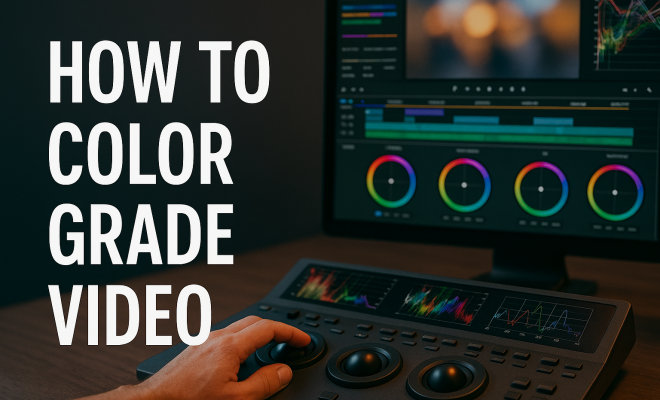
When it comes to color grading video, the right tools can make all the difference. Popular software options include Adobe Premiere Pro, DaVinci Resolve, and Final Cut Pro. DaVinci Resolve is often lauded for its powerful color grading capabilities and is widely used by professionals in the film industry.
Each software offers a range of features, such as color wheels, curves, and LUTs (Look Up Tables). Learning how to use these tools effectively is essential. For instance, color wheels allow you to manipulate shadows, midtones, and highlights separately, providing you with precise control over your footage. Tutorials on platforms like YouTube can offer valuable insights into mastering these tools.
4. Basic Techniques for Color Correction
Before you can dive into creative color grading, it’s crucial to perform basic color correction. This step involves adjusting your footage to match a consistent color balance and exposure across your clips. Typical adjustments include correcting white balance, adjusting exposure, and fixing color casts.
To correct white balance, you can use the temperature and tint sliders in your editing software to ensure that whites appear neutral. For exposure, watch the histogram and adjust brightness to avoid clipping highlights or crushing shadows. These corrections are foundational and will set the stage for more stylized grading later on.
5. Advanced Color Grading Techniques
Once you have your basic corrections in place, it’s time to explore advanced techniques. Techniques such as creating masks, using secondary color correction, and applying LUTs can elevate your color grading video to a professional level. Masks allow you to isolate specific areas of the frame, making targeted adjustments without affecting the entire image.
Secondary color correction lets you adjust specific colors in your footage. For instance, if you want to enhance the blues in a sky, you can select that particular hue and increase its saturation or brightness without altering the rest of the colors. Additionally, applying LUTs can provide a quick and effective way to apply a specific look to your video. Just remember to tweak the settings to ensure it fits your footage perfectly. (See: study on visual information processing.)
6. Common Mistakes to Avoid
Even seasoned colorists can fall into traps during the color grading process. One common mistake is over-saturation. While vibrant colors can be appealing, too much saturation can make footage look unnatural. It’s crucial to maintain a balance to ensure colors appear realistic.
Another mistake is neglecting to check how your graded video looks on different screens. Colors can vary significantly from one monitor to another. To ensure your color grades translate well, test your video on various devices and lighting conditions. This practice can help you catch discrepancies that you might miss while editing in a controlled environment.
7. Staying Current: Trends in Color Grading Video
As with any artistic endeavor, trends in color grading are ever-evolving. Recently, there has been a shift towards more naturalistic color palettes, moving away from heavily stylized looks. This trend emphasizes realism and authenticity, particularly in documentaries and narrative films.
Additionally, the rise of social media platforms has influenced color grading styles. Content creators often use bold and eye-catching colors to stand out in feeds. Understanding current trends can help you adapt your techniques and ensure your work remains relevant in an ever-changing landscape.
8. Color Grading for Different Genres
Different genres of film and video often require distinct color grading approaches to effectively convey their inherent styles and emotions. For instance, action films may benefit from a high-contrast look, which adds intensity and excitement. A warm, saturated color palette can enhance the feeling of adventure and engagement, making scenes feel dynamic.
On the other hand, romantic comedies often utilize softer, pastel colors that evoke warmth and affection. Gentle pinks and light blues can create an inviting atmosphere that resonates with the audience and mirrors the lightheartedness of the narrative.
Documentaries, particularly those focused on real-life events or social issues, may lean towards a more naturalistic color grading approach. The purpose here is to maintain authenticity and truthfulness in the visual representation of the subject matter. Grading can be applied subtly to ensure that the colors reflect the reality of the footage, helping the viewer connect with the content on a deeper level.
In horror films, color grading can play a pivotal role in establishing a tense atmosphere. Dark, desaturated colors with an emphasis on deep shadows can create a sense of foreboding, enhancing the unsettling nature of the story. The use of greenish or bluish hues is particularly effective in creating a chilling effect that keeps the audience on edge.
9. The Role of Color Grading in Marketing
Color grading video isn’t just for filmmakers; it plays a significant role in marketing and advertising too. The visuals in commercials and promotional content must be striking and memorable to capture viewers’ attention. Companies often utilize color grading to align their visuals with their brand identity.
For example, a beverage company may use vibrant colors to evoke freshness and energy, appealing to a youthful audience. In contrast, luxury brands often favor muted palettes with rich, deep colors that convey sophistication and exclusivity. The choice of colors in promotional videos can significantly influence consumer perception and engagement.
Statistics back this up; research by Branding Mag indicates that 85% of consumers make purchasing decisions based on color. This highlights the value of effective color grading in not just storytelling, but also in driving marketing success.
10. Expert Perspectives on Color Grading
Industry experts emphasize the importance of honing your skills in color grading. Renowned colorist Patrick Inhofer, who has worked on numerous award-winning projects, notes that “color grading is not just about making footage look good; it’s about telling the right story through color.” He encourages aspiring colorists to study films and analyze their color choices to understand how color influences mood and narrative.
Another respected name, Olivia D’Abo, emphasizes the technical aspects of color grading, stating, “Understanding the science of color is as crucial as the art. Knowing how colors interact can prevent mistakes that detract from the storytelling.” This perspective underscores the balance between artistic intuition and technical expertise required for effective color grading. (See: importance of color grading in film.)
Learning from industry professionals can provide invaluable insights and foster personal growth in your color grading journey. Many offer online courses, webinars, and tutorials that can further develop your skills and understanding of color grading.
11. Frequently Asked Questions (FAQ)
What is the difference between color correction and color grading?
Color correction involves adjusting your footage to achieve a balanced and consistent look, while color grading is the creative process of enhancing and stylizing the visual aesthetics to convey emotions and themes.
Do I need expensive software for color grading?
While professional tools like DaVinci Resolve and Adobe Premiere Pro are popular, there are free or less expensive alternatives such as HitFilm Express and Lightworks. These options can still provide powerful features for color grading.
How can I learn color grading effectively?
There are numerous resources available, including online courses, YouTube tutorials, and forums dedicated to color grading. Practicing on your footage and analyzing color choices in films you admire can also enhance your learning.
Can I color grade my videos on a mobile device?
Yes! Several mobile apps like Filmmaker Pro, Adobe Premiere Rush, and LumaFusion offer color grading features. While they may not be as comprehensive as desktop software, they allow for basic adjustments and creative enhancements.
Is there a standard color grading style?
There isn’t a one-size-fits-all approach to color grading. Styles vary depending on the genre, target audience, and desired emotional impact. It’s essential to develop your unique style while being mindful of industry trends.
12. Color Grading Workflow Strategies
Having a structured workflow in color grading can greatly enhance efficiency and consistency in your projects. A typical workflow might begin with organizing and ingesting your footage in your editing software. After that, you would proceed to perform color correction first, ensuring that your clips are uniform in exposure and color balance.
Once your clips are corrected, you can move on to the grading phase. This is where you can begin to apply creative looks to your footage, using tools like color wheels and LUTs. To maintain flexibility, consider utilizing adjustment layers or nodes (especially in software like DaVinci Resolve), which allow you to make non-destructive edits. This way, you can always revert back to a previous state if needed.
Finally, it’s always a good practice to review your graded footage in different environments. Watch it on various screens to ensure that your color grading translates well across devices. This step can save you from potential pitfalls when the content is distributed or published.
13. Comparative Analysis of Color Grading Software
While tools like Adobe Premiere Pro, Final Cut Pro, and DaVinci Resolve are industry standards, each comes with its unique strengths and weaknesses. DaVinci Resolve, for instance, is often praised for its comprehensive color grading options and is preferred by many colorists, especially for high-end film projects.
Adobe Premiere Pro boasts excellent integration with other Adobe products, making it ideal for those who are already in the Adobe ecosystem. It also has a user-friendly interface for beginners. However, its color grading capabilities are often seen as less advanced compared to DaVinci Resolve.
Final Cut Pro is favored by Mac users for its optimized performance; it’s lightning-fast and suitable for quick turnarounds. However, some users find the color grading tools less intuitive compared to Resolve. Ultimately, the choice of software often comes down to personal preference, project requirements, and budget considerations.
14. Impact of Color Grading on Viewer Engagement
Color grading video plays a significant role in viewer engagement, affecting how audiences perceive and respond to content. Studies have shown that color can influence a viewer’s mood, potentially increasing their emotional investment in the story being told. For instance, a research paper published in the Film School Rejects indicates that viewers are more likely to remember content when it’s presented in a visually striking way, which is often achieved through effective color grading.
In marketing contexts, the right color palette can drive consumer behavior. A well-graded video can lead to higher retention rates, encouraging viewers to interact with your content further. Marketers often use color psychology to tap into target audience emotions, driving calls to action and boosting conversion rates.
15. Future of Color Grading with AI Technology
As technology continues to advance, the future of color grading video may increasingly involve artificial intelligence. AI tools are beginning to assist in color correction and grading by automating tedious tasks, such as matching shots or suggesting color palettes based on the mood of the scene.
For example, Adobe’s Sensei technology has started incorporating AI features that can analyze footage and provide color suggestions, thus speeding up the editing process for creators. While these tools can enhance efficiency, it’s essential for colorists to maintain their artistic vision and not rely solely on automated processes.
The blend of human creativity with AI capabilities could lead to exciting new possibilities in color grading, allowing for more complex and daring visual storytelling.
Conclusion: Elevate Your Videos with Color Grading
Color grading video is both an art and a science. By mastering the essential techniques outlined in this article, you can elevate your video projects, enhance storytelling through visual aesthetics, and ultimately create a more engaging experience for your audience. So grab your footage, fire up your favorite editing software, and start experimenting with color today. You might just find that the right grade can transform your work into something truly extraordinary.
“`
Trending Now
Frequently Asked Questions
What is the purpose of color grading in video?
The purpose of color grading in video is to enhance the emotional impact of the story, create a specific mood, and ensure visual consistency throughout the footage. It serves as the final touch in post-production, helping to make videos more engaging and professional.
How does color grading affect storytelling?
Color grading affects storytelling by using visual elements to evoke emotions and set the tone. Different colors can create feelings of warmth, sadness, or unease, which can significantly influence how viewers perceive the narrative and connect with the content.
What are the basics of color theory for video grading?
The basics of color theory for video grading include understanding the color wheel, which consists of warm and cool colors. Familiarity with color relationships, such as complementary and analogous colors, is crucial for making informed grading decisions that enhance the visual aesthetics.
What tools are available for color grading video?
There are various tools available for color grading video, ranging from professional software like DaVinci Resolve and Adobe Premiere Pro to simpler applications. These tools provide features for adjusting color balance, contrast, and saturation, enabling creators to achieve their desired look.
What are some tips for achieving professional color grading?
To achieve professional color grading, start by understanding color theory and maintaining consistency across your footage. Use high-quality tools, adjust colors thoughtfully to enhance mood, and always reference your work on calibrated monitors to ensure accuracy in color representation.
Agree or disagree? Drop a comment and tell us what you think.