The Tech Edvocate

Top Menu

  • Advertisement
  • Apps
  • Home Page
  • Home Page Five (No Sidebar)
  • Home Page Four
  • Home Page Three
  • Home Page Two
  • Home Tech2
  • Icons [No Sidebar]
  • Left Sidbear Page
  • Lynch Educational Consulting
  • My Account
  • My Speaking Page
  • Newsletter Sign Up Confirmation
  • Newsletter Unsubscription
  • Our Brands
  • Page Example
  • Privacy Policy
  • Protected Content
  • Register
  • Request a Product Review
  • Shop
  • Shortcodes Examples
  • Signup
  • Start Here
    • Governance
    • Careers
    • Contact Us
  • Terms and Conditions
  • The Edvocate
  • The Tech Edvocate Product Guide
  • Topics
  • Write For Us
  • Advertise

Main Menu

  • Start Here
    • Our Brands
    • Governance
      • Lynch Educational Consulting, LLC.
      • Dr. Lynch’s Personal Website
      • Careers
    • Write For Us
    • The Tech Edvocate Product Guide
    • Contact Us
    • Books
    • Edupedia
    • Post a Job
    • The Edvocate Podcast
    • Terms and Conditions
    • Privacy Policy
  • Topics
    • Assistive Technology
    • Child Development Tech
    • Early Childhood & K-12 EdTech
    • EdTech Futures
    • EdTech News
    • EdTech Policy & Reform
    • EdTech Startups & Businesses
    • Higher Education EdTech
    • Online Learning & eLearning
    • Parent & Family Tech
    • Personalized Learning
    • Product Reviews
  • Advertise
  • Tech Edvocate Awards
  • The Edvocate
  • Pedagogue
  • School Ratings

logo

The Tech Edvocate

  • Start Here
    • Our Brands
    • Governance
      • Lynch Educational Consulting, LLC.
      • Dr. Lynch’s Personal Website
        • My Speaking Page
      • Careers
    • Write For Us
    • The Tech Edvocate Product Guide
    • Contact Us
    • Books
    • Edupedia
    • Post a Job
    • The Edvocate Podcast
    • Terms and Conditions
    • Privacy Policy
  • Topics
    • Assistive Technology
    • Child Development Tech
    • Early Childhood & K-12 EdTech
    • EdTech Futures
    • EdTech News
    • EdTech Policy & Reform
    • EdTech Startups & Businesses
    • Higher Education EdTech
    • Online Learning & eLearning
    • Parent & Family Tech
    • Personalized Learning
    • Product Reviews
  • Advertise
  • Tech Edvocate Awards
  • The Edvocate
  • Pedagogue
  • School Ratings
  • A Visitor’s Guide to Fresno (CA), United States

  • A Visitors Guide to New Orleans (LA), United States

  • A Visitors Guide to Sacramento (CA), United States

  • A Visitors Guide to Lyon, France

  • JisuLife Ultra2 Portable Fan: A Powerful Multi-Function Cooling Solution

  • A Visitors Guide to Viña del Mar, Chile

  • A Visitors Guide to Århus, Denmark

  • A Visitors Guide to Bakersfield (CA), United States

  • A Visitors Guide to Aurora (CO), United States

  • A Visitor’s Guide to Toledo (OH), United States

Assistive Technology
Home›Assistive Technology›How to Clean a Laptop Fan

How to Clean a Laptop Fan
By Matthew Lynch
June 8, 2023
0
Spread the love

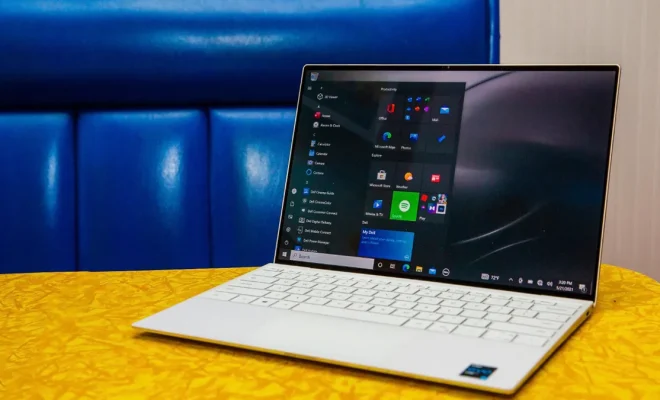
As powerful as laptops may be, they require a lot of ventilation to keep their internal components from overheating. This is where the fan comes in, which helps blow away the heat generated by the computer’s processor and other components. As a result, a dirty fan can cause your laptop to slow down, freeze, or even shut off.

Cleaning laptop fans is not as difficult as one might think. With just a few tools and some patience, you can easily remove dust, dirt, and other debris from your laptop’s fan. Here are the steps you should follow to clean a laptop fan.

  1. Turn off and unplug the laptop

Before you begin cleaning your laptop fan, make sure to turn it off and unplug it from any power source. This will prevent any electrical damage or harm to the computer while you are cleaning the fan.

  1. Prepare the necessary tools

You’ll need a few tools to get the job done, including a screwdriver, a can of compressed air, a soft-bristled brush, and a cleaning solution (such as rubbing alcohol or a vinegar-water mixture). Keep in mind that not all laptop fans are removable, so you may not need a screwdriver if your fan is not easily accessible.

  1. Remove the laptop casing

If your fan is easily accessible, you may need to remove the laptop casing to access it. Use a screwdriver to remove the screws that hold the casing in place. Be sure to keep track of all the screws so you don’t misplace them.

  1. Clean the fan blades

Use a soft-bristled brush to gently scrub away any dust or debris from the fan blades. Be careful not to damage the fan blades, as this could cause the fan to malfunction.

  1. Use compressed air to clean the fan

Next, use a can of compressed air to blow any remaining dirt or dust out of the fan and surrounding areas. Hold the can upright and use short bursts of air to avoid damaging the fan or other components.

  1. Clean fan vents and heat sinks

Use the compressed air to blow out any dirt or debris from the fan vents and heat sinks, as these can also become clogged with dust and other debris.

  1. Wipe down laptops surfaces

Use a soft cloth dampened with a cleaning solution to wipe down the laptop’s surfaces, such as the casing and keyboard. This will help remove any leftover dirt and grime, ensuring your device stays clean and bacteria-free.

In conclusion, cleaning a laptop fan is an easy task that can be done quickly with a few simple tools. By keeping your fan free of dirt and debris, you’ll help your device run more smoothly and avoid performance issues. It’s recommended to clean your laptop fan at least once a year for optimal performance.

Previous Article

Best Free MP3 Tag Editors

Next Article

What Is a Static IP Address?

Matthew Lynch

Related articles More from author

  • Assistive Technology

    The Problem With NCH Software: What to Know and How to Remove It

    June 22, 2023
    By Matthew Lynch
  • Assistive Technology

    Who Unfollowed Me on Instagram? How to Find Out

    June 6, 2023
    By Matthew Lynch
  • Assistive Technology

    How to Start Windows in Safe Mode Using System Configuration

    June 12, 2023
    By Matthew Lynch
  • Assistive Technology

    How to Remove Background Noise In Audacity

    June 9, 2023
    By Matthew Lynch
  • Assistive Technology

    How to See Old Notifications on iPhone

    June 6, 2023
    By Matthew Lynch
  • Assistive Technology

    Tips for Making Your Photos Look Vintage

    June 6, 2023
    By Matthew Lynch

Search

Login & Registration

  • Register
  • Log in
  • Entries feed
  • Comments feed
  • WordPress.org

Newsletter

Signup for The Tech Edvocate Newsletter and have the latest in EdTech news and opinion delivered to your email address!

About Us

Since technology is not going anywhere and does more good than harm, adapting is the best course of action. That is where The Tech Edvocate comes in. We plan to cover the PreK-12 and Higher Education EdTech sectors and provide our readers with the latest news and opinion on the subject. From time to time, I will invite other voices to weigh in on important issues in EdTech. We hope to provide a well-rounded, multi-faceted look at the past, present, the future of EdTech in the US and internationally.

We started this journey back in June 2016, and we plan to continue it for many more years to come. I hope that you will join us in this discussion of the past, present and future of EdTech and lend your own insight to the issues that are discussed.

Newsletter

Signup for The Tech Edvocate Newsletter and have the latest in EdTech news and opinion delivered to your email address!

Contact Us

The Tech Edvocate
910 Goddin Street
Richmond, VA 23231
(601) 630-5238
[email protected]

Copyright © 2025 Matthew Lynch. All rights reserved.