Master Fitbit Charging: Your Essential Guide
“`html
When it comes to fitness tracking, few devices have gained the popularity of Fitbit. These versatile wearables can monitor your steps, heart rate, sleep patterns, and more. However, to keep these smart devices functioning optimally, knowing how to charge a Fitbit is crucial. Whether you’re new to the Fitbit family or just looking for a refresher, this guide covers everything you need to know.
1. Understanding Your Fitbit Charging Method
Most Fitbit devices come with a specific charging mechanism that varies by model. For instance, some Fitbits, like the Charge series, feature a proprietary charging cable, while others, such as the Versa or Inspire series, use a magnetic charging connector. Familiarizing yourself with your device’s unique charging method is the first step in ensuring efficient usage.
It’s important to check your Fitbit model to understand which charging method applies. Knowing which charger to use will save you time and frustration down the line. For example, attempting to charge a Versa 3 with a Charge 4 cable won’t work, as the connection is designed to fit specific models.
2. Gathering the Right Equipment
In addition to the Fitbit and its charging cable, you’ll need a power source. Most users opt for a USB port, either on a computer or a wall adapter. Make sure the USB port is working properly; an external power bank can also serve as a viable option if you’re on the go.
Before proceeding with the charging process, it’s wise to inspect your charging cable for any signs of wear, such as fraying or corrosion. A damaged cable can impede the charging process, leading to frustration when your device won’t power up. By ensuring you have a reliable charging setup, you’ll streamline the process of keeping your Fitbit charged and ready for action.
3. How to Charge Your Fitbit: Step-by-Step Instructions
Now, let’s break down the actual steps for how to charge a Fitbit. Follow these instructions carefully to avoid any potential issues:
- Locate the charging port: Depending on the model, find the port on the back of the device. The Charge series typically has a small rectangular port, while the Versa models have a central magnetic area.
- Attach the charging cable: Connect the charging cable to the power source before fixing it to your Fitbit. This ensures a stable flow of electricity.
- Align the connectors: Ensure that the contacts on the charging cable align with the metal connectors on the back of your Fitbit. You should feel a slight magnetism pulling them together.
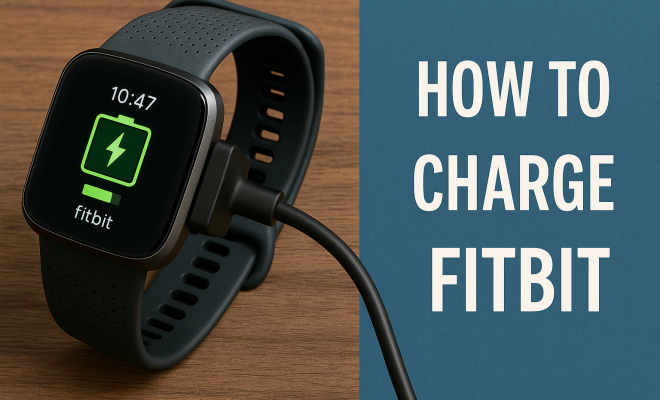
- Check for charging indicators: Most Fitbits will display a charging icon or vibration, signaling that the charging process has begun. If your device isn’t responding, double-check your connections.
- Let it charge: Depending on the model, charging times can vary. Most Fitbits typically take around 1-2 hours to charge fully. It’s advisable to keep an eye on it to avoid overcharging.
4. Charging Times for Different Fitbit Models
Charging times can differ significantly based on the specific Fitbit model you own. For instance, the Fitbit Charge series usually charges from 0% to 100% in about 1-2 hours, while the Versa series may take a bit longer due to its larger battery. The Inspire series, on the other hand, can reach full charge in about an hour.
Understanding the charging times can help you plan your usage effectively. If you’re on a tight schedule, charging your device overnight or while at your desk can ensure it’s ready for your next workout or daily activities.
5. Tips for Extending Your Fitbit’s Battery Life
Once you know how to charge a Fitbit, it’s equally important to understand how to maintain its battery life. Here are some tips to help you maximize your device’s longevity:
- Adjust display settings: Lowering the screen brightness and reducing the time the display stays active can help conserve battery.
- Manage notifications: Limit notifications that you really don’t need. Constant notifications can drain battery life quickly.
- Turn off features: Features like GPS, always-on display, or heart rate monitoring can consume more battery. Disable them when not in use.
- Regularly update firmware: Keeping your Fitbit updated can optimize battery performance and bring you the latest features.
These simple steps can make a huge difference, ensuring that you won’t find yourself with a dead device right before an important workout or fitness tracking session.
6. Troubleshooting Charging Issues
Even with the best intentions, you may encounter issues while attempting to charge your Fitbit. Here are some common problems and how to address them: (See: health benefits of physical activity.)
- Charging cable not connecting: If your device isn’t reacting at all, inspect the contacts on both the charger and your Fitbit for dirt or moisture. Clean gently with a dry cloth.
- No charging icon: If you’ve plugged in the charger but see no charging icon, try a different power source. Sometimes, a USB port can be faulty.
- Charging slow or not at all: If your Fitbit charges very slowly or not at all, it may be due to a worn-out charging cable that needs replacing.
These troubleshooting steps can save you time and frustration. If problems persist, don’t hesitate to reach out to Fitbit Customer Support for further assistance.
7. When to Replace Your Fitbit Battery
Over time, the battery in your Fitbit will naturally degrade and might need replacing. Signs that your battery may be reaching the end of its life include decreased battery performance, such as needing to charge more frequently or experiencing sudden drops in battery life.
Typically, a Fitbit battery lasts for several years, but individual experiences may vary. If you’re constantly charging your device and it’s not lasting as long as it used to, it may be time to consider a replacement. Fitbit offers battery replacement services, or you can seek professional assistance for older models.
8. Exploring the Different Fitbit Models and Their Charging Features
Different Fitbit models not only offer varying features but also distinct charging experiences. Familiarizing yourself with these can enhance your overall experience and help you make informed decisions about future purchases. Here’s a breakdown of some popular models:
Fitbit Charge Series
The Charge series is well-known for its robust fitness tracking capabilities, including heart rate monitoring and built-in GPS. These devices typically include a proprietary charger that features a snug fit, ensuring a secure connection during charging. Users have reported that the Charge series holds battery well and charges quickly, making it ideal for daily use.
Fitbit Versa Series
The Versa series combines fitness tracking with smartwatch features. Charging this model involves a magnetic dock that connects easily. With a slightly larger battery, the Versa models may take longer to charge fully, but they also offer more comprehensive functionalities, including app support and music storage.
Fitbit Inspire Series
The Inspire series is designed for those who want essential fitness tracking without the bulk of more advanced models. It utilizes a simple charging cable that is lightweight and portable. This model is particularly appealing for fitness beginners looking to monitor their progress without overwhelming features.
Comparison of Charging Speeds
| Model | Charging Time | Charging Method |
|---|---|---|
| Charge Series | 1-2 hours | Proprietary cable |
| Versa Series | 1.5-2.5 hours | Magnetic dock |
| Inspire Series | 1 hour | Standard cable |
Understanding these differences can help you decide which model to invest in based on your charging preferences and usage habits.
9. Frequently Asked Questions about Charging a Fitbit
Can I use any USB cable to charge my Fitbit?
No, each Fitbit model has a specific charging cable designed for it. Using a different model’s cable may not work or could potentially damage your device.
How long does the battery last on a Fitbit?
The battery life varies by model. Generally, most Fitbits can last between 5 to 7 days on a full charge, depending on usage and settings. Models with more features may have shorter battery life.
Is it safe to charge my Fitbit overnight?
Yes, charging your Fitbit overnight is safe, as most modern devices are designed with overcharge protection. However, it’s advisable to unplug it after it reaches full charge if possible.
What should I do if my Fitbit doesn’t charge?
If your Fitbit isn’t charging, first check the cable and the power source. Clean the contacts on both the charger and the device. If it still won’t charge, consider replacing the charging cable or contacting customer support.
Can I use a power bank to charge my Fitbit?
Absolutely! A power bank is a convenient option for charging your Fitbit on the go. Just make sure that the power bank has sufficient charge and is functioning properly. (See: review of Fitbit devices.)
10. Maintaining Your Fitbit: Beyond Charging
While knowing how to charge a Fitbit is important, maintaining your device extends beyond just battery care. Regular updates, cleaning, and software checks can greatly enhance your device’s performance.
Cleaning Your Fitbit
Keeping your Fitbit clean ensures that the sensors function properly and that the charging contacts remain free of grime. Use a soft, damp cloth to wipe down the device regularly, avoiding harsh chemicals that can damage the finish.
Software Updates
Fitbit frequently releases software updates that can improve functionality and battery performance. Regularly check the Fitbit app for available updates. Keeping your device updated is an easy way to enhance your user experience.
Syncing Your Fitbit
Regularly syncing your Fitbit with the app on your smartphone not only allows you to track your fitness data but also ensures that your device is running the latest software. This prevents potential compatibility issues and enhances features like notifications and reminders.
11. The Future of Charging Technology in Wearables
As technology evolves, we can expect advancements in charging methods for wearables like Fitbit. Wireless charging and solar charging are emerging trends that could revolutionize how we power our devices. These innovations promise convenience and efficiency, allowing users to charge their devices on the go without the need for cables.
Incorporating these new technologies could also significantly extend battery life, reducing the frequency of charges needed. As manufacturers explore these options, we may soon see Fitbits that can charge themselves using ambient light or through simply being in close proximity to a compatible charging pad.
12. Maximizing Your Fitbit Experience
Understanding how to charge a Fitbit is just one aspect of making the most out of your fitness tracker. To fully leverage your device, dive into the features it offers. Explore tracking options for various workouts, set reminders for activity, and engage with the community through challenges in the Fitbit app.
In addition, personalize your device with watch faces and notifications that suit your lifestyle. Embrace the holistic health features, including mindfulness sessions and heart rate variability tracking, to gain insights into your overall well-being.
With all these elements combined, you’ll not only keep your Fitbit functional but also significantly enhance your fitness journey, making it more efficient, enjoyable, and insightful. Remember, a well-maintained device is your best ally in achieving your health goals!
13. Conclusion: Keeping Your Fitbit Ready for Action
Knowing how to charge a Fitbit is just the beginning of your journey with this powerful fitness tool. From understanding the specific charging methods to troubleshooting common issues, being proactive about your device’s maintenance can ensure smooth operation.
Charge regularly, follow best practices for battery life, and stay vigilant about any unusual battery behavior. By doing so, you’ll maximize your Fitbit’s potential and keep it ready for all your health and fitness adventures! (See: World Health Organization on physical activity.)
14. Common Mistakes to Avoid When Charging Your Fitbit
While charging your Fitbit seems straightforward, there are some pitfalls that users often fall into. Avoid these mistakes to keep your device in prime working order:
- Ignoring the User Manual: Each model comes with its own set of instructions. Neglecting to read the manual can lead to charging missteps.
- Using Non-Official Accessories: Using third-party cables can risk damage. Always opt for official Fitbit chargers.
- Overcharging: Although many devices have overcharge protection, it’s a good practice to unplug your Fitbit once it’s fully charged.
- Charging in Extreme Conditions: Avoid charging your device in extremely hot or cold temperatures, as this can affect battery performance.
15. Real User Experiences with Fitbit Charging
It’s always helpful to learn from the experiences of others. Many Fitbit users have shared tips and tricks they’ve discovered over time:
- Charging While Traveling: Users recommend keeping a portable charger handy during travel. It ensures that you can charge your device on the go without searching for a plug.
- Battery Life Tips: Some users suggest turning off heart rate monitoring when not in use, especially during sleep, to save battery life.
- Using Night Mode: Enabling night mode can also extend battery life, as it dims the display and limits notifications during your sleep hours.
16. Battery Health: Understanding Li-Ion Batteries in Wearables
Your Fitbit utilizes lithium-ion (Li-Ion) batteries, which are common in many electronics. Understanding how these batteries work can help you treat your device well:
Li-Ion batteries have a finite number of charge cycles, which means the more you charge and discharge, the shorter their lifespan will become. A typical Li-Ion battery can handle around 300-500 full charge cycles before you start noticing decreased performance. To maximize battery life, try to keep your Fitbit charged between 20% and 80% whenever possible, rather than allowing it to fully deplete or fully charge regularly.
17. Where to Find Replacement Parts for Your Fitbit
If you discover that your charging cable is damaged or your battery needs replacing, it’s important to source parts from reputable places. Fitbit’s official website is always a reliable source for authentic parts. Additionally, certified retailers or authorized dealers can provide genuine accessories.
Be cautious when purchasing from third-party websites, as counterfeit charging cables can lead to further damage or malfunctions.
18. Future Trends in Fitness Technology: Beyond Charging
The landscape of fitness technology is continuously evolving. As we look ahead, expect to see advancements not only in how we charge devices but also in features that enhance usability. Innovations like real-time health monitoring, advanced sleep tracking with more personalized feedback, and seamless integration with smart home devices are just around the corner.
As these features become more mainstream, your Fitbit experience will not only be about tracking fitness but will evolve into an extensive health management tool, helping you lead a more informed and healthier lifestyle.
“`
Trending Now
Frequently Asked Questions
How do I charge my Fitbit device?
To charge your Fitbit, first identify your model's specific charging method, whether it uses a proprietary cable or a magnetic connector. Connect the charging cable to a power source like a USB port or wall adapter, ensuring the connection is secure. Then, attach the other end to your Fitbit and let it charge until fully powered.
What type of charger does a Fitbit use?
Fitbit devices utilize different charging methods based on the model. For example, the Charge series uses a proprietary charging cable, while the Versa and Inspire series feature magnetic connectors. Always confirm your specific model to ensure you're using the correct charger.
Can I charge my Fitbit with a power bank?
Yes, you can charge your Fitbit using a power bank as long as it has a USB port. This is a convenient option for charging on the go, ensuring your device stays powered during travel or outdoor activities.
What should I do if my Fitbit won't charge?
If your Fitbit won't charge, first check the charging cable for any signs of damage, such as fraying or corrosion. Ensure the USB port is functioning properly and try using a different power source. If problems persist, consult Fitbit support for further assistance.
How long does it take to charge a Fitbit?
Charging times for a Fitbit can vary by model but typically range from 1 to 2 hours for a full charge. It's best to monitor the battery icon on your device to know when it's fully charged and ready for use.
What did we miss? Let us know in the comments and join the conversation.