The Tech Edvocate

Top Menu

  • Advertisement
  • Apps
  • Home Page
  • Home Page Five (No Sidebar)
  • Home Page Four
  • Home Page Three
  • Home Page Two
  • Home Tech2
  • Icons [No Sidebar]
  • Left Sidbear Page
  • Lynch Educational Consulting
  • My Account
  • My Speaking Page
  • Newsletter Sign Up Confirmation
  • Newsletter Unsubscription
  • Our Brands
  • Page Example
  • Privacy Policy
  • Protected Content
  • Register
  • Request a Product Review
  • Shop
  • Shortcodes Examples
  • Signup
  • Start Here
    • Governance
    • Careers
    • Contact Us
  • Terms and Conditions
  • The Edvocate
  • The Tech Edvocate Product Guide
  • Topics
  • Write For Us
  • Advertise

Main Menu

  • Start Here
    • Our Brands
    • Governance
      • Lynch Educational Consulting, LLC.
      • Dr. Lynch’s Personal Website
      • Careers
    • Write For Us
    • The Tech Edvocate Product Guide
    • Contact Us
    • Books
    • Edupedia
    • Post a Job
    • The Edvocate Podcast
    • Terms and Conditions
    • Privacy Policy
  • Topics
    • Assistive Technology
    • Child Development Tech
    • Early Childhood & K-12 EdTech
    • EdTech Futures
    • EdTech News
    • EdTech Policy & Reform
    • EdTech Startups & Businesses
    • Higher Education EdTech
    • Online Learning & eLearning
    • Parent & Family Tech
    • Personalized Learning
    • Product Reviews
  • Advertise
  • Tech Edvocate Awards
  • The Edvocate
  • Pedagogue
  • School Ratings

logo

The Tech Edvocate

  • Start Here
    • Our Brands
    • Governance
      • Lynch Educational Consulting, LLC.
      • Dr. Lynch’s Personal Website
        • My Speaking Page
      • Careers
    • Write For Us
    • The Tech Edvocate Product Guide
    • Contact Us
    • Books
    • Edupedia
    • Post a Job
    • The Edvocate Podcast
    • Terms and Conditions
    • Privacy Policy
  • Topics
    • Assistive Technology
    • Child Development Tech
    • Early Childhood & K-12 EdTech
    • EdTech Futures
    • EdTech News
    • EdTech Policy & Reform
    • EdTech Startups & Businesses
    • Higher Education EdTech
    • Online Learning & eLearning
    • Parent & Family Tech
    • Personalized Learning
    • Product Reviews
  • Advertise
  • Tech Edvocate Awards
  • The Edvocate
  • Pedagogue
  • School Ratings
  • A Visitors Guide to Pittsburgh (PA), United States

  • A Visitors Guide to Colorado Springs (CO), United States

  • 5 Pairs of Shoes That Will Instantly Step Your Shoe Game Up

  • Radiant Youthful Skin is the Perfect Christmas Gift

  • Give Your Loved One the Gift of Youthful, Radiant Skin this Christmas

  • Give Your Loved One the Gift of a Restful Night Sleep this Christmas

  • Nex Playground’s Holiday Sales Bring Active Play Indoors This Seaso

  • A Visitors Guide to Louisville (KY), United States

  • A Visitor’s Guide to Nashville-Davidson (TN), United States

  • A Visitors Guide to Portland (OR), United States

Assistive Technology
Home›Assistive Technology›How to Change Your Apple Game Center Nickname

How to Change Your Apple Game Center Nickname
By Matthew Lynch
June 15, 2023
0
Spread the love

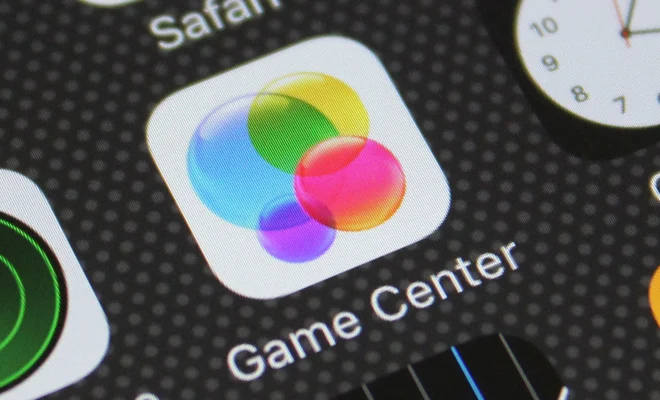
Game Center is an app developed by Apple that allows iOS users to play games with friends or strangers from around the world. It’s a great way to connect with fellow gamers and it’s a platform where you can showcase your skills and achievements. Game Center also enables you to create a nickname or profile name that can be used to identify you during gameplay. If you want to change your Game Center nickname, you can easily do so by following the steps outlined below.

Step 1: Open the Game Center app

To change your nickname on Game Center, you first have to open the app. Game Center is pre-installed on all iOS devices, so you should be able to find it on your home screen. The app is represented by a green icon with a game controller. Once you open the app, you will be taken to the main screen, which shows your profile picture and your current nickname.

Step 2: Tap on your profile picture

On the main screen of Game Center, tap on your profile picture. This will take you to your profile page where you can see your achievements, friends, and other game-related information.

Step 3: Tap on edit

Once you are on your profile page, tap on the “Edit” button located at the top right corner of the screen. This will take you to the edit mode of your Game Center profile where you can change your nickname, profile picture and other details.

Step 4: Change your nickname

To change your nickname, tap on the “Nickname” field. This will bring up a keyboard and allow you to type in your desired new nickname. Once you have typed in your new nickname, tap on “Done” to save and finalize the change.

Step 5: Save changes

After you have changed your nickname, you can make other changes to your profile if necessary. Once you’re done editing, tap on “Done” to save the changes you’ve made to your profile.


Previous Article

Best Tools to Tweak and Customize Windows ...

Next Article

Key Technologies Used in the Manufacturing Industry

Matthew Lynch

Related articles More from author

  • Assistive Technology

    How to Manually Add Workouts to Apple Fitness

    June 23, 2023
    By Matthew Lynch
  • Assistive Technology

    How to Use Dubsmash

    June 10, 2023
    By Matthew Lynch
  • Assistive Technology

    How to Bypass Windows 11 Minimum Installation Requirements

    June 23, 2023
    By Matthew Lynch
  • Assistive Technology

    Key Tips to Save Battery Life on Your iPhone

    June 23, 2023
    By Matthew Lynch
  • Assistive Technology

    How to End an Email

    June 10, 2023
    By Matthew Lynch
  • Assistive Technology

    How to Make a Cash Flow Statement in Microsoft Excel

    June 23, 2023
    By Matthew Lynch

Search

Login & Registration

  • Register
  • Log in
  • Entries feed
  • Comments feed
  • WordPress.org

Newsletter

Signup for The Tech Edvocate Newsletter and have the latest in EdTech news and opinion delivered to your email address!

About Us

Since technology is not going anywhere and does more good than harm, adapting is the best course of action. That is where The Tech Edvocate comes in. We plan to cover the PreK-12 and Higher Education EdTech sectors and provide our readers with the latest news and opinion on the subject. From time to time, I will invite other voices to weigh in on important issues in EdTech. We hope to provide a well-rounded, multi-faceted look at the past, present, the future of EdTech in the US and internationally.

We started this journey back in June 2016, and we plan to continue it for many more years to come. I hope that you will join us in this discussion of the past, present and future of EdTech and lend your own insight to the issues that are discussed.

Newsletter

Signup for The Tech Edvocate Newsletter and have the latest in EdTech news and opinion delivered to your email address!

Contact Us

The Tech Edvocate
910 Goddin Street
Richmond, VA 23231
(601) 630-5238
[email protected]

Copyright © 2025 Matthew Lynch. All rights reserved.