The Tech Edvocate

Top Menu

  • Advertisement
  • Apps
  • Home Page
  • Home Page Five (No Sidebar)
  • Home Page Four
  • Home Page Three
  • Home Page Two
  • Home Tech2
  • Icons [No Sidebar]
  • Left Sidbear Page
  • Lynch Educational Consulting
  • My Account
  • My Speaking Page
  • Newsletter Sign Up Confirmation
  • Newsletter Unsubscription
  • Our Brands
  • Page Example
  • Privacy Policy
  • Protected Content
  • Register
  • Request a Product Review
  • Shop
  • Shortcodes Examples
  • Signup
  • Start Here
    • Governance
    • Careers
    • Contact Us
  • Terms and Conditions
  • The Edvocate
  • The Tech Edvocate Product Guide
  • Topics
  • Write For Us
  • Advertise

Main Menu

  • Start Here
    • Our Brands
    • Governance
      • Lynch Educational Consulting, LLC.
      • Dr. Lynch’s Personal Website
      • Careers
    • Write For Us
    • The Tech Edvocate Product Guide
    • Contact Us
    • Books
    • Edupedia
    • Post a Job
    • The Edvocate Podcast
    • Terms and Conditions
    • Privacy Policy
  • Topics
    • Assistive Technology
    • Child Development Tech
    • Early Childhood & K-12 EdTech
    • EdTech Futures
    • EdTech News
    • EdTech Policy & Reform
    • EdTech Startups & Businesses
    • Higher Education EdTech
    • Online Learning & eLearning
    • Parent & Family Tech
    • Personalized Learning
    • Product Reviews
  • Advertise
  • Tech Edvocate Awards
  • The Edvocate
  • Pedagogue
  • School Ratings

logo

The Tech Edvocate

  • Start Here
    • Our Brands
    • Governance
      • Lynch Educational Consulting, LLC.
      • Dr. Lynch’s Personal Website
        • My Speaking Page
      • Careers
    • Write For Us
    • The Tech Edvocate Product Guide
    • Contact Us
    • Books
    • Edupedia
    • Post a Job
    • The Edvocate Podcast
    • Terms and Conditions
    • Privacy Policy
  • Topics
    • Assistive Technology
    • Child Development Tech
    • Early Childhood & K-12 EdTech
    • EdTech Futures
    • EdTech News
    • EdTech Policy & Reform
    • EdTech Startups & Businesses
    • Higher Education EdTech
    • Online Learning & eLearning
    • Parent & Family Tech
    • Personalized Learning
    • Product Reviews
  • Advertise
  • Tech Edvocate Awards
  • The Edvocate
  • Pedagogue
  • School Ratings
  • Can Clio accept client payments

  • How to dispatch jobs in FieldAware

  • Can ServiceTitan do call booking

  • How to onboard construction workers BambooHR

  • Is FieldAware worth it for contractors

  • How many users in Jobber

  • Can JobNimbus track leads

  • How to create estimates in Housecall Pro

  • How many users in mHelpDesk

  • How to track certifications in BambooHR construction

Digital & Mobile Technology
Home›Digital & Mobile Technology›How to Calibrate Google Maps for Better Directions

How to Calibrate Google Maps for Better Directions

By Matthew Lynch
June 4, 2023
0
Spread the love

Google Maps is an invaluable tool for getting directions and finding your way around. However, occasionally, it may not provide the best directions, and you may end up in the wrong place or wasting your time. The issue could be a calibration problem that is easily fixable with a few simple steps. Here is a guide on how to calibrate Google Maps for better directions.

1. Check your location settings

The first step is to ensure that your location settings are accurate. Google Maps relies on your phone’s GPS to determine your location accurately. Therefore, you need to check that your phone’s location settings are turned on and that GPS is enabled. To check this, go to the ‘settings’ app on your phone and navigate to the ‘location’ option. Ensure that it is turned on, and GPS is enabled.

2. Use Wi-Fi and Bluetooth

Wi-Fi and Bluetooth technology can also help Google Maps locate you more accurately. Ensure that both Wi-Fi and Bluetooth are turned on in your phone settings. Your phone will use nearby Wi-Fi networks and Bluetooth devices to assist it in determining your exact location.

3. Clear your cache

Your Google Maps app stores data in its cache to help you access information quickly. However, if your cache data is outdated, it may affect the accuracy of your directions. Clearing the cache frequently helps improve the app’s performance. To do this, go to ‘settings’ on your phone, then navigate to the ‘apps’ option. Find ‘Google Maps,’ tap on it, and select ‘clear cache.’

4. Update the app

Google Maps regularly releases updates for its app, and updating your app may solve any GPS issues you may be experiencing. If your app is outdated, it may not function correctly, leading to incorrect directions. To update the app, go to the ‘Google Play store’ on your phone, find Google Maps, and click ‘update.’

5. Enable High-Accuracy Mode

Having high accuracy mode turned on can help Google Maps determine your location more accurately. This mode uses Wi-Fi networks, cell towers, and GPS to pinpoint your exact location. To enable this mode, go to your phone’s settings, navigate to the ‘Location’ option, and turn on ‘High-Accuracy’ mode.

6. Calibrate your compass

Your phone’s compass may affect your Google Maps accuracy. Calibrating your phone’s compass can help improve Google Maps’ accuracy. To do this, open the Google Maps app and rotate your phone in a figure-eight motion until the screen vibrates. This action will calibrate the compass.

In conclusion, calibrating Google Maps for better directions is essential to help improve its accuracy. By following these few simple steps, you can improve your Google Maps’ accuracy, making navigating to your destination faster and more efficient.

Previous Article

The 5 Best Photography Apps of 2023

Next Article

Galaxy Z Fold 3: News, Price, Release ...

Matthew Lynch

Related articles More from author

  • Digital & Mobile Technology

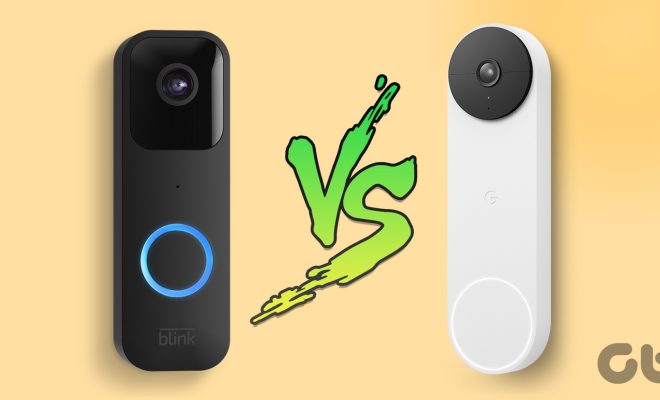
    Blink Video Doorbell vs Google Nest Doorbell (Battery): Which Doorbell Is Better

    April 11, 2023
    By Matthew Lynch
  • Digital & Mobile Technology

    DIY Smart Home Automation Projects for a Shoestring Budget

    June 23, 2023
    By Matthew Lynch
  • Digital & Mobile Technology

    What’s the Best Voice Changer for Discord?

    June 9, 2023
    By Matthew Lynch
  • Digital & Mobile Technology

    How to Clean Your Home Stereo Speakers

    June 12, 2023
    By Matthew Lynch
  • Digital & Mobile Technology

    How to Make Name Tags in Microsoft Word

    April 29, 2023
    By Matthew Lynch
  • Digital & Mobile Technology

    Best Houseparty Alternatives to Use Instead

    June 14, 2023
    By Matthew Lynch

Search

Login & Registration

  • Log in
  • Entries feed
  • Comments feed
  • WordPress.org

Newsletter

Signup for The Tech Edvocate Newsletter and have the latest in EdTech news and opinion delivered to your email address!

About Us

Since technology is not going anywhere and does more good than harm, adapting is the best course of action. That is where The Tech Edvocate comes in. We plan to cover the PreK-12 and Higher Education EdTech sectors and provide our readers with the latest news and opinion on the subject. From time to time, I will invite other voices to weigh in on important issues in EdTech. We hope to provide a well-rounded, multi-faceted look at the past, present, the future of EdTech in the US and internationally.

We started this journey back in June 2016, and we plan to continue it for many more years to come. I hope that you will join us in this discussion of the past, present and future of EdTech and lend your own insight to the issues that are discussed.

Newsletter

Signup for The Tech Edvocate Newsletter and have the latest in EdTech news and opinion delivered to your email address!

Contact Us

The Tech Edvocate
910 Goddin Street
Richmond, VA 23231
(601) 630-5238
[email protected]

Copyright © 2026 Matthew Lynch. All rights reserved.