The Tech Edvocate

Top Menu

  • Advertisement
  • Apps
  • Home Page
  • Home Page Five (No Sidebar)
  • Home Page Four
  • Home Page Three
  • Home Page Two
  • Home Tech2
  • Icons [No Sidebar]
  • Left Sidbear Page
  • Lynch Educational Consulting
  • My Account
  • My Speaking Page
  • Newsletter Sign Up Confirmation
  • Newsletter Unsubscription
  • Our Brands
  • Page Example
  • Privacy Policy
  • Protected Content
  • Register
  • Request a Product Review
  • Shop
  • Shortcodes Examples
  • Signup
  • Start Here
    • Governance
    • Careers
    • Contact Us
  • Terms and Conditions
  • The Edvocate
  • The Tech Edvocate Product Guide
  • Topics
  • Write For Us
  • Advertise

Main Menu

  • Start Here
    • Our Brands
    • Governance
      • Lynch Educational Consulting, LLC.
      • Dr. Lynch’s Personal Website
      • Careers
    • Write For Us
    • The Tech Edvocate Product Guide
    • Contact Us
    • Books
    • Edupedia
    • Post a Job
    • The Edvocate Podcast
    • Terms and Conditions
    • Privacy Policy
  • Topics
    • Assistive Technology
    • Child Development Tech
    • Early Childhood & K-12 EdTech
    • EdTech Futures
    • EdTech News
    • EdTech Policy & Reform
    • EdTech Startups & Businesses
    • Higher Education EdTech
    • Online Learning & eLearning
    • Parent & Family Tech
    • Personalized Learning
    • Product Reviews
  • Advertise
  • Tech Edvocate Awards
  • The Edvocate
  • Pedagogue
  • School Ratings

logo

The Tech Edvocate

  • Start Here
    • Our Brands
    • Governance
      • Lynch Educational Consulting, LLC.
      • Dr. Lynch’s Personal Website
        • My Speaking Page
      • Careers
    • Write For Us
    • The Tech Edvocate Product Guide
    • Contact Us
    • Books
    • Edupedia
    • Post a Job
    • The Edvocate Podcast
    • Terms and Conditions
    • Privacy Policy
  • Topics
    • Assistive Technology
    • Child Development Tech
    • Early Childhood & K-12 EdTech
    • EdTech Futures
    • EdTech News
    • EdTech Policy & Reform
    • EdTech Startups & Businesses
    • Higher Education EdTech
    • Online Learning & eLearning
    • Parent & Family Tech
    • Personalized Learning
    • Product Reviews
  • Advertise
  • Tech Edvocate Awards
  • The Edvocate
  • Pedagogue
  • School Ratings
  • The Narwal Freo 20 Is the Prime Day Gift That Actually Saves Time

  • Study: Nearly all personal care and cleaning products contain undisclosed chemicals

  • This One AI Wearable Feature Is Quietly Erasing Public Privacy

  • Brutal: Over 200,000 Tech Layoffs in 2026 as AI’s Long Reset Unfolds

  • The Radical Proposal: Why Palantir’s Alex Karp Wants AI Labs Nationalized

  • Heartbreaking: Hyper Light Drifter Studio Nearly Wiped Out After Publisher Abandons Deal

  • Unbelievable: Kojima’s Physint Jumps to Xbox – The September 2026 Big Game Reveals Just Got Wild!

  • This Crucial AI Development Could Trigger Global Chaos

Digital & Mobile Technology
Home›Digital & Mobile Technology›How to Build a New PC For Linux

How to Build a New PC For Linux

By Matthew Lynch
May 19, 2023
0
Spread the love

If you’re looking to build a new PC for Linux, there are a few things you need to consider before you start. Building a PC for Linux is similar to building a regular PC, but there are a few differences you should be aware of. In this article, we’ll be walking you through how to build a new PC for Linux.

Step 1: Decide on Your Budget

Before you start building a new PC, you need to decide on your budget. This will dictate the components you can afford to buy. Linux can run on a wide range of hardware, so you don’t need to spend a lot of money to build a computer that will run Linux smoothly.

Step 2: Choose Your Components

Once you have established your budget, you can start choosing your components. Here are the key components you’ll need:

CPU: Choose a CPU that’s compatible with your motherboard. AMD and Intel are the two main options, but you need to ensure that the socket matches.

Motherboard: You’ll need a motherboard that’s compatible with your CPU. Consider the size of your motherboard, the number of USB ports and whether it has Wi-Fi.

RAM: Consider how much RAM you’ll need. 8GB may be sufficient for most users, but if you’re planning on running multiple programs, more RAM will be useful.

Storage: Consider how much storage you’re going to need. SSDs are faster than traditional hard drives, but they’re more expensive. You might want to consider a combination of the two.

Graphics Card: If you’re going to use Linux for gaming or other graphics-heavy applications, you’ll need a graphics card that’s powerful enough to handle these tasks.

Case: Consider the size of the case, whether it has enough ventilation and any additional features, such as built-in fans or RGB lighting.

Power Supply: Choose a power supply that’s compatible with your case and components. Ensure that it provides enough power and is efficient.

Step 3: Assemble Your PC

Once you have gathered all the necessary components, you can start assembling your PC. Follow the instructions provided with each component, and be sure to take your time. First, install your CPU and cooler, followed by your RAM and storage. After that, mount your motherboard to your case, install your graphics card, and connect all cables.

Step 4: Install Linux

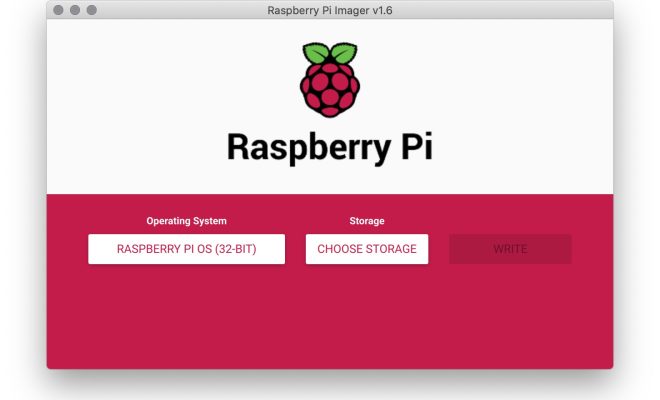
Now that your PC is assembled, it’s time to install Linux. You can download an ISO image of your preferred Linux distribution, such as Ubuntu or Fedora, and create a bootable USB drive using a tool like BalenaEtcher. Insert the USB drive into your new PC, and boot from it to install Linux.

Step 5: Install Your Programs

Once you’ve installed Linux, you can start installing your programs. Linux has a wealth of open-source software available, so you’re sure to find something that suits your needs. Whether it’s a web browser, email client or office suite, you’re sure to find it in Linux.

Conclusion

Building a new PC for Linux isn’t difficult, but it does require a bit of planning. Follow these steps, and you’ll be up and running in no time. Remember to choose components that are compatible with Linux, and make sure you have enough RAM and storage to handle your needs. With a bit of effort, you can build a PC that’s fast, reliable and perfect for running Linux.


Previous Article

How to Browse Old Versions of Websites

Next Article

How to Build Instant Charts with Google ...

Matthew Lynch

Related articles More from author

  • Digital & Mobile Technology

    Best TikTok Video Editor Apps of 2023

    July 5, 2023
    By Matthew Lynch
  • Digital & Mobile Technology

    How to Turn Your Fitbit Tracker Off and On Again

    June 12, 2023
    By Matthew Lynch
  • Digital & Mobile Technology

    How to Install VirtualBox on an Apple Silicon Mac

    June 23, 2023
    By Matthew Lynch
  • Digital & Mobile Technology

    The Best TeamViewer Alternatives for Remote Desktop

    June 13, 2023
    By Matthew Lynch
  • Digital & Mobile Technology

    I Have Apple Music. Do I Need iTunes Match?

    June 4, 2023
    By Matthew Lynch
  • Digital & Mobile Technology

    Cloud Gaming Won’t Replace Handheld or Mobile Gaming Any Time Soon

    April 12, 2023
    By Matthew Lynch

Search

Login & Registration

  • Log in
  • Entries feed
  • Comments feed
  • WordPress.org

Newsletter

Signup for The Tech Edvocate Newsletter and have the latest in EdTech news and opinion delivered to your email address!

About Us

Since technology is not going anywhere and does more good than harm, adapting is the best course of action. That is where The Tech Edvocate comes in. We plan to cover the PreK-12 and Higher Education EdTech sectors and provide our readers with the latest news and opinion on the subject. From time to time, I will invite other voices to weigh in on important issues in EdTech. We hope to provide a well-rounded, multi-faceted look at the past, present, the future of EdTech in the US and internationally.

We started this journey back in June 2016, and we plan to continue it for many more years to come. I hope that you will join us in this discussion of the past, present and future of EdTech and lend your own insight to the issues that are discussed.

Newsletter

Signup for The Tech Edvocate Newsletter and have the latest in EdTech news and opinion delivered to your email address!

Contact Us

The Tech Edvocate
910 Goddin Street
Richmond, VA 23231
(601) 630-5238
[email protected]

Copyright © 2026 Matthew Lynch. All rights reserved.