The Tech Edvocate

Top Menu

  • Advertisement
  • Apps
  • Home Page
  • Home Page Five (No Sidebar)
  • Home Page Four
  • Home Page Three
  • Home Page Two
  • Home Tech2
  • Icons [No Sidebar]
  • Left Sidbear Page
  • Lynch Educational Consulting
  • My Account
  • My Speaking Page
  • Newsletter Sign Up Confirmation
  • Newsletter Unsubscription
  • Our Brands
  • Page Example
  • Privacy Policy
  • Protected Content
  • Register
  • Request a Product Review
  • Shop
  • Shortcodes Examples
  • Signup
  • Start Here
    • Governance
    • Careers
    • Contact Us
  • Terms and Conditions
  • The Edvocate
  • The Tech Edvocate Product Guide
  • Topics
  • Write For Us
  • Advertise

Main Menu

  • Start Here
    • Our Brands
    • Governance
      • Lynch Educational Consulting, LLC.
      • Dr. Lynch’s Personal Website
      • Careers
    • Write For Us
    • The Tech Edvocate Product Guide
    • Contact Us
    • Books
    • Edupedia
    • Post a Job
    • The Edvocate Podcast
    • Terms and Conditions
    • Privacy Policy
  • Topics
    • Assistive Technology
    • Child Development Tech
    • Early Childhood & K-12 EdTech
    • EdTech Futures
    • EdTech News
    • EdTech Policy & Reform
    • EdTech Startups & Businesses
    • Higher Education EdTech
    • Online Learning & eLearning
    • Parent & Family Tech
    • Personalized Learning
    • Product Reviews
  • Advertise
  • Tech Edvocate Awards
  • The Edvocate
  • Pedagogue
  • School Ratings

logo

The Tech Edvocate

  • Start Here
    • Our Brands
    • Governance
      • Lynch Educational Consulting, LLC.
      • Dr. Lynch’s Personal Website
        • My Speaking Page
      • Careers
    • Write For Us
    • The Tech Edvocate Product Guide
    • Contact Us
    • Books
    • Edupedia
    • Post a Job
    • The Edvocate Podcast
    • Terms and Conditions
    • Privacy Policy
  • Topics
    • Assistive Technology
    • Child Development Tech
    • Early Childhood & K-12 EdTech
    • EdTech Futures
    • EdTech News
    • EdTech Policy & Reform
    • EdTech Startups & Businesses
    • Higher Education EdTech
    • Online Learning & eLearning
    • Parent & Family Tech
    • Personalized Learning
    • Product Reviews
  • Advertise
  • Tech Edvocate Awards
  • The Edvocate
  • Pedagogue
  • School Ratings
  • Rotirile gratuite fără depunere: activarea rundelor și creditarea câștigurilor

  • The Astonishing Reason Millions Are Ditching Old Finance Education for This New Method

  • Why Your Bank Account Needs These 7 Gamified Money Apps Right Now

  • Why Millions Are Finally Beating Debt Thanks to Gamification in Personal Finance Apps

  • 5.7 Million Students Exposed: Why This Breach Demands Immediate Legal Action

  • The Brutal Truth About EdTech Breaches: 8 Defenses Schools Need NOW

  • Millions of Student Records Exposed: The Scandalous ETS Data Breach

  • Amazon’s Secret Weapon: Why Its Workforce Strategy Crushes eBay’s Layoff Cycle

  • Devastating: eBay Layoffs Hit 1,000 — 8 Critical Moves to Land Your Next Role

  • eBay’s Second Wave: Is Your Tech Job Safe From These Brutal Cuts?

Assistive Technology
Home›Assistive Technology›How to Block any IP Address

How to Block any IP Address

By Matthew Lynch
June 8, 2023
0
Spread the love

As technology advances and the internet becomes more sophisticated, there is an increasing need for online security. One important aspect of online security is the ability to block any unwanted or harmful IP addresses. Blocking an IP address is an effective way to prevent unwanted traffic from reaching your network or website, and it can also help you protect yourself against potential attacks. Here are some steps you can take to block any IP address:

  1. Identify the IP Address

The first step in blocking any IP address is to identify the specific IP address that you want to block. There are several ways to do this, including reviewing your web server’s logs or using a tool like Wireshark to monitor network traffic. Once you have identified the IP address, you can move on to the next step.

  1. Use a Firewall

A firewall is a vital component of any network security strategy, and it can be used to block specific IP addresses from accessing your network. Most firewalls allow you to configure rules to block IP addresses, so you can simply add the offending IP address to your firewall’s block list. This will prevent any traffic from the blocked IP address from reaching your network.

  1. Use .htaccess

If you’re running a website, you can also use the .htaccess file to block any IP address. The .htaccess file is a configuration file that is used by web servers to control access to your website’s files and folders. To block an IP address using .htaccess, simply add the following code to the file:

order allow,deny deny from 192.168.1.1 allow from all

In the above example, 192.168.1.1 is the IP address that you want to block. You can add as many IP addresses as you need to this list.

  1. Use a Content Management System

If you’re using a content management system (CMS) like WordPress or Drupal, you can use plugins or modules to block IP addresses. For example, the WordPress plugin iThemes Security allows you to block IP addresses, as well as other security features such as two-factor authentication and malware scanning.

In conclusion, blocking any IP address is an essential strategy for online security. By using firewalls, .htaccess files, or CMS plugins, you can prevent unwanted traffic from accessing your network or website, and protect yourself against potential attacks. Always remember to update your security measures regularly, and stay vigilant against new threats.


Previous Article

How to Jump in Animal Crossing

Next Article

Check the Network Connection Status of Wireless ...

Matthew Lynch

Related articles More from author

  • Assistive Technology

    How Many Songs Can Fit on One MP3 CD?

    June 9, 2023
    By Matthew Lynch
  • Assistive Technology

    How to Check RAM and Motherboard Compatibility

    June 8, 2023
    By Matthew Lynch
  • Assistive Technology

    A Step by Step Guide to Installing Apache Tomcat 9 Linux

    June 10, 2023
    By Matthew Lynch
  • Assistive Technology

    How to Use Instagram’s Close Friends Feature

    June 8, 2023
    By Matthew Lynch
  • Assistive Technology

    How to Do Split Screen on a MacBook Air

    June 14, 2023
    By Matthew Lynch
  • Assistive Technology

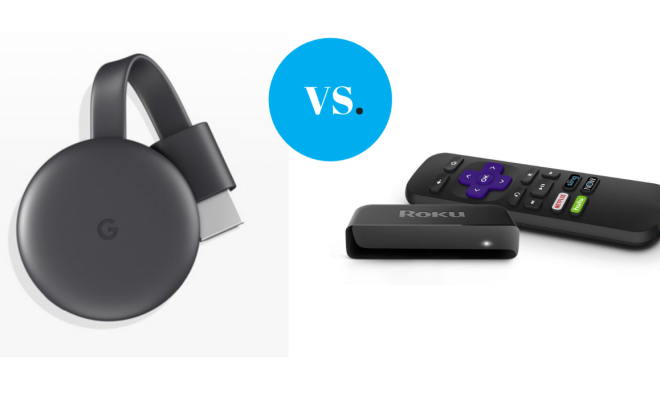
    Chromecast vs. Roku: Which One Is Best for You?

    June 9, 2023
    By Matthew Lynch

Search

Login & Registration

  • Log in
  • Entries feed
  • Comments feed
  • WordPress.org

Newsletter

Signup for The Tech Edvocate Newsletter and have the latest in EdTech news and opinion delivered to your email address!

About Us

Since technology is not going anywhere and does more good than harm, adapting is the best course of action. That is where The Tech Edvocate comes in. We plan to cover the PreK-12 and Higher Education EdTech sectors and provide our readers with the latest news and opinion on the subject. From time to time, I will invite other voices to weigh in on important issues in EdTech. We hope to provide a well-rounded, multi-faceted look at the past, present, the future of EdTech in the US and internationally.

We started this journey back in June 2016, and we plan to continue it for many more years to come. I hope that you will join us in this discussion of the past, present and future of EdTech and lend your own insight to the issues that are discussed.

Newsletter

Signup for The Tech Edvocate Newsletter and have the latest in EdTech news and opinion delivered to your email address!

Contact Us

The Tech Edvocate
910 Goddin Street
Richmond, VA 23231
(601) 630-5238
[email protected]

Copyright © 2026 Matthew Lynch. All rights reserved.