GarageBand free instruments download
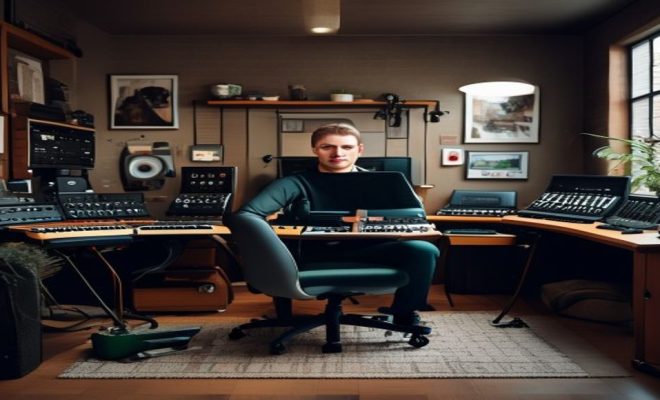
If you’ve ever dreamed of making music, but felt intimidated by complex software or the prohibitive cost of studio gear, you’re in for a treat. Apple’s GarageBand has long been a gateway drug for aspiring producers, songwriters, and bedroom musicians, offering a surprisingly robust suite of tools right out of the box. But what many new users, and even some seasoned ones, might not fully realize is the sheer depth of its sonic arsenal, particularly when it comes to GarageBand free instruments. It’s not just a basic starter kit; it’s a comprehensive library that can genuinely fuel professional-sounding productions.
Think about it: you get a full digital audio workstation (DAW) on your Mac, iPhone, or iPad, packed with virtual instruments, loops, and effects, all without spending a dime. This accessibility is a huge part of GarageBand’s enduring appeal. It democratizes music creation, allowing anyone with an Apple device to experiment, compose, and even record full tracks. And the ‘free’ part isn’t just about the software itself; it extends deeply into its expansive sound library. You’re not just downloading an application; you’re gaining access to a veritable orchestra, a rock band, and an electronic music studio, all at your fingertips.
Let’s dive into how GarageBand provides such an impressive array of free instruments and how you can make the most of them, whether you’re laying down your first demo or adding a new layer to your latest opus. Understanding these resources is key to unlocking the full potential of this incredible piece of software.
The Philosophy Behind GarageBand’s Free Instrument Offering
Apple’s strategy with GarageBand has always been clear: make powerful creative tools accessible. While Logic Pro X is their professional-grade DAW, GarageBand serves as the perfect entry point, designed to be intuitive enough for beginners while still offering enough depth for more experienced users. The inclusion of such a vast library of GarageBand free instruments isn’t an oversight; it’s a core part of this philosophy. They want you to start making music immediately, without feeling the need to purchase additional sound packs or plugins.
This approach stands in stark contrast to many other DAWs, which often come with a basic set of sounds, expecting users to invest in third-party virtual instruments or sample libraries. Apple understands that the barrier to entry for music production can be high, both in terms of learning curve and financial outlay. By providing high-quality, free instruments, they remove a significant hurdle, encouraging experimentation and fostering a new generation of creators. It also creates a seamless upgrade path to Logic Pro X, as many of GarageBand’s instruments and effects are derived from its professional counterpart, ensuring familiarity for users who eventually decide to make the jump.
It’s not just about quantity; it’s about quality. The sounds included are surprisingly good, often sampled from real instruments or meticulously synthesized to offer a wide range of sonic textures. This commitment to quality means that even without spending a penny, you can produce tracks that sound polished and professional, defying the ‘free’ label.
Exploring the Core Virtual Instruments: Your Digital Orchestra
At the heart of GarageBand’s free instrument collection are its virtual instruments, accessible through the software instrument tracks. These aren’t just generic MIDI sounds; they’re sophisticated emulations of real-world instruments and synthesizers, ready to be played with your MIDI controller or even your computer keyboard. This is where the magic truly begins, giving you an entire band at your command.
Keyboards and Synths: From Grand Pianos to Warp Pads
The keyboard section is incredibly rich. You’ll find a beautiful Grand Piano, perfect for classical pieces, pop ballads, or jazz chords. There are electric pianos like the Classic Electric Piano, reminiscent of Rhodes or Wurlitzer sounds, great for funk, soul, or R&B. Organs, clavinets, and even accordions round out the acoustic and electro-mechanical selections. But it doesn’t stop there.
GarageBand also boasts an impressive array of synthesizers. From classic analog emulations like the Retro Synth, capable of conjuring up everything from warm pads to biting leads, to more experimental digital synths, you can explore a vast sonic landscape. Need a deep bassline? There’s a synth for that. Want shimmering pads? You’ll find them. Looking for futuristic sound effects? The possibilities are extensive. Each synth often comes with multiple presets, giving you a starting point, but you can always tweak parameters like cutoff, resonance, attack, and decay to sculpt your own unique sounds. This depth means you can spend countless hours just exploring the sonic possibilities within this one category.
Drums and Percussion: Laying Down the Groove
Rhythm is the backbone of almost any track, and GarageBand delivers handsomely here. The Drum Kit instrument offers a variety of acoustic drum kits, from classic rock kits to jazz brushes and hip-hop beats. You can play each component individually – kick, snare, hats, toms, cymbals – giving you full control over your drum patterns. The sounds are crisp and dynamic, providing a solid foundation for any genre. (See: GarageBand overview on Wikipedia.)
Beyond acoustic kits, there are also a plethora of electronic drum machines and percussion sets. From 808-style kicks and snares to Latin percussion, world drums, and cinematic hits, the rhythmic possibilities are immense. You can program intricate beats using the piano roll editor, or even record them live with a MIDI controller. This flexibility ensures that whether you’re aiming for a tight, programmed beat or a more organic, human feel, GarageBand has you covered.
Guitars and Basses: Your Virtual String Section
While nothing truly replaces a real guitar, GarageBand’s virtual guitar and bass instruments are remarkably good for sketching ideas or filling out a track. You’ll find clean electric guitars, distorted rock guitars, acoustic guitars, and a range of bass guitars, including electric and upright. What’s particularly useful is that these instruments often come with built-in amplifier and pedalboard simulations, allowing you to dial in different tones without needing external plugins.
You can choose from various amp models – British, American, clean, crunchy – and add effects like overdrive, fuzz, chorus, flanger, and delay. This means you can create a huge variety of guitar and bass tones, from a warm jazz guitar to a searing metal riff, all within GarageBand. It’s an invaluable tool for songwriters who might not be proficient guitarists but want to add realistic-sounding string parts to their compositions.
Orchestral and World Instruments: Adding Texture and Color
Don’t underestimate GarageBand’s ability to provide orchestral textures. You’ll find strings (violins, cellos, basses), brass (trumpets, trombones), woodwinds (flutes, clarinets), and even a variety of world instruments like sitars, erhus, and traditional Japanese drums. These instruments can add a rich, cinematic quality to your music or infuse it with unique cultural flavors. While they might not have the deep articulation of dedicated orchestral libraries, they are more than sufficient for adding atmosphere, counter-melodies, or dramatic swells.
Imagine adding a sweeping string section to your pop song, a mystical flute melody to an electronic track, or a powerful brass hit to a hip-hop beat. These GarageBand free instruments truly broaden your compositional palette, allowing for much more complex and diverse arrangements than you might expect from a ‘free’ application.
The Power of Sound Library Downloads: Expanding Your Sonic Universe
Beyond the instruments that are immediately available upon installation, GarageBand offers an extensive Sound Library that you can download in chunks, completely free of charge. This is where the true expansion of your GarageBand free instruments collection happens. Apple regularly updates and expands this library, providing new instruments, loops, and patches that keep the software fresh and inspiring.
To access this treasure trove, simply open GarageBand, go to the ‘Sound Library’ menu, and select ‘Download All Available Sounds’ or choose specific sound packs. These downloads can be quite large, so ensure you have a stable internet connection and sufficient disk space. But believe me, it’s worth the wait. These packs often focus on specific genres or instrument types, adding significant depth and variety to your existing collection.
For instance, you might find packs dedicated to modern electronic music, vintage keyboards, world percussion, or cinematic soundscapes. Each pack doesn’t just add new sounds; it often includes new Apple Loops, instrument patches, and sometimes even new drummers for the Drummer track feature (more on that in a moment). Regularly checking and downloading these updates is like getting a continuous stream of free studio upgrades.
Smart Instruments and Live Loops: Intuitive Music Creation
GarageBand isn’t just about traditional virtual instruments; it also offers innovative features like Smart Instruments and Live Loops, especially prominent on the iOS/iPadOS versions, but also influencing the desktop experience. These tools are designed to make music creation even more accessible, particularly for those who might not have musical training.
Smart Instruments: Play Like a Pro
Smart Instruments allow you to play chords, basslines, and melodies with remarkable ease. For example, with Smart Keyboards, you can tap on chord strips to play full chords, or use the arpeggiator to create complex melodic patterns. Smart Drums let you drag and drop individual drum pieces onto a grid to build beats, adjusting complexity and intensity with simple gestures. Smart Guitars allow you to strum chords or pick individual notes, with GarageBand handling the correct fingerings for you.
These features are fantastic for quickly sketching out ideas, experimenting with harmonies, or adding accompaniment even if you can’t play a traditional instrument. They leverage the underlying GarageBand free instruments to deliver a powerful, yet simplified, playing experience, helping you overcome creative blocks and focus on the musicality of your ideas rather than technical execution. (See: New York Times article on GarageBand.)
Live Loops: DJ-Style Arrangement
Live Loops, first introduced on iOS and later brought to the Mac, offer a dynamic way to arrange and perform music. Imagine a grid where each cell contains an Apple Loop or a recording. You can trigger these cells in real-time, combining different loops to create unique arrangements, build up sections, and experiment with different song structures. It’s like being a DJ with your own custom-made samples.
While Live Loops use Apple Loops rather than traditional instruments directly, many of these loops are derived from the same high-quality GarageBand free instruments we’ve been discussing. You can even record your own performances using the virtual instruments and turn them into loops for the Live Loops grid. This feature is a game-changer for electronic music producers, beatmakers, and anyone who enjoys improvisational composition.
The Drummer Track: Your Personal Session Musician
One of GarageBand’s standout features, and a prime example of its ‘free’ power, is the Drummer track. This isn’t just a basic drum machine; it’s an intelligent virtual session drummer that can generate realistic, genre-appropriate drum parts for your songs. You choose a drummer (each with a unique style and personality, like Kyle for rock or Darcy for electronic), select a genre, and then simply drag and drop the region into your track. The drummer will instantly create a drum part that fits the tempo and feel of your song.
What makes the Drummer track truly powerful is its customizability. You can adjust the complexity and intensity of the beat using a simple XY pad. You can tell the drummer to play quieter or louder, simpler or busier. You can also choose which kit pieces they emphasize (kick, snare, hi-hats, cymbals) and add fills. Want a driving beat for the verse and a more open feel for the chorus? No problem. The Drummer track adapts dynamically, saving you countless hours of programming drums manually.
Each drummer comes with a specific acoustic or electronic kit, effectively adding more GarageBand free instruments to your arsenal. For example, Kyle uses a classic rock kit, while a drummer like DeeJay might use a modern electronic kit. As you download new sound packs, you often get access to new drummers and their associated kits, further expanding your rhythmic options without any additional cost.
Apple Loops: Pre-Made Musical Building Blocks
Alongside the virtual instruments, Apple Loops form another cornerstone of GarageBand’s free resources. These are pre-recorded musical phrases and patterns that you can drag and drop into your projects. They automatically conform to your song’s tempo and key, making it incredibly easy to build up complex arrangements quickly. The sheer variety of Apple Loops is staggering, covering virtually every genre imaginable: rock, pop, hip-hop, electronic, orchestral, world, and more.
Think of them as expertly played and recorded musical snippets – drum beats, basslines, guitar riffs, keyboard chords, synth pads, vocal phrases, and sound effects. While some purists might prefer to create everything from scratch, Apple Loops are invaluable for several reasons: they can spark inspiration, fill out a track, provide a professional-sounding foundation, or simply teach you about different musical styles and arrangements. Many aspiring producers use loops extensively to learn how songs are constructed.
Crucially, a vast majority of these loops are included as part of the GarageBand download and the free Sound Library expansions. This means you have access to thousands of high-quality, royalty-free musical phrases that you can use in your own compositions without any legal worries. It’s an incredible resource that complements the GarageBand free instruments perfectly, allowing you to combine your own playing with professionally produced elements.
Leveraging Effects and Amp Designers: Shaping Your Sounds
It’s not just about the instruments themselves; it’s also about how you can shape their sound. GarageBand comes with a comprehensive suite of free audio effects and an Amp Designer, which are essential for taking your raw instrument sounds and turning them into polished, professional-sounding tracks. These tools are often overlooked but are just as important as the instruments themselves.
Built-in Effects: Reverb, Delay, EQ, and More
Every track in GarageBand can have multiple effects inserted. You’ll find standard studio workhorses like Equalizers (EQ) to sculpt frequencies, Compressors to control dynamics, Reverbs to add space and ambience, and Delays for echoes and rhythmic effects. But it also includes more creative effects like Chorus, Flanger, Phaser, Distortion, and various modulation effects. These are not stripped-down versions; they are powerful, high-quality plugins that can dramatically alter the character of your instruments.
Want to make your synth sound bigger? Add some reverb and chorus. Need your bass to punch through the mix? Use a compressor and a subtle EQ boost. These effects are crucial for mixing and mastering, and having them all included for free means you don’t need to chase down third-party plugins just to get a professional sound. They integrate seamlessly with the GarageBand free instruments, allowing for immediate sound design.
Amp Designer and Pedalboard: Guitar Tones Galore
For guitarists and bassists, the Amp Designer and Pedalboard are standalone features that provide an incredible amount of tonal flexibility. The Amp Designer offers a range of virtual amplifier heads and speaker cabinets, emulating classic and modern guitar rigs. You can mix and match different amps and cabs, adjust microphone placement, and dial in various settings to achieve almost any guitar tone you can imagine.
The Pedalboard provides a virtual rack of stompboxes, from classic overdrive and fuzz pedals to modulation, delay, and wah effects. You can chain these pedals together in any order, just like a real pedalboard. This means you can record a clean guitar signal and then experiment with countless amp and pedal combinations after the fact, without ever having to re-record. It’s an invaluable tool for sound design and makes the virtual guitar and bass GarageBand free instruments even more versatile.
Tips for Maximizing Your GarageBand Free Instrument Experience
Getting the most out of GarageBand’s free instruments requires a bit of exploration and understanding. Here are some actionable tips to help you:
- Download Everything: Seriously, go to the Sound Library and download all available content. This immediately expands your palette significantly with new instruments, loops, and drummer kits. It’s free, so why not?
- Experiment with Presets: Don’t just stick with the default sound. Every virtual instrument has a vast array of presets. Click through them to hear the different characters and find inspiration. These presets are often expertly designed and can give you a great starting point.
- Tweak Parameters: Once you’ve found a preset you like, dive into the Smart Controls or the plugin window for the instrument. Adjust parameters like cutoff, resonance, attack, decay, sustain, and release for synthesizers. For guitars, experiment with different amp models, mic placements, and pedal combinations. Small tweaks can lead to massive sonic differences.
- Layer Instruments: Don’t be afraid to layer different GarageBand free instruments to create richer, more complex sounds. Try layering a grand piano with a subtle synth pad, or a bass guitar with a sub-bass synth. This is a common production technique used by professionals.
- Utilize the Drummer Track: Instead of manually programming drums every time, start with the Drummer track. It’s incredibly intelligent and can provide a solid, human-sounding groove in seconds. Then, if you need more control, you can convert the Drummer track to a MIDI region and edit it manually.
- Explore Apple Loops: Even if you prefer playing your own parts, browse the Apple Loops library. They can be a fantastic source of inspiration, provide quick filler parts, or even teach you about different musical styles and arrangements.
- Learn Basic Mixing: Understand how to use the built-in EQ, compressor, and reverb. These three effects alone can dramatically improve the clarity, punch, and professionalism of your tracks, even when using only GarageBand free instruments. There are countless free tutorials online that can guide you through the basics.
- Connect a MIDI Controller: While you can play instruments with your computer keyboard, a MIDI controller (even a small, inexpensive one) will significantly enhance your playing experience, allowing for more expressive and nuanced performances.
The Future of GarageBand’s Free Instruments
Apple has consistently shown a commitment to evolving GarageBand, often bringing features and sounds from its professional sibling, Logic Pro X, down to the free tier. This trickle-down effect means that the quality and variety of GarageBand free instruments are likely to continue to improve. We can expect more sophisticated instrument emulations, additional genre-specific sound packs, and perhaps even more intelligent composition tools in future updates.
The trend in music technology is towards greater accessibility and more intuitive workflows, and GarageBand is at the forefront of this movement. By continuously expanding its free offerings, Apple empowers millions of users to engage with music creation, turning casual enthusiasts into active producers. This isn’t just about providing software; it’s about fostering creativity and lowering the barriers to entry for an art form that once required significant financial investment.
So, if you haven’t explored the full depth of GarageBand’s free instruments, now is the time. You might be surprised at the professional-grade sounds and powerful tools that are already waiting for you, ready to help you bring your musical ideas to life.
Trending Now
Frequently Asked Questions
What free instruments are available in GarageBand?
GarageBand offers a wide variety of free instruments, including virtual pianos, guitars, drums, and synthesizers. Users can access a comprehensive library of loops and sound effects, making it easy to create professional-sounding tracks without any additional cost.
How do I download free instruments for GarageBand?
To download free instruments in GarageBand, simply open the app on your Mac, iPhone, or iPad. Navigate to the 'Sound Library' option in the menu, where you can browse and download various instruments and loops directly from the app.
Is GarageBand completely free?
Yes, GarageBand is completely free to download and use on Apple devices. It includes a robust suite of features, virtual instruments, and sound libraries at no cost, making it an excellent choice for aspiring musicians.
Can I use GarageBand instruments in other DAWs?
GarageBand instruments are specifically designed for use within the GarageBand environment. However, you can export your GarageBand projects as audio files and import them into other DAWs, but the virtual instruments themselves cannot be directly used outside of GarageBand.
What is the difference between GarageBand and Logic Pro X?
GarageBand is a free, user-friendly digital audio workstation aimed at beginners, while Logic Pro X is a professional-grade DAW with advanced features and tools for serious music production. GarageBand serves as a great entry point before transitioning to Logic Pro X.
Agree or disagree? Drop a comment and tell us what you think.