The Tech Edvocate

Top Menu

  • Advertisement
  • Apps
  • Home Page
  • Home Page Five (No Sidebar)
  • Home Page Four
  • Home Page Three
  • Home Page Two
  • Home Tech2
  • Icons [No Sidebar]
  • Left Sidbear Page
  • Lynch Educational Consulting
  • My Account
  • My Speaking Page
  • Newsletter Sign Up Confirmation
  • Newsletter Unsubscription
  • Our Brands
  • Page Example
  • Privacy Policy
  • Protected Content
  • Register
  • Request a Product Review
  • Shop
  • Shortcodes Examples
  • Signup
  • Start Here
    • Governance
    • Careers
    • Contact Us
  • Terms and Conditions
  • The Edvocate
  • The Tech Edvocate Product Guide
  • Topics
  • Write For Us
  • Advertise

Main Menu

  • Start Here
    • Our Brands
    • Governance
      • Lynch Educational Consulting, LLC.
      • Dr. Lynch’s Personal Website
      • Careers
    • Write For Us
    • The Tech Edvocate Product Guide
    • Contact Us
    • Books
    • Edupedia
    • Post a Job
    • The Edvocate Podcast
    • Terms and Conditions
    • Privacy Policy
  • Topics
    • Assistive Technology
    • Child Development Tech
    • Early Childhood & K-12 EdTech
    • EdTech Futures
    • EdTech News
    • EdTech Policy & Reform
    • EdTech Startups & Businesses
    • Higher Education EdTech
    • Online Learning & eLearning
    • Parent & Family Tech
    • Personalized Learning
    • Product Reviews
  • Advertise
  • Tech Edvocate Awards
  • The Edvocate
  • Pedagogue
  • School Ratings

logo

The Tech Edvocate

  • Start Here
    • Our Brands
    • Governance
      • Lynch Educational Consulting, LLC.
      • Dr. Lynch’s Personal Website
        • My Speaking Page
      • Careers
    • Write For Us
    • The Tech Edvocate Product Guide
    • Contact Us
    • Books
    • Edupedia
    • Post a Job
    • The Edvocate Podcast
    • Terms and Conditions
    • Privacy Policy
  • Topics
    • Assistive Technology
    • Child Development Tech
    • Early Childhood & K-12 EdTech
    • EdTech Futures
    • EdTech News
    • EdTech Policy & Reform
    • EdTech Startups & Businesses
    • Higher Education EdTech
    • Online Learning & eLearning
    • Parent & Family Tech
    • Personalized Learning
    • Product Reviews
  • Advertise
  • Tech Edvocate Awards
  • The Edvocate
  • Pedagogue
  • School Ratings
  • Your Bank’s Encryption Is About to Break: Why PQC Is Your Only Hope

  • The Hidden Threat: Why AI Cyberattacks Are Costing Banks Millions

  • This One Thing Is Silently Fueling Our Next Cyber Crisis

  • This Emerging Tech Will Quietly Reshape How You Play Video Games

  • 7 Astonishing Brain-Computer Interfaces Transforming Neurorehabilitation

  • This One Breakthrough Could Completely Redefine Human Potential

  • Why AI Won’t Replace Your Doctor — Yet: The Fight Over How to Integrate AI Tools in Healthcare

  • Why Experts Are Sounding the Alarm on AI Doctors — And What It Means For Your Health

  • This One Thing About AI in Healthcare Could Completely Change Your Doctor’s Office

  • FDA Warned Four Peptide Sellers at Once: What the September 2026 Letters Actually Say

Digital & Mobile Technology
Home›Digital & Mobile Technology›Best Windows File Organization Apps and File Organization Software

Best Windows File Organization Apps and File Organization Software

By Matthew Lynch
June 13, 2023
0
Spread the love

Let’s face it, managing a cluttered and disorganized computer system can be a frustrating experience for any user. Whether it’s for personal or professional use, efficiency is key to get work done quickly and accurately. Fortunately, there are plenty of file organization apps and software tools available for Windows users. They help you maintain a structured system tailored to your needs.

Here are some of the best Windows file organization apps and software tools available.

  1. File Explorer:

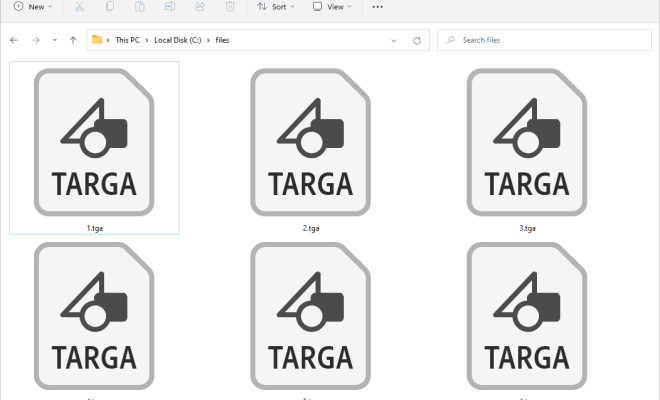
Windows 10 has an in-built file organization app called ‘File Explorer’, also known as ‘Windows Explorer’. This app helps users to navigate and organize files and folders in the computer system. File Explorer provides a variety of views and sorts options that makes searching for files and folders easier and faster.

  1. Trello:

Trello is a popular file organization software that helps users manage projects and tasks more efficiently. It functions as a board with lists and cards that can be customized according to the user’s requirements. You can add files, attachments, and due dates to each card, as well as assign tasks to team members. This software also works well for individuals who want to manage their workload and productivity.

  1. Evernote:

Evernote is a note-taking app that also works as a file organization software. It allows users to take notes, save a web page, or capture an idea and store it in one place. Users can tag their notes and organize them into folders or notebooks for easy access. It also provides a search feature that helps users find notes quickly.

  1. Dropbox:

Dropbox is a cloud-based storage app that lets users store, access, and share documents and files. It works across multiple devices, and users can share folders with others to collaborate on projects. This file organization software also provides a search feature that makes it easy to find files and documents.

  1. CCleaner:

CCleaner is a program that helps users delete unnecessary files and folders in the computer system. It removes temporary files, browser cache, and other files that take up space and slow down the system. This file organization software also includes tools to manage startup items, uninstall programs, and optimize the system’s performance.

  1. Wunderlist:

Wunderlist is a well-known to-do list app that helps users organize their tasks and projects. It allows users to create lists and add tasks with due dates, reminders, and notes. Users can also collaborate on lists and share them with others. This file organization software is perfect for individuals who need help staying organized and on top of their tasks.

  1. Google Drive:

Google Drive is a cloud-based storage platform that allows users to store, access, and share files and documents. It has features like Google Docs, Sheets, and Slides, which users can use to create or edit files. This file organization app also provides a search feature that makes it easy to find files and folders.


Previous Article

The Most Beautiful To-Do List Apps for ...

Next Article

How to Map a Network Drive in ...

Matthew Lynch

Related articles More from author

  • Digital & Mobile Technology

    Best Alternatives to MyFitnessPal for Android and iPhone

    June 23, 2023
    By Matthew Lynch
  • Digital & Mobile Technology

    Best Noom Alternatives for Dieting and Health

    August 5, 2023
    By Matthew Lynch
  • Digital & Mobile Technology

    Cool Spotify Apps That Make Music Streaming Simpler and Easier

    June 22, 2023
    By Matthew Lynch
  • Digital & Mobile Technology

    How to Fix the YouTube “429 Too Many Requests” Error on Windows

    August 5, 2023
    By Matthew Lynch
  • Digital & Mobile Technology

    How Many Users Does Spotify Have?

    June 12, 2023
    By Matthew Lynch
  • Digital & Mobile Technology

    How to Share a Dropbox Folder

    July 31, 2023
    By Matthew Lynch

Search

Login & Registration

  • Log in
  • Entries feed
  • Comments feed
  • WordPress.org

Newsletter

Signup for The Tech Edvocate Newsletter and have the latest in EdTech news and opinion delivered to your email address!

About Us

Since technology is not going anywhere and does more good than harm, adapting is the best course of action. That is where The Tech Edvocate comes in. We plan to cover the PreK-12 and Higher Education EdTech sectors and provide our readers with the latest news and opinion on the subject. From time to time, I will invite other voices to weigh in on important issues in EdTech. We hope to provide a well-rounded, multi-faceted look at the past, present, the future of EdTech in the US and internationally.

We started this journey back in June 2016, and we plan to continue it for many more years to come. I hope that you will join us in this discussion of the past, present and future of EdTech and lend your own insight to the issues that are discussed.

Newsletter

Signup for The Tech Edvocate Newsletter and have the latest in EdTech news and opinion delivered to your email address!

Contact Us

The Tech Edvocate
910 Goddin Street
Richmond, VA 23231
(601) 630-5238
[email protected]

Copyright © 2026 Matthew Lynch. All rights reserved.