The Tech Edvocate

Top Menu

  • Advertisement
  • Apps
  • Home Page
  • Home Page Five (No Sidebar)
  • Home Page Four
  • Home Page Three
  • Home Page Two
  • Home Tech2
  • Icons [No Sidebar]
  • Left Sidbear Page
  • Lynch Educational Consulting
  • My Account
  • My Speaking Page
  • Newsletter Sign Up Confirmation
  • Newsletter Unsubscription
  • Our Brands
  • Page Example
  • Privacy Policy
  • Protected Content
  • Register
  • Request a Product Review
  • Shop
  • Shortcodes Examples
  • Signup
  • Start Here
    • Governance
    • Careers
    • Contact Us
  • Terms and Conditions
  • The Edvocate
  • The Tech Edvocate Product Guide
  • Topics
  • Write For Us
  • Advertise

Main Menu

  • Start Here
    • Our Brands
    • Governance
      • Lynch Educational Consulting, LLC.
      • Dr. Lynch’s Personal Website
      • Careers
    • Write For Us
    • The Tech Edvocate Product Guide
    • Contact Us
    • Books
    • Edupedia
    • Post a Job
    • The Edvocate Podcast
    • Terms and Conditions
    • Privacy Policy
  • Topics
    • Assistive Technology
    • Child Development Tech
    • Early Childhood & K-12 EdTech
    • EdTech Futures
    • EdTech News
    • EdTech Policy & Reform
    • EdTech Startups & Businesses
    • Higher Education EdTech
    • Online Learning & eLearning
    • Parent & Family Tech
    • Personalized Learning
    • Product Reviews
  • Advertise
  • Tech Edvocate Awards
  • The Edvocate
  • Pedagogue
  • School Ratings

logo

The Tech Edvocate

  • Start Here
    • Our Brands
    • Governance
      • Lynch Educational Consulting, LLC.
      • Dr. Lynch’s Personal Website
        • My Speaking Page
      • Careers
    • Write For Us
    • The Tech Edvocate Product Guide
    • Contact Us
    • Books
    • Edupedia
    • Post a Job
    • The Edvocate Podcast
    • Terms and Conditions
    • Privacy Policy
  • Topics
    • Assistive Technology
    • Child Development Tech
    • Early Childhood & K-12 EdTech
    • EdTech Futures
    • EdTech News
    • EdTech Policy & Reform
    • EdTech Startups & Businesses
    • Higher Education EdTech
    • Online Learning & eLearning
    • Parent & Family Tech
    • Personalized Learning
    • Product Reviews
  • Advertise
  • Tech Edvocate Awards
  • The Edvocate
  • Pedagogue
  • School Ratings
  • Uncovering the Smartest Mortgage Options for First-Time Homebuyers in 2026

  • The Brutal Truth About Buying a Home in 2026: 10 Keys to Unlocking a Deal

  • The Housing Market’s Brutal Truth: Why Buyers Have Leverage But Can’t Afford It

  • The Astonishing Race to Reverse Aging: 7 Companies Leading the Longevity Drug Revolution

  • Your Future Self Will Thank You: How to Prepare for Longevity Therapies Right Now

  • This One Breakthrough Could Add Decades to Your Life, Say Top Scientists

  • Baffling: Why SonicWall’s Critical Flaw Was Exploited So Fast — And How to Fight Back

  • Critical SonicWall Flaw: 8 Immediate Steps to Protect Your Network NOW

  • This One Critical SonicWall Flaw Is Being Exploited Right Now — Are You Safe?

  • 7 Astonishing Gene Therapy Innovations Reshaping Chronic Disease Treatment

Digital & Mobile Technology
Home›Digital & Mobile Technology›Best Microsoft Office Alternatives for macOS

Best Microsoft Office Alternatives for macOS
By Matthew Lynch
April 11, 2023
0
Spread the love

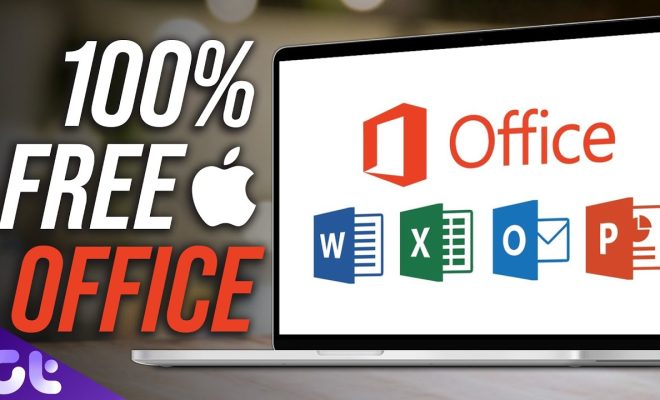
As a macOS user, you might be looking for an alternative to Microsoft Office that offers the same features and usability, but without the price tag. Fortunately, there are several options available that can help you streamline your work and improve your productivity. Here are some of the best Microsoft Office alternatives for macOS.

1. Apple iWork Suite

The iWork Suite, including Pages, Numbers, and Keynote, is a free set of applications that can be used as an alternative to Microsoft Office on macOS. Pages is a word processor, Numbers is a spreadsheet program, and Keynote is a presentation tool. The suite has an intuitive interface that makes it easy to create and edit documents, and all three applications have a strong focus on design, making your documents look professional and visually appealing.

2. LibreOffice

LibreOffice is a free and open-source office suite that includes a word processor, spreadsheet program, presentation tool, drawing program, and database management system. The suite offers a wide range of features that are similar to Microsoft Office, and it can open and save documents in a variety of formats, including Microsoft Office formats. LibreOffice is highly customizable, and users can adjust the interface to suit their needs.

3. WPS Office

WPS Office is a powerful Office Suite that offers a free version for macOS users. It includes a word processor, spreadsheet program, and presentation tool. The Suite boasts a sleek and intuitive interface and offers features that match Microsoft Office. WPS Office has full compatibility with Microsoft Office file types as well as a PDF converter tool.

4. Google Docs, Sheets, and Slides

Google Docs, Sheets, and Slides provide a free and cloud-based office suite that includes a word processing program, spreadsheet, and presentation tool. These tools allow you to collaborate in real-time with others, and everything is saved to the cloud, so you can access your documents from any device. The suite works well with both macOS and Windows, and can open and save Microsoft Office file types.

5. Apache OpenOffice

OpenOffice is another free and open-source office suite that offers a word processor, spreadsheet program, presentation tool, and more. It is highly customizable and includes features that match Microsoft Office. Another advantage of OpenOffice is its ability to run in several different languages. Although the interface might seem dated, the Suite delivers the essentials you would expect from a desktop productivity tool.

In conclusion, there are several excellent alternatives to Microsoft Office on macOS that provide similar features and usability at a lower cost. From the iWork Suite to open-source alternatives like LibreOffice or OpenOffice, all of these productivity tools offer excellent interface designs and robust features. As always, it is essential to consider your needs before deciding on which office suite is right for you.


Previous Article

Best Meta Quest 2 Games, Apps and ...

Next Article

Best Minecraft Server Hosting Service

Matthew Lynch

Related articles More from author

  • Digital & Mobile Technology

    Crosh Terminal Commands All Chromebook Users Should Know

    June 8, 2023
    By Matthew Lynch
  • Digital & Mobile Technology

    What is a Peer-to-Peer (P2P) Network?

    June 9, 2023
    By Matthew Lynch
  • Digital & Mobile Technology

    The BlackBerry Phone Is Dead: Here’s Why

    June 23, 2023
    By Matthew Lynch
  • Digital & Mobile Technology

    Chrome Settings 101: How to Customize Google Chrome

    April 12, 2023
    By Matthew Lynch
  • Digital & Mobile Technology

    The Right Way to Rename Notebooks in OneNote

    July 31, 2023
    By Matthew Lynch
  • Digital & Mobile Technology

    Amazon Alexa Auto Tech: The Ultimate Guide to Alexa in Your Car

    June 13, 2023
    By Matthew Lynch

Search

Login & Registration

  • Log in
  • Entries feed
  • Comments feed
  • WordPress.org

Newsletter

Signup for The Tech Edvocate Newsletter and have the latest in EdTech news and opinion delivered to your email address!

About Us

Since technology is not going anywhere and does more good than harm, adapting is the best course of action. That is where The Tech Edvocate comes in. We plan to cover the PreK-12 and Higher Education EdTech sectors and provide our readers with the latest news and opinion on the subject. From time to time, I will invite other voices to weigh in on important issues in EdTech. We hope to provide a well-rounded, multi-faceted look at the past, present, the future of EdTech in the US and internationally.

We started this journey back in June 2016, and we plan to continue it for many more years to come. I hope that you will join us in this discussion of the past, present and future of EdTech and lend your own insight to the issues that are discussed.

Newsletter

Signup for The Tech Edvocate Newsletter and have the latest in EdTech news and opinion delivered to your email address!

Contact Us

The Tech Edvocate
910 Goddin Street
Richmond, VA 23231
(601) 630-5238
[email protected]

Copyright © 2026 Matthew Lynch. All rights reserved.