The Tech Edvocate

Top Menu

  • Advertisement
  • Apps
  • Home Page
  • Home Page Five (No Sidebar)
  • Home Page Four
  • Home Page Three
  • Home Page Two
  • Home Tech2
  • Icons [No Sidebar]
  • Left Sidbear Page
  • Lynch Educational Consulting
  • My Account
  • My Speaking Page
  • Newsletter Sign Up Confirmation
  • Newsletter Unsubscription
  • Our Brands
  • Page Example
  • Privacy Policy
  • Protected Content
  • Register
  • Request a Product Review
  • Shop
  • Shortcodes Examples
  • Signup
  • Start Here
    • Governance
    • Careers
    • Contact Us
  • Terms and Conditions
  • The Edvocate
  • The Tech Edvocate Product Guide
  • Topics
  • Write For Us
  • Advertise

Main Menu

  • Start Here
    • Our Brands
    • Governance
      • Lynch Educational Consulting, LLC.
      • Dr. Lynch’s Personal Website
      • Careers
    • Write For Us
    • The Tech Edvocate Product Guide
    • Contact Us
    • Books
    • Edupedia
    • Post a Job
    • The Edvocate Podcast
    • Terms and Conditions
    • Privacy Policy
  • Topics
    • Assistive Technology
    • Child Development Tech
    • Early Childhood & K-12 EdTech
    • EdTech Futures
    • EdTech News
    • EdTech Policy & Reform
    • EdTech Startups & Businesses
    • Higher Education EdTech
    • Online Learning & eLearning
    • Parent & Family Tech
    • Personalized Learning
    • Product Reviews
  • Advertise
  • Tech Edvocate Awards
  • The Edvocate
  • Pedagogue
  • School Ratings

logo

The Tech Edvocate

  • Start Here
    • Our Brands
    • Governance
      • Lynch Educational Consulting, LLC.
      • Dr. Lynch’s Personal Website
        • My Speaking Page
      • Careers
    • Write For Us
    • The Tech Edvocate Product Guide
    • Contact Us
    • Books
    • Edupedia
    • Post a Job
    • The Edvocate Podcast
    • Terms and Conditions
    • Privacy Policy
  • Topics
    • Assistive Technology
    • Child Development Tech
    • Early Childhood & K-12 EdTech
    • EdTech Futures
    • EdTech News
    • EdTech Policy & Reform
    • EdTech Startups & Businesses
    • Higher Education EdTech
    • Online Learning & eLearning
    • Parent & Family Tech
    • Personalized Learning
    • Product Reviews
  • Advertise
  • Tech Edvocate Awards
  • The Edvocate
  • Pedagogue
  • School Ratings
  • 100 Best Video Marketing Apps

  • 100 Best Affiliate Marketing Apps

  • 100 Best Influencer Marketing Apps

  • 100 Best Content Marketing Apps

  • 100 Best SEO Apps

  • 100 Best Social Media Apps

  • 100 Best Email Marketing Apps

  • 100 Best Analytics Apps

  • 100 Best Business Intelligence Apps

  • The Wild West of Weight Loss: Why Millions Are Choosing Semaglutide Oral Alternatives

Coding
Home›Coding›Best Free HTML Editors for Windows for 2023

Best Free HTML Editors for Windows for 2023

By Matthew Lynch
June 6, 2023
0
Spread the love

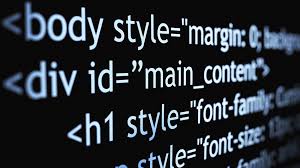
For web developers, HTML is an essential language for building any website. HTML or Hypertext Markup Language is an important coding language for creating web pages. However, creating HTML pages from scratch can be a daunting task. That’s where HTML editors come into play. With the help of an HTML editor, developers can easily create and edit HTML pages without delving into the code. In this article, we will be looking at some of the best free HTML editors for windows in 2023 that can help developers create and edit web pages easily.

  1. Notepad++

Notepad++ is a popular HTML editor that offers a wide range of features. It’s free and has a user-friendly interface that makes it easy for developers to work with. With Notepad++, you can easily edit HTML code, syntax highlighting, and syntax folding. It has a powerful search and replace function that makes it easy to find and replace code. Additionally, Notepad++ supports a wide range of plugins that enhance its functionality.

  1. Atom

Atom is a modern and open-source HTML editor that is built on the Electron framework. It offers a wide range of features that cater to the needs of modern web developers. Atom has a built-in package manager that allows developers to customize their workspace with desired packages. Additionally, Atom has a user-friendly interface that makes it easy to use for both beginners and seasoned developers.

  1. Visual Studio Code

Visual Studio Code, commonly known as VS Code, is a popular HTML editor that offers a wide range of functionalities. This free editor is known for its excellent features, which include Intellisense, syntax highlighting, debugging, and Git control. Its user-friendly interface makes it easy for developers to navigate and customize their workspace.

  1. Bluefish

Bluefish is an open-source HTML editor that is widely used by web developers. It’s a feature-rich editor that offers syntax highlighting, auto-completion, and code navigation. Additionally, Bluefish has a powerful search and replace function that makes it easy for developers to find and replace code. Its user-friendly interface makes it easy for beginners to use even if they have no prior coding experience.

  1. Brackets

Brackets is an open-source and modern HTML editor that offers real-time visual editing functionalities. This HTML editor is built on the Electron framework, and it provides developers with a user-friendly interface. With Brackets, developers can easily edit their HTML code and view the changes in real-time. It also offers a wide range of features that enhance its functionality.

In conclusion, HTML editors are essential tools that help developers create and edit web pages. The HTML editors highlighted in this article are some of the best free HTML editors for Windows in 2023. These editors offer a wide range of features that cater to the needs of modern web developers. Whether you are a beginner or an experienced developer, the choice of the HTML editor to use may vary. However, these editors will help you to create seamless web pages without delving into the code.

Previous Article

Halo Bolt Portable Charger/Jump Starter Review

Next Article

How to Change Your Phone Name on ...

Matthew Lynch

Related articles More from author

  • Coding

    How to Center Images With CSS

    June 6, 2023
    By Matthew Lynch
  • Coding

    Stylish CSS Background Gradient Examples

    June 7, 2023
    By Matthew Lynch
  • Coding

    Children who are blind learn how to code with Code Jumper

    February 2, 2024
    By Matthew Lynch
  • Coding

    What Is an Out Parameter in C#?

    June 12, 2023
    By Matthew Lynch
  • Best of the Best ListsCoding

    The Best Alternatives to Atom Text Editor

    June 5, 2023
    By Matthew Lynch
  • Coding

    Arrow Functions vs. Regular Functions in JavaScript

    June 12, 2023
    By Matthew Lynch

Search

Login & Registration

  • Log in
  • Entries feed
  • Comments feed
  • WordPress.org

Newsletter

Signup for The Tech Edvocate Newsletter and have the latest in EdTech news and opinion delivered to your email address!

About Us

Since technology is not going anywhere and does more good than harm, adapting is the best course of action. That is where The Tech Edvocate comes in. We plan to cover the PreK-12 and Higher Education EdTech sectors and provide our readers with the latest news and opinion on the subject. From time to time, I will invite other voices to weigh in on important issues in EdTech. We hope to provide a well-rounded, multi-faceted look at the past, present, the future of EdTech in the US and internationally.

We started this journey back in June 2016, and we plan to continue it for many more years to come. I hope that you will join us in this discussion of the past, present and future of EdTech and lend your own insight to the issues that are discussed.

Newsletter

Signup for The Tech Edvocate Newsletter and have the latest in EdTech news and opinion delivered to your email address!

Contact Us

The Tech Edvocate
910 Goddin Street
Richmond, VA 23231
(601) 630-5238
[email protected]

Copyright © 2026 Matthew Lynch. All rights reserved.