Best Cloud Storage Services for Students
“`html
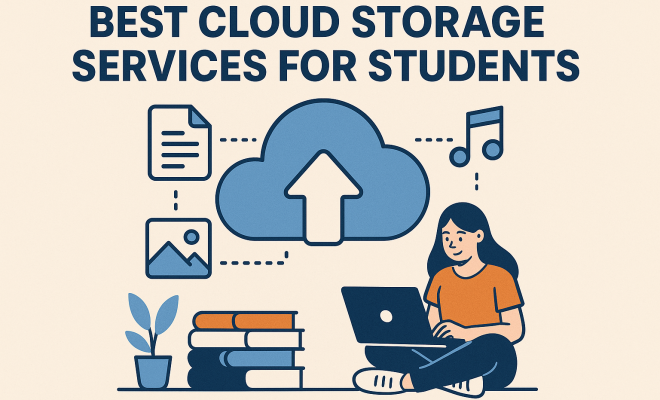
Finding reliable cloud storage has become a necessity for students in today’s digital landscape. Whether you are saving lecture notes, group project files, or important research documents, having a cloud storage service ensures your data is accessible and secure. In this article, we’ll explore the best cloud storage for students, highlighting their features, advantages, and why they are ideal for academic use.
1. Google Drive: Your Versatile Companion
Google Drive is arguably one of the most popular cloud storage solutions available today. With an initial free storage space of 15 GB, it allows you to store all types of files—from documents to photos. What makes Google Drive particularly appealing to students is its integration with other Google services, such as Google Docs, Sheets, and Slides. This means you can create and collaborate on documents in real-time with classmates without the need for additional software.
Furthermore, Google Drive conveniently syncs your files across devices. This means that whether you’re using your laptop, tablet, or smartphone, your documents are just a click away. The user-friendly interface also adds to its accessibility, making it easy for students of all tech-savviness levels to navigate.
2. Dropbox: The Pioneer in Cloud Storage
Dropbox has been around since the early days of cloud storage, and it remains a strong contender today, especially for students. Offering 2 GB of free storage (with options to earn more), Dropbox is known for its simple interface and effective file syncing capabilities. One of its standout features is the ability to easily share files and folders with others, which is ideal for group projects.
Additionally, Dropbox integrates well with various third-party applications, making it versatile for different fields of study. Whether you’re working on design files or managing research data, Dropbox adapts to your needs. While its free storage might be limited, there are affordable plans available for students who need more space.
3. Microsoft OneDrive: Seamlessly Integrated with Windows
For students who are already using Microsoft Office products, OneDrive is a logical choice. It comes with 5 GB of free storage and is integrated into the Windows operating system. This means you can easily save your documents directly to OneDrive from apps like Word and Excel, streamlining your workflow considerably.
OneDrive also supports collaborative editing, allowing multiple users to work on documents simultaneously, which is a significant plus for group assignments. Furthermore, with plans that provide access to the entire Office 365 suite, students can benefit from tools they may already be familiar with, enhancing productivity and collaboration.
4. iCloud Drive: Best for Apple Users
For students in the Apple ecosystem, iCloud Drive is an excellent choice. It offers 5 GB of free storage and integrates perfectly with macOS and iOS devices. This service allows students to easily store and access documents, photos, and backups right from their Apple devices.
iCloud Drive’s simplicity makes it a favorite for those who want a hassle-free storage solution. Features like file sharing and collaboration make working with peers easy. However, users should be aware that additional storage comes at a cost, which can add up if you require more space.
5. Box: Ideal for Collaboration
Box is another cloud storage service that focuses on collaboration and security. Offering 10 GB of free storage, Box is a great option for students working on group projects. Its user-friendly interface allows for easy file sharing, and its robust security features ensure that sensitive data remains protected.
One of the standout features of Box is the ability to integrate with various applications like Google Workspace, Microsoft Office, and Slack. This makes it versatile for students across different disciplines. Moreover, Box provides additional tools for project management, which can be particularly beneficial for larger team assignments. (See: Overview of cloud storage technology.)
6. pCloud: Flexible Storage Options
pCloud offers a unique twist on cloud storage, with options for both free and paid plans. Students can get up to 10 GB of free storage, and there are also lifetime plans available that can save you money in the long run. What sets pCloud apart is its user-friendly interface and features such as file versioning and data recovery, which are invaluable when managing coursework.
Moreover, pCloud provides a secure environment with client-side encryption, ensuring your files stay safe from prying eyes. This emphasis on security is especially crucial for students dealing with sensitive information such as research data or personal documents.
7. Amazon Drive: A Hidden Gem
Amazon Drive might not be the first name that comes to mind when thinking about cloud storage, but it’s worth considering, especially for Amazon Prime members who get unlimited photo storage and 5 GB for other types of files. This service is perfect for students looking to store and share photos or multimedia projects.
While it may lack some of the collaborative features of others on this list, Amazon Drive is a reliable choice for basic storage needs. The seamless integration with Amazon services also allows students to easily manage and access their files across devices.
8. Mega: Privacy-Focused Storage
Mega stands out due to its strong emphasis on privacy and security, offering a generous 20 GB of free storage. It uses end-to-end encryption to protect files, making it an ideal choice for students who prioritize data security. The interface is clean and straightforward, allowing for easy file uploads and sharing.
Besides privacy, Mega’s generous free storage and easy sharing options are significant draws. If you need to share large files with classmates without compromising security, Mega might be the ideal solution for you.
9. Sync.com: Privacy and User Control
Sync.com is another privacy-centric option that offers 5 GB of free storage. Its zero-knowledge encryption means that even the company cannot access your files, making it one of the most secure options available. This is particularly valuable for students dealing with sensitive research data or personal information.
In addition to its strong security features, Sync.com provides user-friendly file sharing options and collaboration tools. This balance makes it a solid choice for students looking for both privacy and ease of use.
10. Tresorit: The Ultimate in Security
Tresorit is renowned for its top-notch security features, aimed at users who require heightened protection for their files. While it offers only 3 GB of free storage, its end-to-end encryption makes it an appealing choice for students who prioritize data security over storage space.
Although it might not have as many features as some other cloud storage options, Tresorit excels in providing a secure environment for file sharing and collaboration. For students working on sensitive projects or research that requires confidentiality, Tresorit is a formidable contender in the realm of cloud storage.
11. Comparative Overview of Features
When evaluating cloud storage options, it helps to compare them based on key features that matter most to students. Here’s a quick look at how these services stack up against one another:
- Storage Space: Google Drive offers 15 GB for free, the most among the options. Mega follows closely with 20 GB, while Dropbox and Tresorit provide 2 GB and 3 GB, respectively.
- Security Features: Tresorit and Sync.com prioritize security with end-to-end encryption, making them ideal for students handling sensitive files.
- Collaboration Tools: Google Drive and Microsoft OneDrive excel in this area, providing real-time editing and seamless sharing features.
- Integration with Other Software: Dropbox and Box offer extensive integration with various applications, enhancing their usability for diverse academic projects.
12. Statistics and Trends in Cloud Storage Use Among Students
The growing reliance on cloud storage solutions among students is reflected in recent studies. According to a survey conducted by Statista in 2022, over 70% of college students reported using cloud storage services for their academic work. The flexibility and accessibility of cloud storage allow students to manage their assignments more effectively, especially in remote learning environments. (See: Impact of technology on student health.)
Additionally, the demand for collaborative tools has surged, with applications like Google Drive experiencing a 40% increase in usage as students adapt to hybrid learning models. The convenience of accessing files from multiple devices helps facilitate group work, which has become increasingly essential as classrooms continue to evolve.
13. Expert Perspectives on Choosing Cloud Storage
To gain deeper insight into the best cloud storage options for students, we consulted with several tech experts. Many emphasize the importance of evaluating personal needs when selecting a cloud storage service. Dr. Emily Carter, a tech educator, advises: “Students should consider their specific requirements—such as the type of coursework they engage in—before settling on a cloud storage provider.”
John Smith, a software analyst, also highlights the significance of security: “In a world where data breaches are common, prioritizing services that offer robust encryption should be non-negotiable for students, especially those dealing with proprietary or sensitive information.”
14. Frequently Asked Questions (FAQ)
What is the best cloud storage for students?
The best cloud storage for students depends on individual needs. Google Drive and Microsoft OneDrive are popular for their collaborative features, while services like Tresorit and Sync.com are ideal for those focused on security.
How much free storage can I get with these services?
Most services provide a varying amount of free storage. Google Drive offers 15 GB, Dropbox provides 2 GB, and Mega stands out with 20 GB of free storage.
Can I access my files offline?
Many cloud storage providers allow for offline access, but it often requires setting up specific features. For example, Google Drive and OneDrive offer offline modes to access files without an internet connection, making it convenient for students on the go.
Are these services secure for my academic work?
While all listed services offer a degree of security, services like Tresorit and Sync.com provide enhanced security features such as end-to-end encryption, making them especially suitable for sensitive academic materials.
Which cloud storage service is best for collaboration?
Google Drive and Microsoft OneDrive are top choices for collaboration due to their real-time editing features and seamless integration with other productivity tools. These platforms enable students to work together effectively on group projects.
Can I upgrade my storage if I need more space?
Yes, most cloud storage providers offer paid plans to increase your storage capacity. It’s advisable to check the pricing and features of these plans to determine what best fits your academic needs.
15. Understanding Cloud Storage Pricing Models
Students often work with limited budgets, making the pricing model of cloud storage services a crucial factor in their decision. Many cloud storage providers offer tiered pricing structures, where you can start with a free plan and upgrade as needed. This is particularly beneficial for students who may only need basic storage at the beginning of their studies but expect to require more as they progress. (See: Cloud storage in education.)
For example, Google Drive provides a clear path for upgrading to Google One, offering additional storage at competitive rates. Similarly, Dropbox has Plus and Family plans that scale in storage and features. Understanding these pricing models can help students make informed choices that align with their budget constraints.
16. User Experience and Interface Design
User experience is another critical element in selecting cloud storage. A well-designed interface can significantly reduce the learning curve, allowing students to focus on their studies rather than figuring out how to use the tool. Services like Google Drive and Dropbox are often praised for their intuitive designs that make file management straightforward.
On the other hand, services like Tresorit, while secure, may have a steeper learning curve due to their advanced security features. Students should evaluate not only the functionality but also how user-friendly the platform is to ensure they can maximize its benefits without unnecessary frustrations.
17. The Environmental Impact of Cloud Storage
As students become more conscious of environmental issues, the carbon footprint of cloud storage services is an emerging topic. A report from the International Energy Agency highlights that data centers contribute significantly to global electricity demand. Choosing a cloud storage provider that prioritizes sustainability, such as those using renewable energy sources, can make a meaningful difference.
For instance, Google has committed to operating its data centers on 100% renewable energy. Understanding the environmental impact of your chosen service can empower students to make more responsible choices that align with their values.
18. Future Trends in Cloud Storage
The landscape of cloud storage is evolving rapidly. Emerging technologies such as artificial intelligence and machine learning are beginning to play a role in how cloud services operate. For instance, some providers are using AI to enhance file organization, making it easier for users to find what they need quickly. This could be a game-changer for students who often juggle multiple projects and documents.
Additionally, as more educational institutions adopt cloud-based solutions, we can expect further integration between learning management systems (LMS) and cloud storage services. This trend could streamline the academic workflow, allowing students to submit assignments directly from their cloud storage to their LMS, simplifying the submission process.
19. Final Thoughts
In summary, choosing the best cloud storage for students depends on your specific needs, whether it’s collaboration, security, or the amount of free storage available. Each of these services offers unique features that cater to different aspects of student life. By understanding what each service provides, you can make an informed decision that will enhance your productivity and academic success.
“`
Trending Now
Frequently Asked Questions
What are the best cloud storage options for students?
The best cloud storage options for students include Google Drive, Dropbox, OneDrive, and Box. Each offers unique features, such as Google Drive's integration with Google Docs and Dropbox's file sharing capabilities, making them ideal for academic use.
How much free storage do cloud services offer for students?
Google Drive offers 15 GB of free storage, while Dropbox provides 2 GB with options to earn more. OneDrive and Box also offer free storage options, making them accessible for students.
Is Google Drive good for students?
Yes, Google Drive is an excellent choice for students due to its 15 GB of free storage, user-friendly interface, and seamless integration with other Google services like Docs and Sheets, facilitating collaboration and accessibility.
What features make Dropbox suitable for student projects?
Dropbox is suitable for student projects due to its simple interface, effective file syncing, and easy file sharing capabilities, which are particularly beneficial for collaboration on group assignments.
Can students access cloud storage on multiple devices?
Yes, most cloud storage services, including Google Drive and Dropbox, allow students to access their files across multiple devices, such as laptops, tablets, and smartphones, ensuring data is always accessible.
Agree or disagree? Drop a comment and tell us what you think. This builds on top storage options for students.