The Tech Edvocate

Top Menu

  • Advertisement
  • Apps
  • Home Page
  • Home Page Five (No Sidebar)
  • Home Page Four
  • Home Page Three
  • Home Page Two
  • Home Tech2
  • Icons [No Sidebar]
  • Left Sidbear Page
  • Lynch Educational Consulting
  • My Account
  • My Speaking Page
  • Newsletter Sign Up Confirmation
  • Newsletter Unsubscription
  • Our Brands
  • Page Example
  • Privacy Policy
  • Protected Content
  • Register
  • Request a Product Review
  • Shop
  • Shortcodes Examples
  • Signup
  • Start Here
    • Governance
    • Careers
    • Contact Us
  • Terms and Conditions
  • The Edvocate
  • The Tech Edvocate Product Guide
  • Topics
  • Write For Us
  • Advertise

Main Menu

  • Start Here
    • Our Brands
    • Governance
      • Lynch Educational Consulting, LLC.
      • Dr. Lynch’s Personal Website
      • Careers
    • Write For Us
    • The Tech Edvocate Product Guide
    • Contact Us
    • Books
    • Edupedia
    • Post a Job
    • The Edvocate Podcast
    • Terms and Conditions
    • Privacy Policy
  • Topics
    • Assistive Technology
    • Child Development Tech
    • Early Childhood & K-12 EdTech
    • EdTech Futures
    • EdTech News
    • EdTech Policy & Reform
    • EdTech Startups & Businesses
    • Higher Education EdTech
    • Online Learning & eLearning
    • Parent & Family Tech
    • Personalized Learning
    • Product Reviews
  • Advertise
  • Tech Edvocate Awards
  • The Edvocate
  • Pedagogue
  • School Ratings

logo

The Tech Edvocate

  • Start Here
    • Our Brands
    • Governance
      • Lynch Educational Consulting, LLC.
      • Dr. Lynch’s Personal Website
        • My Speaking Page
      • Careers
    • Write For Us
    • The Tech Edvocate Product Guide
    • Contact Us
    • Books
    • Edupedia
    • Post a Job
    • The Edvocate Podcast
    • Terms and Conditions
    • Privacy Policy
  • Topics
    • Assistive Technology
    • Child Development Tech
    • Early Childhood & K-12 EdTech
    • EdTech Futures
    • EdTech News
    • EdTech Policy & Reform
    • EdTech Startups & Businesses
    • Higher Education EdTech
    • Online Learning & eLearning
    • Parent & Family Tech
    • Personalized Learning
    • Product Reviews
  • Advertise
  • Tech Edvocate Awards
  • The Edvocate
  • Pedagogue
  • School Ratings
  • Miro vs Conceptboard for project management

  • How to use Teamwork for resource management

  • How much does Procore cost per month

  • How to organize Microsoft Planner buckets

  • Is Teamwork good for billable hours

  • Procore vs Buildertrend which is better

  • Airtable project management templates

  • Can Miro track project progress

  • How to use Basecamp for client work

  • Can Lucidchart create swimlane diagrams

Digital & Mobile Technology
Home›Digital & Mobile Technology›Best Chromebook Photo Editors of 2023

Best Chromebook Photo Editors of 2023
By Matthew Lynch
July 5, 2023
0
Spread the love

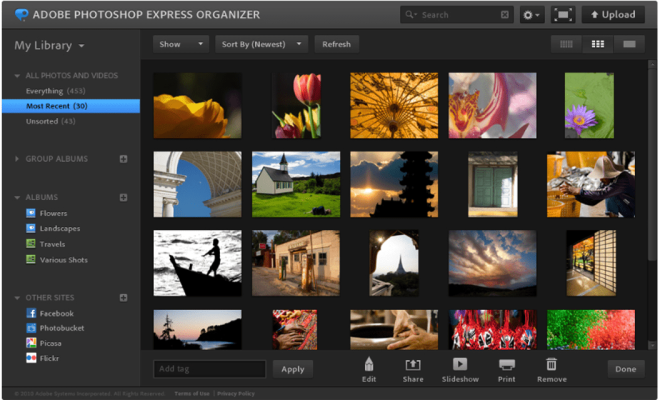
Chromebook owners have long been searching for a reliable photo editor that can enhance their photos and take them to the next level. There is a vast array of photo editors available on the market, but not all of them are compatible with Chromebooks. That is why we have made a list of the best Chromebook photo editors for 2023.

1. Adobe Lightroom

Adobe Lightroom is one of the most popular photo editors among professionals and amateurs alike. Its easy-to-navigate interface and powerful editing tools make it an excellent choice for Chromebook users. Adobe Creative Cloud subscribers can access Lightroom and take advantage of its top-notch features, including color correction, skin smoothing, and a range of filters.

2. BeFunky Photo Editor

BeFunky Photo Editor is a versatile, user-friendly Chromebook photo editor that can transform your dull images into stunning, art-like creations. The app includes essential editing features, such as cropping, saturation, and sharpness, as well as advanced tools such as layer editing, overlays, and digital effects. With BeFunky Photo Editor, you can add text and graphic elements to your photos quickly and easily.

3. Polarr Photo Editor

Polarr is a full-featured photo editor that can run on Chromebooks. It is known for its user-friendly and efficient interface and provides users with an excellent level of control over their photos. Polarr’s advanced editing tools make it easy to perform batch edits or create sophisticated filters that can be saved as presets for later use. With the app’s creative tools, you can add borders, text, and even adjust the symmetry of your photos.

4. GIMP

GIMP is a free, open-source photo editor that rivals some of the best editing software programs available. The app comes with an array of features that include image manipulation and retouching tools, layer-based editing, color correction, and more. The app’s interface may take some time to master, but the quality of the editing tools is worth the investment. GIMP is particularly useful for advanced photo editing tasks like image masking and layer blending.

Conclusion

Chromebook photo editors have come a long way over the years, and there are now several options available that provide exceptional editing tools for even the most discerning photographer. Adobe Lightroom is an excellent option for professionals, while BeFunky, Polarr, and GIMP cater to more casual users who require basic editing features. Each of these editors has a unique set of tools that can take your photos to the next level. As we look towards 2023, these are the best Chromebook photo editors that you should consider.


Previous Article

Best Fast Chargers of 2023

Next Article

Best Fantasy Football Podcasts of 2023

Matthew Lynch

Related articles More from author

  • Digital & Mobile Technology

    Copy Command

    June 6, 2023
    By Matthew Lynch
  • Digital & Mobile Technology

    255.255.255.0 Subnet Mask for IP Networks

    June 12, 2023
    By Matthew Lynch
  • Digital & Mobile Technology

    5 Weird Noises Inside Your Computer Explained

    August 1, 2023
    By Matthew Lynch
  • Digital & Mobile Technology

    How to Convert PNG to JPG

    July 31, 2023
    By Matthew Lynch
  • Digital & Mobile Technology

    How to Make a Photo Collage on iPhone

    August 5, 2023
    By Matthew Lynch
  • Digital & Mobile Technology

    How to Empty Trash on Android

    June 6, 2023
    By Matthew Lynch

Search

Login & Registration

  • Log in
  • Entries feed
  • Comments feed
  • WordPress.org

Newsletter

Signup for The Tech Edvocate Newsletter and have the latest in EdTech news and opinion delivered to your email address!

About Us

Since technology is not going anywhere and does more good than harm, adapting is the best course of action. That is where The Tech Edvocate comes in. We plan to cover the PreK-12 and Higher Education EdTech sectors and provide our readers with the latest news and opinion on the subject. From time to time, I will invite other voices to weigh in on important issues in EdTech. We hope to provide a well-rounded, multi-faceted look at the past, present, the future of EdTech in the US and internationally.

We started this journey back in June 2016, and we plan to continue it for many more years to come. I hope that you will join us in this discussion of the past, present and future of EdTech and lend your own insight to the issues that are discussed.

Newsletter

Signup for The Tech Edvocate Newsletter and have the latest in EdTech news and opinion delivered to your email address!

Contact Us

The Tech Edvocate
910 Goddin Street
Richmond, VA 23231
(601) 630-5238
[email protected]

Copyright © 2026 Matthew Lynch. All rights reserved.