The Tech Edvocate

Top Menu

  • Advertisement
  • Apps
  • Home Page
  • Home Page Five (No Sidebar)
  • Home Page Four
  • Home Page Three
  • Home Page Two
  • Home Tech2
  • Icons [No Sidebar]
  • Left Sidbear Page
  • Lynch Educational Consulting
  • My Account
  • My Speaking Page
  • Newsletter Sign Up Confirmation
  • Newsletter Unsubscription
  • Our Brands
  • Page Example
  • Privacy Policy
  • Protected Content
  • Register
  • Request a Product Review
  • Shop
  • Shortcodes Examples
  • Signup
  • Start Here
    • Governance
    • Careers
    • Contact Us
  • Terms and Conditions
  • The Edvocate
  • The Tech Edvocate Product Guide
  • Topics
  • Write For Us
  • Advertise

Main Menu

  • Start Here
    • Our Brands
    • Governance
      • Lynch Educational Consulting, LLC.
      • Dr. Lynch’s Personal Website
      • Careers
    • Write For Us
    • The Tech Edvocate Product Guide
    • Contact Us
    • Books
    • Edupedia
    • Post a Job
    • The Edvocate Podcast
    • Terms and Conditions
    • Privacy Policy
  • Topics
    • Assistive Technology
    • Child Development Tech
    • Early Childhood & K-12 EdTech
    • EdTech Futures
    • EdTech News
    • EdTech Policy & Reform
    • EdTech Startups & Businesses
    • Higher Education EdTech
    • Online Learning & eLearning
    • Parent & Family Tech
    • Personalized Learning
    • Product Reviews
  • Advertise
  • Tech Edvocate Awards
  • The Edvocate
  • Pedagogue
  • School Ratings

logo

The Tech Edvocate

  • Start Here
    • Our Brands
    • Governance
      • Lynch Educational Consulting, LLC.
      • Dr. Lynch’s Personal Website
        • My Speaking Page
      • Careers
    • Write For Us
    • The Tech Edvocate Product Guide
    • Contact Us
    • Books
    • Edupedia
    • Post a Job
    • The Edvocate Podcast
    • Terms and Conditions
    • Privacy Policy
  • Topics
    • Assistive Technology
    • Child Development Tech
    • Early Childhood & K-12 EdTech
    • EdTech Futures
    • EdTech News
    • EdTech Policy & Reform
    • EdTech Startups & Businesses
    • Higher Education EdTech
    • Online Learning & eLearning
    • Parent & Family Tech
    • Personalized Learning
    • Product Reviews
  • Advertise
  • Tech Edvocate Awards
  • The Edvocate
  • Pedagogue
  • School Ratings
  • This SmartHome Guardian 3.0 Feature Is Sparking Outcry — Here’s Why

  • This One Startup Just Secured Half a Billion to Revolutionize Home Buying

  • Elon Musk’s xAI Just Scored a Major Victory Against Minnesota’s ‘Nudification’ Law – Here’s Why It Matters

  • Wild: This Viral Game’s Website Was Caught Pimping Sex Workers to Teenagers

  • Unbelievable: Xbox Deals Collapse, Leading to Ninja Theory Layoffs – What This Means for Gaming

  • Urgent: 95% of Leaders Fear AI-Powered Attacks on Critical Infrastructure by 2026

  • Global Warning: AI’s Bubble and Existential Threats Could Unleash Chaos

  • Explosive: Student Loan Crisis Hits $234 Billion as Millions Face Brutal Collections

  • Jamie Dimon’s Unsettling AI Cybersecurity Warning: What You Haven’t Been Told

  • California’s Wild Robotaxi Rules: Are They Enough to Tame the AI Beast?

Tech Advice
Home›Tech Advice›AirPods Not Working? Here’s How to Give Your Apple Earbuds a Factory Reset

AirPods Not Working? Here’s How to Give Your Apple Earbuds a Factory Reset
By Matthew Lynch
July 24, 2023
0
Spread the love

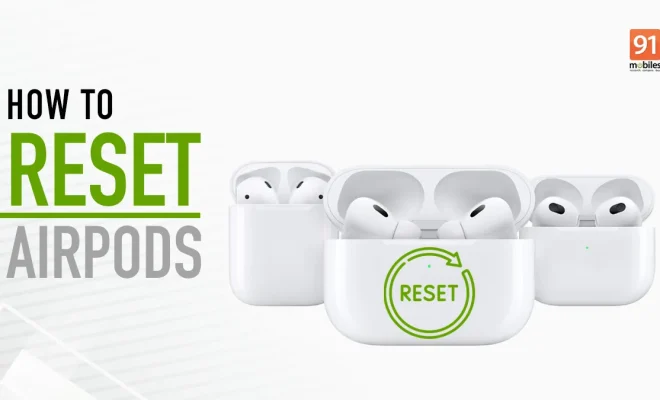
Have you ever had one of those days where your AirPods just don’t seem to be working properly? Perhaps the sound quality seems off, or one earbud doesn’t play audio at all. Before you rush out to get new AirPods, there’s a simple solution you can try first – a factory reset. This article will guide you through the steps to give your Apple earbuds a factory reset and hopefully get them back in working order.

Step 1: Disconnect the AirPods from your device

Before we begin the process, it’s important to disconnect your AirPods from any connected devices, like your iPhone or iPad. To do this:

1. Go to Settings on your device.

2. Tap Bluetooth.

3. Find the AirPods in the list of connected devices.

4. Tap the “i” icon next to their name.

5. Choose “Forget This Device.”

Step 2: Place both AirPods in the charging case

For the factory reset process, both AirPods must be fully inserted into their respective slots in the charging case.

Step 3: Reset AirPods

Following these steps:

1. Close the lid of your charging case and wait for at least 30 seconds.

2. Open the lid again, while keeping both AirPods inside.

3. Press and hold the setup button on the back of your charging case for about 15 seconds until the LED light starts blinking amber and then white.

Step 4: Reconnect AirPods to your device

Now that your AirPods have been reset to factory settings, you’ll need to reconnect them with your device:

1. Make sure that your device is unlocked, with Bluetooth enabled and nearby.

2. Open your charging case and place it near your device.

3. A pop-up will appear on your device’s screen, prompting you to connect the AirPods.

4. Tap “Connect,” and follow any additional on-screen instructions.

There you have it! With these easy steps, you’ll be able to give your Apple AirPods a factory reset and hopefully resolve any issues you may have been experiencing. Remember that if problems persist even after resetting, it’s best to contact Apple Support or visit an Apple Store for assistance.


Previous Article

You Can Take Stunning Long-Exposure Photos Using ...

Next Article

AirPods Max vs. Bose 700 vs. Sony ...

Matthew Lynch

Related articles More from author

  • Tech Advice

    Understanding Outstanding Shares – Their Importance and Impact on Financial Markets

    September 6, 2023
    By Matthew Lynch
  • Tech Advice

    2024 BMW i5 Gives 5-Series Shoppers an Intriguing EV Option

    August 11, 2023
    By Matthew Lynch
  • Tech Advice

    SimpliSafe Home Security Review

    July 10, 2023
    By Matthew Lynch
  • Tech Advice

    2024 Honda CR-V EX-L 4dr All-Wheel Drive Crossover: Trim Details, Reviews, Prices, Specs, and Incentives

    August 20, 2023
    By Matthew Lynch
  • Tech Advice

    AMD Ryzen 9 7950X Review

    July 20, 2023
    By Matthew Lynch
  • Tech Advice

    Expand Your Board Game Collection With These Bargains

    July 5, 2023
    By Matthew Lynch

Search

Login & Registration

  • Log in
  • Entries feed
  • Comments feed
  • WordPress.org

Newsletter

Signup for The Tech Edvocate Newsletter and have the latest in EdTech news and opinion delivered to your email address!

About Us

Since technology is not going anywhere and does more good than harm, adapting is the best course of action. That is where The Tech Edvocate comes in. We plan to cover the PreK-12 and Higher Education EdTech sectors and provide our readers with the latest news and opinion on the subject. From time to time, I will invite other voices to weigh in on important issues in EdTech. We hope to provide a well-rounded, multi-faceted look at the past, present, the future of EdTech in the US and internationally.

We started this journey back in June 2016, and we plan to continue it for many more years to come. I hope that you will join us in this discussion of the past, present and future of EdTech and lend your own insight to the issues that are discussed.

Newsletter

Signup for The Tech Edvocate Newsletter and have the latest in EdTech news and opinion delivered to your email address!

Contact Us

The Tech Edvocate
910 Goddin Street
Richmond, VA 23231
(601) 630-5238
[email protected]

Copyright © 2026 Matthew Lynch. All rights reserved.