The Tech Edvocate

Top Menu

  • Advertisement
  • Apps
  • Home Page
  • Home Page Five (No Sidebar)
  • Home Page Four
  • Home Page Three
  • Home Page Two
  • Home Tech2
  • Icons [No Sidebar]
  • Left Sidbear Page
  • Lynch Educational Consulting
  • My Account
  • My Speaking Page
  • Newsletter Sign Up Confirmation
  • Newsletter Unsubscription
  • Our Brands
  • Page Example
  • Privacy Policy
  • Protected Content
  • Register
  • Request a Product Review
  • Shop
  • Shortcodes Examples
  • Signup
  • Start Here
    • Governance
    • Careers
    • Contact Us
  • Terms and Conditions
  • The Edvocate
  • The Tech Edvocate Product Guide
  • Topics
  • Write For Us
  • Advertise

Main Menu

  • Start Here
    • Our Brands
    • Governance
      • Lynch Educational Consulting, LLC.
      • Dr. Lynch’s Personal Website
      • Careers
    • Write For Us
    • The Tech Edvocate Product Guide
    • Contact Us
    • Books
    • Edupedia
    • Post a Job
    • The Edvocate Podcast
    • Terms and Conditions
    • Privacy Policy
  • Topics
    • Assistive Technology
    • Child Development Tech
    • Early Childhood & K-12 EdTech
    • EdTech Futures
    • EdTech News
    • EdTech Policy & Reform
    • EdTech Startups & Businesses
    • Higher Education EdTech
    • Online Learning & eLearning
    • Parent & Family Tech
    • Personalized Learning
    • Product Reviews
  • Advertise
  • Tech Edvocate Awards
  • The Edvocate
  • Pedagogue
  • School Ratings

logo

The Tech Edvocate

  • Start Here
    • Our Brands
    • Governance
      • Lynch Educational Consulting, LLC.
      • Dr. Lynch’s Personal Website
        • My Speaking Page
      • Careers
    • Write For Us
    • The Tech Edvocate Product Guide
    • Contact Us
    • Books
    • Edupedia
    • Post a Job
    • The Edvocate Podcast
    • Terms and Conditions
    • Privacy Policy
  • Topics
    • Assistive Technology
    • Child Development Tech
    • Early Childhood & K-12 EdTech
    • EdTech Futures
    • EdTech News
    • EdTech Policy & Reform
    • EdTech Startups & Businesses
    • Higher Education EdTech
    • Online Learning & eLearning
    • Parent & Family Tech
    • Personalized Learning
    • Product Reviews
  • Advertise
  • Tech Edvocate Awards
  • The Edvocate
  • Pedagogue
  • School Ratings
  • US Battery as a Service Market Shifts Toward Fleet-Based Energy

  • The Startling Truth: Why Americans Distrust AI with Their Health

  • This Crucial Deadline for Banks Is Closer Than You Think

  • Baffling: CrowdStrike’s $500 Million AI Bet Reshapes Cybersecurity

  • This Crucial Autonomous Driving Rule Could Cost You Everything

  • Baffling: Microsoft AI CEO Demands Halt to Conscious AI Development

  • O seară în ritmul tău: atmosfera divertismentului de cazinou pe internet

  • Outrageous: AppLovin Hit With Lawsuit Over AI Claims — What Investors Need to Know

  • 9 Critical Ways AI Investment Fraud Is Quietly Draining Your Bank Account

  • Is the AI Bubble Bursting? OpenAI’s Funding Woes Revealed

Digital & Mobile Technology
Home›Digital & Mobile Technology›A Brief History of Windows From 1985 to Present Day

A Brief History of Windows From 1985 to Present Day
By Matthew Lynch
June 15, 2023
0
Spread the love

Windows is undoubtedly one of the most popular operating systems in the world. It has come a long way since it was first introduced in 1985, with numerous upgrades and changes over the years. Let’s take a walk down memory lane and look at the brief history of Windows from 1985 to the present day.

1985 – Windows 1.0

Microsoft released the first version of Windows, Windows 1.0, in November 1985. It was not a full-fledged operating system but rather an extension of the MS-DOS operating system. It featured a graphical user interface (GUI) which allowed users to navigate using a mouse. Windows 1.0 also included several apps such as Calculator, Calendar, and Notepad.

1987 – Windows 2.0

Windows 2.0 was introduced in December 1987. It had many new features including better memory management and support for expanded memory. It also introduced a new user interface, the use of icons, and a desktop environment.

1990 – Windows 3.0

Windows 3.0 was released in May 1990. It was a significant upgrade to its predecessors, with major improvements in performance and usability. It introduced the now-familiar Start menu, Program Manager, and File Manager. This version also brought support for virtual memory, enabling large applications to run smoothly.

1995 – Windows 95

Windows 95 was released on August 24th, 1995. It was a massive success and a defining moment for Microsoft and its Windows operating system. It featured the long-awaited Start menu and Taskbar. Windows 95 was the first version to support Plug and Play, which allowed hardware devices to be automatically recognized and configured.

1998 – Windows 98

Windows 98 was introduced in June 1998. It was similar to Windows 95 but included some significant improvements. It supported faster performance and introduced the Quick Launch toolbar.

2000 – Windows 2000

Windows 2000 was released in February 2000. It was targeted towards businesses and improved upon the previous version with enhanced security features, advanced networking, and improved stability.

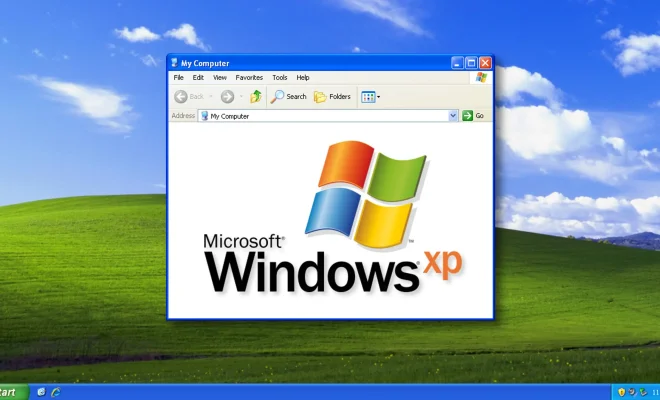
2001 – Windows XP

Windows XP was released in October 2001, and it was one of the most successful versions of Windows. It combined the stability of Windows 2000 with the user-friendly interface of Windows 98. It included features such as built-in firewall, system restore, and the ability to connect to a wireless network.

2006 – Windows Vista

Windows Vista was introduced in November 2006. It featured a more modern user interface, better performance, and new security features. However, it was not well-received by the users due to its high system requirements, compatibility issues, and slow performance.

2009 – Windows 7

Windows 7 was released in October 2009. It was focused on improving the user experience, stability, and performance. It was the first Windows operating system to introduce the Snap feature, allowing users to snap windows to the left or right side of the screen easily.

2012 – Windows 8

Windows 8 was released in October 2012. It was designed for touch-enabled devices, which was a significant shift from the traditional keyboard and mouse input. It had a completely new user interface, which was criticized for being confusing and difficult to navigate.

2015 – Windows 10

Windows 10 was released on July 29th, 2015. It is the latest version of the Windows operating system, and it brings together the best features of its predecessors. It has a more modern interface, better security, and more customization options.


Previous Article

Which Programming Languages Can You Use With ...

Next Article

How to Install a New Package Manager ...

Matthew Lynch

Related articles More from author

  • Digital & Mobile Technology

    What Is Google Discover? How to Use the Google Feed on Android

    June 5, 2023
    By Matthew Lynch
  • Digital & Mobile Technology

    Tips for Creating a Virtual Reality Room

    June 10, 2023
    By Matthew Lynch
  • Digital & Mobile Technology

    How to Avoid the “Financial Hardship Department” Email Scam

    August 1, 2023
    By Matthew Lynch
  • Digital & Mobile Technology

    The Best Cinematic Video Games You Can Play

    June 11, 2023
    By Matthew Lynch
  • Digital & Mobile Technology

    DirectX 11 vs. DirectX 12: What Are the Differences and Which Should You Use?

    June 6, 2023
    By Matthew Lynch
  • Digital & Mobile Technology

    What Are Rapid Security Response Updates? (And How to Enable Them)

    June 14, 2023
    By Matthew Lynch

Search

Login & Registration

  • Log in
  • Entries feed
  • Comments feed
  • WordPress.org

Newsletter

Signup for The Tech Edvocate Newsletter and have the latest in EdTech news and opinion delivered to your email address!

About Us

Since technology is not going anywhere and does more good than harm, adapting is the best course of action. That is where The Tech Edvocate comes in. We plan to cover the PreK-12 and Higher Education EdTech sectors and provide our readers with the latest news and opinion on the subject. From time to time, I will invite other voices to weigh in on important issues in EdTech. We hope to provide a well-rounded, multi-faceted look at the past, present, the future of EdTech in the US and internationally.

We started this journey back in June 2016, and we plan to continue it for many more years to come. I hope that you will join us in this discussion of the past, present and future of EdTech and lend your own insight to the issues that are discussed.

Newsletter

Signup for The Tech Edvocate Newsletter and have the latest in EdTech news and opinion delivered to your email address!

Contact Us

The Tech Edvocate
910 Goddin Street
Richmond, VA 23231
(601) 630-5238
[email protected]

Copyright © 2026 Matthew Lynch. All rights reserved.