The Tech Edvocate

Top Menu

  • Advertisement
  • Apps
  • Home Page
  • Home Page Five (No Sidebar)
  • Home Page Four
  • Home Page Three
  • Home Page Two
  • Home Tech2
  • Icons [No Sidebar]
  • Left Sidbear Page
  • Lynch Educational Consulting
  • My Account
  • My Speaking Page
  • Newsletter Sign Up Confirmation
  • Newsletter Unsubscription
  • Our Brands
  • Page Example
  • Privacy Policy
  • Protected Content
  • Register
  • Request a Product Review
  • Shop
  • Shortcodes Examples
  • Signup
  • Start Here
    • Governance
    • Careers
    • Contact Us
  • Terms and Conditions
  • The Edvocate
  • The Tech Edvocate Product Guide
  • Topics
  • Write For Us
  • Advertise

Main Menu

  • Start Here
    • Our Brands
    • Governance
      • Lynch Educational Consulting, LLC.
      • Dr. Lynch’s Personal Website
      • Careers
    • Write For Us
    • The Tech Edvocate Product Guide
    • Contact Us
    • Books
    • Edupedia
    • Post a Job
    • The Edvocate Podcast
    • Terms and Conditions
    • Privacy Policy
  • Topics
    • Assistive Technology
    • Child Development Tech
    • Early Childhood & K-12 EdTech
    • EdTech Futures
    • EdTech News
    • EdTech Policy & Reform
    • EdTech Startups & Businesses
    • Higher Education EdTech
    • Online Learning & eLearning
    • Parent & Family Tech
    • Personalized Learning
    • Product Reviews
  • Advertise
  • Tech Edvocate Awards
  • The Edvocate
  • Pedagogue
  • School Ratings

logo

The Tech Edvocate

  • Start Here
    • Our Brands
    • Governance
      • Lynch Educational Consulting, LLC.
      • Dr. Lynch’s Personal Website
        • My Speaking Page
      • Careers
    • Write For Us
    • The Tech Edvocate Product Guide
    • Contact Us
    • Books
    • Edupedia
    • Post a Job
    • The Edvocate Podcast
    • Terms and Conditions
    • Privacy Policy
  • Topics
    • Assistive Technology
    • Child Development Tech
    • Early Childhood & K-12 EdTech
    • EdTech Futures
    • EdTech News
    • EdTech Policy & Reform
    • EdTech Startups & Businesses
    • Higher Education EdTech
    • Online Learning & eLearning
    • Parent & Family Tech
    • Personalized Learning
    • Product Reviews
  • Advertise
  • Tech Edvocate Awards
  • The Edvocate
  • Pedagogue
  • School Ratings
  • 100 Best Legal Apps

  • 100 Best Payroll Apps

  • 100 Best HR Apps

  • 100 Best Project Management Apps

  • 100 Best Invoicing Apps

  • 100 Best CRM Apps

  • The Game-Changing September Beauty Products You Need to Try

  • Revelado: El Secreto Detrás de los Productos Más Vendidos de Septiembre que Querrás Tener

  • This Crucial FDA Hearing Could Transform Mental Healthcare Forever

  • WoW’s New Paid Race Sparked Outrage: Here’s Why Gamers Are Furious

Assistive Technology
Home›Assistive Technology›How to Enable and Disable Apple Watch Activation Lock

How to Enable and Disable Apple Watch Activation Lock

By Matthew Lynch
June 21, 2023
0
Spread the love

Activation Lock is a security feature that Apple has developed to prevent unauthorized access to your Apple Watch. When enabled, Activation Lock requires your Apple ID and password to be entered before anyone can use or sell your device. This feature is automatically turned on when you set up your Apple Watch, but you can also enable or disable it at any time.

Enabling Activation Lock

To enable Activation Lock on your Apple Watch, you must first pair it with your iPhone. Once paired, follow these steps:

1. Open the Watch app on your iPhone.

2. Tap the “My Watch” tab.

3. Tap “General,” then tap “Apple ID.”

4. Enter your Apple ID and password.

5. Toggle on “Activation Lock.”

Once enabled, your Apple Watch is protected by Activation Lock. If someone tries to use or sell your device, they will be prompted to enter your Apple ID and password.

Disabling Activation Lock

If you want to disable Activation Lock on your Apple Watch, follow these steps:

1. Open the Watch app on your iPhone.

2. Tap the “My Watch” tab.

3. Tap “General,” then tap “Apple ID.”

4. Enter your Apple ID and password.

5. Toggle off “Activation Lock.”

Once disabled, your Apple Watch is no longer protected by Activation Lock. This means that anyone can use or sell your device without entering your Apple ID and password.

Conclusion

Activation Lock is an important security feature that helps protect your Apple Watch from unauthorized access. By enabling Activation Lock, you can ensure that your device is always protected, even if it is lost or stolen. And if you need to disable Activation Lock for any reason, you can do so easily using the steps outlined above.


Previous Article

Websites Where You Can Write to Soldiers

Next Article

How to Manage Apps on the iPhone ...

Matthew Lynch

Related articles More from author

  • Assistive Technology

    How to Find and Follow Friends on Apple Music

    June 23, 2023
    By Matthew Lynch
  • Assistive Technology

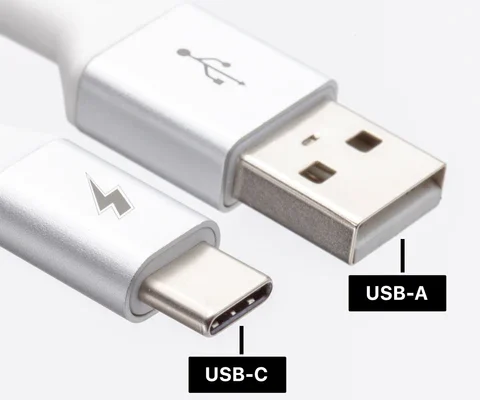
    USB-A vs. USB-C: What Is the Difference?

    June 8, 2023
    By Matthew Lynch
  • Assistive Technology

    How to Set Up and Use Parental Controls on Your Kindle

    June 11, 2023
    By Matthew Lynch
  • Assistive Technology

    How to Get the iPhone 14 Pro’s Dynamic Island on Your Android Phone Today

    June 11, 2023
    By Matthew Lynch
  • Assistive Technology

    How to Select an SIS (Student Information System) for Your School District

    December 26, 2022
    By Matthew Lynch
  • Assistive Technology

    How to Fix Windows 11’s “Indexing is Paused” Error

    June 12, 2023
    By Matthew Lynch

Search

Login & Registration

  • Log in
  • Entries feed
  • Comments feed
  • WordPress.org

Newsletter

Signup for The Tech Edvocate Newsletter and have the latest in EdTech news and opinion delivered to your email address!

About Us

Since technology is not going anywhere and does more good than harm, adapting is the best course of action. That is where The Tech Edvocate comes in. We plan to cover the PreK-12 and Higher Education EdTech sectors and provide our readers with the latest news and opinion on the subject. From time to time, I will invite other voices to weigh in on important issues in EdTech. We hope to provide a well-rounded, multi-faceted look at the past, present, the future of EdTech in the US and internationally.

We started this journey back in June 2016, and we plan to continue it for many more years to come. I hope that you will join us in this discussion of the past, present and future of EdTech and lend your own insight to the issues that are discussed.

Newsletter

Signup for The Tech Edvocate Newsletter and have the latest in EdTech news and opinion delivered to your email address!

Contact Us

The Tech Edvocate
910 Goddin Street
Richmond, VA 23231
(601) 630-5238
[email protected]

Copyright © 2026 Matthew Lynch. All rights reserved.