The Tech Edvocate

Top Menu

  • Advertisement
  • Apps
  • Home Page
  • Home Page Five (No Sidebar)
  • Home Page Four
  • Home Page Three
  • Home Page Two
  • Home Tech2
  • Icons [No Sidebar]
  • Left Sidbear Page
  • Lynch Educational Consulting
  • My Account
  • My Speaking Page
  • Newsletter Sign Up Confirmation
  • Newsletter Unsubscription
  • Our Brands
  • Page Example
  • Privacy Policy
  • Protected Content
  • Register
  • Request a Product Review
  • Shop
  • Shortcodes Examples
  • Signup
  • Start Here
    • Governance
    • Careers
    • Contact Us
  • Terms and Conditions
  • The Edvocate
  • The Tech Edvocate Product Guide
  • Topics
  • Write For Us
  • Advertise

Main Menu

  • Start Here
    • Our Brands
    • Governance
      • Lynch Educational Consulting, LLC.
      • Dr. Lynch’s Personal Website
      • Careers
    • Write For Us
    • The Tech Edvocate Product Guide
    • Contact Us
    • Books
    • Edupedia
    • Post a Job
    • The Edvocate Podcast
    • Terms and Conditions
    • Privacy Policy
  • Topics
    • Assistive Technology
    • Child Development Tech
    • Early Childhood & K-12 EdTech
    • EdTech Futures
    • EdTech News
    • EdTech Policy & Reform
    • EdTech Startups & Businesses
    • Higher Education EdTech
    • Online Learning & eLearning
    • Parent & Family Tech
    • Personalized Learning
    • Product Reviews
  • Advertise
  • Tech Edvocate Awards
  • The Edvocate
  • Pedagogue
  • School Ratings

logo

The Tech Edvocate

  • Start Here
    • Our Brands
    • Governance
      • Lynch Educational Consulting, LLC.
      • Dr. Lynch’s Personal Website
        • My Speaking Page
      • Careers
    • Write For Us
    • The Tech Edvocate Product Guide
    • Contact Us
    • Books
    • Edupedia
    • Post a Job
    • The Edvocate Podcast
    • Terms and Conditions
    • Privacy Policy
  • Topics
    • Assistive Technology
    • Child Development Tech
    • Early Childhood & K-12 EdTech
    • EdTech Futures
    • EdTech News
    • EdTech Policy & Reform
    • EdTech Startups & Businesses
    • Higher Education EdTech
    • Online Learning & eLearning
    • Parent & Family Tech
    • Personalized Learning
    • Product Reviews
  • Advertise
  • Tech Edvocate Awards
  • The Edvocate
  • Pedagogue
  • School Ratings
  • Can I get bulk discounts on Fiverr Business?

  • How to get Hotels.com promo codes

  • Is Hotels.com reliable and safe

  • Notion for Teams vs Monday.com

  • Klook app download for iOS/Android

  • Can I tour a Regus location before booking?

  • WeWork for startups – is it worth it?

  • How many members in Notion Team plan?

  • Best Klook deals in Asia

  • What is Viator Reserve Now Pay Later?

Online Learning & eLearning
Home›Online Learning & eLearning›Top 3 Ways to Share Webpage Links From Google Chrome

Top 3 Ways to Share Webpage Links From Google Chrome
By Matthew Lynch
April 2, 2023
0
Spread the love

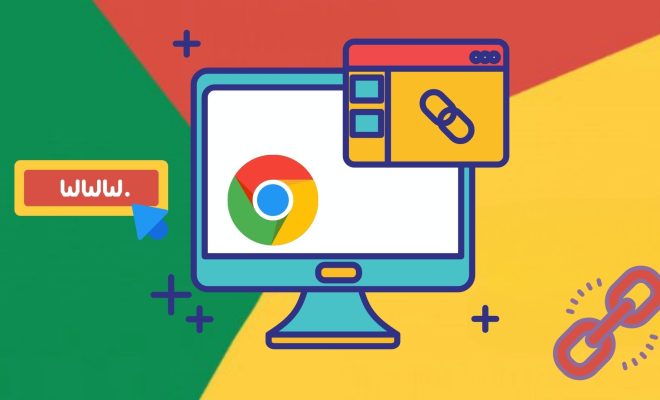
Google Chrome is one of the most popular web browsers, and it offers various features that enhance browsing experience. Among these features is the ability to share webpage links quickly and easily. In this article, we will discuss the top three ways to share webpage links from Google Chrome.

1. Copy and paste the URL

The simplest way to share a webpage link from Google Chrome is by copying and pasting the URL. To copy the URL, navigate to the webpage you wish to share and click on the address bar. The entire URL should now be highlighted. Next, right-click the highlighted text and select “Copy” from the drop-down menu. You can also use the shortcut “Ctrl + C” on Windows or “Command + C” on Mac to copy the URL. Once you have copied the URL, you can paste it into an email, message, or any other platform you use to share links.

2. Share via Google Chrome’s share menu

Google Chrome’s built-in share menu provides an easy way to share webpage links across various platforms, such as email, social media, or messaging apps. To access this feature, click on the three vertical dots located on the top right corner of the browser window. Next, hover over “Share,” and a list of platforms should appear. Click on the platform you want to share the link to, and a pop-up window will appear, allowing you to customize your message before sending.

3. Use a browser extension

Google Chrome has a vast selection of extensions that enhance user experience. Among these extensions are link-sharing tools, such as AddThis, Shareaholic, and Bitly. These extensions allow users to share webpage links quickly and directly from the browser. To use a link-sharing extension, navigate to the Chrome Web Store, search for the extension you need, and click on “Add to Chrome.” Once the extension is installed, clicking on the extension icon will provide options to share the link through email, social media, or messaging apps.

Conclusion

Sharing webpage links from Google Chrome is a quick and easy process. Users can copy and paste the URL, use Chrome’s built-in share menu or install link-sharing extensions. With these three methods, you can easily share webpage links with friends, colleagues, or on social media platforms.


Previous Article

Top 3 Ways to Reduce Video Size ...

Next Article

Top 4 Ways to Improve Location Accuracy ...

Matthew Lynch

Related articles More from author

  • Online Learning & eLearning

    Find the best Web Conferencing Software

    March 9, 2023
    By Matthew Lynch
  • Online Learning & eLearning

    Here are some recommendations for software wiping:

    April 1, 2023
    By Matthew Lynch
  • Online Learning & eLearning

    Home-based Learning Tips For Parents: 6 Tips For Effective Learning

    January 14, 2021
    By Matthew Lynch
  • Online Learning & eLearningOpEducation

    Are MOOCs Really Dead?

    July 6, 2021
    By Matthew Lynch
  • Online Learning & eLearning

    Netflix vs. Amazon Prime Video: Which Is Best?

    March 28, 2023
    By Matthew Lynch
  • Online Learning & eLearning

    How To Design eLearning For Neurodiverse Individuals?

    December 14, 2023
    By Matthew Lynch

Search

Login & Registration

  • Log in
  • Entries feed
  • Comments feed
  • WordPress.org

Newsletter

Signup for The Tech Edvocate Newsletter and have the latest in EdTech news and opinion delivered to your email address!

About Us

Since technology is not going anywhere and does more good than harm, adapting is the best course of action. That is where The Tech Edvocate comes in. We plan to cover the PreK-12 and Higher Education EdTech sectors and provide our readers with the latest news and opinion on the subject. From time to time, I will invite other voices to weigh in on important issues in EdTech. We hope to provide a well-rounded, multi-faceted look at the past, present, the future of EdTech in the US and internationally.

We started this journey back in June 2016, and we plan to continue it for many more years to come. I hope that you will join us in this discussion of the past, present and future of EdTech and lend your own insight to the issues that are discussed.

Newsletter

Signup for The Tech Edvocate Newsletter and have the latest in EdTech news and opinion delivered to your email address!

Contact Us

The Tech Edvocate
910 Goddin Street
Richmond, VA 23231
(601) 630-5238
[email protected]

Copyright © 2026 Matthew Lynch. All rights reserved.