The Tech Edvocate

Top Menu

  • Advertisement
  • Apps
  • Home Page
  • Home Page Five (No Sidebar)
  • Home Page Four
  • Home Page Three
  • Home Page Two
  • Home Tech2
  • Icons [No Sidebar]
  • Left Sidbear Page
  • Lynch Educational Consulting
  • My Account
  • My Speaking Page
  • Newsletter Sign Up Confirmation
  • Newsletter Unsubscription
  • Our Brands
  • Page Example
  • Privacy Policy
  • Protected Content
  • Register
  • Request a Product Review
  • Shop
  • Shortcodes Examples
  • Signup
  • Start Here
    • Governance
    • Careers
    • Contact Us
  • Terms and Conditions
  • The Edvocate
  • The Tech Edvocate Product Guide
  • Topics
  • Write For Us
  • Advertise

Main Menu

  • Start Here
    • Our Brands
    • Governance
      • Lynch Educational Consulting, LLC.
      • Dr. Lynch’s Personal Website
      • Careers
    • Write For Us
    • The Tech Edvocate Product Guide
    • Contact Us
    • Books
    • Edupedia
    • Post a Job
    • The Edvocate Podcast
    • Terms and Conditions
    • Privacy Policy
  • Topics
    • Assistive Technology
    • Child Development Tech
    • Early Childhood & K-12 EdTech
    • EdTech Futures
    • EdTech News
    • EdTech Policy & Reform
    • EdTech Startups & Businesses
    • Higher Education EdTech
    • Online Learning & eLearning
    • Parent & Family Tech
    • Personalized Learning
    • Product Reviews
  • Advertise
  • Tech Edvocate Awards
  • The Edvocate
  • Pedagogue
  • School Ratings

logo

The Tech Edvocate

  • Start Here
    • Our Brands
    • Governance
      • Lynch Educational Consulting, LLC.
      • Dr. Lynch’s Personal Website
        • My Speaking Page
      • Careers
    • Write For Us
    • The Tech Edvocate Product Guide
    • Contact Us
    • Books
    • Edupedia
    • Post a Job
    • The Edvocate Podcast
    • Terms and Conditions
    • Privacy Policy
  • Topics
    • Assistive Technology
    • Child Development Tech
    • Early Childhood & K-12 EdTech
    • EdTech Futures
    • EdTech News
    • EdTech Policy & Reform
    • EdTech Startups & Businesses
    • Higher Education EdTech
    • Online Learning & eLearning
    • Parent & Family Tech
    • Personalized Learning
    • Product Reviews
  • Advertise
  • Tech Edvocate Awards
  • The Edvocate
  • Pedagogue
  • School Ratings
  • Miro vs Conceptboard for project management

  • How to use Teamwork for resource management

  • How much does Procore cost per month

  • How to organize Microsoft Planner buckets

  • Is Teamwork good for billable hours

  • Procore vs Buildertrend which is better

  • Airtable project management templates

  • Can Miro track project progress

  • How to use Basecamp for client work

  • Can Lucidchart create swimlane diagrams

Elementary EducationOnline Learning & eLearning
Home›Elementary Education›The Best Free Tools for Creating a Bootable Windows or Linux USB Drive

The Best Free Tools for Creating a Bootable Windows or Linux USB Drive
By Matthew Lynch
March 31, 2023
0
Spread the love

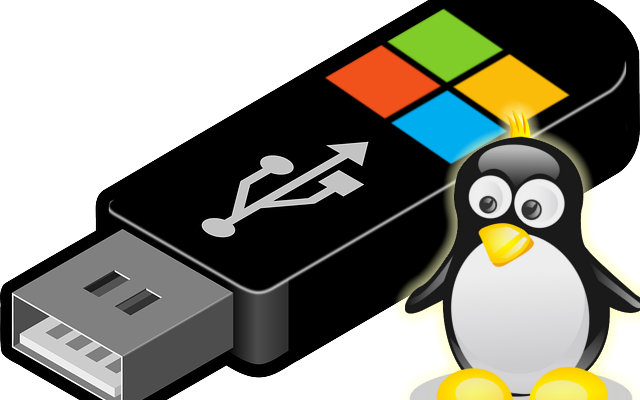
If you want to install Windows or Linux on your computer, you need a bootable USB drive. A bootable USB drive not only helps you install the operating system, but it’s also a lifesaver when your computer crashes.

Creating a bootable USB drive is no longer a difficult task. You can use numerous software tools to create a bootable USB drive easily. In this article, we will discuss the best free tools for creating a bootable Windows or Linux USB drive.

1. Rufus:

Rufus is one of the widely used tools to create and format bootable USB drives. The software is lightweight, free, and open source. It can create a bootable drive for almost every operating system like Windows, Linux, Ubuntu, and others.

The user interface of Rufus is minimal and straightforward. It provides advanced formatting options like partition schemes, file systems, and cluster sizes. Rufus also offers support for creating a bootable USB drive using an ISO file.

2. BalenaEtcher:

BalenaEtcher is a cross-platform tool to create bootable USB drives. It helps you create bootable USB drives for Windows, Linux, and other operating systems.

One of the best features of BalenaEtcher is its securitization of the process. This feature helps you keep your USB drive safe from any attacks like overwriting or formatting. The tool also offers a user-friendly interface that makes the process easier.

3. Universal USB Installer:

Universal USB Installer is another free tool that helps you create bootable USB drives. It offers support for a wide range of operating systems like Windows, Linux, Ubuntu, and others. The tool is handy when you want to create a bootable USB drive for older versions of Windows like Windows XP or Windows Vista.

The interface of the Universal USB Installer is straightforward and accessible for beginners. It helps you download the ISO file from the internet and create a bootable USB drive easily. Universal USB Installer also offers a test run before you create the bootable USB drive to check if everything is working correctly.

4. WinToUSB:

WinToUSB is a free tool that helps you create a bootable USB drive for Windows. It helps you create a portable version of your Windows operating system in a USB drive. It’s suitable for those who want to carry a portable version of their Windows operating system and use it on different computers.

The WinToUSB interface is user-friendly, and the process of creating a bootable USB drive is straightforward. It offers support for almost every version of Windows like Windows 7, Windows 8, and Windows 10.

In conclusion, creating a bootable USB drive is no longer a difficult task. The above-listed tools make the process easier and ensure that your USB drive is safe from any attacks. These tools offer a user-friendly interface, and beginners can use them without any difficulty.  

Previous Article

The Best File Extraction and Compression Tool ...

Next Article

The Best Free Windows 11 Apps You ...

Matthew Lynch

Related articles More from author

  • Online Learning & eLearning

    The Use Of Technology In Online Education

    March 11, 2023
    By Matthew Lynch
  • Online Learning & eLearning

    Top 7 types of data security technology

    April 3, 2023
    By Matthew Lynch
  • EdTech & InnovationElementary Education

    What is Digital Literacy?

    October 23, 2017
    By Matthew Lynch
  • Elementary EducationOnline Learning & eLearning

    Split Your Screen on a Mac for Better Multitasking: Here’s How

    March 30, 2023
    By Matthew Lynch
  • Online Learning & eLearning

    How to View the HTML Source in Google Chrome

    March 27, 2023
    By Matthew Lynch
  • How to Use System Restore in Windows 11
    Elementary EducationOnline Learning & eLearning

    Keyboard Shortcuts for Using Virtual Desktops on Windows 11

    March 28, 2023
    By Matthew Lynch

Search

Login & Registration

  • Log in
  • Entries feed
  • Comments feed
  • WordPress.org

Newsletter

Signup for The Tech Edvocate Newsletter and have the latest in EdTech news and opinion delivered to your email address!

About Us

Since technology is not going anywhere and does more good than harm, adapting is the best course of action. That is where The Tech Edvocate comes in. We plan to cover the PreK-12 and Higher Education EdTech sectors and provide our readers with the latest news and opinion on the subject. From time to time, I will invite other voices to weigh in on important issues in EdTech. We hope to provide a well-rounded, multi-faceted look at the past, present, the future of EdTech in the US and internationally.

We started this journey back in June 2016, and we plan to continue it for many more years to come. I hope that you will join us in this discussion of the past, present and future of EdTech and lend your own insight to the issues that are discussed.

Newsletter

Signup for The Tech Edvocate Newsletter and have the latest in EdTech news and opinion delivered to your email address!

Contact Us

The Tech Edvocate
910 Goddin Street
Richmond, VA 23231
(601) 630-5238
[email protected]

Copyright © 2026 Matthew Lynch. All rights reserved.