How to use IFTTT with smart home
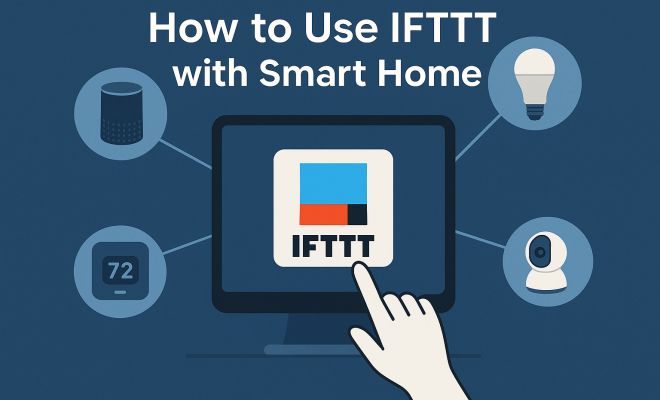
When you first dip your toes into the world of smart home technology, it’s easy to get excited about individual devices: a smart bulb here, a connected thermostat there, maybe a doorbell camera that lets you see who’s at the door from your phone. But the real magic, the kind that makes your home feel truly intelligent and responsive to your life, happens when these disparate devices start talking to each other. That’s where IFTTT smart home integration comes in. If you’ve ever thought, “Wouldn’t it be great if my lights turned on automatically when I arrived home after sunset?” or “I wish my coffee maker started brewing when my alarm went off,” then you’re thinking like IFTTT.
IFTTT, which stands for “If This, Then That,” is a powerful, cloud-based automation service that acts as the connective tissue for thousands of different apps, services, and devices – including a vast array of smart home gadgets. It’s essentially a digital assistant that helps you create simple conditional statements, or “Applets,” that link two or more services. The “This” part is the trigger, and the “That” part is the action. It’s elegantly simple, yet incredibly versatile, allowing you to build custom automations that go far beyond what any single smart home ecosystem might offer. Think of it as opening up a universe of possibilities for your smart home, letting you orchestrate complex behaviors without needing to be a coding genius. Let’s dive into some of the most impactful and creative ways you can leverage IFTTT for a truly smarter home.
1. Automated Lighting Based on Presence and Time: Welcome Home Illumination
One of the most practical and satisfying uses of IFTTT smart home integration involves automating your lighting. Imagine pulling into your driveway after a long day, and before you even unlock the door, your entryway and living room lights gently fade on. This isn’t science fiction; it’s a simple IFTTT Applet. You can set a trigger based on your phone’s location (geofencing) or even a smart lock’s status, combined with a time-of-day condition. For instance, “If my phone enters my home’s geofence AND it’s after sunset, then turn on my Philips Hue lights.”
This goes beyond basic scheduling. While many smart bulbs have their own scheduling features, IFTTT allows you to add layers of intelligence. You could also link it to your garage door opener: “If my smart garage door opens, then turn on the kitchen lights for 10 minutes.” This provides not just convenience but also a layer of security, making it appear someone is home even if you’re just pulling in. The beauty of IFTTT is that it bridges different brands – your Ring doorbell could trigger your Lifx bulbs, for example, even if they aren’t natively integrated.
2. Climate Control with Weather and Presence: Smart Heating & Cooling
Your smart thermostat is good at learning your habits and adjusting temperatures, but IFTTT can make it even smarter by pulling in external data. A classic example is linking your thermostat to local weather conditions. “If the forecast calls for rain tomorrow, then pre-heat my home an hour earlier.” This might seem subtle, but it anticipates changes, ensuring your home is comfortable before the chill or dampness truly sets in.
Beyond weather, consider how IFTTT smart home integration can enhance energy efficiency. You could create an Applet that says, “If the front door has been open for more than 5 minutes, then pause my ecobee thermostat.” This prevents you from wasting energy when you’re moving furniture or just airing out the house. Another useful one: “If I leave my home’s geofence, then set my Nest thermostat to ‘Away’ mode.” This ensures you’re not heating or cooling an empty house, saving you money and reducing your carbon footprint without you ever having to remember to adjust a setting.
3. Security System Enhancements with Sensors and Cameras: Proactive Protection
Smart security systems are great, but IFTTT can add custom layers of defense and notification. While your security camera might alert you to motion, IFTTT can trigger other actions that make that alert more impactful. For example, “If my Arlo camera detects motion at night, then flash my outdoor smart lights red and send a notification to my spouse.” This creates a visible deterrent and ensures multiple people are aware of potential activity.
You can also integrate less obvious sensors. If you have smart door/window sensors, you could create an Applet like, “If a window sensor is opened while my security system is armed, then turn on all indoor lights to 100% brightness and send me an SMS.” This kind of IFTTT smart home integration turns passive sensors into active components of a broader security strategy, making your home a more difficult target and providing immediate, multi-faceted responses to potential threats.
4. Kitchen Automation for Convenience: Coffee & Cooking Made Easy
The kitchen is ripe for IFTTT magic, especially with devices like smart plugs and connected coffee makers. The classic scenario: “If my alarm clock goes off, then turn on my smart plug connected to the coffee maker.” Imagine waking up to the aroma of freshly brewed coffee every morning, without lifting a finger until it’s time to pour. This seemingly small convenience can make a big difference to your morning routine.
But it’s not just about coffee. You could link a smart oven to a reminder: “If my smart oven finishes preheating, then send me a notification to put the food in.” Or, for those using smart slow cookers, “If my Crock-Pot smart slow cooker has been cooking for 4 hours, then reduce heat to ‘Warm’ and send me a reminder to check on dinner.” These IFTTT smart home integration examples bring a new level of hands-off convenience to meal preparation, freeing up your time and making your kitchen more efficient. (See: Wikipedia article on smart homes.) soft white vs warm white offers useful background here.
5. Wake-Up Routines and Bedtime Rituals: Gentle Transitions
Transitioning into and out of sleep can be greatly enhanced by IFTTT. Instead of an abrupt alarm, imagine a gradual wake-up. “If my morning alarm goes off, then slowly brighten my bedroom smart lights over 15 minutes, then play my favorite morning playlist on my Sonos speaker.” This creates a much more pleasant and natural awakening experience than a blaring alarm.
Conversely, IFTTT can help you wind down. “If I say ‘Goodnight’ to Google Assistant, then dim all lights in the house, lock the front door, and set the thermostat to sleep mode.” This consolidates multiple actions into a single command, streamlining your bedtime routine and ensuring your home is secure and optimized for sleep. The power of IFTTT smart home integration here is in orchestrating multiple devices from different manufacturers to work in concert for your comfort and peace of mind.
6. Personalized Notifications and Reminders: Beyond Basic Alerts
While many smart devices send their own notifications, IFTTT allows for highly customized and cross-platform alerts. For instance, if you have a smart water leak detector, you could set up an Applet: “If my water leak sensor detects water, then not only send me a text, but also flash my kitchen lights and send an email to my plumber.” This multi-channel notification ensures you get the message quickly and can even initiate a professional response.
You can also use IFTTT for more mundane, yet helpful, reminders. “If my smart washing machine finishes a cycle, then send me a notification that says ‘Laundry’s done! Time to hang it up!’.” Or, for pet owners, “If my smart pet feeder is running low, then send me a reminder to order more food.” These examples of IFTTT smart home integration show how it can extend the functionality of your devices into your daily life, making sure you don’t miss important updates.
7. Optimizing Energy Usage with Smart Plugs: The Unsung Heroes
Smart plugs are incredibly versatile, turning any ‘dumb’ appliance into a smart one, and IFTTT supercharges their utility. Beyond just turning things on and off with schedules, you can link them to other events. Consider an Applet like, “If the outdoor temperature drops below freezing, then turn on my smart plug connected to outdoor pipe heaters.” This prevents costly damage without you having to constantly monitor the weather.
Another great use for IFTTT smart home integration with smart plugs is for phantom load. Many electronics draw power even when turned off. You could set up an Applet: “If my smart TV has been off for 30 minutes, then turn off the smart plug connected to the TV and soundbar.” This ensures that devices are truly powered down when not in use, saving you a small but continuous amount on your electricity bill over time. It’s about making your home work smarter for you, even when you’re not actively thinking about it.
8. Voice Assistant Expansion: More Powerful Commands
Your Google Assistant or Amazon Alexa is powerful, but IFTTT can give it superpowers by bridging gaps between services they don’t natively connect to. For example, if you have a smart lock that isn’t directly compatible with Alexa, you might be able to create an IFTTT Applet: “If I say ‘Alexa, trigger lock the back door,’ then lock my August Smart Lock.” This allows you to use your preferred voice assistant to control a wider range of devices.
You can also create custom phrases that trigger complex routines. Instead of saying “Turn on the living room lights, then turn on the TV, then set the thermostat to 72,” you could create an IFTTT Applet triggered by your voice assistant: “If I say ‘Alexa, trigger movie night,’ then dim the living room lights, turn on the TV, and set the thermostat to 72 degrees.” This kind of IFTTT smart home integration transforms multiple steps into a single, intuitive voice command, making your smart home feel truly integrated and responsive. We covered cutting edge ecobee thermostat in more detail.
9. Outdoor and Garden Automation: Smart Sprinklers & More
Your smart home doesn’t stop at the walls of your house; it extends to your yard. IFTTT can bring intelligence to your outdoor devices, particularly smart sprinklers. A classic example is linking your sprinkler system to weather forecasts: “If the weather forecast predicts rain tomorrow, then skip my Rachio sprinkler schedule.” This prevents overwatering, saves water, and ensures your lawn isn’t soggy when it doesn’t need to be.
Beyond sprinklers, consider other outdoor elements. If you have smart outdoor lights, you could set up an Applet: “If the local pollen count is very high, then turn on my outdoor fan for 30 minutes.” This might seem niche, but for allergy sufferers, it could help clear the air on a porch before they step outside. IFTTT smart home integration brings a new level of environmental awareness to your outdoor spaces, making them more efficient and enjoyable.
10. Data Logging and Home Monitoring: Understanding Your Usage
While not strictly about immediate control, IFTTT can be a powerful tool for logging data from your smart home devices, giving you insights into usage patterns and potential issues. For example, you could set up an Applet: “If my smart door sensor opens, then add a row to a Google Sheet with the date, time, and door status.” Over time, this creates a valuable log of who entered or exited your home and when. (ecobee vs nest comparison)
Another practical application of IFTTT smart home integration for data logging could be with smart plugs that monitor energy consumption. “If my smart plug’s energy consumption exceeds 500W for more than 10 minutes, then log the event to a Google Sheet.” This could help you identify energy-hungry appliances or unusual usage patterns, allowing you to make more informed decisions about energy conservation. It turns your smart home into a data-gathering hub, providing a deeper understanding of its operation. (See: CDC on technology and health.)
11. Health and Wellness Integration: A Smarter You
IFTTT smart home integration isn’t just about the house; it can also extend to your personal well-being. Think about linking your smart home to your fitness trackers or health apps. For example, “If my Fitbit detects I’ve met my step goal for the day, then change my smart lights to a celebratory color (like green).” This provides a fun, visual reward that reinforces healthy habits.
You could also use it for gentle reminders. “If my smart scale records a weight increase of X pounds, then send me a notification with a healthy recipe idea.” Or, if you have a smart air purifier, “If the local air quality index drops below ‘Good,’ then automatically turn on my smart air purifier.” These connections create a more responsive environment for your health goals, making your smart home an active participant in your wellness journey.
12. Entertainment Orchestration: Setting the Mood
Your smart home can also be a master of entertainment. IFTTT allows you to create complex entertainment scenarios with ease. Imagine this: “If I start playing music on Spotify, then automatically dim my living room lights to 50% and turn on my smart LED strips behind the TV.” This instantly sets a mood without you having to adjust multiple devices manually.
For movie buffs, you could go a step further: “If my smart projector is turned on, then close my smart blinds, turn off the main lights, and set my soundbar to movie mode.” This transforms your living room into a home cinema with a single action. IFTTT smart home integration ensures that all your entertainment devices, regardless of brand, work together seamlessly to create the perfect ambiance for any occasion, from a quiet reading session to a full-blown movie night.
13. Pet Care Automation: Happy Companions
Our furry friends can also benefit from IFTTT smart home integration. Beyond the basic pet feeder reminder, you can get creative. “If my smart pet camera detects my dog barking excessively, then play a calming audio track through my smart speaker and send me a notification.” This can help soothe an anxious pet when you’re not home.
For outdoor pets, consider linking a smart sprinkler: “If my outdoor motion sensor detects a cat in the garden (that isn’t my own pet, perhaps identified by a smart collar), then briefly activate the sprinkler in that zone to deter it.” While requiring careful setup, this shows the potential for nuanced, automated pet management and protection. It’s about using your smart home to ensure your pets are safe, comfortable, and well-behaved, even when you’re away.
The Evolution of IFTTT: Freemium and Beyond
IFTTT has been a cornerstone of smart home automation for years, but like many services, it’s evolved. The shift to a freemium model means that while many basic Applets are still free, advanced features and a higher number of custom Applets require a paid subscription. This change reflects the value IFTTT provides in bridging diverse ecosystems, a service that often requires ongoing development and maintenance. For serious smart home enthusiasts, the subscription can be a worthwhile investment given the expanded capabilities and reliability it offers.
It’s also worth noting that many smart home hubs (like SmartThings, Homey, or Hubitat) and even some individual device ecosystems (like Apple HomeKit or Google Home) have expanded their own automation capabilities. However, IFTTT still holds a unique position for its sheer breadth of integrations across disparate brands and non-smart home services (like social media, email, or news feeds). It excels where you need to connect devices that don’t share a common hub or where you want to pull in external data that a hub might not access directly.
Expert Perspectives on IFTTT’s Role
Industry experts often highlight IFTTT’s democratizing effect on smart home automation. “IFTTT has lowered the barrier to entry for complex automation,” says Sarah Chen, a smart home technology analyst. “Before IFTTT, if you wanted your lights to react to your smart lock and the sunset, you either needed a very sophisticated hub or coding knowledge. IFTTT made it accessible for the everyday user, fostering creativity in how people interact with their homes.” See also premium vs enhanced ecobee.
Another perspective from tech journalist Mark Davis emphasizes its flexibility: “While dedicated smart home platforms offer deep integration within their own ecosystems, IFTTT is the ultimate ‘glue’ for everything else. It’s the service you turn to when two devices you own just won’t talk to each other directly, or when you want to link your home’s behavior to something abstract like a stock market fluctuation or a sports score. That kind of open-ended potential is powerful.” This sentiment underscores why IFTTT smart home integration continues to be a vital tool for maximizing a home’s intelligence. (See: New York Times on smart home devices.)
Frequently Asked Questions About IFTTT Smart Home Integration
Q1: Is IFTTT free to use for smart home automation?
IFTTT operates on a freemium model. You can create a limited number of custom Applets for free, which is often sufficient for basic smart home needs. For unlimited custom Applets, multi-step Applets, and priority support, a paid subscription (IFTTT Pro or Pro+) is required. Many pre-built Applets from brands are still available for free.
Q2: What kind of smart home devices work with IFTTT?
A vast array of smart home devices are compatible with IFTTT. This includes smart lights (Philips Hue, Lifx), thermostats (Nest, ecobee), smart locks (August, Yale), security cameras (Arlo, Ring), smart plugs (TP-Link Kasa, Wemo), garage door openers, robot vacuums, and many more. The best way to check is to visit the IFTTT website and browse their “Services” section, where you can search for specific brands or device types.
Q3: Do I need a smart home hub to use IFTTT?
No, you generally don’t need a dedicated smart home hub to use IFTTT. IFTTT connects directly to the cloud services of your individual smart devices. For example, if you have Philips Hue lights, IFTTT connects to your Philips Hue account. While a hub might offer local processing and deeper integration for devices within its ecosystem, IFTTT functions as a cloud-to-cloud integrator.
Q4: How reliable are IFTTT Applets for critical smart home functions?
IFTTT is generally reliable, but it operates in the cloud. This means an Applet’s execution depends on internet connectivity, the responsiveness of IFTTT’s servers, and the responsiveness of the connected device’s cloud service. For critical security functions, it’s often recommended to also rely on native integrations within your security system or a robust local smart home hub, as IFTTT can introduce a slight delay compared to local automations.
Q5: Can I create multi-step automations with IFTTT?
Yes, with a paid IFTTT Pro or Pro+ subscription, you can create “Queries” and “Multi-action Applets.” Queries allow you to add multiple conditions to a single “If” statement, making it more specific. Multi-action Applets let you trigger several “That” actions from a single “If” trigger. This significantly enhances the complexity and power of your IFTTT smart home integration routines.
Q6: What are some alternatives to IFTTT for smart home automation?
Several alternatives offer similar or complementary automation capabilities. These include:
- Native smart home platforms: Apple HomeKit, Google Home, Amazon Alexa, SmartThings, Hubitat, Home Assistant.
- Specific device ecosystems: Many brands like Philips Hue or Nest have robust automation within their own apps.
- Zapier: Often seen as a business-oriented alternative, but can connect some consumer services.
Each platform has its strengths, but IFTTT remains unique in its broad, brand-agnostic cloud-to-cloud connections for consumer services.
IFTTT is more than just a collection of cool tricks; it’s a philosophy of connectivity. It empowers you to break free from the limitations of individual smart home ecosystems and create a truly bespoke, intelligent environment that responds to your specific needs and preferences. While the platform has seen some changes over the years, including a shift towards a freemium model for advanced features, the core ability to link diverse services remains incredibly valuable for anyone looking to maximize their smart home’s potential. So, dive in, experiment with these ideas, and start building the smart home you’ve always envisioned.
Trending Now
Frequently Asked Questions
What is IFTTT and how does it work with smart home devices?
IFTTT, which stands for 'If This, Then That,' is a cloud-based automation service that connects various apps, services, and smart home devices. It allows users to create conditional statements, known as Applets, that trigger actions based on specific events, enhancing the functionality of individual smart home devices.
How can I automate my lights with IFTTT?
You can automate your lights using IFTTT by setting up Applets that trigger based on your location or time of day. For example, you can create an Applet that turns on your entryway lights automatically when you arrive home after sunset, making your home more welcoming and energy-efficient.
Can IFTTT work with different brands of smart home devices?
Yes, IFTTT is designed to work with a wide range of smart home devices from various brands. This interoperability allows users to create custom automations that link devices from different ecosystems, providing greater flexibility and enhancing your smart home's capabilities.
What are some creative uses of IFTTT for smart homes?
Creative uses of IFTTT for smart homes include automating coffee makers to brew when your alarm goes off, sending notifications when your doorbell rings, or adjusting your thermostat based on the weather. The platform allows for endless possibilities to tailor your smart home experience.
Is IFTTT easy to set up for beginners?
Yes, IFTTT is user-friendly and designed for beginners. Users can easily create Applets using a simple 'If This, Then That' format without needing coding skills. The platform provides templates and a straightforward interface, making it accessible for anyone looking to enhance their smart home.
What's your take on this? Share your thoughts in the comments below — we read every one.