How to calibrate phone battery
“`html
As smartphones become an integral part of our lives, ensuring they function at their best is crucial. One key aspect that often gets overlooked is the phone battery calibration. Have you ever noticed your phone displaying inaccurate battery percentages? This can lead to unexpected shutdowns or a sudden drop in performance. In this article, we’ll explore how to calibrate phone battery settings effectively and why doing so is essential for maintaining your device’s longevity.
1. Understanding Battery Calibration
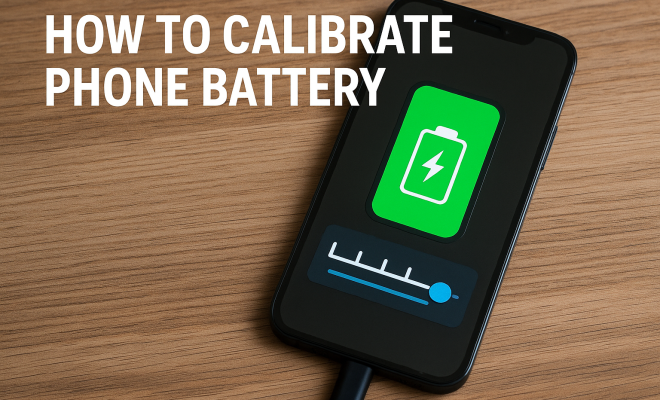
Battery calibration is the process of resetting your phone’s battery meter to reflect the actual battery level accurately. When you calibrate your phone battery, you help the operating system understand the battery’s charge capacity, which can lead to improved performance and battery life. Over time, as you use your device, the battery meter can become misaligned due to various factors like software updates, app usage, and power management settings.
The primary goal of calibration is to ensure that the battery percentage displayed on your phone matches the actual charge level of the battery. This discrepancy often occurs when the battery’s capacity diminishes and the operating system fails to update the battery readings. Understanding this concept is critical because it can help you troubleshoot issues related to battery life and performance.
2. Signs That Your Battery Needs Calibration
Recognizing the signs that indicate your battery needs calibration can save you from the hassle of sudden shutdowns and poor performance. Some common symptoms include:
- Inaccurate Battery Percentage: If your phone suddenly drops from, say, 30% to 0% within minutes, it’s a clear sign that calibration is needed.
- Unexpected Shutdowns: If your device turns off unexpectedly even when the battery indicator shows some charge left, it indicates misalignment.
- Overheating: A battery that struggles to give accurate readings may also exhibit overheating issues, which can significantly impact performance.
If you experience any of these symptoms, it’s time to start thinking about how to calibrate your phone battery.
3. Preparing for Calibration
Before diving into the calibration process, some preparations will make the experience smoother. First, ensure that you have a reliable charger and that your phone is fully functional. Additionally, it’s a good idea to back up your data. While the calibration process itself is generally safe, it’s always wise to have a backup in case anything goes wrong.
Next, you may want to disable any power-saving features or battery management apps temporarily. These features can interfere with the calibration process, leading to inaccurate results. If your phone has a battery optimization feature, consider turning it off while you perform the calibration.
4. Steps to Calibrate Your Phone Battery
Now that you’re prepared, let’s walk through the steps to calibrate your phone battery effectively:
- Charge Your Phone to 100%: Plug your phone into a charger and let it charge uninterrupted until it reaches 100%. Avoid using your phone during this time to prevent any battery drain.
- Leave it Charging for an Extra Hour: After reaching 100%, keep the phone plugged in for an additional hour. This ensures that the battery is fully topped off.
- Use Your Phone Normally: Disconnect the charger and use your phone as you typically would. Try to drain the battery completely until the phone shuts off automatically.
- Leave It Off for a Few Hours: After the phone shuts down, leave it off for at least 4 to 6 hours. This will help the battery settle.
- Charge Back to 100%: Finally, plug your phone back into the charger and charge it uninterrupted to 100% without using it.
Following these steps will help recalibrate your phone battery accurately, ensuring that future readings are more accurate.
5. Alternative Calibration Methods
While the method outlined above is the most common approach to calibrating your phone battery, there are alternative techniques that might work as well. Some users prefer using third-party applications designed for battery calibration. These apps claim to help align the battery readings with actual usage. However, it’s crucial to research any app thoroughly before downloading. (See: how to improve smartphone battery life.)
Another option is to perform a factory reset. This method can be more extreme, as it erases all data on the device, but it can resolve underlying software issues that affect battery performance. If you’re considering this route, ensure that you back up your data first.
6. Maintaining Your Battery Health
Once you’ve calibrated your phone battery, it’s important to take steps to maintain its health. Here are some practical tips:
- Avoid Extreme Temperatures: Batteries can suffer significant degradation when exposed to extreme heat or cold. Keep your phone in a moderate environment.
- Use Optimized Charging: Many smartphones come with features that optimize charging behavior. Utilize these settings to prolong battery lifespan.
- Regularly Check Battery Health: Keep an eye on your battery’s health through the settings menu. Most modern smartphones provide a battery health indicator.
By adopting these practices, you can help your phone battery last longer and perform better over time.
7. When to Seek Professional Help
After calibrating your phone battery, if you still experience problems, it might be time to seek professional help. An ongoing issue could indicate that your battery needs replacing or that there are deeper software issues at play. Many service centers can diagnose battery problems and recommend appropriate solutions.
Keep in mind that battery technology is evolving rapidly. Newer phones come equipped with advanced power management systems that may not require frequent calibration. Always refer to your phone manufacturer’s guidelines regarding battery maintenance to ensure you don’t void any warranties or damage your device.
8. The Science Behind Battery Calibration
Understanding the underlying science of battery calibration can deepen your perspective on why it matters. Lithium-ion batteries, which power most smartphones today, have a certain chemical composition that determines their charge capacity. Over time, these batteries can lose some of their charge capacity due to wear and tear. This deterioration can make it difficult for the operating system to gauge the actual battery level accurately.
Battery management systems (BMS) are designed to monitor the voltage, charge, and overall health of your battery. When these systems detect inconsistencies, such as a rapid drop in voltage without a corresponding drop in reported battery percentage, they can misinterpret the battery’s health. Calibrating the battery allows the BMS to reset and recalibrate its understanding of your battery’s performance, leading to more accurate readings.
9. Expert Insights on Battery Calibration
Experts in mobile technology emphasize the importance of battery calibration for maintaining a smartphone’s longevity. According to battery experts, calibrating your phone battery once every few months can help keep its readings accurate and extend its life. Dr. Lisa Tran, a battery technology researcher, states, “Many users are unaware that calibration can significantly impact their device’s reliability. It’s a simple maintenance step that can prevent bigger problems.” This highlights the necessity of incorporating battery calibration into regular smartphone maintenance.
10. Statistics on Smartphone Battery Life
Understanding the landscape of smartphone battery life can give you a broader context regarding calibration. A recent study found that nearly 25% of smartphone users experience battery-related issues, from inaccurate readings to unexpected performance drops. Additionally, smartphone batteries typically degrade to about 80% of their original capacity after 300 to 500 charge cycles. This means that users with older devices are more likely to experience calibration issues, especially if they haven’t taken care of their battery health.
Furthermore, research indicates that users who regularly calibrate their batteries report a 15% increase in battery life satisfaction compared to those who do not. This statistic underlines how even infrequent calibration can yield noticeable results, making it worth your while.
11. Common Misconceptions About Battery Calibration
There are several myths surrounding battery calibration that can lead to misunderstandings. One common misconception is that calibrating your battery is a one-time process. In reality, your battery’s charge level can drift over time, so regular calibration is beneficial. Another myth is that using third-party battery calibration apps is always necessary. While some apps can be helpful, they’re not essential if you follow the manual calibration steps outlined earlier. (See: battery performance and calibration.)
Some users also believe that draining the battery completely before charging it again improves battery performance. This belief stems from older battery technologies, but lithium-ion batteries do not require complete discharge to maintain their health. In fact, frequently draining them can lead to more harm than good.
12. FAQ About Phone Battery Calibration
What is battery calibration?
Battery calibration is resetting the battery meter to align with the actual charge levels of the battery, ensuring accurate readings and performance.
How often should I calibrate my phone battery?
It’s generally recommended to calibrate your phone battery every few months, especially if you notice issues with battery percentage accuracy.
Can I do battery calibration on any smartphone?
Yes, most smartphones can be calibrated using the steps outlined in this article. However, check your device’s user manual for specific instructions.
What happens if I don’t calibrate my battery?
If you don’t calibrate your battery, you may experience decreased performance, unexpected shutdowns, and inaccurate battery readings, which can lead to frustration.
Is battery calibration harmful?
No, battery calibration is generally safe if done correctly. However, excessive calibration can lead to unnecessary wear on the battery, so it’s best to do it only when needed.
Do third-party battery calibration apps work?
Some third-party apps can help with calibration, but many users find manual methods more effective. Always read reviews and ensure the app is reputable.
13. Battery Technology Advances and Their Impact on Calibration
As technology continues to evolve, so does the way we understand and manage smartphone batteries. The introduction of fast charging, wireless charging, and advanced battery management systems has transformed how we think about battery calibration. Many contemporary smartphones come equipped with built-in software that automatically manages battery health, potentially reducing the need for manual calibration.
For example, Apple’s iOS devices have features that learn user habits and optimize charging patterns. This means that users may not need to calibrate their batteries as frequently as before. However, for older devices or those that exhibit signs of battery fatigue, understanding traditional calibration methods remains relevant. (See: battery safety and maintenance.)
As new technologies emerge, keeping informed about your device’s battery performance and the latest developments will help you make better decisions regarding maintenance and calibration.
14. Environmental Impact of Smartphone Battery Usage
Battery maintenance also plays a crucial role in environmental sustainability. As smartphones age and batteries degrade, users may be tempted to discard their devices, contributing to electronic waste. By regularly calibrating and maintaining batteries, users can extend the life of their devices, reducing the need for replacements.
Moreover, as lithium-ion batteries are not biodegradable, the accumulation of e-waste poses significant environmental challenges. Estimates suggest that around 50 million tons of e-waste are generated globally each year, a number that is expected to rise. By prioritizing battery health through calibration and proper care, users can play a part in mitigating the environmental issues associated with smartphone disposal.
15. What’s Next for Smartphone Battery Technology?
Looking ahead, several promising technologies aim to enhance smartphone battery performance and longevity. Solid-state batteries, for example, are being researched as a safer and more efficient alternative to traditional lithium-ion batteries. These batteries promise increased energy density, faster charging times, and greater longevity, which could significantly change how calibration is approached in the future.
Additionally, advancements in battery recycling technologies are being explored. These innovations could allow users to recycle their old batteries more easily, thus reducing e-waste and promoting a circular economy in the tech industry.
As these technologies become mainstream, they may eliminate many of the current issues surrounding battery calibration, making it less of a concern for users. However, as long as current battery technologies are in use, understanding how to calibrate your phone battery remains essential.
16. Conclusion
Understanding how to calibrate your phone battery can significantly enhance your device’s performance and longevity. By recognizing the signs that your battery needs calibration, preparing adequately, and following the proper steps, you can ensure that your smartphone remains reliable and efficient. Remember, regular maintenance is key to prolonging the lifespan of your device, making it all the more important to stay informed about battery care. With the evolving landscape of battery technology, it’s crucial to adapt and learn new methods to keep your device functioning optimally.
“`
Trending Now
Frequently Asked Questions
How do I know if my phone battery needs calibration?
You might need to calibrate your phone battery if you notice symptoms like an inaccurate battery percentage, unexpected shutdowns even with a charge, or overheating. These issues indicate that the battery meter may be misaligned with the actual battery capacity.
What is battery calibration on a smartphone?
Battery calibration is the process of resetting your phone's battery meter to accurately reflect its actual charge level. This helps the operating system understand the battery's capacity, improving performance and extending battery life.
How often should I calibrate my phone battery?
While there's no strict rule, it's recommended to calibrate your phone battery whenever you notice significant discrepancies in battery percentage, such as sudden drops or unexpected shutdowns. Doing this periodically can help maintain optimal battery performance.
Can battery calibration improve phone performance?
Yes, calibrating your battery can improve your phone's performance. By ensuring the battery meter accurately reflects the charge level, you can prevent unexpected shutdowns and enhance overall battery life, leading to a smoother user experience.
What causes battery calibration issues in smartphones?
Battery calibration issues can arise from various factors, including software updates, extensive app usage, and power management settings. Over time, these elements can misalign the battery meter, causing inaccurate readings and performance problems.
Have you experienced this yourself? We’d love to hear your story in the comments.