How to recover data from failing hard drive
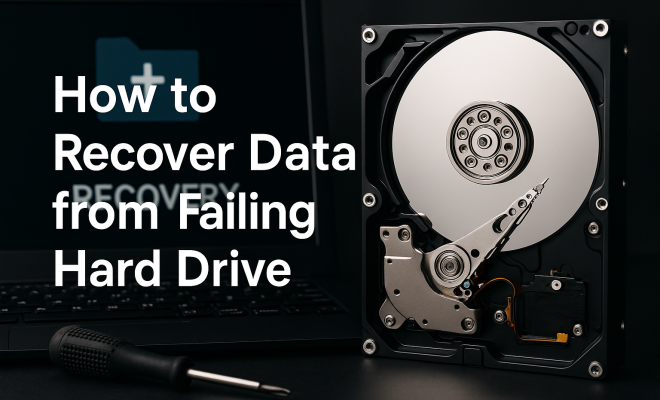
“`html
When your hard drive starts showing signs of failure, it can feel like a digital disaster. Whether it’s your work files, cherished photos, or critical business data, losing access to these files can be devastating. Fortunately, understanding how to recover data from a failing hard drive can save you from potential heartache. In this comprehensive guide, we’ll explore various methods, tools, and insights on how to effectively recover your data, ensuring you’re equipped to handle this challenging situation.
1. Recognizing Early Signs of Hard Drive Failure
Before we get into the recovery methods, it’s crucial to recognize the warning signs that indicate your hard drive may be failing. Early detection is key to increasing the chances of successful data recovery from a failing hard drive.
Common symptoms include unusual noises, such as clicking or grinding sounds, which can indicate mechanical issues. Additionally, you might notice your computer freezing, files becoming inaccessible, or frequent error messages. If you experience slow performance or your system unexpectedly crashes, these could also be red flags. The sooner you identify these symptoms, the better your chances of recovery.
2. Initial Steps to Take When a Hard Drive Fails
When you suspect your hard drive is failing, the first step is to stop using it immediately. Continuing to use the drive can worsen the damage and decrease the likelihood of successful recovery. Instead, turn off your computer and disconnect the drive if possible.
Next, assess the situation. If the drive is making sounds, avoid tapping or shaking it, as this could cause further damage. Instead, make a note of any symptoms and take your computer to a professional if you’re unsure how to proceed. This step is crucial, especially if you have valuable data stored on the drive.
3. Creating a Backup of Your Data
While it might seem paradoxical to make backups from a failing hard drive, it’s not impossible. There are methods to extract data before the drive fails completely. If the drive is still accessible, use data recovery software to create a disk image, which is a complete copy of the drive’s contents.
Popular disk imaging tools include Clonezilla and Macrium Reflect. These tools allow you to make a sector-by-sector copy, preserving the data structure. If you can’t access the drive at all, you may need to consult a professional data recovery service that can often retrieve data even from a failing drive.
4. Using Data Recovery Software
Once you manage to create a backup, the next step is using data recovery software to retrieve lost files. There are several reliable software options available, such as Recuva, EaseUS Data Recovery Wizard, and Stellar Data Recovery.
Each of these tools has a user-friendly interface that guides you through the recovery process. You can typically start by scanning the affected drive to identify recoverable files. Depending on the severity of the failure, recovery success rates can vary, hence it’s essential to choose software that suits your specific needs. Make sure to save recovered files on a different drive to avoid overwriting data on the original failing hard drive.
5. Using Command Line Tools for Data Recovery
For users comfortable with command line interfaces, there are several powerful tools available on both Windows and Mac operating systems that can aid in data recovery. In Windows, you can use the CHKDSK command to scan and repair file system errors that might be preventing access to your data.
On Mac, the Disk Utility offers a First Aid feature that can diagnose and repair disk errors. While these methods may not recover all lost files, they can sometimes restore access to partially damaged drives, making them a great first step before turning to more advanced recovery methods. (See: NIH researchers develop technique to recover data.)
6. Consider Professional Data Recovery Services
If your hard drive has suffered severe physical damage or if software solutions are not yielding results, it may be time to consult a professional data recovery service. These services employ trained technicians and specialized tools to recover data from damaged drives.
Professional recovery can be expensive, often ranging from a few hundred to several thousand dollars, depending on the complexity of the recovery. However, if the data is critical, this investment can be worthwhile. Before proceeding, ensure that you choose a reputable company that guarantees confidentiality and provides a no-recovery, no-fee policy.
7. Preventing Future Data Loss
After successfully recovering your data, it’s wise to consider how to prevent future hard drive failures. Regularly backing up your data is the most effective strategy. Implement the 3-2-1 backup rule: keep three copies of your data, on two different media types, with one copy stored offsite.
Additionally, consider investing in a solid-state drive (SSD) for better durability compared to traditional hard drives. SSDs have no moving parts, making them less susceptible to physical damage. Regular maintenance, such as disk cleanup and defragmentation, can also prolong the lifespan of your drives.
8. Understanding Hard Drive Types and Their Lifespans
To effectively protect and recover data, it’s essential to understand the different types of hard drives and their lifespans. Traditional hard disk drives (HDDs) typically last around 3-5 years, while solid-state drives (SSDs) can last 5-7 years or longer depending on usage patterns.
Each type has its strengths and weaknesses. HDDs offer larger storage capacities at a lower cost but are more prone to mechanical failure. Conversely, SSDs provide faster read/write speeds and are more resistant to shock damage, making them ideal for portable devices. Knowing these differences can help you make informed decisions about data storage and backups.
9. Advanced Data Recovery Techniques
In addition to the previously mentioned software and tools, there are advanced techniques for data recovery that can be particularly useful if you’re dealing with a severely damaged hard drive. These methods typically require a higher level of expertise and can often be performed only by professionals.
One such technique is known as “hot swapping,” where you replace a failing drive in a RAID array with a functional one to recover data without downtime. Another method involves using specialized hardware that allows for direct access to the drive’s platters, which can enable technicians to recover data that software solutions cannot.
These techniques highlight the importance of understanding the specific issues your hard drive is facing. For instance, if your drive has suffered logical damage (like corruption of the file system), software solutions may suffice. However, if it has physical damage, such as a mechanical failure, professional expertise will likely be required.
10. Statistics on Hard Drive Failure Rates
Understanding the statistics surrounding hard drive failures can help you appreciate the importance of data recovery and preventative measures. According to studies, the average failure rate for hard drives is about 2-5% per year, but this varies significantly based on the type of drive and its usage.
For example, drives in heavy-use environments, such as data centers, can have failure rates as high as 13%. In contrast, consumer-grade drives in light-use situations may have lower rates. Knowing these statistics can help you gauge the risk level associated with your own storage solutions, making it easier to implement preventive measures.
Additionally, the typical lifespan of an HDD is roughly 3-5 years, while SSDs can last longer, but their performance may degrade over time as well. It’s crucial to monitor your drives’ health, especially as they approach these average lifespans. (See: CDC on computer safety and data management.)
11. FAQs on Data Recovery from Failing Hard Drives
What should I do if my hard drive starts making strange noises?
If your hard drive is making unusual sounds like clicking or grinding, stop using it immediately. These noises often indicate physical damage. Disconnect the drive and consult a professional data recovery service for assistance.
Can I recover data from a completely dead hard drive?
Yes, it is possible to recover data from a completely dead hard drive, but this often requires professional help. They have specialized tools and environments to handle physically damaged drives. If the data is irreplaceable, consider seeking assistance from a reputable data recovery service.
Is data recovery software always successful?
No, data recovery software is not always successful. The success rate depends on the type and extent of the damage. If the drive has suffered severe physical damage, software solutions may not be effective, and professional services will likely be needed.
How often should I back up my data?
It’s recommended to back up your data regularly, ideally in real-time or daily. Utilizing automated backup solutions can help ensure that your data is consistently updated, minimizing the risk of loss.
What are some signs that I should replace my hard drive?
Signs that you should consider replacing your hard drive include frequent crashes, unusual noises, slow performance, and recurring error messages. If your drive is over three years old and showing these symptoms, it might be time for a replacement.
12. Choosing the Right Data Recovery Service
Selecting the right data recovery service is crucial to ensuring your data is handled safely and effectively. Look for companies that specialize in data recovery from failing hard drives and have proven success rates. Review customer testimonials and check for certifications that indicate expertise in data recovery.
Another factor to consider is the facilities they use. A cleanroom environment is essential for physical data recovery processes to prevent dust and contaminants from damaging the drive further. Always ask about their methods and the pricing structure, as many reputable companies offer no-recovery, no-fee policies, which can give you peace of mind when entrusting them with your data.
13. How to Prepare for Data Recovery
Before you initiate data recovery, it’s wise to prepare adequately. Gather all necessary information about the hard drive, including its make, model, and the symptoms it’s exhibiting. This information can be useful for both software and professional recovery services.
If you’re using software for recovery, read the documentation or user guides carefully. This can save you time and increase your chances of a successful recovery. If you choose to go the professional route, having a clear understanding of what data you need and how critical it is can help the technicians perform their tasks more effectively.
14. Real-Life Examples of Data Recovery Success Stories
Hearing success stories can provide hope when dealing with potential data loss. For instance, a small business once faced severe data loss when their primary hard drive started failing. They reached out to a professional recovery service that was able to retrieve 99% of their data, including crucial client contracts and financial records. The business learned the importance of regular backups and now uses a multi-tiered backup strategy to ensure they never face a similar situation again. (See: Data recovery methods in computer science.)
Another example involves a photographer who lost all images from a wedding shoot due to a failing hard drive. After consulting with data recovery experts, the team managed to recover nearly all the photos. The photographer was relieved to have salvaged their client’s memories and later invested in SSDs and cloud storage to safeguard their future work.
15. Comparing DIY Recovery Methods vs. Professional Services
When deciding between trying DIY recovery methods and hiring a professional service, consider several factors. DIY methods can be tempting due to their cost-effectiveness and the control they offer. However, they may not always be successful, particularly if the hard drive has sustained physical damage.
On the other hand, professional services come at a higher cost but provide expertise and advanced tools that can increase recovery success rates significantly. For critical data, the investment in professional recovery may save you both time and stress in the long run.
Ultimately, your choice should be guided by the value of the data you are trying to recover and the extent of damage your hard drive has sustained.
16. Future Trends in Data Recovery Technology
The field of data recovery is constantly evolving, with new technologies emerging to improve success rates and efficiency. One notable trend is the development of advanced AI algorithms designed to identify and repair corrupted files more effectively than traditional methods. AI-driven software can analyze data patterns and make more calculated decisions during the recovery process.
Moreover, the rise of cloud computing is changing the landscape of data storage and recovery. With more businesses and individuals utilizing cloud services for backup, the emphasis on local data recovery may shift. Companies are enhancing their data redundancy and failover systems to mitigate the risks associated with hard drive failures.
As technology progresses, the future of data recovery looks promising, paving the way for faster and more reliable solutions that can help minimize the impact of hard drive failures.
17. Conclusion: The Importance of Being Prepared
In summary, the process of data recovery from failing hard drives can be daunting, but with the right knowledge and tools, you can navigate the challenges. From recognizing the signs of failure to utilizing effective recovery methods and preventive measures, being proactive is your best ally. Always remember, when in doubt, consulting a professional can often save you from irreversible data loss.
“`
Trending Now
Frequently Asked Questions
What are the signs of a failing hard drive?
Common signs of a failing hard drive include unusual noises like clicking or grinding, computer freezing, inaccessible files, frequent error messages, slow performance, and unexpected crashes. Recognizing these symptoms early can significantly enhance your chances of successful data recovery.
What should I do if my hard drive is failing?
If you suspect your hard drive is failing, stop using it immediately to prevent further damage. Turn off your computer, disconnect the drive if possible, and assess the situation. Avoid shaking or tapping the drive, and consider consulting a professional for data recovery assistance.
Can I recover data from a failing hard drive?
Yes, data recovery from a failing hard drive is possible, especially if you act quickly. Early detection of failure signs and stopping usage can improve recovery chances. You can use recovery software or seek professional help depending on the severity of the failure.
Is it safe to back up data from a failing hard drive?
Backing up data from a failing hard drive can be risky but is sometimes feasible. If the drive is still operational, you may attempt to create a backup. However, the process should be done cautiously to avoid further damage, and professional help is recommended if you're uncertain.
How can I prevent hard drive failure?
To prevent hard drive failure, regularly back up your data, maintain a clean and cool environment for your computer, avoid physical shocks, and run diagnostic checks on your hard drive periodically. Monitoring health status can help you detect potential issues before they lead to failure.
Agree or disagree? Drop a comment and tell us what you think.