How to transfer large files online
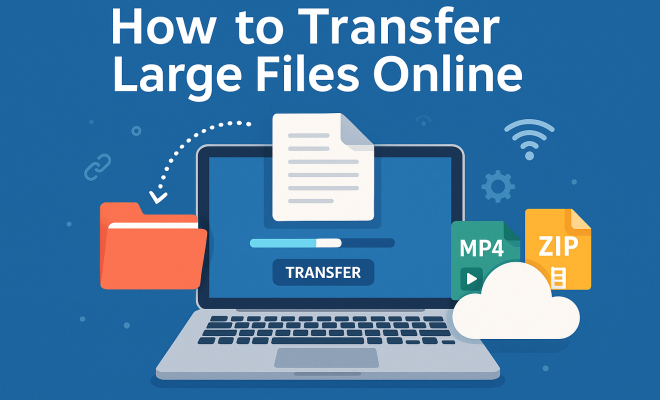
“`html
In the digital age, the need to transfer large files online has become increasingly common. Whether you’re a professional sending high-resolution images, a student sharing videos, or a business exchanging data, knowing the best ways to move these sizable files efficiently is crucial. This guide breaks down everything you need to know about transferring large files, highlighting the best tools, techniques, and tips to make the process smoother.
1. Understanding the Need for Large File Transfers
The internet has transformed how we share information, leading to an explosion in file sizes. High-definition videos, uncompressed images, and extensive datasets are just a few examples of large files that people need to send regularly. According to a report by Statista, the average file size for video content grew from 150MB in 2010 to over 500MB in 2020. As such, finding efficient methods to transfer large files online has become a necessity for both personal and professional users.
Moreover, traditional email systems often impose size limits on attachments, typically ranging from 25MB to 50MB. This limitation can be a significant roadblock for users who are trying to transfer files that exceed these limits. As more people rely on cloud services and online platforms for their work and communication, the importance of being able to share large files effectively has never been greater.
2. Challenges in Transferring Large Files
Transferring large files online comes with its own set of challenges. The most significant issues include bandwidth limitations, upload and download speeds, and potential data loss. Bandwidth refers to the maximum rate of data transfer across a network, and if your bandwidth is low, it can take a considerable amount of time to upload or download large files.
Additionally, users may encounter issues like file corruption during transfer, especially if they opt for less reliable methods. Some platforms may impose additional restrictions or be less secure, risking data breaches or loss. Understanding these challenges helps users prepare and choose the right tools for their file transfer needs.
3. Choosing the Right Tools for File Transfer
The first step in effectively transferring large files online is selecting the right tools. A plethora of options exists, ranging from dedicated file transfer services to cloud storage solutions. Some popular tools include:
- WeTransfer: This user-friendly platform allows for quick transfers of files up to 2GB for free, with a premium option for larger sizes.
- Google Drive: Offering 15GB of free storage, Google Drive is an excellent choice for users already integrated into Google’s ecosystem.
- Dropbox: Known for its ease of use, Dropbox allows users to send large files directly through their links and provides 2GB of free storage.
- Send Anywhere: This service offers unlimited file size transfers with a simple interface and uses a straightforward peer-to-peer connection.
When selecting a tool, consider not only the size limits but also security features, ease of use, and any additional functionalities that may be beneficial for your needs.
4. Best Practices for Successful File Transfers
Once you have chosen a tool to transfer large files online, there are several best practices to ensure a successful transfer. Firstly, always compress files before sending, as this can significantly reduce the size. Tools like WinRAR or 7-Zip are excellent for compressing files without losing quality.
Additionally, check your internet connection before starting the transfer. A stable connection reduces the risk of interruptions, which can lead to corrupted files. If possible, conduct transfers during off-peak hours when internet traffic is lower, thus potentially increasing your upload and download speeds. (See: challenges in data transfer.)
5. Security Considerations When Transferring Files
Security is paramount when it comes to transferring large files online. Sensitive information can be exposed during the transfer process, making it crucial to choose a secure method. Look for services that offer end-to-end encryption, ensuring that files remain private during transit.
Additionally, consider using file transfer services that provide password protection for shared files. This extra layer of security ensures that only intended recipients can access the files. Lastly, always verify the recipient’s identity before transferring any sensitive information to minimize the risk of data breaches.
6. How to Transfer Large Files Directly via FTP
For tech-savvy individuals and businesses, using FTP (File Transfer Protocol) can be an effective way to transfer large files online. FTP allows for larger file sizes compared to traditional email methods, making it a popular choice among professionals. To use FTP, you need an FTP client, such as FileZilla, which provides a user-friendly interface for file transfers.
To get started, you must have access to an FTP server, which could be hosted on your web server or a cloud-based solution. Simply connect the FTP client to your server using the provided credentials, and you can begin transferring files quickly and securely. FTP is particularly beneficial for businesses that handle large quantities of data regularly.
7. Utilizing Cloud Storage for File Transfers
Cloud storage platforms have revolutionized the way we think about file transfer. Services like Google Drive, Dropbox, and OneDrive not only allow you to store files but also make sharing large files a breeze. By uploading files to the cloud, you can share links with others without worrying about size limits.
Moreover, cloud platforms often include collaborative features, enabling multiple users to access and edit files simultaneously. This capability is particularly beneficial for teams working on projects that require frequent updates. Make sure to familiarize yourself with the sharing settings of your chosen cloud service to maintain the desired level of security and accessibility.
8. Exploring Peer-to-Peer File Transfer Options
Peer-to-peer (P2P) file transfer services provide an alternative method for users who need to transfer large files online. Unlike traditional methods that rely on central servers, P2P transfers allow users to share files directly with each other. Services like BitTorrent and ShareFile facilitate this type of transfer, making it particularly useful for large files.
One of the significant advantages of P2P file transfers is their speed. Since files are shared directly between users, the download speed can often exceed that of traditional file transfer methods. However, users should exercise caution, as P2P networks may expose files to unauthorized access. It’s essential to use reputable software and ensure that files are shared only with trusted individuals.
9. The Future of File Transfers: Trends and Innovations
As technology continues to evolve, so do the methods for transferring large files online. Emerging trends include the rise of AI-driven file management systems that automate the transfer process and optimize file sizes. Additionally, advancements in 5G technology promise to make file transfers faster and more efficient, allowing for seamless sharing of large files even on mobile devices.
Furthermore, blockchain technology is beginning to play a role in file transfers by enhancing security and transparency. This can give users more control over their data and improve trust in file-sharing practices. As these technologies develop, users can expect even more innovative and efficient ways to transfer large files in the years to come.
10. Comparing Top File Transfer Services
With so many options for transferring large files online, it’s helpful to compare a few popular services. Here’s a snapshot of key features to consider: (See: file transfer protocols overview.)
| Service | File Size Limit | Free Storage | Security Features | Additional Features |
|---|---|---|---|---|
| WeTransfer | 2GB (Free) / 20GB (Paid) | No | Basic encryption | Easy link sharing |
| Google Drive | Up to 5TB (Paid) | 15GB | Two-factor authentication | Collaboration tools |
| Dropbox | Up to 350GB (Paid) | 2GB | File recovery | Team collaboration features |
| Send Anywhere | Unlimited | No | End-to-end encryption | File requests |
This table can help you make an informed decision based on your specific requirements for file size, security, and collaboration needs.
11. Real-World Applications of Large File Transfers
Understanding the practical applications of transferring large files can help illustrate its importance across various sectors. Here are some scenarios:
- Media Production: Film and music industries often deal with large video and audio files. Sending raw footage or high-quality audio tracks quickly and securely is vital for collaboration between teams.
- Education: Students and educators frequently share large files, such as research data or multimedia presentations. Educational institutions rely on efficient transfer methods to facilitate learning and collaboration.
- Healthcare: The medical field often requires large file transfers for patient imaging data, including X-rays and MRIs. Fast and secure transfers are critical to ensure timely treatment.
- Architecture and Engineering: Professionals in these fields often work with large CAD files and blueprints. Sharing these large files quickly between teams and clients is essential for project continuity.
- Event Planning: Coordinators often need to share large promotional materials or presentations with multiple vendors. Reliable file transfer methods ensure everyone is on the same page, improving collaboration and efficiency.
These examples underline how essential it is to have reliable methods for transferring large files in various professions and industries.
12. FAQs about Transferring Large Files Online
What is the best way to transfer large files online?
The best way depends on your specific needs, including file size, security, and collaboration features. Cloud services like Google Drive or dedicated platforms like WeTransfer are often favored for their ease of use and functionality.
Are there any free options for transferring large files?
Yes, many services offer free plans with varying file size limits. WeTransfer allows transfers up to 2GB for free, while Google Drive provides 15GB of storage for free users.
Can I transfer sensitive files securely online?
Absolutely! Look for services that provide end-to-end encryption and password protection. Services that prioritize security, such as Send Anywhere and Dropbox, are great options.
How can I check the transfer progress?
Most file transfer services will provide a progress indicator, showing you how much of the file has been uploaded or downloaded. Notifications via email may also be sent upon completion.
What happens if my file transfer fails?
If a transfer fails, you typically get an error message. Most services allow you to retry the transfer. Ensure you have a stable internet connection to minimize the chances of this occurring.
Is it safe to use P2P file transfer services?
P2P file transfer services can be safe if you use reputable software and share files only with trusted individuals. Always keep your software updated and be cautious of the files you download.
Can I transfer files larger than the maximum size limit?
To transfer files larger than a service’s size limit, consider splitting the file into smaller parts or using a service that specializes in larger transfers, such as Send Anywhere which offers unlimited size transfers.
Are there any limits to cloud storage file sharing?
While cloud storage services allow for large file transfers, they do have storage limits based on your plan. Additionally, both the sender and recipient may need accounts on the same platform to access shared files.
13. Tips for Managing Large Files
Managing large files can sometimes be as challenging as transferring them. Here are some tips to help you handle large files more effectively:
- Organize Your Files: Creating a structured folder system can help you keep track of large files. Use descriptive names and dates to make retrieval easier.
- Regularly Backup Files: Always keep backups of important files on an external hard drive or a different cloud service. This protects against data loss.
- Use Compression Wisely: While compressing files can save space, be mindful of quality. For images, consider formats like JPEG or PNG, and for videos, H.264 is a popular choice.
- Consider Version Control: If you’re working on projects where files are frequently updated, consider using version control systems. This way, you can track changes and revert to previous versions if needed.
- Delete Unnecessary Files: Regularly review your files and delete those that are no longer needed. This helps keep your storage organized and makes transferring files more straightforward.
14. Understanding File Formats and Their Impact on File Size
The file format you choose can significantly affect the size of the file. Understanding which formats to use can save time and bandwidth when transferring large files. Here are a few common formats and their implications:
- Image Files: Formats like BMP and TIFF are large because they are uncompressed. JPEG is more compact due to its compression, making it a better choice for online transfers.
- Video Files: Uncompressed video files, such as those in a raw format, can be extremely large. Formats like MP4 or MOV provide compression and are more suitable for sharing online.
- Document Files: PDFs can be large depending on the content, but compressing images within them can reduce file size. Word documents and spreadsheets can also be reduced in size by limiting embedded media.
15. The Importance of Testing File Transfers
Before conducting large-scale file transfers, it’s wise to test the process. Here’s why testing is important:
- Identifying Bottlenecks: Testing can reveal potential bottlenecks in your network or file transfer process, allowing you to address them before they impact productivity.
- Ensuring Compatibility: Not all transfer methods may be compatible with every file type. Testing can help you confirm that the files will be accessible to the intended recipients.
- Improving Reliability: Frequent testing of your file transfer process can help ensure that it is consistently reliable, providing peace of mind when deadlines are tight.
16. Conclusion
In a world where digital communication is paramount, knowing how to transfer large files online effectively is essential. By understanding the available tools, challenges, best practices, and security measures, you can streamline your file transfer processes. Whether you are sharing family memories, collaborating on projects, or conducting business, efficient file transfers can save time and enhance productivity.
“`
Trending Now
Frequently Asked Questions
What are the best ways to transfer large files online?
The best ways to transfer large files online include using cloud storage services like Google Drive and Dropbox, file transfer services such as WeTransfer, and FTP (File Transfer Protocol) for more secure transfers. Each method has its own advantages depending on your needs, such as ease of use, file size limits, and security features.
How can I send large files without email?
To send large files without using email, consider utilizing cloud storage services like Google Drive, Dropbox, or OneDrive. You can upload your files there and share a link with the recipient. Alternatively, use dedicated file transfer services like WeTransfer or Send Anywhere for quick and easy transfers.
What are the challenges of transferring large files?
Challenges in transferring large files include bandwidth limitations, which affect upload and download speeds, and the risk of data loss or file corruption during transfer. Additionally, many email services have strict size limits for attachments, complicating the sharing of large files.
Is there a size limit for transferring files online?
Yes, many online file transfer services have size limits. For instance, traditional email systems often restrict attachments to 25MB to 50MB. However, services like WeTransfer allow transfers up to 2GB for free, while cloud storage options can accommodate much larger files depending on your plan.
What is the fastest way to transfer large files?
The fastest way to transfer large files often involves using a high-speed internet connection with a reliable service. Cloud services like Google Drive or dedicated transfer services like WeTransfer can provide quick uploads and downloads. Additionally, using FTP can be faster for larger data sets, especially in professional settings.
Agree or disagree? Drop a comment and tell us what you think.