Best Laptops for Engineering Students
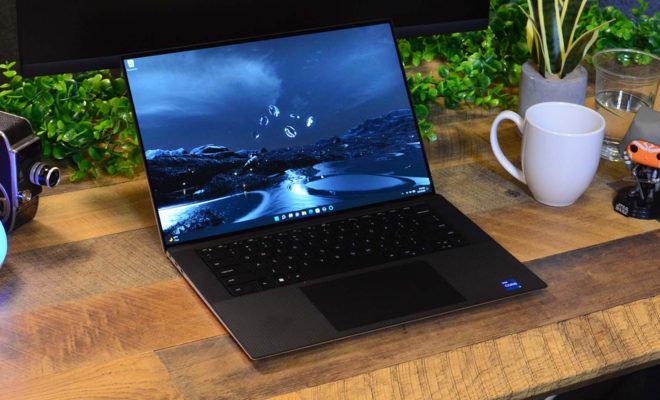
Engineering students require powerful laptops capable of running complex software and handling intensive computations. Here’s a list of top laptops suitable for various engineering disciplines:
- Dell XPS 15
Pros:
- Powerful performance with Intel Core i7/i9 processors
- Dedicated NVIDIA GPU options
- Excellent build quality
- Beautiful 4K display option
Cons:
- Expensive
- Battery life could be better with 4K display
Ideal for: All types of engineering students, especially those in computer science or software engineering
- MacBook Pro 16-inch (2023)
Pros:
- Extremely powerful M2 Pro or M2 Max chip
- Excellent battery life
- High-quality Liquid Retina XDR display
- Great for both CPU and GPU intensive tasks
Cons:
- Expensive
- Limited upgradability
Ideal for: Engineering students who prefer macOS, particularly those in fields like computer science or digital design
- ASUS ROG Zephyrus G14
Pros:
- Powerful AMD Ryzen processors
- Dedicated NVIDIA graphics
- Compact and portable for a gaming laptop
- Good battery life
Cons:
- No webcam (in some models)
- Can run hot under heavy loads
Ideal for: Engineering students who need a balance of power and portability, especially for CAD or 3D modeling
- Lenovo ThinkPad P1
Pros:
- Workstation-class performance
- NVIDIA Quadro graphics options
- Durable build quality
- Excellent keyboard
Cons:
- Expensive
- Battery life could be better
Ideal for: Students in fields requiring certified workstation performance, like mechanical or electrical engineering
- HP Envy 15
Pros:
- Powerful performance at a more affordable price
- Dedicated NVIDIA graphics
- 4K AMOLED display option
- Good selection of ports
Cons:
- Battery life is average
- Can run warm under heavy loads
Ideal for: Engineering students on a tighter budget who still need significant power
When choosing a laptop for engineering studies, consider the following factors:
- Performance: Look for a powerful CPU and sufficient RAM (16GB minimum, 32GB recommended).
- Graphics: A dedicated GPU is crucial for CAD, 3D modeling, and simulations.
- Storage: SSD storage for faster boot and load times, with at least 512GB capacity.
- Display: A high-resolution display with good color accuracy is important for detailed work.
- Portability: Balance power with portability based on your needs.
- Software compatibility: Ensure the laptop can run all required engineering software for your specific field.
Remember to check with your engineering department for any specific laptop requirements or recommendations they might have.