The Tech Edvocate

Top Menu

  • Advertisement
  • Apps
  • Home Page
  • Home Page Five (No Sidebar)
  • Home Page Four
  • Home Page Three
  • Home Page Two
  • Home Tech2
  • Icons [No Sidebar]
  • Left Sidbear Page
  • Lynch Educational Consulting
  • My Account
  • My Speaking Page
  • Newsletter Sign Up Confirmation
  • Newsletter Unsubscription
  • Our Brands
  • Page Example
  • Privacy Policy
  • Protected Content
  • Register
  • Request a Product Review
  • Shop
  • Shortcodes Examples
  • Signup
  • Start Here
    • Governance
    • Careers
    • Contact Us
  • Terms and Conditions
  • The Edvocate
  • The Tech Edvocate Product Guide
  • Topics
  • Write For Us
  • Advertise

Main Menu

  • Start Here
    • Our Brands
    • Governance
      • Lynch Educational Consulting, LLC.
      • Dr. Lynch’s Personal Website
      • Careers
    • Write For Us
    • The Tech Edvocate Product Guide
    • Contact Us
    • Books
    • Edupedia
    • Post a Job
    • The Edvocate Podcast
    • Terms and Conditions
    • Privacy Policy
  • Topics
    • Assistive Technology
    • Child Development Tech
    • Early Childhood & K-12 EdTech
    • EdTech Futures
    • EdTech News
    • EdTech Policy & Reform
    • EdTech Startups & Businesses
    • Higher Education EdTech
    • Online Learning & eLearning
    • Parent & Family Tech
    • Personalized Learning
    • Product Reviews
  • Advertise
  • Tech Edvocate Awards
  • The Edvocate
  • Pedagogue
  • School Ratings

logo

The Tech Edvocate

  • Start Here
    • Our Brands
    • Governance
      • Lynch Educational Consulting, LLC.
      • Dr. Lynch’s Personal Website
        • My Speaking Page
      • Careers
    • Write For Us
    • The Tech Edvocate Product Guide
    • Contact Us
    • Books
    • Edupedia
    • Post a Job
    • The Edvocate Podcast
    • Terms and Conditions
    • Privacy Policy
  • Topics
    • Assistive Technology
    • Child Development Tech
    • Early Childhood & K-12 EdTech
    • EdTech Futures
    • EdTech News
    • EdTech Policy & Reform
    • EdTech Startups & Businesses
    • Higher Education EdTech
    • Online Learning & eLearning
    • Parent & Family Tech
    • Personalized Learning
    • Product Reviews
  • Advertise
  • Tech Edvocate Awards
  • The Edvocate
  • Pedagogue
  • School Ratings
  • Your Home Insurance Bill Just Exploded: 5 Reasons Why — And What Comes Next

  • Your Home Insurance Premiums Are Skyrocketing: Is Your State On This List?

  • The Brutal Truth: Why 30-Year vs. 15-Year Fixed Mortgage Rates in 2026 Could CRUSH Your Homeownership Dreams

  • 7 Things First-Time Homebuyers MUST Know About the New 6.89% Mortgage Rates

  • Your Dream Home Just Got Pricier: Why Mortgage Rates 2026 Are Soaring Toward 7%

  • Unbelievable: The True Cost of CRISPR Anti-Aging Will Absolutely Shock You

  • Your Genes Hold The Key: How CRISPR Could Restore Youthful Function

  • The Mind-Blowing Way CRISPR Could End Aging As We Know It

  • Why Millions Are Rushing to Install Home Battery Storage Now

  • Google’s €13 Billion Bet: The Unseen Renewable Energy Funds Quietly Reshaping Your Portfolio

Tech Advice
Home›Tech Advice›Here’s How to Set Up Your New iPhone 14

Here’s How to Set Up Your New iPhone 14
By Matthew Lynch
July 17, 2023
0
Spread the love

Introduction

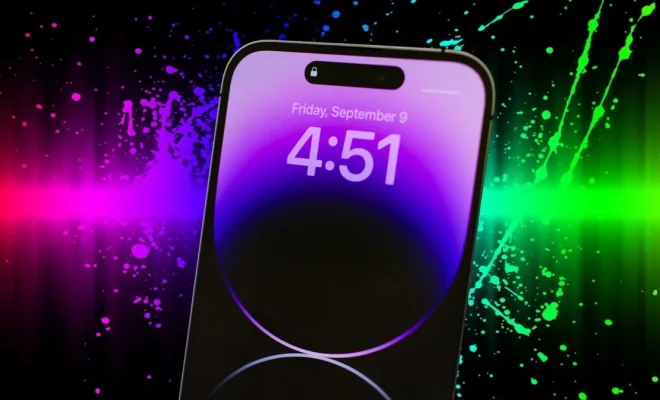
Congratulations on your new iPhone 14! Apple’s latest marvel comes packed with a plethora of features and functions. But before you dive in, setting up your device is essential to unleash its full potential. In this article, we will guide you through the process of setting up your new iPhone 14 step by step.

Step 1: Power On and Get Started

Press and hold the side button until the Apple logo appears, indicating that your iPhone 14 is booting up. Once it’s turned on, choose your preferred language and region.

Step 2: Set Up Quick Start (Optional)

If you have another iOS device running iOS 11 or later, bring it close to your iPhone 14 to enable Quick Start. This feature helps transfer settings and content from your old phone automatically. Ensure both devices have Bluetooth turned on with Wi-Fi enabled, and follow the on-screen prompts.

Step 3: Connect to Wi-Fi or Cellular Data

Connecting your iPhone to Wi-Fi (or cellular data) allows it to activate your device and access necessary updates or services. Choose the preferred network and enter the required password.

Step 4: Set Up Face ID and Passcode

For robust security, set up Face ID and create a six-digit passcode. To configure Face ID, position your face within the frame on screen while moving it in a circular motion as instructed. You may also add an alternate appearance if required.

Step 5: Restore or Transfer Data

You have a few options at this stage:

– Restore data from an iCloud backup.

– Restore data from a Mac or PC backup.

– Use ‘Move to iOS’ app to transfer data from an Android device.

– Set up as a new iPhone.

Follow the prompts according to your chosen method.

Step 6: Configure Settings

Next, you’ll be prompted to configure various settings, including:

– Apple ID: Sign in with your existing Apple ID or create a new one.

– iCloud Keychain: Save passwords, credit card information, and more.

– Siri: Enable Siri and set it up for personalized experiences.

– Screen Time: Set device usage limits and parental controls.

– App Analytics: Choose whether to share app analytics with developers.

Step 7: Install Apps and Customize Your Home Screen

Once the settings are configured, you can download apps from the App Store and arrange them according to your preferences. Don’t forget to explore widgets and custom icons to personalize your home screen further.

Step 8: Set Up Additional Features (Optional)

After completing the initial setup, take advantage of additional features such as:

– Dark Mode or Light Mode.

– Back Tap feature for added accessibility.

– Accessibility settings like VoiceOver or Magnifier.

Conclusion

And you’re all set! Now that your iPhone 14 is configured, you can enjoy its powerful performance and state-of-the-art features. We hope this guide has made the process seamless for you. Happy exploring!

Previous Article

iPhone XR vs. iPhone 8 Plus specs: ...

Next Article

Hey Google, Where Was the Google Assistant ...

Matthew Lynch

Related articles More from author

  • Tech Advice

    Hidden Galaxy S23 Features to Uncover on Your Phone

    July 24, 2023
    By Matthew Lynch
  • Tech Advice

    The 6 Best Santa Claus-Themed Websites of 2023

    July 5, 2023
    By Matthew Lynch
  • How ToTech AdviceTech News

    Time to reflect – why legislators and brands are playing catch up on the growing microplastic challenge

    August 7, 2026
    By Matthew Lynch
  • Tech Advice

    2025 Volkswagen Tiguan: What We Know So Far

    October 2, 2023
    By Matthew Lynch
  • Tech Advice

    A Comprehensive Review on HughesNet Internet in 1319

    July 8, 2023
    By Matthew Lynch
  • Tech Advice

    10 Best Antivirus Software for July 2023

    August 8, 2023
    By Matthew Lynch

Search

Login & Registration

  • Log in
  • Entries feed
  • Comments feed
  • WordPress.org

Newsletter

Signup for The Tech Edvocate Newsletter and have the latest in EdTech news and opinion delivered to your email address!

About Us

Since technology is not going anywhere and does more good than harm, adapting is the best course of action. That is where The Tech Edvocate comes in. We plan to cover the PreK-12 and Higher Education EdTech sectors and provide our readers with the latest news and opinion on the subject. From time to time, I will invite other voices to weigh in on important issues in EdTech. We hope to provide a well-rounded, multi-faceted look at the past, present, the future of EdTech in the US and internationally.

We started this journey back in June 2016, and we plan to continue it for many more years to come. I hope that you will join us in this discussion of the past, present and future of EdTech and lend your own insight to the issues that are discussed.

Newsletter

Signup for The Tech Edvocate Newsletter and have the latest in EdTech news and opinion delivered to your email address!

Contact Us

The Tech Edvocate
910 Goddin Street
Richmond, VA 23231
(601) 630-5238
[email protected]

Copyright © 2026 Matthew Lynch. All rights reserved.