The Tech Edvocate

Top Menu

  • Advertisement
  • Apps
  • Home Page
  • Home Page Five (No Sidebar)
  • Home Page Four
  • Home Page Three
  • Home Page Two
  • Home Tech2
  • Icons [No Sidebar]
  • Left Sidbear Page
  • Lynch Educational Consulting
  • My Account
  • My Speaking Page
  • Newsletter Sign Up Confirmation
  • Newsletter Unsubscription
  • Our Brands
  • Page Example
  • Privacy Policy
  • Protected Content
  • Register
  • Request a Product Review
  • Shop
  • Shortcodes Examples
  • Signup
  • Start Here
    • Governance
    • Careers
    • Contact Us
  • Terms and Conditions
  • The Edvocate
  • The Tech Edvocate Product Guide
  • Topics
  • Write For Us
  • Advertise

Main Menu

  • Start Here
    • Our Brands
    • Governance
      • Lynch Educational Consulting, LLC.
      • Dr. Lynch’s Personal Website
      • Careers
    • Write For Us
    • The Tech Edvocate Product Guide
    • Contact Us
    • Books
    • Edupedia
    • Post a Job
    • The Edvocate Podcast
    • Terms and Conditions
    • Privacy Policy
  • Topics
    • Assistive Technology
    • Child Development Tech
    • Early Childhood & K-12 EdTech
    • EdTech Futures
    • EdTech News
    • EdTech Policy & Reform
    • EdTech Startups & Businesses
    • Higher Education EdTech
    • Online Learning & eLearning
    • Parent & Family Tech
    • Personalized Learning
    • Product Reviews
  • Advertise
  • Tech Edvocate Awards
  • The Edvocate
  • Pedagogue
  • School Ratings

logo

The Tech Edvocate

  • Start Here
    • Our Brands
    • Governance
      • Lynch Educational Consulting, LLC.
      • Dr. Lynch’s Personal Website
        • My Speaking Page
      • Careers
    • Write For Us
    • The Tech Edvocate Product Guide
    • Contact Us
    • Books
    • Edupedia
    • Post a Job
    • The Edvocate Podcast
    • Terms and Conditions
    • Privacy Policy
  • Topics
    • Assistive Technology
    • Child Development Tech
    • Early Childhood & K-12 EdTech
    • EdTech Futures
    • EdTech News
    • EdTech Policy & Reform
    • EdTech Startups & Businesses
    • Higher Education EdTech
    • Online Learning & eLearning
    • Parent & Family Tech
    • Personalized Learning
    • Product Reviews
  • Advertise
  • Tech Edvocate Awards
  • The Edvocate
  • Pedagogue
  • School Ratings
  • 100 Best Apps for Brainstorming

  • 100 Best Apps for Active Recall

  • 100 Best Apps for Spaced Repetition

  • 100 Best Apps for Building a Second Brain

  • 100 Best Apps for Second Brain

  • A Casino Bonus Is Not Its Cash Value: How to Read Reviews Clearly

  • 100 Best Apps for Zettelkasten

  • 100 Best Apps for Bullet Journaling

  • 100 Best Apps for Getting Things Done

  • 100 Best Apps for GTD Method

Digital & Mobile Technology
Home›Digital & Mobile Technology›How to Fix Screen Burn-In on TVs: Plasma, LCD, and OLED

How to Fix Screen Burn-In on TVs: Plasma, LCD, and OLED
By Matthew Lynch
June 23, 2023
0
Spread the love

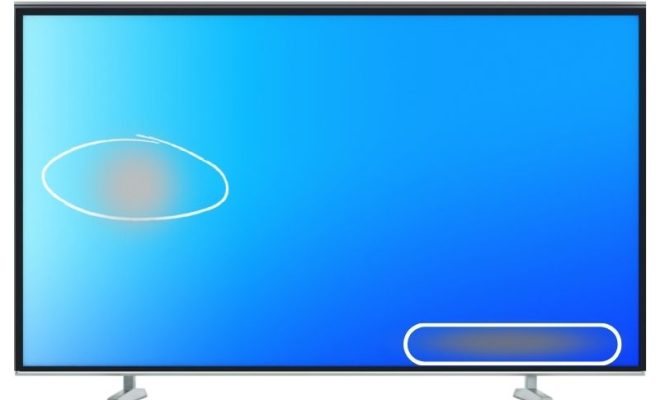
Screen burn-in, also known as image retention, is a common issue that many TV owners encounter at some point in their device’s lifespan. It occurs when an image, static text, or graphics remain on the screen for a prolonged period, leading to a permanent ghost image. Screen burn-in can affect all TV types, including plasma, LCD, and OLED screens. However, the good news is that it’s fixable. In this article, we’ll explore the best fixes for screen burn-in on TVs.

Plasma Screen Burn-In:

Plasma screens are prone to image retention, and it happens when the same image is displayed on the screen for an extended period. There are several ways to fix screen burn-in on plasma TVs:

1. Run a Pixel-Shift Program: Most modern plasma TVs come with a built-in pixel-shifting feature that helps to reduce screen burn-in. The program cycle through various colors and patterns, which help to “exercise” the pixels and remove the ghost image.

2. Play a White Screen: Playing a white screen image for a few hours can also help to clear up screen burn-in. Unlike other colors, white light can balance the charge of all the sub-pixels on the screen, eventually erasing the ghost image.

3. Use a Burn-in Removal DVD: If the pixel-shift program and the white-screen method didn’t work, you can try using a burn-in removal DVD. These DVDs contain a sequence of patterns that can help remove image retention.

LCD Screen Burn-In:

LCD screens are less prone to screen burn-in than plasma screens, but they can still experience it under certain conditions. Here are some of the best fixes for screen burn-in on LCD TVs:

1. Play a White Screen: Similar to plasma TVs, playing a white screen image can help remove image retention on LCD TVs.

2. Use a Pixel Fixing Software: There are several pixel fixing software available online that can help remove ghost images from LCD screens. These programs work by quickly changing color and brightness on the affected screen areas, thereby “massaging” the pixels to work effectively.

3. Lower the Brightness: Screen burn-in occurs when a bright image is displayed on the screen for an extended period. Lowering the TV’s brightness can help reduce the chances of image retention.

OLED Screen Burn-In:

OLED screens have self-illuminated pixels, which means that they’re more prone to image retention than LCDs. But, there are still ways to fix screen burn-in on OLED TVs. Here are some of the best fixes:

1. Run a Pixel Refresher: Most OLED TVs come with a built-in pixel refresher that helps to prevent screen burn-in. The program runs for a few minutes, and it works by rapidly cycling through different colors and brightness levels on the affected screen areas.

2. Play a White Screen: Playing a white screen image for a few hours can also help remove image retention on OLED TVs.

3. Use a Burn-in Reduction Tool: Some OLED TV manufacturers develop specialized tools that reduce screen burn-in. These tools can shift the screen’s images periodically to prevent burn-in.


Previous Article

What Is Slippage in Cryptocurrency Trading?

Next Article

What Is SpO2 Measurement and Why Is ...

Matthew Lynch

Related articles More from author

  • Digital & Mobile TechnologyOnline Learning & eLearning

    How to Make 3D Printables in Blender

    June 13, 2023
    By Matthew Lynch
  • Digital & Mobile Technology

    How to Update AirPods

    July 6, 2023
    By Matthew Lynch
  • Digital & Mobile Technology

    How to Use iCloud on the Web Without an Apple Device

    August 3, 2023
    By Matthew Lynch
  • Digital & Mobile Technology

    How to Recover Deleted Snapchat Memories

    June 1, 2023
    By Matthew Lynch
  • Digital & Mobile Technology

    Use Your Android Phone as a Bike Computer: The Best Apps

    June 22, 2023
    By Matthew Lynch
  • Digital & Mobile Technology

    How to Send Birthday Cards on Facebook

    June 9, 2023
    By Matthew Lynch

Search

Login & Registration

  • Log in
  • Entries feed
  • Comments feed
  • WordPress.org

Newsletter

Signup for The Tech Edvocate Newsletter and have the latest in EdTech news and opinion delivered to your email address!

About Us

Since technology is not going anywhere and does more good than harm, adapting is the best course of action. That is where The Tech Edvocate comes in. We plan to cover the PreK-12 and Higher Education EdTech sectors and provide our readers with the latest news and opinion on the subject. From time to time, I will invite other voices to weigh in on important issues in EdTech. We hope to provide a well-rounded, multi-faceted look at the past, present, the future of EdTech in the US and internationally.

We started this journey back in June 2016, and we plan to continue it for many more years to come. I hope that you will join us in this discussion of the past, present and future of EdTech and lend your own insight to the issues that are discussed.

Newsletter

Signup for The Tech Edvocate Newsletter and have the latest in EdTech news and opinion delivered to your email address!

Contact Us

The Tech Edvocate
910 Goddin Street
Richmond, VA 23231
(601) 630-5238
[email protected]

Copyright © 2026 Matthew Lynch. All rights reserved.