100 Best Packaging Design Apps
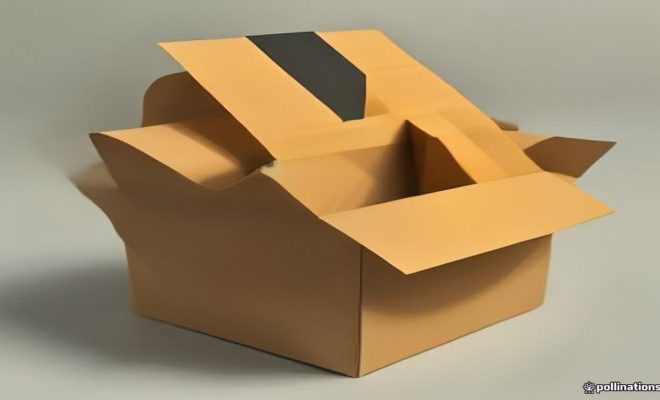
When you think about packaging design, what comes to mind? Bright colors? Eye-catching graphics? Packaging is one of the most crucial aspects of any product, and designing it well can make all the difference. It’s not just about aesthetics; it’s about functionality, branding, and even sustainability. With the right tools, you can create packaging that not only looks good but also serves a purpose. This is where packaging design apps come into play. They streamline the design process, making it easier to bring your ideas to life. In this article, we’ll explore the 100 best packaging design apps that can help you elevate your creations.
Why Use Packaging Design Apps?
Why bother with packaging design apps? Because they simplify your workflow. Whether you’re a seasoned designer or just starting, these tools offer templates, graphics, and features that can save you hours of work. Imagine having a library of fonts, images, and design elements at your fingertips. You can focus on what really matters: your creative vision.
These apps aren’t just beneficial for designers, either. Business owners can use them to create their own packaging that resonates with customers. A well-designed package can boost sales, enhance brand recognition, and even communicate your values as a company. For example, using eco-friendly materials and designs can attract environmentally conscious consumers.
Let’s not forget the ability to experiment with designs. Many packaging design apps allow you to test different colors, styles, and layouts without committing to a final product. This means you can play around with your design until you find the perfect fit. So, the next time you’re working on a project, consider how a packaging design app could streamline your process and enhance your final product.
Top 10 Packaging Design Apps
Let’s kick things off with a list of some of the best packaging design apps available today. Each of these offers unique features that cater to different needs.
1. **Adobe Illustrator** – A classic in the design world, Illustrator provides sophisticated tools for creating detailed package designs. You can create vector graphics that can scale without losing quality. This is especially useful for packaging that needs to be displayed in various sizes.
2. **Canva** – Perfect for beginners, Canva offers pre-made templates specifically for packaging. You can easily customize designs with drag-and-drop functionality. It’s a great choice if you want to create something quickly without getting bogged down by complex tools.
3. **Packly** – This app allows you to create 3D models of your packaging. It’s perfect for visualizing how your design will look in real life. You can even order prototypes directly from the app, which can save you a lot of hassle.
4. **ArtiosCAD** – If you’re focusing on structural design, this software is a must. It helps you create and manipulate 2D and 3D designs for packaging. The precision it offers is unmatched, making it ideal for professional applications.
5. **Esko Studio** – Known for its photorealistic 3D visualization, Esko Studio lets you see how your packaging would look in a real-world setting. This can be invaluable for client presentations.
6. **3D Packaging** – This app focuses on turning your 2D designs into 3D models, making it easier to visualize and iterate. It’s simple to use and can help you make design adjustments on the fly.
7. **CorelDRAW** – Another vector graphic editor, CorelDRAW is user-friendly and offers excellent tools for packaging design. It’s particularly good for those who want to create intricate designs without the steep learning curve.
8. **Inkscape** – A great free alternative, Inkscape is an open-source vector graphic editor that’s suitable for creating packaging designs. Its flexibility makes it a go-to for many designers.
9. **Spoonflower** – If you’re looking to create custom fabric or wallpaper packaging, this app allows you to design and order your own fabric. It’s perfect for specialized packaging needs.
10. **Printful** – Ideal for print-on-demand businesses, Printful lets you create and ship custom packaging directly from your designs. This can streamline your operations considerably.
Apps for Eco-Friendly Packaging Design
Sustainability is a hot topic in packaging design. Many consumers are now looking for eco-friendly options. Here are some apps that assist designers in creating sustainable packaging.
1. **Ecoenclose** – This app provides templates and guides for creating eco-friendly packaging. You can choose materials that are recycled or recyclable. They even offer educational resources on sustainability.
2. **Packhelp** – Packhelp allows you to design custom packaging while considering the environmental impact. This app focuses on sustainable options, offering a variety of eco-friendly materials.
3. **Litterless** – An app that helps you design packaging without plastic. It offers ideas and materials that are compostable, which is great for businesses aiming to reduce their plastic footprint.
4. **Earthpack** – This app specializes in eco-friendly packaging solutions and provides designs that minimize waste. Their library includes various materials that can help you achieve a green design.
5. **Sustainable Packaging Coalition (SPC)** – While not exclusively a design app, SPC provides resources and guidance on sustainable packaging practices. Using their insights can help you design with the environment in mind.
User-Friendly Design Tools
You don’t need to be a professional designer to create great packaging. Some apps cater specifically to novices, making the design process intuitive and fun.
1. **Snappa** – Snappa is a simple graphic design tool that offers templates for packaging. It’s user-friendly and great for quick designs. You can create social media graphics, ads, and packaging all in one place.
2. **Visme** – With its easy-to-use interface, Visme allows you to create stunning packaging designs without a steep learning curve. You can leverage their extensive library of graphics and templates.
3. **Crello** – Similar to Canva, Crello offers a wide range of templates and design elements that make packaging design accessible. Their drag-and-drop interface is particularly appealing to beginners.
4. **Fotor** – This online tool simplifies image editing and allows you to create packaging designs quickly. The batch processing feature is especially useful if you have multiple designs to create.
5. **Designhill** – This platform offers a wide range of design tools and pre-designed templates for packaging. You can even hold contests to get custom designs from freelance designers.
Advanced Design Software for Professionals
For the more experienced designers, advanced software can unleash creativity and provide more control over the design process. Here are some of the top choices.
1. **Autodesk SketchBook** – A digital drawing app that’s great for sketching out packaging concepts before moving on to more detailed designs. It offers various brushes and tools that mimic traditional drawing.
2. **Affinity Designer** – A powerful tool that offers a one-time payment option, Affinity Designer is a great alternative to Adobe products. Its effective vector and raster tools make it versatile for packaging design.
3. **Maya** – Primarily used for 3D modeling, Maya is excellent for creating complex packaging designs that require precise detailing. It’s ideal for visualizing how a product will look in a retail environment.
4. **Blender** – Another powerful 3D modeling tool, Blender is open-source and allows you to create stunning visualizations of your packaging. Its community is massive, providing endless resources and tutorials.
Collaboration Tools for Design Teams
When you’re working in a team, communication is key. Here are some tools that can help streamline the design process across multiple stakeholders.
1. **Figma** – A web-based design tool that makes collaboration effortless. Multiple users can edit a design simultaneously. The version control feature makes it easy to track changes.
2. **Miro** – Great for brainstorming, Miro is an online whiteboard that allows teams to collaborate on design ideas. It’s particularly effective for remote teams.
3. **Slack** – While not a design tool per se, Slack can be invaluable for communication. You can easily share designs and get quick feedback. Integrating it with other design tools can streamline your workflow.
4. **Dropbox Paper** – This collaborative document tool allows teams to share notes and ideas seamlessly, aiding the design process. You can include images and sketches directly in your notes.
5. **Notion** – A flexible workspace that combines notes, tasks, and projects. You can create a dedicated space for packaging design, making it easier for the team to stay organized.
Integrating These Tools into Your Workflow
Now that you know about some of the best packaging design apps, how do you integrate them into your workflow? Start by choosing the right tools for your specific needs. Are you focusing on quick edits? Then a user-friendly app like Canva could be your best bet. If you need advanced features, then diving into Illustrator or CorelDRAW would be beneficial.
Consider your team’s skills as well. If you’re working with a group of experienced designers, investing time in more complex software can yield better results. However, if your team is less experienced, choosing simpler apps will speed up the design process.
Another aspect to consider is the collaboration features of these tools. If you’re working with remote teams or clients, look for apps that allow real-time collaboration. This can drastically reduce the number of back-and-forth emails and help you get to the final design quicker.
Lastly, keep up with trends. The design world is fast-changing, and it’s beneficial to stay updated on the latest packaging trends and technologies. Subscribe to design blogs, attend webinars, or join online design communities.
Case Studies in Effective Packaging Design
Learning from successful examples can provide valuable insights into effective packaging design. Let’s look at a few case studies that highlight the power of good design.
1. **Coca-Cola** – The brand’s iconic contour bottle is a standout example of packaging that is instantly recognizable. The design has remained consistent over the years, reinforcing brand identity and consumer loyalty. Coca-Cola has also embraced sustainability, offering bottles made from recycled materials.
2. **Apple** – Known for its minimalist packaging, Apple uses high-quality materials that reflect its brand ethos of simplicity and elegance. Their unboxing experience is a part of the brand’s allure, often generating buzz on social media.
3. **Oatly** – This Swedish oat milk brand uses playful, hand-drawn graphics on its packaging. The design not only sets it apart from traditional dairy products but also communicates its brand voice clearly. Their commitment to sustainability is reflected in both the materials used and the messaging.
4. **Method** – Method’s packaging design is as important as the product itself. The brand uses squeeze bottles made from recycled plastic, and the colorful designs make the products stand out on shelves. Their approach emphasizes eco-friendliness while maintaining a modern aesthetic.
Recursos relacionados: learning resources for design