100 Best Apps for Controllers
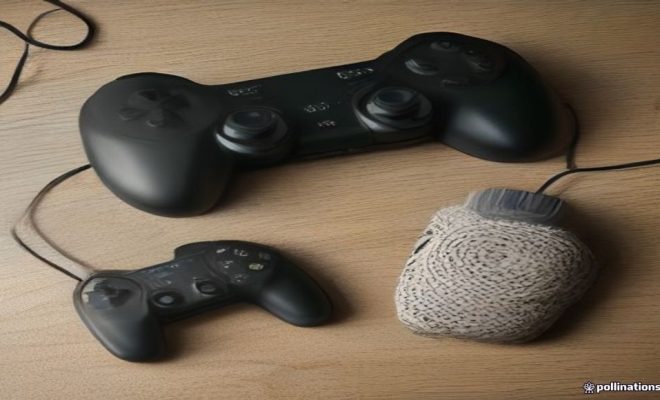
Finding the right apps can make all the difference for controllers, be they in music production, gaming, or video editing. The best apps for controllers not only enhance functionality but also streamline your creative process. With myriad options out there, it’s easy to feel overwhelmed. Don’t worry—I’ve got you covered with a curated list that can help you take control of your projects like a pro.
Music Production Apps
If you’re a controller in the music industry, you know how essential the right apps are for maximizing your workflow. Here are some of the best apps for controllers that cater specifically to music production.
1. **Ableton Live**: This DAW is perfect for live performances and studio sessions. Its integration with MIDI controllers allows for seamless triggering of samples and loops. Whether you’re composing or improvising, Ableton’s flexibility shines through. The ability to warp audio clips on the fly gives you unparalleled control during live sets. Plus, its collection of built-in effects can be manipulated in real-time, providing endless creative possibilities.
2. **FL Studio**: Known for its user-friendly interface, FL Studio is another excellent choice. It’s particularly favored by electronic music producers. The app offers fantastic support for various controllers, allowing you to create intricate patterns with ease. Its step sequencer is intuitive, making it simple to lay down drum tracks. You can also customize your controller settings within the app, enabling you to assign specific functionalities to your buttons, enhancing your creativity.
3. **GarageBand**: If you’re looking for something a bit simpler, GarageBand is fantastic for beginners. It comes packed with loops and virtual instruments. Ideal for those who want to get started quickly. You can easily plug in your controller and start playing without any complicated setups. The app’s drummer feature automatically adjusts the accompaniment to match your style, making your recordings sound professional right off the bat.
Gaming Controller Apps
Gaming controllers have evolved dramatically over the years, and the apps that come with them have to keep up. Here are some top contenders in the realm of gaming that can truly enhance your experience.
1. **Steam**: This is a must-have for gamers. The Steam app allows you to manage your games and connect with friends. Plus, it works seamlessly with various controllers, making your gaming experience more enjoyable. The ability to access your library from mobile and receive notifications about game updates or sales makes it a favorite among gamers. You can even buy games directly from your phone, ensuring you never miss a deal.
2. **DS4Windows**: If you’re using a DualShock controller on a PC, you’ll want DS4Windows. This app lets you customize your controller settings, remap buttons, and even create profiles for different games. You can set up unique configurations for each game, making it easier to switch from an action-packed shooter to a laid-back RPG. Plus, the app includes features like touchpad support and motion controls, giving you even more flexibility.
3. **Xbox Accessories**: For Xbox controller users, this app is invaluable. It allows you to customize button mapping and adjust other settings, ensuring your controller is perfectly suited to your gaming style. You can create multiple profiles for different games or even switch settings on the fly during gameplay, which is a huge advantage in competitive settings.
Video Editing Apps
Video editing is another area where the right apps can be a game-changer. If you’re a controller in video production, these apps are worth exploring.
1. **Adobe Premiere Pro**: This industry-standard video editing software works seamlessly with various hardware controllers. You can control playback, transitions, and effects, making editing a breeze. The ability to set up custom keyboard shortcuts means you can tailor your workflow to perfection. Many editors swear by using a dedicated editing controller to streamline their process, allowing for faster edits and a more intuitive workflow.
2. **Final Cut Pro**: For Mac users, Final Cut Pro is a fantastic option. It supports various controllers for fine-tuning edits and speed adjustments, making your editing process smoother. With its magnetic timeline, you can easily rearrange clips without worrying about sync issues. Many users find that using a controller for scrubbing and trimming clips enhances their efficiency, letting them focus more on storytelling rather than technical adjustments.
3. **DaVinci Resolve**: Known for its powerful color grading capabilities, DaVinci Resolve also offers great controller support. This app is an excellent choice for those looking to elevate their video projects. The dual timeline feature lets you work on both audio and video simultaneously. When paired with a dedicated color grading controller, users can dive deep into the nuances of their footage, achieving professional results.
Graphic Design Apps
Graphic designers can greatly benefit from apps tailored for controllers. With the right tools, creativity knows no bounds.
1. **Adobe Illustrator**: This vector graphics editor is essential for any designer. It supports various drawing tablets and controllers, allowing for precise control over your creations. The pen tool, combined with a stylus or controller, can create intricate designs with ease. Plus, with features like live shapes and smart guides, you can speed up your workflow significantly.
2. **CorelDRAW**: Another great option, CorelDRAW, offers excellent support for tablets and styluses, making it easier to sketch and edit designs. The software’s layout tools can be manipulated with a controller, enabling smoother navigation through complex projects. The ability to create interactive designs also makes it appealing for web and print designers alike.
3. **Affinity Designer**: This is a fantastic budget-friendly alternative to Adobe products. Its compatibility with various controllers makes it a favorite among many designers. You can quickly switch between vector and raster workspaces, allowing for a versatile approach to design. With features like real-time performance, users can easily adjust elements without lag, making the design process more enjoyable.
Productivity Apps for Controllers
Controllers in various sectors can benefit from apps designed to enhance productivity. Here are some of the best apps for controllers that prioritize efficiency.
1. **Trello**: This app helps you manage projects visually. With its intuitive interface, you can use a controller to navigate boards, making project management less tedious. The drag-and-drop feature allows for easy adjustments, and you can quickly assign tasks using your controller’s buttons. If your team collaborates on the same projects, Trello’s notifications can keep everyone aligned.
2. **Notion**: This all-in-one workspace allows you to take notes, manage tasks, and collaborate with others. The ability to use a controller to navigate quickly is a significant advantage. With various templates available, you can set up your workspace according to your needs, from simple to-do lists to comprehensive project management boards. The flexibility of Notion makes it a go-to for many who want to streamline their processes.
3. **Slack**: Essential for team communication, Slack also allows for controller integration to streamline your workflow. You can easily switch between channels and messages. The app’s integrations with other tools mean you can manage your work from one place, and using a controller to navigate can significantly cut down the time spent on repetitive tasks.
Fitness Apps for Controllers
Fitness enthusiasts aren’t left out, either. The best apps for controllers in the fitness sector can motivate and track your workouts.
1. **MyFitnessPal**: This app helps you track your meals and workouts. Using a fitness controller, you can quickly log exercises and manage your calorie intake. The barcode scanner feature makes logging food convenient, and you can track your hydration levels as well. Connecting the app with a fitness tracker enhances its capabilities, providing you with data on your daily activity levels.
2. **Fitbod**: Ideal for strength training, Fitbod customizes your workouts based on your previous sessions. Controllers can help you navigate through your workout routines effortlessly. The app learns from your workouts and adjusts future sessions to ensure you’re always challenged. You can switch between different exercises with ease, making it a perfect companion for those who like to vary their training.
3. **Nike Training Club**: This app offers a variety of workouts guided by professionals. The controller support allows you to easily access different routines and track your progress. With workouts ranging from strength training to yoga, there’s something for everyone. You can even create your own workout plan tailored to your goals, and the app will guide you through each session.
Social Media Apps for Controllers
If you’re managing social media accounts, the right apps can streamline your posting and engagement.
1. **Hootsuite**: This app allows you to manage multiple social media accounts in one place. Using a controller can make scrolling through your dashboards much easier. The ability to schedule posts in advance means you can plan your content strategy effectively. Plus, the app’s analytics tools provide insights into your engagement rates, helping you refine your approach.
2. **Canva**: A graphic design tool tailored for social media graphics. You can use a controller to choose templates and customize designs quickly. The drag-and-drop interface allows for easy adjustments, and you can collaborate with team members in real-time. Canva’s vast library of stock photos and design elements ensures you’ll find the perfect visuals for your posts.
3. **Buffer**: This app simplifies scheduling posts. With controller support, you can easily switch between tasks and manage your social media presence more efficiently. Buffer’s analytics provide a clear view of how your posts are performing, allowing you to adapt your strategy. This adaptability means you can focus on creating engaging content rather than getting bogged down in the technical details.
Creative Collaboration Apps
In an age where teamwork is often remote, creative collaboration apps have become essential for controllers. Here are some that stand out.
1. **Miro**: A digital whiteboard that’s perfect for brainstorming sessions. Miro allows teams to collaborate in real-time, and using a controller can navigate through ideas seamlessly. You can create flowcharts, mind maps, and even interactive presentations. The flexibility of Miro makes it an excellent tool for creative teams looking to bring ideas to life.
2. **Figma**: Ideal for designers, Figma is a collaborative interface design tool that works in the browser. The controller can assist in navigating through design files, allowing for smooth adjustments and real-time feedback. Teams can work together on projects without the need for extensive file sharing, making it more efficient.
3. **Google Drive**: While it may seem basic, Google Drive offers a suite of tools for collaboration. From Docs to Sheets, using a controller enhances navigation through large documents or spreadsheets. The ability to comment and suggest edits in real-time makes it an indispensable tool for teams working remotely.
Conclusion: Choosing the Best Apps for You
When searching for the best apps for controllers, consider what fits your specific needs the most. Whether you’re in music, gaming, video editing, design, productivity, fitness, or social media, there’s an app out there that can enhance your workflow.
Experiment with a few of these options to see which ones resonate with you. The right app can transform not only how you work but also how efficiently you achieve your goals. It’s all about finding that sweet spot where technology meets your unique creative process.
Recursos relacionados: managing multiple social media accounts in one place