The Tech Edvocate

Top Menu

  • Advertisement
  • Apps
  • Home Page
  • Home Page Five (No Sidebar)
  • Home Page Four
  • Home Page Three
  • Home Page Two
  • Home Tech2
  • Icons [No Sidebar]
  • Left Sidbear Page
  • Lynch Educational Consulting
  • My Account
  • My Speaking Page
  • Newsletter Sign Up Confirmation
  • Newsletter Unsubscription
  • Our Brands
  • Page Example
  • Privacy Policy
  • Protected Content
  • Register
  • Request a Product Review
  • Shop
  • Shortcodes Examples
  • Signup
  • Start Here
    • Governance
    • Careers
    • Contact Us
  • Terms and Conditions
  • The Edvocate
  • The Tech Edvocate Product Guide
  • Topics
  • Write For Us
  • Advertise

Main Menu

  • Start Here
    • Our Brands
    • Governance
      • Lynch Educational Consulting, LLC.
      • Dr. Lynch’s Personal Website
      • Careers
    • Write For Us
    • The Tech Edvocate Product Guide
    • Contact Us
    • Books
    • Edupedia
    • Post a Job
    • The Edvocate Podcast
    • Terms and Conditions
    • Privacy Policy
  • Topics
    • Assistive Technology
    • Child Development Tech
    • Early Childhood & K-12 EdTech
    • EdTech Futures
    • EdTech News
    • EdTech Policy & Reform
    • EdTech Startups & Businesses
    • Higher Education EdTech
    • Online Learning & eLearning
    • Parent & Family Tech
    • Personalized Learning
    • Product Reviews
  • Advertise
  • Tech Edvocate Awards
  • The Edvocate
  • Pedagogue
  • School Ratings

logo

The Tech Edvocate

  • Start Here
    • Our Brands
    • Governance
      • Lynch Educational Consulting, LLC.
      • Dr. Lynch’s Personal Website
        • My Speaking Page
      • Careers
    • Write For Us
    • The Tech Edvocate Product Guide
    • Contact Us
    • Books
    • Edupedia
    • Post a Job
    • The Edvocate Podcast
    • Terms and Conditions
    • Privacy Policy
  • Topics
    • Assistive Technology
    • Child Development Tech
    • Early Childhood & K-12 EdTech
    • EdTech Futures
    • EdTech News
    • EdTech Policy & Reform
    • EdTech Startups & Businesses
    • Higher Education EdTech
    • Online Learning & eLearning
    • Parent & Family Tech
    • Personalized Learning
    • Product Reviews
  • Advertise
  • Tech Edvocate Awards
  • The Edvocate
  • Pedagogue
  • School Ratings
  • A Visitors Guide to Long Beach (CA), United States

  • A Visitor’s Guide to Fresno (CA), United States

  • A Visitors Guide to New Orleans (LA), United States

  • A Visitors Guide to Sacramento (CA), United States

  • A Visitors Guide to Lyon, France

  • JisuLife Ultra2 Portable Fan: A Powerful Multi-Function Cooling Solution

  • A Visitors Guide to Viña del Mar, Chile

  • A Visitors Guide to Århus, Denmark

  • A Visitors Guide to Bakersfield (CA), United States

  • A Visitors Guide to Aurora (CO), United States

Digital & Mobile Technology
Home›Digital & Mobile Technology›What Is Google Docs? How to Use It Like a Pro

What Is Google Docs? How to Use It Like a Pro
By Matthew Lynch
June 6, 2023
0
Spread the love

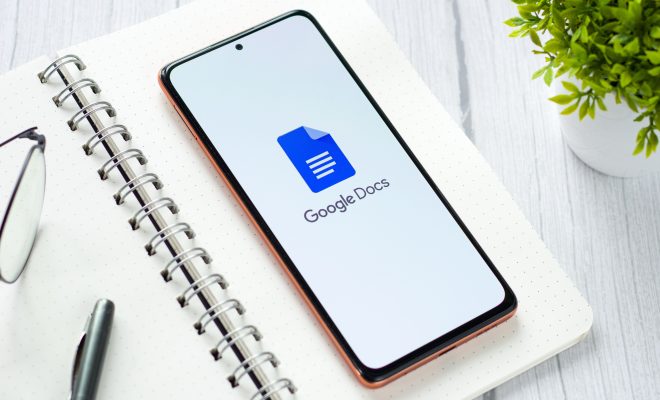
Google Docs is a cloud-based document editing and collaboration tool that allows users to create and edit documents collaboratively, on-the-go, across multiple devices, and without any particular software requirements. Think of Google Docs as a free, online version of Microsoft Word that you can use to write, edit, and share documents with your team members and others.

One of Google Doc’s standout features is the ability to collaborate with other people in real-time. This means that multiple users can work on the same document simultaneously, from their respective devices. Users can also see each other’s changes and suggest edits in a single document, making it convenient and time-efficient. This feature alone makes Google Docs a terrific tool for project management, group assignments, and team meetings.

Now that we’ve covered some of the basic features, let’s take a closer look at how to use Google Docs like a pro.

  1. Create a new document

To create a new document, go to Google Drive (drive.google.com) and click the “New” button at the top left corner of the screen. Then, choose “Google Docs” from the drop-down menu. Alternatively, you can start a new document directly from the Google Docs homepage (docs.google.com).

  1. Formatting

Google Docs offers a range of formatting tools, including font sizes, colors, and styles. Users can also set margins, line spacing, and add headers and footers easily. There are also various pre-made templates available that you can use to create visually appealing documents with great ease.

  1. Commenting and Suggestions

Google Docs allows you to comment on a section to provide feedback or suggest edits to improve the document. Users can also suggest edits using the “suggesting” mode. In this mode, suggested changes appear in a different color so that other users can see where a change has been proposed but still decide whether to implement the change not.

  1. Add-ons

Google Docs offers a whole range of add-ons that can help to improve productivity and enhance the user experience. For instance, DocuSign is an add-on that allows users to sign and send documents electronically. Other add-ons include EasyBib, Lucidchart, and Thesaurus.

  1. Sharing and Permissions

Google Docs makes it easy to share and collaborate on documents by allowing you to invite others via email or by sharing a link. Users can also set permissions for each person, such as who can edit, who can only comment, and who can view the file.


Previous Article

Best Gaming News Sites and Game Review ...

Next Article

What Is Duo Mobile and Is It ...

Matthew Lynch

Related articles More from author

  • Digital & Mobile Technology

    How Much Power Does a Network Router Use?

    June 11, 2023
    By Matthew Lynch
  • Digital & Mobile Technology

    What is a Remote Procedural Call Server (RPC Server)?

    March 19, 2023
    By Matthew Lynch
  • Digital & Mobile Technology

    What Is AMC+ and How Much Does It Cost?

    June 13, 2023
    By Matthew Lynch
  • Digital & Mobile Technology

    How to Edit a Tweet on Twitter

    June 6, 2023
    By Matthew Lynch
  • Digital & Mobile Technology

    Unfortunately Google Play Service Has Stopped? How to Fix It

    August 5, 2023
    By Matthew Lynch
  • Digital & Mobile Technology

    5 Easy Ways to Screen Record on Windows With Audio

    February 19, 2024
    By Matthew Lynch

Search

Login & Registration

  • Register
  • Log in
  • Entries feed
  • Comments feed
  • WordPress.org

Newsletter

Signup for The Tech Edvocate Newsletter and have the latest in EdTech news and opinion delivered to your email address!

About Us

Since technology is not going anywhere and does more good than harm, adapting is the best course of action. That is where The Tech Edvocate comes in. We plan to cover the PreK-12 and Higher Education EdTech sectors and provide our readers with the latest news and opinion on the subject. From time to time, I will invite other voices to weigh in on important issues in EdTech. We hope to provide a well-rounded, multi-faceted look at the past, present, the future of EdTech in the US and internationally.

We started this journey back in June 2016, and we plan to continue it for many more years to come. I hope that you will join us in this discussion of the past, present and future of EdTech and lend your own insight to the issues that are discussed.

Newsletter

Signup for The Tech Edvocate Newsletter and have the latest in EdTech news and opinion delivered to your email address!

Contact Us

The Tech Edvocate
910 Goddin Street
Richmond, VA 23231
(601) 630-5238
[email protected]

Copyright © 2025 Matthew Lynch. All rights reserved.