The Tech Edvocate

Top Menu

  • Advertisement
  • Apps
  • Home Page
  • Home Page Five (No Sidebar)
  • Home Page Four
  • Home Page Three
  • Home Page Two
  • Home Tech2
  • Icons [No Sidebar]
  • Left Sidbear Page
  • Lynch Educational Consulting
  • My Account
  • My Speaking Page
  • Newsletter Sign Up Confirmation
  • Newsletter Unsubscription
  • Our Brands
  • Page Example
  • Privacy Policy
  • Protected Content
  • Register
  • Request a Product Review
  • Shop
  • Shortcodes Examples
  • Signup
  • Start Here
    • Governance
    • Careers
    • Contact Us
  • Terms and Conditions
  • The Edvocate
  • The Tech Edvocate Product Guide
  • Topics
  • Write For Us
  • Advertise

Main Menu

  • Start Here
    • Our Brands
    • Governance
      • Lynch Educational Consulting, LLC.
      • Dr. Lynch’s Personal Website
      • Careers
    • Write For Us
    • The Tech Edvocate Product Guide
    • Contact Us
    • Books
    • Edupedia
    • Post a Job
    • The Edvocate Podcast
    • Terms and Conditions
    • Privacy Policy
  • Topics
    • Assistive Technology
    • Child Development Tech
    • Early Childhood & K-12 EdTech
    • EdTech Futures
    • EdTech News
    • EdTech Policy & Reform
    • EdTech Startups & Businesses
    • Higher Education EdTech
    • Online Learning & eLearning
    • Parent & Family Tech
    • Personalized Learning
    • Product Reviews
  • Advertise
  • Tech Edvocate Awards
  • The Edvocate
  • Pedagogue
  • School Ratings

logo

The Tech Edvocate

  • Start Here
    • Our Brands
    • Governance
      • Lynch Educational Consulting, LLC.
      • Dr. Lynch’s Personal Website
        • My Speaking Page
      • Careers
    • Write For Us
    • The Tech Edvocate Product Guide
    • Contact Us
    • Books
    • Edupedia
    • Post a Job
    • The Edvocate Podcast
    • Terms and Conditions
    • Privacy Policy
  • Topics
    • Assistive Technology
    • Child Development Tech
    • Early Childhood & K-12 EdTech
    • EdTech Futures
    • EdTech News
    • EdTech Policy & Reform
    • EdTech Startups & Businesses
    • Higher Education EdTech
    • Online Learning & eLearning
    • Parent & Family Tech
    • Personalized Learning
    • Product Reviews
  • Advertise
  • Tech Edvocate Awards
  • The Edvocate
  • Pedagogue
  • School Ratings
  • Viaim Opennote Review: The AI Note-Taker That Disappears Into Your Daily Routine

  • A Visitors Guide to Long Beach (CA), United States

  • A Visitor’s Guide to Fresno (CA), United States

  • A Visitors Guide to New Orleans (LA), United States

  • A Visitors Guide to Sacramento (CA), United States

  • A Visitors Guide to Lyon, France

  • JisuLife Ultra2 Portable Fan: A Powerful Multi-Function Cooling Solution

  • A Visitors Guide to Viña del Mar, Chile

  • A Visitors Guide to Århus, Denmark

  • A Visitors Guide to Bakersfield (CA), United States

Early Childhood & K-12 EdTechGoogle ClassroomHigher EducationHigher Education EdTech
Home›Early Childhood & K-12 EdTech›Using Google Classroom to Differentiate Instruction

Using Google Classroom to Differentiate Instruction
By Matthew Lynch
September 12, 2018
0
Spread the love

Google Classroom is a great platform for differentiating instruction for several reasons. It gives students a private arena to hand in ability-leveled assignments. It provides a way for students to ask the teacher questions without fear of being ridiculed by peers. It also supplies a host of tools for teachers to create assignments which provide student choice. Learning how to implement these tools is the key for differentiating learning with Classroom.

Creating Assignments for Individuals or Groups of Students

The ability to choose which students receive specific assignments is one of the most recent updates rolled out by Google in August. It will also be the basis for each of the methods of differentiation discussed herein.

Step 1

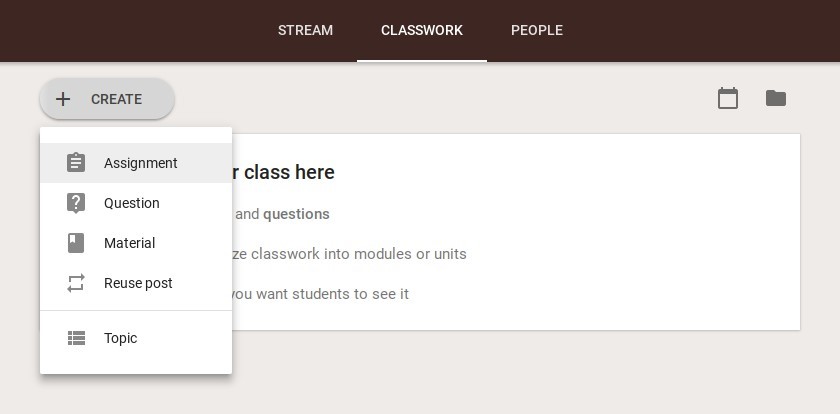
On the Classwork tab, select the Create button and choose Assignment. Creating a Question in lieu of an Assignment also gives teachers the option to send questions to individual students or groups of students.
Step 2

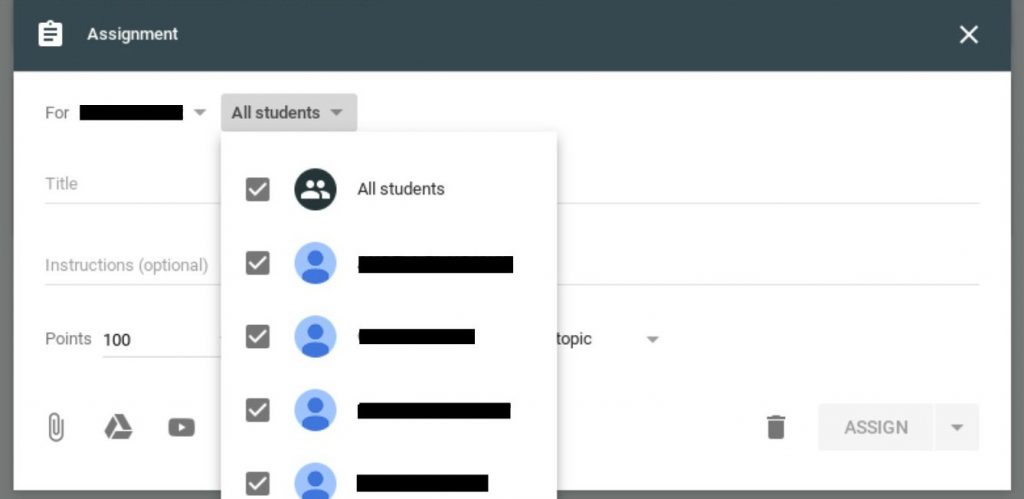
In the Assignment dialogue box, click the student drop-down menu to choose students to receive the assignment. Repeat this process for each assignment needed for the differentiated task.
 

Leveled Assignments

Leveled assignments for students with different abilities and needs is one of the most common methods for differentiating instruction. It is also one of the most time-consuming tasks that teachers encounter in a traditional classroom setting. In addition, it may make students uncomfortable or embarrassed if they get a different assignment in the presence of their peers. With Classroom, this process is streamlined to enable teachers to create leveled work and assign it to individuals or groups of students. Teachers simply have to create assignments and choose students to receive it. Students are unable to see which other students have the same or different assignments.

Remediation or Extension Activities

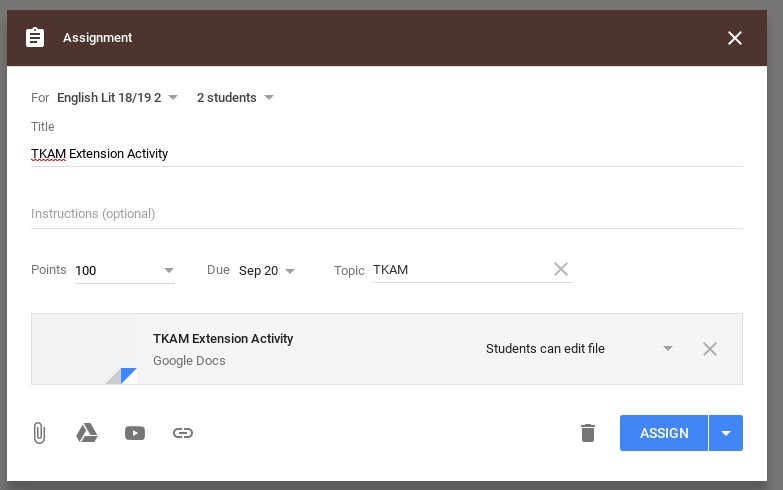
No two students work at exactly the same pace on every lesson. Providing remediation lessons for students who need more practice or providing extension activities for students who have mastered content is another method for differentiation which can be easily handled via Classroom.
Choice Boards

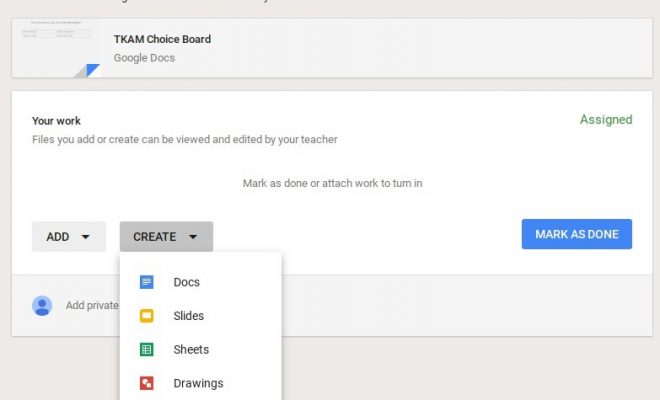
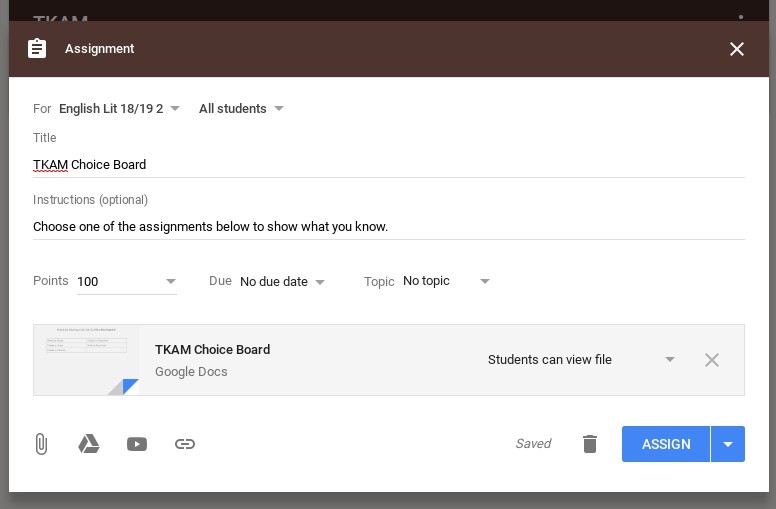
Teachers can provide students with choice in a number of ways through Classroom. One way is to give students a choice in the manner in which they accumulate knowledge. Creating an assignment with multiple avenues to reach the objective is as simple as uploading multiple files, links, or videos in Classroom. Another way to give students choice is by allowing them to determine how they will show the teacher they’ve reached the objective. Students can use Docs, Slide, Sheets, videos or other methods to show the teacher they have grasped a concept, and each of these methods is compatible with Google Classroom.
Cater to Learning Styles

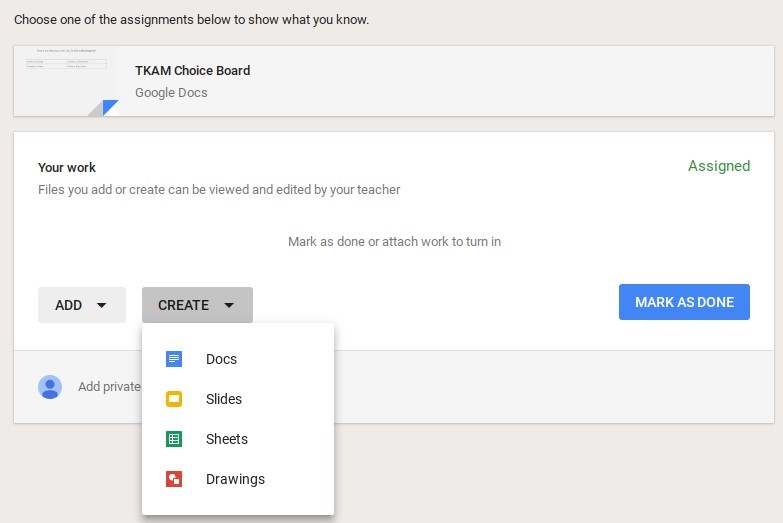
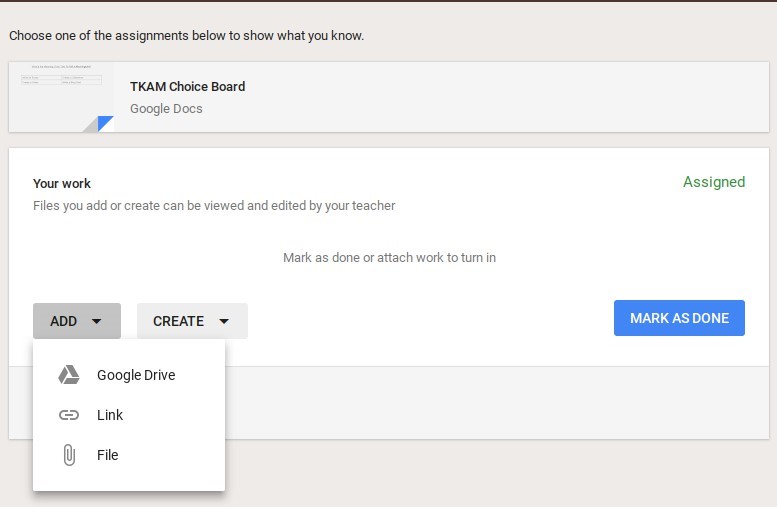
It’s easy to cater to multiple learning styles with Classroom. When students submit work, they are offered options for uploading their creations. Included in those options are items such as attaching files, links, Docs, Slides, Sheets, or Drawings. The possibilities are only limited by teacher and student imaginations.


Previous Article

How to Use 3D Printing in Social ...

Next Article

6 Must-Have Google Classroom Skills for Teachers

Matthew Lynch

Related articles More from author

  • Early Childhood & K-12 EdTech

    Differentiating Instruction for Digital Learners

    May 7, 2018
    By Matthew Lynch
  • Google ClassroomGoogle Classroom Tips

    Can I Save an Assignment as a Draft in Google Classroom and Finish It Later?

    October 9, 2020
    By Matthew Lynch
  • EdTech Policy & ReformHigher EducationHigher Education EdTech

    Want more innovation? Try connecting the dots between engineering and humanities

    June 7, 2017
    By Matthew Lynch
  • Early Childhood & K-12 EdTechEdTech News

    How technology helped deliver a taste of victory to a struggling Newark School

    December 4, 2016
    By Matthew Lynch
  • Early Childhood & K-12 EdTech

    Is Your School Ready for the Future of Education?

    September 4, 2017
    By Matthew Lynch
  • Higher Education EdTech

    10 EdTech Resources for College Students and Professors

    August 23, 2017
    By Matthew Lynch

Search

Login & Registration

  • Register
  • Log in
  • Entries feed
  • Comments feed
  • WordPress.org

Newsletter

Signup for The Tech Edvocate Newsletter and have the latest in EdTech news and opinion delivered to your email address!

About Us

Since technology is not going anywhere and does more good than harm, adapting is the best course of action. That is where The Tech Edvocate comes in. We plan to cover the PreK-12 and Higher Education EdTech sectors and provide our readers with the latest news and opinion on the subject. From time to time, I will invite other voices to weigh in on important issues in EdTech. We hope to provide a well-rounded, multi-faceted look at the past, present, the future of EdTech in the US and internationally.

We started this journey back in June 2016, and we plan to continue it for many more years to come. I hope that you will join us in this discussion of the past, present and future of EdTech and lend your own insight to the issues that are discussed.

Newsletter

Signup for The Tech Edvocate Newsletter and have the latest in EdTech news and opinion delivered to your email address!

Contact Us

The Tech Edvocate
910 Goddin Street
Richmond, VA 23231
(601) 630-5238
[email protected]

Copyright © 2025 Matthew Lynch. All rights reserved.