The Tech Edvocate

Top Menu

  • Advertisement
  • Apps
  • Home Page
  • Home Page Five (No Sidebar)
  • Home Page Four
  • Home Page Three
  • Home Page Two
  • Home Tech2
  • Icons [No Sidebar]
  • Left Sidbear Page
  • Lynch Educational Consulting
  • My Account
  • My Speaking Page
  • Newsletter Sign Up Confirmation
  • Newsletter Unsubscription
  • Our Brands
  • Page Example
  • Privacy Policy
  • Protected Content
  • Register
  • Request a Product Review
  • Shop
  • Shortcodes Examples
  • Signup
  • Start Here
    • Governance
    • Careers
    • Contact Us
  • Terms and Conditions
  • The Edvocate
  • The Tech Edvocate Product Guide
  • Topics
  • Write For Us
  • Advertise

Main Menu

  • Start Here
    • Our Brands
    • Governance
      • Lynch Educational Consulting, LLC.
      • Dr. Lynch’s Personal Website
      • Careers
    • Write For Us
    • The Tech Edvocate Product Guide
    • Contact Us
    • Books
    • Edupedia
    • Post a Job
    • The Edvocate Podcast
    • Terms and Conditions
    • Privacy Policy
  • Topics
    • Assistive Technology
    • Child Development Tech
    • Early Childhood & K-12 EdTech
    • EdTech Futures
    • EdTech News
    • EdTech Policy & Reform
    • EdTech Startups & Businesses
    • Higher Education EdTech
    • Online Learning & eLearning
    • Parent & Family Tech
    • Personalized Learning
    • Product Reviews
  • Advertise
  • Tech Edvocate Awards
  • The Edvocate
  • Pedagogue
  • School Ratings

logo

The Tech Edvocate

  • Start Here
    • Our Brands
    • Governance
      • Lynch Educational Consulting, LLC.
      • Dr. Lynch’s Personal Website
        • My Speaking Page
      • Careers
    • Write For Us
    • The Tech Edvocate Product Guide
    • Contact Us
    • Books
    • Edupedia
    • Post a Job
    • The Edvocate Podcast
    • Terms and Conditions
    • Privacy Policy
  • Topics
    • Assistive Technology
    • Child Development Tech
    • Early Childhood & K-12 EdTech
    • EdTech Futures
    • EdTech News
    • EdTech Policy & Reform
    • EdTech Startups & Businesses
    • Higher Education EdTech
    • Online Learning & eLearning
    • Parent & Family Tech
    • Personalized Learning
    • Product Reviews
  • Advertise
  • Tech Edvocate Awards
  • The Edvocate
  • Pedagogue
  • School Ratings
  • A Visitor’s Guide to Fresno (CA), United States

  • A Visitors Guide to New Orleans (LA), United States

  • A Visitors Guide to Sacramento (CA), United States

  • A Visitors Guide to Lyon, France

  • JisuLife Ultra2 Portable Fan: A Powerful Multi-Function Cooling Solution

  • A Visitors Guide to Viña del Mar, Chile

  • A Visitors Guide to Århus, Denmark

  • A Visitors Guide to Bakersfield (CA), United States

  • A Visitors Guide to Aurora (CO), United States

  • A Visitor’s Guide to Toledo (OH), United States

Cybersecurity
Home›Cybersecurity›The Use Of VPN In A Remote Classroom

The Use Of VPN In A Remote Classroom

By Matthew Lynch
December 28, 2023
0
Spread the love

With the coronavirus pandemic sweeping the globe and children being sent home for online education, there is an urgent need for pupils to be more cybersecurity aware. Many steps must be taken to secure the system before the virtual class can commence, including the use of a VPN.

  1. Keeping Your Home Computer Secure for Virtual Learning

If you’re using your home computer for remote learning or teaching, it’s probably not something you bargained for when you bought the computer. There are numerous steps you must take to protect the system before the virtual class can begin. A virtual private network (VPN) will secure the system from fraudulent efforts while learning online, in addition to locking down your Zoom video conferencing and ensuring that the malware scanner is up to date. The benefit of a VPN is that it transforms the system into an anonymous machine that is difficult to monitor online.

  1. VPN’s Importance in Online Learning

These days, universities and colleges are seeing a significant trend toward virtual classroom learning. With the coronavirus epidemic driving students away from social interaction, personal computers have taken on the role of a classroom for kids. More than 100 universities in the United States have canceled in-person classes and shifted the classrooms online. Although online learning has been around since computers grew to include multimedia, there is a frightening aspect to it. As more students connect to the internet, there are more hackers, thieves, and fraudsters seeking methods to defraud, hack, and steal data. Most students are especially susceptible when they are at home. They have a proclivity to freely surf social media, leaving several profile traces that might lead to identity theft and other concerns.

Similarly, there are additional distant learning data privacy concerns that everyone should be aware of. They are all related to online privacy protection and caution. The first thing you can do to protect yourself is to utilize a VPN service. It will conceal the student’s internet presence and provide an extra degree of security. There are numerous VPN servers available. Online students who are learning from home must take sensible basic safeguards to protect their data and equipment, as well as their online privacy while maintaining academic integrity.

Another option for online security is to use home proxies. A home proxy server provides you with another IP address via which you can access the internet, masking your identity and making it appear as if another person has been accessing pages on websites instead of you. This can help to retain online anonymity while also conserving download speeds.

  1. Making Use of a VPN                                           

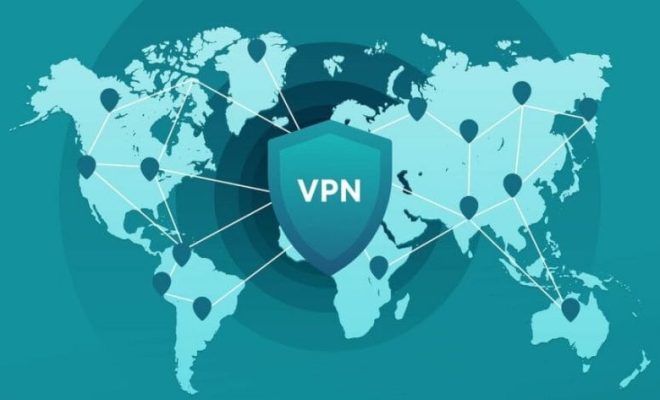
Even if you are observing social separation due to the arrival of the coronavirus pandemic, you must not connect to open free public networks. When you are checking your bank statements, someone sitting across the table in the coffee shop may be watching everything you do online. Remember that these cybercriminals are astute. They may create phony websites and online applications that look to be legitimate. Installing a VPN on your machine is your best defense against becoming a star player in a man-in-the-middle assault. This VPN is hosted on remote servers that are separate from the physical hardware of private networks.

The term “virtual” refers to a combination of software controls and tunneling that is responsible for establishing the connection rather than the usage of dedicated lines and hardware. This “tunneling” procedure will wrap encrypted data packets inside other packets. It will provide an additional layer of security. The VPN displays the VPN server as the user’s IP address to the checker. VPN also ensures that the user is connecting to the VPN server via a safe and encrypted connection. When the VPN routes the user to a destination network or website, all data between the user and that site/network is encrypted.

Some Suggestions for Student Learners

Here are some top online safety precautions for students:

  1. Maintain your computer’s security system
  2. Do not download illegal content 
  3. Protect your school email account properly
  4. Use a sensible and solid password strategy 
  5. Make a backup of all your work 
  6. Do not become the “phish” of a phishing scam 
  7. Be cautious about what you post on the web

Although there are various options, you should go with the best VPN rated online.

Conclusion

With the coronavirus pandemic sweeping the globe and children being sent home for online education, there is an urgent need for pupils to be more cybersecurity aware. Although these students must take numerous precautions to protect themselves, they must also have a VPN installed on their computer as another security step.

Previous Article

6 Ways to Solve for X

Next Article

Obtaining an MBA: Everything You Need to ...

Matthew Lynch

Related articles More from author

  • Cybersecurity

    Why Do Scammers Always Ask for Gift Cards?

    August 5, 2023
    By Matthew Lynch
  • Cybersecurity

    How to Use the Firewall in Windows

    February 19, 2024
    By Matthew Lynch
  • Cybersecurity

    How to Get Vital Cybersecurity Messages to Resonate in Higher Ed

    February 10, 2021
    By Matthew Lynch
  • Cybersecurity

    Cybersecurity Best Practices: Safeguarding Your Digital Presence

    March 25, 2024
    By Matthew Lynch
  • Cybersecurity

    Top 12 Firewall Best Practices to Optimize Network Security

    March 10, 2024
    By Matthew Lynch
  • Cybersecurity

    How to Secure Github Access With an SSH Key

    February 19, 2024
    By Matthew Lynch

Search

Login & Registration

  • Register
  • Log in
  • Entries feed
  • Comments feed
  • WordPress.org

Newsletter

Signup for The Tech Edvocate Newsletter and have the latest in EdTech news and opinion delivered to your email address!

About Us

Since technology is not going anywhere and does more good than harm, adapting is the best course of action. That is where The Tech Edvocate comes in. We plan to cover the PreK-12 and Higher Education EdTech sectors and provide our readers with the latest news and opinion on the subject. From time to time, I will invite other voices to weigh in on important issues in EdTech. We hope to provide a well-rounded, multi-faceted look at the past, present, the future of EdTech in the US and internationally.

We started this journey back in June 2016, and we plan to continue it for many more years to come. I hope that you will join us in this discussion of the past, present and future of EdTech and lend your own insight to the issues that are discussed.

Newsletter

Signup for The Tech Edvocate Newsletter and have the latest in EdTech news and opinion delivered to your email address!

Contact Us

The Tech Edvocate
910 Goddin Street
Richmond, VA 23231
(601) 630-5238
[email protected]

Copyright © 2025 Matthew Lynch. All rights reserved.