The Tech Edvocate

Top Menu

  • Advertisement
  • Apps
  • Home Page
  • Home Page Five (No Sidebar)
  • Home Page Four
  • Home Page Three
  • Home Page Two
  • Home Tech2
  • Icons [No Sidebar]
  • Left Sidbear Page
  • Lynch Educational Consulting
  • My Account
  • My Speaking Page
  • Newsletter Sign Up Confirmation
  • Newsletter Unsubscription
  • Our Brands
  • Page Example
  • Privacy Policy
  • Protected Content
  • Register
  • Request a Product Review
  • Shop
  • Shortcodes Examples
  • Signup
  • Start Here
    • Governance
    • Careers
    • Contact Us
  • Terms and Conditions
  • The Edvocate
  • The Tech Edvocate Product Guide
  • Topics
  • Write For Us
  • Advertise

Main Menu

  • Start Here
    • Our Brands
    • Governance
      • Lynch Educational Consulting, LLC.
      • Dr. Lynch’s Personal Website
      • Careers
    • Write For Us
    • The Tech Edvocate Product Guide
    • Contact Us
    • Books
    • Edupedia
    • Post a Job
    • The Edvocate Podcast
    • Terms and Conditions
    • Privacy Policy
  • Topics
    • Assistive Technology
    • Child Development Tech
    • Early Childhood & K-12 EdTech
    • EdTech Futures
    • EdTech News
    • EdTech Policy & Reform
    • EdTech Startups & Businesses
    • Higher Education EdTech
    • Online Learning & eLearning
    • Parent & Family Tech
    • Personalized Learning
    • Product Reviews
  • Advertise
  • Tech Edvocate Awards
  • The Edvocate
  • Pedagogue
  • School Ratings

logo

The Tech Edvocate

  • Start Here
    • Our Brands
    • Governance
      • Lynch Educational Consulting, LLC.
      • Dr. Lynch’s Personal Website
        • My Speaking Page
      • Careers
    • Write For Us
    • The Tech Edvocate Product Guide
    • Contact Us
    • Books
    • Edupedia
    • Post a Job
    • The Edvocate Podcast
    • Terms and Conditions
    • Privacy Policy
  • Topics
    • Assistive Technology
    • Child Development Tech
    • Early Childhood & K-12 EdTech
    • EdTech Futures
    • EdTech News
    • EdTech Policy & Reform
    • EdTech Startups & Businesses
    • Higher Education EdTech
    • Online Learning & eLearning
    • Parent & Family Tech
    • Personalized Learning
    • Product Reviews
  • Advertise
  • Tech Edvocate Awards
  • The Edvocate
  • Pedagogue
  • School Ratings
  • This One Privacy Camera Feature Could Change Smart Homes Forever

  • Unprecedented: White House Mandates AI Security Incident Reporting After Troubling Breaches

  • The AI Storm Tracker Predicting Viral Narratives Just Landed $7 Million – Here’s Why It Matters

  • This State Just Unleashed AI to Prescribe Meds — Are We Ready for the Future of Medicine?

  • Outrageous: YouTuber Loses Decade of Work to Single YouTube Channel Ban

  • The CyberLeek Saga: What This New GTA 6 Footage Means For Rockstar

  • The Startling Truth About AI’s Medical Revolution You Need to Know

  • This Crucial Shift in AI in Higher Education Could Upend Your Future

  • Bizarre CloudConnect CRM Vulnerability: Why Thousands of Businesses Are Now Exposed

  • HomeSecure Breach: This is How 5 Million Mortgages Got Hacked

Assistive Technology
Home›Assistive Technology›Tablet Touchscreen Not Working? Tips to Fix Touch Problems

Tablet Touchscreen Not Working? Tips to Fix Touch Problems

By Matthew Lynch
June 21, 2023
0
Spread the love

Tablets have become increasingly popular over the years, providing users with a portable and convenient way to access the internet, check emails, play games, and more. However, there are occasions when the touchscreen on a tablet can stop working, making the device nearly useless. If you’re experiencing a tablet touchscreen not working, here are some tips on how to fix touch problems:

  1. Restart your tablet: The first thing to try is restarting your tablet. Most touch issues can be resolved by doing a soft reset, which won’t cause any data loss or damage to the device. Press and hold the power button for a few seconds until the “Power off” option appears on the screen. Tap “Power off” and then wait for the device to shut down. Once it’s off, press and hold the power button again until the device restarts.
  2. Clean the screen: Sometimes, the touchscreen may stop working due to dirt or grime on the screen. Use a soft cloth or microfiber material to clean the screen gently. Avoid using water or harsh cleaners, as they can damage the device.
  3. Remove the screen protector: If you’re using a screen protector, remove it and clean the screen again. Sometimes, screen protectors can interfere with the touchscreen’s sensitivity, causing touch problems. Try using the device without the screen protector and see if the touch issue is resolved.
  4. Update your tablet’s software: If your tablet has outdated software, it may cause touch issues. Check for software updates and install them if available. Software updates usually come with bug fixes and improvements that can resolve touch problems.
  5. Check for hardware issues: If none of the above solutions work, it’s possible that there may be a hardware issue with your device. Check if the device has any cracks, dents, or water damage. If the device has any damage, it may need to be repaired or replaced.
Previous Article

How to Get a List of All ...

Next Article

How to Quit Social Media for Good

Matthew Lynch

Related articles More from author

  • Assistive Technology

    Ways to Improve Your Reaction Times When Gaming

    June 22, 2023
    By Matthew Lynch
  • Assistive Technology

    How to Make or Receive Phone Calls on iPad or Mac

    June 12, 2023
    By Matthew Lynch
  • Assistive Technology

    How to Add Website Shortcuts to the iPhone Home Screen

    June 23, 2023
    By Matthew Lynch
  • Assistive Technology

    How to Find People on Snapchat

    June 15, 2023
    By Matthew Lynch
  • Assistive Technology

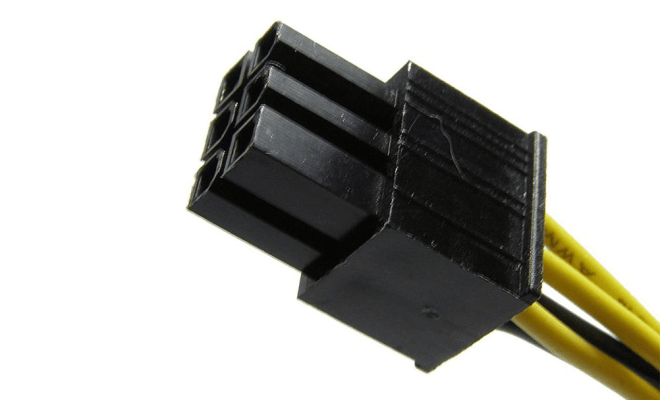
    ATX 6-pin 12V Power Connector Pinout

    June 4, 2023
    By Matthew Lynch
  • Assistive TechnologyGamification

    How to Secure Fortnite.com With 2FA (Two Factor Authentication)

    June 11, 2023
    By Matthew Lynch

Search

Login & Registration

  • Log in
  • Entries feed
  • Comments feed
  • WordPress.org

Newsletter

Signup for The Tech Edvocate Newsletter and have the latest in EdTech news and opinion delivered to your email address!

About Us

Since technology is not going anywhere and does more good than harm, adapting is the best course of action. That is where The Tech Edvocate comes in. We plan to cover the PreK-12 and Higher Education EdTech sectors and provide our readers with the latest news and opinion on the subject. From time to time, I will invite other voices to weigh in on important issues in EdTech. We hope to provide a well-rounded, multi-faceted look at the past, present, the future of EdTech in the US and internationally.

We started this journey back in June 2016, and we plan to continue it for many more years to come. I hope that you will join us in this discussion of the past, present and future of EdTech and lend your own insight to the issues that are discussed.

Newsletter

Signup for The Tech Edvocate Newsletter and have the latest in EdTech news and opinion delivered to your email address!

Contact Us

The Tech Edvocate
910 Goddin Street
Richmond, VA 23231
(601) 630-5238
[email protected]

Copyright © 2026 Matthew Lynch. All rights reserved.