The Tech Edvocate

Top Menu

  • Advertisement
  • Apps
  • Home Page
  • Home Page Five (No Sidebar)
  • Home Page Four
  • Home Page Three
  • Home Page Two
  • Home Tech2
  • Icons [No Sidebar]
  • Left Sidbear Page
  • Lynch Educational Consulting
  • My Account
  • My Speaking Page
  • Newsletter Sign Up Confirmation
  • Newsletter Unsubscription
  • Our Brands
  • Page Example
  • Privacy Policy
  • Protected Content
  • Register
  • Request a Product Review
  • Shop
  • Shortcodes Examples
  • Signup
  • Start Here
    • Governance
    • Careers
    • Contact Us
  • Terms and Conditions
  • The Edvocate
  • The Tech Edvocate Product Guide
  • Topics
  • Write For Us
  • Advertise

Main Menu

  • Start Here
    • Our Brands
    • Governance
      • Lynch Educational Consulting, LLC.
      • Dr. Lynch’s Personal Website
      • Careers
    • Write For Us
    • The Tech Edvocate Product Guide
    • Contact Us
    • Books
    • Edupedia
    • Post a Job
    • The Edvocate Podcast
    • Terms and Conditions
    • Privacy Policy
  • Topics
    • Assistive Technology
    • Child Development Tech
    • Early Childhood & K-12 EdTech
    • EdTech Futures
    • EdTech News
    • EdTech Policy & Reform
    • EdTech Startups & Businesses
    • Higher Education EdTech
    • Online Learning & eLearning
    • Parent & Family Tech
    • Personalized Learning
    • Product Reviews
  • Advertise
  • Tech Edvocate Awards
  • The Edvocate
  • Pedagogue
  • School Ratings

logo

The Tech Edvocate

  • Start Here
    • Our Brands
    • Governance
      • Lynch Educational Consulting, LLC.
      • Dr. Lynch’s Personal Website
        • My Speaking Page
      • Careers
    • Write For Us
    • The Tech Edvocate Product Guide
    • Contact Us
    • Books
    • Edupedia
    • Post a Job
    • The Edvocate Podcast
    • Terms and Conditions
    • Privacy Policy
  • Topics
    • Assistive Technology
    • Child Development Tech
    • Early Childhood & K-12 EdTech
    • EdTech Futures
    • EdTech News
    • EdTech Policy & Reform
    • EdTech Startups & Businesses
    • Higher Education EdTech
    • Online Learning & eLearning
    • Parent & Family Tech
    • Personalized Learning
    • Product Reviews
  • Advertise
  • Tech Edvocate Awards
  • The Edvocate
  • Pedagogue
  • School Ratings
  • Unbelievable: This One Ad Sparked Mass Fury — And It’s Not What You Think

  • Urgent: 25,000 Dressers Recalled on Amazon, Wayfair – A Fatal Flaw You Need to Know

  • This Wild AI Startup Feud Is Exposing the Dark Side of Viral Marketing

  • Unbelievable: Judges Just Upheld the Trump Blacklisting of a Major AI Startup

  • The Scandalous PapaSmithy Apology: Why Fans Are Still Furious About FlyQuest’s Controversial Video

  • Macau Gaming Dispute Escalates to Classroom Knife Attack: A Troubling Warning

  • School Surveys & Student Privacy: A Parent Guide for 2026

  • The Billion-Dollar Blunder: Why AI Detection Software Is Failing Our Students

  • China’s 5-Minute EV Charge: The Staggering Truth America Ignores

  • This Astonishing Nikon AI Controversy Exposes Science’s New Frontier

Tech Advice
Home›Tech Advice›Save Time Sending Your Pics and Files With AirDrop

Save Time Sending Your Pics and Files With AirDrop

By Matthew Lynch
July 17, 2023
0
Spread the love

Sharing files or pictures between Apple devices has never been easier, thanks to AirDrop. This innovative feature enables users to send photos, documents, and other files effortlessly without using email or messaging apps. In this article, we will explore how AirDrop works, its advantages, and a step-by-step guide to using this time-saving feature.

What is AirDrop?

AirDrop is a feature that allows Apple users to share files seamlessly between iPhones, iPads, iPod Touch devices, and Macs. It utilizes Bluetooth technology for device discovery and Wi-Fi for fast and secure data transfer. When in close proximity, users can exchange a wide variety of files instantly and without any hassle.

Advantages of Using AirDrop:

1. Speed

As it uses Wi-Fi technology instead of mobile data, file transfers are quick and efficient.

2. Convenience

There’s no need to use an external app as AirDrop is directly integrated into your device.

3. Security

Files are encrypted during the transfer, ensuring that your data remains safe and secure.

4. Compatibility

AirDrop works seamlessly across most Apple devices.

A Step-by-Step Guide to Using AirDrop

1. Enable Bluetooth and Wi-Fi on both devices

Ensure that both sender and receiver have their Bluetooth and Wi-Fi turned on since they need to be active for AirDrop to work.

2. Activate AirDrop on iOS

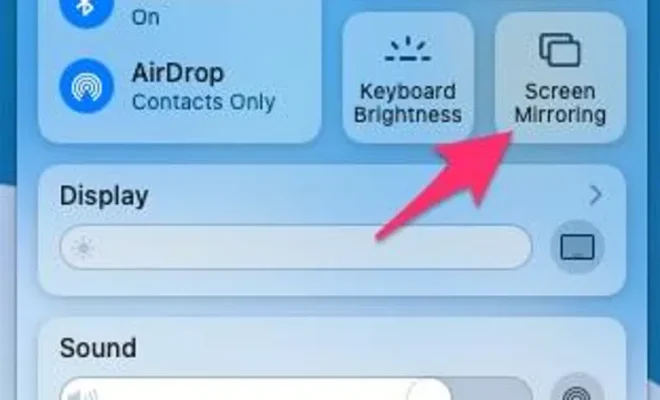
Open the Control Center by swiping down from the top-right corner of your screen or swiping up from the bottom on older devices. Press firmly or long press on the connectivity panel (where you find Wi-Fi, Bluetooth, etc.), then tap on the AirDrop icon; choose between Receiving Off, Contacts Only, or Everyone.

3. Activate AirDrop on macOS

Open Finder and click on “Go” in the menu bar, then select “AirDrop.” Alternatively, you can press Command + Shift + R. In the AirDrop window, adjust the dropdown menu to choose between Receiving Off, Contacts Only, or

Everyone.

4. Prepare to send a file

Locate the file you want to send on your device. If it is a photo, open the Photos app; for documents or other files, use the Files app.

5. Send a file

On iOS, tap the share icon (a box with an arrow pointing upwards), then locate and tap on the user’s device name under AirDrop. On macOS, simply drag the file onto the recipient’s contact in the AirDrop window.

6. Accept the transferred file

On the recipient’s device, a notification will pop up asking whether to accept or decline the transfer. Upon accepting, the file will be saved automatically in the appropriate folder (e.g., Photos or Downloads).

Conclusion

AirDrop is an efficient and practical way to share files between Apple devices. Its speed, convenience, and security make it a go-to solution for sending photos, documents, and more. Save time and simplify your life by harnessing the power of AirDrop for your file transfer needs.


Previous Article

The world’s most expensive headphones might make ...

Next Article

PS5 Restock Tracker: How to Score a ...

Matthew Lynch

Related articles More from author

  • Tech Advice

    2024 BMW M235 Gran Coupe Rebates and Incentives

    August 21, 2023
    By Matthew Lynch
  • Tech Advice

    Best Hybrid Vehicles for 2023

    July 12, 2023
    By Matthew Lynch
  • Tech Advice

    2024 Volkswagen ID.4 Gets Big Power Boost

    September 12, 2023
    By Matthew Lynch
  • Tech Advice

    Samsung 50-Inch Class QN90B Neo QLED TV Review

    July 20, 2023
    By Matthew Lynch
  • Tech Advice

    How to Replace a Broken Headlight

    August 19, 2023
    By Matthew Lynch
  • Tech Advice

    How to use Apple AirPlay to mirror your iPhone, Mac screen on TV, Roku and more

    July 16, 2023
    By Matthew Lynch

Search

Login & Registration

  • Log in
  • Entries feed
  • Comments feed
  • WordPress.org

Newsletter

Signup for The Tech Edvocate Newsletter and have the latest in EdTech news and opinion delivered to your email address!

About Us

Since technology is not going anywhere and does more good than harm, adapting is the best course of action. That is where The Tech Edvocate comes in. We plan to cover the PreK-12 and Higher Education EdTech sectors and provide our readers with the latest news and opinion on the subject. From time to time, I will invite other voices to weigh in on important issues in EdTech. We hope to provide a well-rounded, multi-faceted look at the past, present, the future of EdTech in the US and internationally.

We started this journey back in June 2016, and we plan to continue it for many more years to come. I hope that you will join us in this discussion of the past, present and future of EdTech and lend your own insight to the issues that are discussed.

Newsletter

Signup for The Tech Edvocate Newsletter and have the latest in EdTech news and opinion delivered to your email address!

Contact Us

The Tech Edvocate
910 Goddin Street
Richmond, VA 23231
(601) 630-5238
[email protected]

Copyright © 2026 Matthew Lynch. All rights reserved.