The Tech Edvocate

Top Menu

  • Advertisement
  • Apps
  • Home Page
  • Home Page Five (No Sidebar)
  • Home Page Four
  • Home Page Three
  • Home Page Two
  • Home Tech2
  • Icons [No Sidebar]
  • Left Sidbear Page
  • Lynch Educational Consulting
  • My Account
  • My Speaking Page
  • Newsletter Sign Up Confirmation
  • Newsletter Unsubscription
  • Our Brands
  • Page Example
  • Privacy Policy
  • Protected Content
  • Register
  • Request a Product Review
  • Shop
  • Shortcodes Examples
  • Signup
  • Start Here
    • Governance
    • Careers
    • Contact Us
  • Terms and Conditions
  • The Edvocate
  • The Tech Edvocate Product Guide
  • Topics
  • Write For Us
  • Advertise

Main Menu

  • Start Here
    • Our Brands
    • Governance
      • Lynch Educational Consulting, LLC.
      • Dr. Lynch’s Personal Website
      • Careers
    • Write For Us
    • The Tech Edvocate Product Guide
    • Contact Us
    • Books
    • Edupedia
    • Post a Job
    • The Edvocate Podcast
    • Terms and Conditions
    • Privacy Policy
  • Topics
    • Assistive Technology
    • Child Development Tech
    • Early Childhood & K-12 EdTech
    • EdTech Futures
    • EdTech News
    • EdTech Policy & Reform
    • EdTech Startups & Businesses
    • Higher Education EdTech
    • Online Learning & eLearning
    • Parent & Family Tech
    • Personalized Learning
    • Product Reviews
  • Advertise
  • Tech Edvocate Awards
  • The Edvocate
  • Pedagogue
  • School Ratings

logo

The Tech Edvocate

  • Start Here
    • Our Brands
    • Governance
      • Lynch Educational Consulting, LLC.
      • Dr. Lynch’s Personal Website
        • My Speaking Page
      • Careers
    • Write For Us
    • The Tech Edvocate Product Guide
    • Contact Us
    • Books
    • Edupedia
    • Post a Job
    • The Edvocate Podcast
    • Terms and Conditions
    • Privacy Policy
  • Topics
    • Assistive Technology
    • Child Development Tech
    • Early Childhood & K-12 EdTech
    • EdTech Futures
    • EdTech News
    • EdTech Policy & Reform
    • EdTech Startups & Businesses
    • Higher Education EdTech
    • Online Learning & eLearning
    • Parent & Family Tech
    • Personalized Learning
    • Product Reviews
  • Advertise
  • Tech Edvocate Awards
  • The Edvocate
  • Pedagogue
  • School Ratings
  • A Visitors Guide to Long Beach (CA), United States

  • A Visitor’s Guide to Fresno (CA), United States

  • A Visitors Guide to New Orleans (LA), United States

  • A Visitors Guide to Sacramento (CA), United States

  • A Visitors Guide to Lyon, France

  • JisuLife Ultra2 Portable Fan: A Powerful Multi-Function Cooling Solution

  • A Visitors Guide to Viña del Mar, Chile

  • A Visitors Guide to Århus, Denmark

  • A Visitors Guide to Bakersfield (CA), United States

  • A Visitors Guide to Aurora (CO), United States

Gamification
Home›Gamification›Reasons Why Your Games Keep Crashing (And How to Fix Issues)

Reasons Why Your Games Keep Crashing (And How to Fix Issues)
By Matthew Lynch
June 22, 2023
0
Spread the love

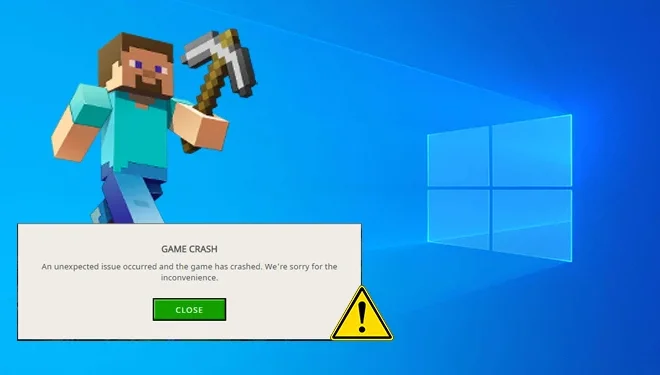
As a gamer, there’s nothing more frustrating than experiencing a game crash mid-play. Whether it’s during a crucial moment in the game or just as you’re about to finish a level, a game crash can ruin your entire experience. But if you’re experiencing game crashes on a regular basis, there’s usually a reason behind it. In this article, we’ll explore some of the most common reasons why your games keep crashing and how to fix those issues.

  1. Outdated graphics drivers

One of the most common reasons why your game may keep crashing is due to outdated graphics drivers. Games require the latest version of graphics drivers to run smoothly. If your driver is outdated, the game may not work properly, resulting in crashes.

How to fix: You can update your graphics driver by visiting the graphics card manufacturer’s website and downloading the latest driver from there. Alternatively, you can also use third-party software like Driver Booster to update the drivers automatically.

  1. Insufficient system requirements

If your computer doesn’t meet the minimum system requirements for the game you’re playing, it may crash frequently. Games require a certain amount of RAM, hard disk space, and other specifications to run smoothly. If your computer doesn’t meet these requirements, it can cause crashes.

How to fix: Check the system requirements of the game before you install it. If your computer doesn’t meet the minimum requirements, consider upgrading your hardware or playing a less-demanding game.

  1. Overheating

Overheating can cause games to crash. When your computer gets too hot, it can cause the components to malfunction, resulting in crashes. Games that require high processing power can generate a lot of heat, especially if you’re using a laptop.

How to fix: Make sure your computer is well-ventilated and not overheating. Use a cooling pad for laptops, and regularly clean your computer to prevent the buildup of dust.

  1. Corrupted game files

Corrupted game files can also cause crashes. If the game files are corrupted or damaged, it can cause the game to crash.

How to fix: Verify the game files on Steam or any other game launcher you’re using. This process will scan the game files and replace any corrupted files.

  1. Background applications

If there are too many background applications running while you’re playing the game, it can cause a crash. When you’re playing a game, your computer’s resources are already being used, and having too many other apps running in the background can cause crashes.

How to fix: Close all unnecessary background apps before starting the game. You can use Task Manager to check which apps are running and close them.

Previous Article

How to Enable Dark Mode in Notepad ...

Next Article

How to Fix a Missing Wi-Fi Option ...

Matthew Lynch

Related articles More from author

  • Gamification

    How to Force Games Into Windowed Mode on Windows 10 & 11

    June 23, 2023
    By Matthew Lynch
  • Gamification

    Best Couch Co-Op Games for Xbox One

    June 26, 2023
    By Matthew Lynch
  • Gamification

    Legendary E3 Gaming Convention Is Over. Here’s What That Means for Gamers

    February 1, 2024
    By Matthew Lynch
  • Gamification

    How to Set Up a Minecraft Server for Free

    June 12, 2023
    By Matthew Lynch
  • Gamification

    Common Video Gaming Terms, Words, and Lingo to Know

    June 6, 2023
    By Matthew Lynch
  • Assistive TechnologyGamification

    How to Secure Fortnite.com With 2FA (Two Factor Authentication)

    June 11, 2023
    By Matthew Lynch

Search

Login & Registration

  • Register
  • Log in
  • Entries feed
  • Comments feed
  • WordPress.org

Newsletter

Signup for The Tech Edvocate Newsletter and have the latest in EdTech news and opinion delivered to your email address!

About Us

Since technology is not going anywhere and does more good than harm, adapting is the best course of action. That is where The Tech Edvocate comes in. We plan to cover the PreK-12 and Higher Education EdTech sectors and provide our readers with the latest news and opinion on the subject. From time to time, I will invite other voices to weigh in on important issues in EdTech. We hope to provide a well-rounded, multi-faceted look at the past, present, the future of EdTech in the US and internationally.

We started this journey back in June 2016, and we plan to continue it for many more years to come. I hope that you will join us in this discussion of the past, present and future of EdTech and lend your own insight to the issues that are discussed.

Newsletter

Signup for The Tech Edvocate Newsletter and have the latest in EdTech news and opinion delivered to your email address!

Contact Us

The Tech Edvocate
910 Goddin Street
Richmond, VA 23231
(601) 630-5238
[email protected]

Copyright © 2025 Matthew Lynch. All rights reserved.