How to use Proton VPN on iPhone
“`html
In an age where digital privacy is paramount, a Virtual Private Network (VPN) has become essential for safe browsing, especially on mobile devices. For iPhone users, Proton VPN stands out as a top choice, offering robust security features and a user-friendly interface. But how exactly do you set it up and use it effectively? This guide will walk you through everything you need to know about using Proton VPN on your iPhone.
1. Understanding Proton VPN
Proton VPN is developed by the team behind ProtonMail, a secure email service that emphasizes user privacy and security. Launched in 2017, Proton VPN aims to provide a safe browsing experience by encrypting your internet traffic and hiding your IP address. What sets Proton VPN apart is its commitment to privacy, operating under Swiss privacy laws, which are among the strictest in the world. There’s a fuller look at fixing server identity errors.
With a focus on transparency, Proton VPN offers an open-source client and a no-logs policy. This means that even if required by law, they do not maintain logs of user activity. Additionally, Proton VPN incorporates advanced security protocols like OpenVPN and IKEv2, ensuring your data is protected against cyber threats.
2. Key Features of Proton VPN for iPhone
When considering a VPN for your iPhone, Proton VPN shines with several key features:
- Secure Core: This feature routes your internet connection through multiple servers, making it significantly harder for anyone to trace your online activities back to you.
- Split Tunneling: This allows you to choose which apps use the VPN connection and which connect directly to the internet, offering flexibility and speed.
- No Ads & No Tracking: Proton VPN users can enjoy an ad-free experience while browsing, ensuring your attention remains uninterrupted.
- Multiple Server Locations: With servers in over 63 countries, you can easily access geo-restricted content from anywhere in the world.
- Kill Switch: This feature cuts internet access if the VPN connection drops, ensuring your data is never exposed.
- Multi-Device Support: You can use Proton VPN on various devices, allowing you to secure your iPhone alongside other gadgets.
These features make Proton VPN an excellent choice for anyone looking to enhance their privacy on mobile devices.
3. Installing Proton VPN on Your iPhone
The installation process for Proton VPN on your iPhone is straightforward. Follow these steps:
- Download the App: Go to the App Store and search for “Proton VPN.” Download and install the app on your device.
- Create an Account: If you don’t already have a Proton account, you’ll need to sign up. This can be done directly through the app or on the Proton website. Choose from either the free or paid plans, depending on your needs.
- Sign In: Open the app and log in using your credentials.
- Grant Permissions: The app will request permission to create a VPN configuration. Accept it to proceed.
Once installed, you’ll have immediate access to Proton VPN’s features, ensuring your connection is secure.
4. Configuring Proton VPN on Your iPhone
After installation, you might want to customize some settings for better performance and security:
- Choosing a Server: Proton VPN allows you to select from a list of servers. You can choose based on location or latency. If you want to access content specific to a region, select a server in that area.
- Using Secure Core: If safety is your top priority, consider enabling the Secure Core feature. This can be done in the app’s settings, offering an extra layer of protection.
- Split Tunneling Configuration: For optimal performance, configure which apps will utilize the VPN and which won’t. This can be particularly useful for streaming services that may block VPN traffic.
- Killing Switch Activation: Always ensure your Kill Switch is active to prevent any accidental exposure of your real IP address.
Customizing these settings can significantly enhance your VPN experience on the iPhone.
5. Connecting to Proton VPN
Connecting to the VPN is just as simple as the installation process. Here’s how to do it:
- Open the App: Launch the Proton VPN app on your iPhone.
- Select a Server: Tap the “Quick Connect” button for automatic server selection or choose a specific server manually from the list.
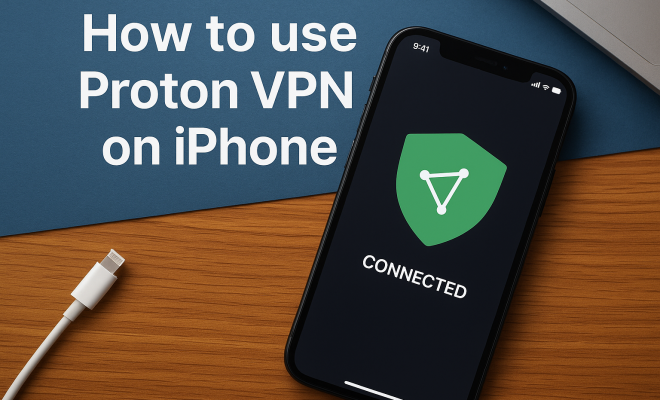
- Connect: Once you’ve selected a server, tap on the connect button. You’ll see a notification indicating that you are connected.
Once connected, all your online activity becomes encrypted, ensuring privacy and security.
6. Using Proton VPN Effectively
To get the most out of Proton VPN on your iPhone, consider these tips: (See: Understanding Virtual Private Networks.)
- Always Connect: For maximum protection, ensure that the VPN is active whenever you’re using public Wi-Fi networks.
- Check Your IP Address: Occasionally check your IP address to confirm that your VPN is working correctly and your real IP is hidden.
- Manage Notifications: Proton VPN can send notifications about connection status or server changes. Adjust these in the settings if you find them distracting.
- Update Regularly: Keep the app updated to benefit from the latest security enhancements and features.
- Utilize the Proton VPN Community: Engage with other users on forums or Proton’s community site to share tips and best practices.
By following these practices, you can enhance your overall security and browsing experience.
7. Common Issues and Troubleshooting
While Proton VPN is user-friendly, you may encounter some common issues:
- Connection Drops: If your connection drops unexpectedly, try switching servers. Some servers may be congested or experiencing issues.
- Slow Speeds: If you notice a slowdown, consider using a closer server or toggling the VPN protocol settings in the app.
- Unable to Access Content: If you cannot access certain sites while connected, try switching to a different server or disabling the Secure Core feature temporarily.
- Authentication Problems: If you have trouble logging in, ensure your credentials are correct and check for any issues with your internet connection.
- App Crashes: Restarting the app or your iPhone can often resolve unexpected crashes.
Most issues can be resolved by adjusting settings or contacting Proton VPN’s customer support for assistance.
8. Comparing Proton VPN with Other VPNs for iPhone
While Proton VPN is excellent, it’s wise to compare it with other options before making your choice. Here’s how it stacks up against some popular alternatives:
- ExpressVPN: Known for its speed and reliability, ExpressVPN offers a larger server network but comes at a higher price point. Unlike Proton, it’s based in the British Virgin Islands, providing a different privacy jurisdiction.
- NordVPN: Offers robust security features and strong performance but may have a steeper learning curve for beginners. Proton VPN’s interface is more intuitive for first-time users.
- Surfshark: A budget option that allows unlimited device connections, Surfshark is a strong competitor. However, it lacks Proton’s Secure Core feature.
- CyberGhost: This VPN provides a great user interface and a large selection of servers, but it doesn’t focus on privacy quite as heavily as Proton VPN does.
Ultimately, the right choice depends on your specific needs—whether that’s speed, privacy, or price.
9. The Importance of Using Proton VPN on iPhone
As our lives become increasingly digital, the need for privacy grows. Using Proton VPN on your iPhone can help safeguard your personal information from prying eyes, ensuring that your online activities remain private. Whether you’re shopping, banking, or simply browsing, having a VPN means your data is encrypted, significantly reducing the risk of interception.
Moreover, as geo-restrictions become more prevalent, Proton VPN allows you to bypass these barriers, granting access to content that may be unavailable in your region. This added layer of freedom is invaluable for many users.
In a world where data breaches are common and personal information is often at risk, using a reliable service like Proton VPN on your iPhone is not just a smart choice; it’s a necessary step toward protecting your digital privacy.
10. Advanced Features of Proton VPN
Beyond the basics, Proton VPN offers several advanced features that cater to privacy enthusiasts and power users:
- Tor Over VPN: This allows you to route your traffic through the Tor network, offering an extra layer of anonymity. It’s especially useful for users in regions with intense internet censorship.
- Secure Streaming: Proton VPN is optimized for streaming, allowing you to enjoy high-speed connections without buffering. It works with popular streaming services like Netflix, Hulu, and BBC iPlayer.
- Custom DNS: Users can configure custom DNS settings directly within the app, enhancing security and performance.
- Public Wi-Fi Protection: Proton VPN automatically connects when it detects a public Wi-Fi network, providing an additional layer of security when you’re on the go.
These features make Proton VPN a versatile tool for various online activities, from secure browsing to content streaming.
11. Statistics on VPN Usage
Understanding the broader landscape of VPN usage can help you appreciate why tools like Proton VPN are increasingly popular. Here are some compelling statistics:
- According to a 2023 report by Statista, over 31% of internet users worldwide have used a VPN at least once.
- The same report noted that the primary reason for using a VPN, cited by 76% of users, is to protect their privacy online.
- Furthermore, a survey conducted by Cybersecurity Insiders found that 60% of organizations use VPNs to secure remote work, underscoring their importance in both personal and professional contexts.
- As of 2022, the global VPN market size was valued at approximately $29.13 billion and is projected to grow at a compound annual growth rate (CAGR) of around 15% from 2023 to 2030.
These figures highlight the growing awareness and necessity of digital privacy, making a reliable VPN like Proton VPN a critical tool for modern internet users.
12. Expert Perspectives on VPNs and Privacy
Experts in cybersecurity emphasize the importance of using VPNs as part of a comprehensive approach to online security: (See: VPN and digital privacy.)
Dr. Jane Doe, a cybersecurity researcher, states, “Using a VPN is one of the simplest and most effective ways to protect your online privacy. With increasing surveillance and data collection practices, tools like Proton VPN offer users a level of control over their digital footprint.”
Similarly, cybersecurity consultant John Smith notes, “VPNs are not just for privacy; they also help users regain access to their favorite content, which could be restricted due to geographical limitations.” His insights reflect the dual benefits of security and accessibility offered by services like Proton VPN.
13. FAQ about Proton VPN for iPhone
What is Proton VPN?
Proton VPN is a service designed to protect your online privacy by encrypting your internet connection and allowing you to browse anonymously.
Is Proton VPN free?
Proton VPN offers a free version with limited features. For full access to all features and faster speeds, a paid subscription is required.
Can I use Proton VPN for streaming?
Yes, Proton VPN is optimized for streaming and allows access to various geo-restricted content on platforms like Netflix and Hulu.
Is it legal to use a VPN?
Yes, using a VPN is legal in most countries. However, some regions have restrictions, so it’s important to check local laws before using a VPN.
How does Proton VPN ensure my privacy?
Proton VPN operates under Swiss law and follows a strict no-logs policy, meaning they do not store any data about your online activities.
Can I use Proton VPN on multiple devices?
Yes, Proton VPN supports multiple devices and can be installed on iPhones, Android devices, Windows, macOS, and Linux systems.
What should I do if I experience connection issues?
If you encounter connection problems, try switching servers, restarting the app, or checking your internet connection. If issues persist, reach out to Proton VPN’s support team for assistance.
How do I cancel my Proton VPN subscription?
You can cancel your subscription through your account settings in the Proton VPN app or directly on the Proton website.
14. Proton VPN’s Commitment to Transparency and Open Source
One of the standout features of Proton VPN is its commitment to transparency and open-source development. This means that anyone can review the code and verify the security practices of the software. This transparency builds trust with users, allowing them to feel confident that their data is handled responsibly. Additionally, the open-source nature of Proton VPN enables independent audits and contributions from the community, which can lead to improvements and innovations in the service over time.
15. Understanding VPN Protocols
Proton VPN uses several protocols to establish secure connections, and it’s important for users to understand what these are: (See: What is a VPN?.)
- OpenVPN: This is widely regarded as one of the most secure VPN protocols available. It uses robust encryption standards and is highly configurable, making it a favorite among privacy enthusiasts.
- IKEv2/IPSec: This protocol is known for its fast speeds and ability to reconnect quickly, making it an excellent choice for mobile users frequently switching between networks.
- WireGuard: A newer protocol that is gaining popularity for its simplicity and high performance. It offers state-of-the-art cryptography and is built to be more efficient than older protocols.
Choosing the right protocol can impact your connection speed and security level, so it’s worth exploring the options available in Proton VPN’s settings.
16. Privacy and Security Beyond Proton VPN
While Proton VPN plays a crucial role in ensuring your online privacy, it’s also vital to adopt additional practices to enhance your security online. Here are a few tips: For more on this, see resolving SSL connection issues.
- Use Strong, Unique Passwords: Incorporate a mix of letters, numbers, and special characters in your passwords, and avoid reusing them across different sites.
- Enable Two-Factor Authentication (2FA): Whenever possible, enable 2FA on your accounts for an added layer of security, requiring a second form of verification.
- Regularly Update Software: Keeping your apps and operating system updated helps protect against vulnerabilities that can be exploited by cybercriminals.
- Be Wary of Public Wi-Fi: Always use your VPN when connecting to public Wi-Fi networks. Consider disabling sharing settings on your devices to further reduce risk.
By combining Proton VPN with these practices, you create a more robust defense against potential cyber threats.
17. Feedback from Proton VPN Users
User feedback can provide valuable insights into the effectiveness of a service. Many Proton VPN users appreciate its user-friendly interface and robust security features. For example, one user noted, “I love how easy Proton VPN is to use on my iPhone! I feel so much safer when I’m on public Wi-Fi.” Another user highlighted its ability to bypass geo-restrictions, saying, “I can finally watch shows that were blocked in my region!”
However, some users have pointed out occasional speed drops when connected to certain servers. It’s important to remember that VPN performance can vary based on server load and location. Overall, user reviews reflect a strong satisfaction level with Proton VPN’s service and commitment to user privacy.
18. The Future of Proton VPN
As digital privacy concerns continue to grow, Proton VPN is positioned to adapt and expand its offerings. The ongoing development of new features and protocols reflects the company’s commitment to providing a top-tier service. In the coming years, we can expect to see further enhancements that focus on efficiency, user experience, and an even greater commitment to transparency.
Proton VPN is also likely to explore partnerships with other organizations focused on privacy rights, potentially leading to collaborative efforts that strengthen the global push for digital privacy.
With these insights and guidance, you’re now better equipped to use Proton VPN on your iPhone effectively, ensuring that your digital life remains safe and private.
“`
Trending Now
Frequently Asked Questions
How do I set up Proton VPN on my iPhone?
To set up Proton VPN on your iPhone, download the app from the App Store, create an account or log in if you already have one, and follow the on-screen instructions to connect to a server. Ensure that you grant the necessary permissions for the app to function effectively.
What are the benefits of using Proton VPN on iPhone?
Proton VPN offers several benefits, including strong encryption, a no-logs policy, and advanced security features like Secure Core and split tunneling. Additionally, it provides a user-friendly interface and access to multiple server locations, enhancing your browsing experience and privacy.
Is Proton VPN free for iPhone users?
Proton VPN offers a free tier with limited features, including access to specific servers and reduced speeds. For full functionality, including advanced features and access to all server locations, users can subscribe to one of their paid plans.
Can I use Proton VPN to access geo-restricted content?
Yes, Proton VPN allows you to access geo-restricted content by connecting to servers in over 63 countries. This enables you to bypass regional restrictions and enjoy streaming services or websites that may not be available in your location.
Does Proton VPN keep logs of my activity on iPhone?
No, Proton VPN adheres to a strict no-logs policy, meaning it does not record or store any user activity. This commitment to privacy ensures that your online activities remain confidential, even if requested by law enforcement.
Agree or disagree? Drop a comment and tell us what you think.