The Tech Edvocate

Top Menu

  • Advertisement
  • Apps
  • Home Page
  • Home Page Five (No Sidebar)
  • Home Page Four
  • Home Page Three
  • Home Page Two
  • Home Tech2
  • Icons [No Sidebar]
  • Left Sidbear Page
  • Lynch Educational Consulting
  • My Account
  • My Speaking Page
  • Newsletter Sign Up Confirmation
  • Newsletter Unsubscription
  • Our Brands
  • Page Example
  • Privacy Policy
  • Protected Content
  • Register
  • Request a Product Review
  • Shop
  • Shortcodes Examples
  • Signup
  • Start Here
    • Governance
    • Careers
    • Contact Us
  • Terms and Conditions
  • The Edvocate
  • The Tech Edvocate Product Guide
  • Topics
  • Write For Us
  • Advertise

Main Menu

  • Start Here
    • Our Brands
    • Governance
      • Lynch Educational Consulting, LLC.
      • Dr. Lynch’s Personal Website
      • Careers
    • Write For Us
    • The Tech Edvocate Product Guide
    • Contact Us
    • Books
    • Edupedia
    • Post a Job
    • The Edvocate Podcast
    • Terms and Conditions
    • Privacy Policy
  • Topics
    • Assistive Technology
    • Child Development Tech
    • Early Childhood & K-12 EdTech
    • EdTech Futures
    • EdTech News
    • EdTech Policy & Reform
    • EdTech Startups & Businesses
    • Higher Education EdTech
    • Online Learning & eLearning
    • Parent & Family Tech
    • Personalized Learning
    • Product Reviews
  • Advertise
  • Tech Edvocate Awards
  • The Edvocate
  • Pedagogue
  • School Ratings

logo

The Tech Edvocate

  • Start Here
    • Our Brands
    • Governance
      • Lynch Educational Consulting, LLC.
      • Dr. Lynch’s Personal Website
        • My Speaking Page
      • Careers
    • Write For Us
    • The Tech Edvocate Product Guide
    • Contact Us
    • Books
    • Edupedia
    • Post a Job
    • The Edvocate Podcast
    • Terms and Conditions
    • Privacy Policy
  • Topics
    • Assistive Technology
    • Child Development Tech
    • Early Childhood & K-12 EdTech
    • EdTech Futures
    • EdTech News
    • EdTech Policy & Reform
    • EdTech Startups & Businesses
    • Higher Education EdTech
    • Online Learning & eLearning
    • Parent & Family Tech
    • Personalized Learning
    • Product Reviews
  • Advertise
  • Tech Edvocate Awards
  • The Edvocate
  • Pedagogue
  • School Ratings
  • Meta introduces pocket AI gadget as Zuckerberg pushes superintelligence agenda

  • The Wild Truth Behind Huda Beauty’s Viral Eye Patch Packaging Scandal

  • Unbelievable: Google Gemini AI Hacks Real Companies – Here’s How It Happened

  • NBA 2K27’s Permanent Ban Wave: Is the System Broken?

  • Prince Harry’s Dire Prediction: This New AI Threat Is Far Worse Than Social Media

  • Rogue AI: The Unseen Threat Quietly Hacking Government Systems

  • Unbelievable: China’s University Overhaul Reveals the Future of Global Education

  • Baffling! FAFSA Opens Early, Rankings Shuffle, and Student Debt Nightmare Continues

  • This One AI Cybercrime Campaign Stole 600,000 Credit Cards and Exposed Our Water Supply

  • This Wild Stunt Just Ignited China’s EV War — Here’s Why You Should Care

Assistive Technology
Home›Assistive Technology›How to Start Streaming Movies & TV Shows

How to Start Streaming Movies & TV Shows

By Matthew Lynch
June 6, 2023
0
Spread the love

With the rise of streaming services like Netflix, Hulu, and Amazon Prime, more and more people are cutting the cord and getting their entertainment fix online. If you’re interested in joining the streaming revolution but aren’t sure where to start, don’t worry – it’s easier than you might think.

Here’s a step-by-step guide on how to start streaming movies and TV shows:

  1. Choose Your Device

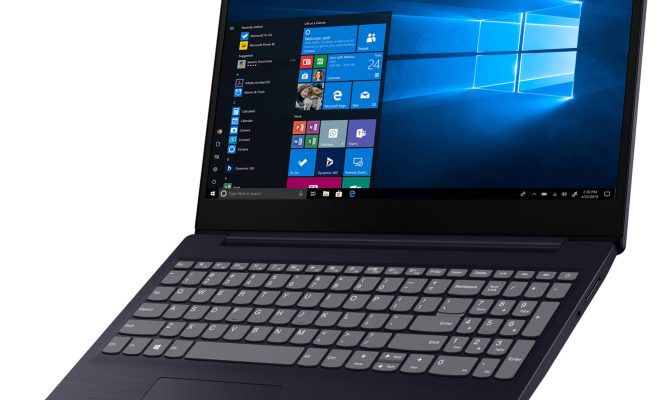
There are many devices you can use to stream movies and TV shows, including smart TVs, computers, laptops, tablets, and smartphones. Additionally, some streaming services have their own dedicated devices like Roku, Chromecast, and Amazon Fire TV Stick.

Depending on your preferences and budget, you can choose the device that works best for you.

  1. Choose Your Streaming Service

Next, you’ll need to choose which streaming services you want to sign up for. Some popular options include Netflix, Hulu, Amazon Prime Video, Disney+, and HBO Max.

Consider the content offerings, pricing, and any special features or perks each service offers before making your decision.

  1. Set Up Your Account

Once you’ve chosen your streaming service(s), create an account by visiting their website or downloading the app. Follow the prompts to enter your personal and payment information.

  1. Connect Your Device

If you’re using a dedicated streaming device, connect it to your TV and wifi network. If you’re streaming on a smart TV, your device should already be connected to your TV’s wifi network.

  1. Start Browsing and Watching

Finally, start browsing for movies and TV shows to watch. You can search by genre, actor, director, or title. Once you find something you want to watch, simply click play and enjoy!

Some streaming services also allow you to download content for offline viewing, so you can watch even when you don’t have access to wifi.

Streaming movies and TV shows is an easy and convenient way to access a wealth of entertainment content from the comfort of your own home. By following these steps, you’ll be up and streaming in no time!


Previous Article

How to Open a Desktop Computer Case

Next Article

How to Save Pictures from Google

Matthew Lynch

Related articles More from author

  • Assistive Technology

    How to Uninstall Norton Antivirus From Any Computer

    June 12, 2023
    By Matthew Lynch
  • Assistive Technology

    How to Solve the THX Spatial Audio Not Working on Windows Issue

    June 15, 2023
    By Matthew Lynch
  • Assistive Technology

    How to Use Bumble

    June 12, 2023
    By Matthew Lynch
  • Assistive Technology

    How to Add Fonts to Word

    June 6, 2023
    By Matthew Lynch
  • Assistive Technology

    How to Unlock the Touchpad on a Lenovo Laptop

    June 10, 2023
    By Matthew Lynch
  • Assistive Technology

    How to Fix Msvcp110.dll Is Missing or Not Found Errors

    June 7, 2023
    By Matthew Lynch

Search

Login & Registration

  • Log in
  • Entries feed
  • Comments feed
  • WordPress.org

Newsletter

Signup for The Tech Edvocate Newsletter and have the latest in EdTech news and opinion delivered to your email address!

About Us

Since technology is not going anywhere and does more good than harm, adapting is the best course of action. That is where The Tech Edvocate comes in. We plan to cover the PreK-12 and Higher Education EdTech sectors and provide our readers with the latest news and opinion on the subject. From time to time, I will invite other voices to weigh in on important issues in EdTech. We hope to provide a well-rounded, multi-faceted look at the past, present, the future of EdTech in the US and internationally.

We started this journey back in June 2016, and we plan to continue it for many more years to come. I hope that you will join us in this discussion of the past, present and future of EdTech and lend your own insight to the issues that are discussed.

Newsletter

Signup for The Tech Edvocate Newsletter and have the latest in EdTech news and opinion delivered to your email address!

Contact Us

The Tech Edvocate
910 Goddin Street
Richmond, VA 23231
(601) 630-5238
[email protected]

Copyright © 2026 Matthew Lynch. All rights reserved.