How to segment audience in Mailchimp
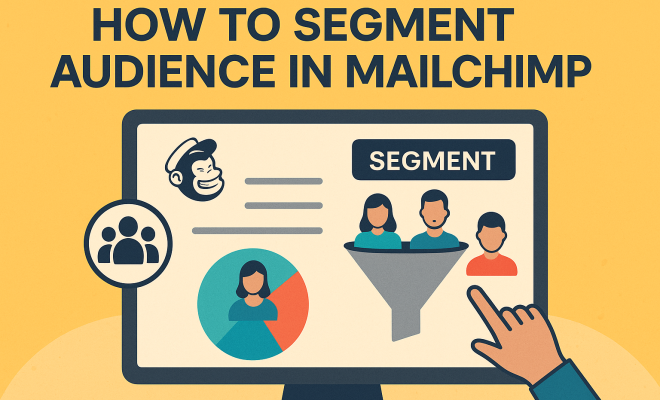
Ever felt like your email marketing efforts are a bit like shouting into a void? You craft the perfect message, hit send, and then… crickets. Or, maybe you get some opens, but the click-through rates are dismal, and sales are, well, not exactly booming. The truth is, in today’s crowded digital landscape, a one-size-fits-all approach to email marketing is a recipe for mediocrity. Your audience isn’t a monolith; it’s a diverse collection of individuals with unique needs, interests, and behaviors. This is precisely where the power of Mailchimp audience segmentation comes into play.
Think about it: would you send the same sales pitch to a brand-new prospect as you would to a loyal customer who’s bought from you five times? Of course not! Different stages in the customer journey, varying demographics, and distinct engagement patterns all demand tailored communication. Mailchimp, as one of the leading email marketing platforms, offers robust tools to slice and dice your audience, ensuring your messages resonate. When you speak directly to someone’s specific situation, your emails transform from generic noise into valuable, relevant communication. This isn’t just about better open rates; it’s about building stronger relationships, driving higher conversions, and ultimately, growing your business.
Let’s dive into some truly impactful ways to leverage Mailchimp’s segmentation capabilities. These aren’t just theoretical concepts; they’re actionable strategies that can profoundly change your email marketing game.
1. Engagement Level: Reaching the Right People with the Right Intensity
One of the most immediate and impactful ways to segment your Mailchimp audience is by their level of engagement. Not all subscribers are created equal. You’ve got your super-fans who open every email and click every link, and then you have those who signed up once upon a time and haven’t so much as glanced at your subject line since. Treating both groups the same is a missed opportunity – and potentially, a waste of your marketing budget.
Mailchimp makes it incredibly simple to identify these groups. You can create segments based on whether subscribers have opened or clicked a certain number of your campaigns, or even if they haven’t engaged at all within a specific timeframe. For your highly engaged subscribers, you might send exclusive content, early access to sales, or requests for feedback, knowing they’re more likely to respond positively. For those who are less engaged, a re-engagement campaign with a compelling offer or a survey asking about their interests might be appropriate. This targeted approach helps you nurture your most valuable leads and attempt to re-ignite interest in dormant ones, rather than alienating everyone with irrelevant messages.
2. Purchase History & Behavior: Tailoring Offers That Convert
For e-commerce businesses, segmenting by purchase history and behavior is perhaps the most potent tool in your Mailchimp arsenal. This goes far beyond just knowing if someone has bought something; it delves into what they bought, how often, and how recently. Imagine being able to send a targeted email to customers who purchased a specific product six months ago, offering them an upgrade or a complementary item. Or perhaps you want to reach out to customers who haven’t bought anything in the last year with a special ‘welcome back’ discount.
Mailchimp integrates seamlessly with many e-commerce platforms, allowing you to pull in this rich data. You can create segments based on total orders, average order value, specific products purchased, or even categories browsed but not purchased (abandoned cart recovery, anyone?). This allows for hyper-personalized recommendations and promotions. If someone just bought a coffee maker, sending them an email about gourmet coffee beans makes perfect sense. Sending them an email about baby clothes? Not so much. This level of personalization not only boosts sales but also makes your customers feel understood and valued, fostering long-term loyalty. This sophisticated use of Mailchimp audience segmentation moves beyond basic demographics to truly understand customer intent.
3. Demographic & Geographic Data: Localizing Your Message
While often considered basic, demographic and geographic segmentation remain incredibly powerful, especially for businesses with a physical presence or products/services that vary by region. Knowing your audience’s age, gender, income bracket (if you can gather it ethically), or location allows you to craft messages that are relevant to their specific context.
For instance, a retail chain could send different promotions to subscribers in different cities, highlighting local store events or region-specific product availability. A restaurant might promote a lunch special only to those within a 10-mile radius. Demographics can inform product recommendations (e.g., targeting younger audiences with trendier items) or even the tone and imagery used in your emails. Mailchimp allows you to import this data or capture it through signup forms, making it easy to build segments like ‘Subscribers in New York’ or ‘Customers aged 25-34’. This ensures your messages aren’t just well-received, but also actionable and timely for the individual receiving them.
4. Website Activity: Capitalizing on Intent
Beyond what people do in your emails, what they do on your website offers a goldmine of intent data. With Mailchimp’s integration with your website (via a tracking code), you can segment your audience based on pages they’ve visited, products they’ve viewed, or even how long they’ve spent on certain sections of your site. This is a game-changer for businesses looking to capitalize on expressed interest.
Imagine sending a follow-up email to someone who viewed your pricing page but didn’t convert, offering a limited-time discount or a free consultation. Or perhaps you’d want to send an email showcasing customer testimonials to those who’ve viewed your ‘About Us’ page multiple times. This kind of behavioral segmentation allows you to identify hot leads and address their potential concerns or nudge them towards conversion with highly relevant content. It’s like having a digital salesperson who knows exactly what each visitor is interested in and follows up appropriately, all thanks to smart Mailchimp audience segmentation.
5. Signup Source & Custom Fields: Understanding Their Journey
How and where someone joined your email list can tell you a lot about their initial intent and interests. Did they sign up via a pop-up on a blog post about ’email marketing tips’? Or did they opt-in after downloading an e-book on ‘advanced SEO strategies’? Did they join at a trade show, providing specific information on their business needs? (See: Email marketing overview on Wikipedia.)
By using custom fields in Mailchimp, you can capture this information at the point of signup. This allows you to segment your audience based on their initial entry point or specific interests they indicated. For example, you could send a series of onboarding emails specifically tailored to those who signed up for your ’email marketing tips’ content, providing more value related to that topic. This helps you maintain relevance from the very first interaction and ensures your communication aligns with the promise you made when they opted in. It’s a fundamental step in building trust and setting expectations.
6. Lead Scoring & Predicted Demographics: Proactive Personalization
Mailchimp takes segmentation a step further with features like lead scoring and predicted demographics, though these might be available on higher-tier plans. Lead scoring allows you to assign points to subscribers based on their actions – opens, clicks, website visits, purchases – giving you a quantifiable measure of their engagement and potential value. You can then segment based on these scores, prioritizing your efforts towards the ‘hottest’ leads.
Predicted demographics use data science to infer characteristics like age range and gender based on subscriber names and email addresses. While not 100% accurate, it can provide valuable insights for broader segmentation, especially if you don’t have this data explicitly. This proactive personalization helps you anticipate needs and tailor messages even before a subscriber explicitly reveals certain information, making your Mailchimp audience segmentation more intelligent and forward-thinking.
7. Campaign Activity & Automation Triggers: Reacting to Real-Time Actions
One of the most dynamic ways to use Mailchimp audience segmentation is by combining it with automation. Segments aren’t just static lists; they can be dynamic and responsive to real-time actions. For example, you can create a segment of everyone who opened your ‘Black Friday Sale’ email but didn’t click. You can then immediately send them a follow-up email with a slightly different offer or a reminder, automatically.
Similarly, you can trigger automations based on specific campaign activity. Someone clicks a link about ‘product X’? Add them to a segment for ‘Product X interest’ and enroll them in an automated series showcasing that product’s benefits. This reactive approach ensures your marketing is always timely and relevant, catching subscribers at the peak of their interest. It transforms your email strategy from a series of broadcasts into an ongoing, personalized conversation, demonstrating the true power of granular Mailchimp audience segmentation.
The Strategic Imperative of Segmentation: Why It’s More Than Just a Feature
It’s easy to view audience segmentation as just another feature in Mailchimp, a checkbox to tick off. But that’s a profound misunderstanding of its strategic importance. In an era of information overload, consumers are increasingly discerning about what they allow into their inboxes. Generic, mass-produced emails are not just ignored; they actively erode trust and encourage unsubscribes. Segmentation is your antidote to this.
When you segment your audience, you’re not just sending different emails; you’re demonstrating that you understand and respect their individuality. You’re showing that you’ve taken the time to learn about their preferences, their past interactions, and their potential needs. This level of personalized communication fosters a deeper connection, transforming a transactional interaction into a relationship. It moves your brand from being just another marketer to a trusted resource or a valued partner.
Overcoming the Initial Hurdles: Getting Started with Segmentation
For many, the idea of segmenting an audience can feel overwhelming, especially if you have a large list. Where do you even begin? The key is to start small and iterate. Don’t try to implement all seven strategies at once. Pick one or two that seem most relevant to your business goals. For example, if you’re an e-commerce store, starting with purchase history or abandoned cart segments is a no-brainer. If you’re a content creator, focus on engagement levels or custom fields based on content preferences.
Mailchimp’s interface is quite user-friendly, guiding you through the process of creating segments based on various conditions. You’ll find options under the ‘Audience’ tab, then ‘Segments.’ You can combine multiple conditions using ‘any’ or ‘all’ logic, allowing for highly specific targeting. Don’t be afraid to experiment. Run A/B tests on different segments to see what resonates best. The insights you gain from these experiments will be invaluable in refining your strategy.
The Data Foundation: Garbage In, Garbage Out
Effective Mailchimp audience segmentation is only as good as the data you feed it. If your subscriber data is incomplete, outdated, or inaccurate, your segments will be flawed, and your personalized messages will miss the mark. This means periodically cleaning your list, removing inactive subscribers, and ensuring your signup forms are designed to capture relevant information from the outset.
Consider what data points are truly valuable for your business. Do you need to know their industry? Their job title? Their biggest pain point? Integrate these questions into your signup process or use progressive profiling in your emails to gather more information over time. The more robust and clean your data, the more powerful and precise your segmentation will become. This attention to detail is what separates truly effective email marketers from those who just send out mass blasts.
Measuring Success: Beyond Open Rates
When you implement Mailchimp audience segmentation, your metrics for success should also evolve. While open rates and click-through rates are still important, start looking at deeper indicators. Are your segmented campaigns leading to higher conversion rates? Are specific segments showing increased engagement with your content? Are you seeing a reduction in unsubscribe rates from targeted campaigns?
Mailchimp’s reporting tools allow you to compare campaign performance across different segments, giving you clear insights into what’s working and what isn’t. By analyzing these deeper metrics, you can continually refine your segmentation strategy, ensuring your efforts are always aligned with your business objectives. It’s a continuous cycle of segmenting, sending, analyzing, and optimizing.
The Future of Email Marketing: Hyper-Personalization at Scale
The trend in email marketing is undeniably towards hyper-personalization, and Mailchimp audience segmentation is at the forefront of enabling this at scale. As AI and machine learning capabilities become more integrated into marketing platforms, the ability to understand individual subscriber needs and deliver precisely relevant content will only become more sophisticated. (See: CDC on audience segmentation strategies.)
By mastering segmentation now, you’re not just improving your current email campaigns; you’re future-proofing your entire email marketing strategy. You’re building the foundational knowledge and practices that will allow you to adapt to new technologies and continue to deliver exceptional value to your subscribers, no matter how the digital landscape evolves. It’s about building a sustainable, effective communication channel that genuinely serves both your business and your audience.
So, stop sending generic emails and start having meaningful conversations. Dive into Mailchimp’s segmentation features, experiment, and watch your email marketing efforts transform from a chore into a powerful engine for growth and customer loyalty. Your audience (and your bottom line) will thank you for it.
Advanced Segmentation Tactics: Beyond the Basics
While the seven strategies above are fantastic starting points, Mailchimp offers even more nuanced ways to segment your audience, letting you get incredibly precise with your messaging. Don’t be afraid to combine these methods for truly sophisticated targeting.
Combining Segments for Laser Focus
One of the most powerful aspects of Mailchimp is the ability to combine multiple conditions to create highly specific segments. For example, you could target “Customers who purchased Product A in the last 6 months AND have opened at least 3 of your last 5 emails AND live in California.” This level of granularity ensures your message lands exactly where it needs to, addressing a very specific group with a perfectly tailored offer or piece of content. This reduces waste and maximizes impact, making your Mailchimp audience segmentation incredibly efficient.
Leveraging Tags for Dynamic Grouping
Beyond static segments, Mailchimp’s tagging feature offers another layer of organizational flexibility. Tags are like labels you can apply to subscribers based on various criteria – perhaps they attended a specific webinar, expressed interest in a particular product category, or interacted with a specific piece of content. Unlike segments, which are built on conditions, tags are manually (or automation-triggered) assigned. You can then create segments based on these tags. For example, you might tag everyone who downloaded your “Beginner’s Guide to SEO” and then send them follow-up content on intermediate SEO strategies. This provides a flexible way to group subscribers for ongoing, niche communications without constantly rebuilding complex segment conditions.
A/B Testing Your Segmentation Strategy
It’s not enough to just create segments; you need to test them. Mailchimp allows you to A/B test different subject lines, content, send times, and even different offers within your segments. But you can also take it a step further: A/B test your segmentation logic itself. For instance, send one version of an email to “highly engaged customers who bought Product X” and another version to “moderately engaged customers who bought Product X.” Analyzing the performance differences can reveal which segmentation criteria yield the best results for specific goals. This iterative testing is crucial for continuous improvement and unlocking the full potential of Mailchimp audience segmentation.
The Human Element: Ethical Considerations in Segmentation
While data-driven segmentation is incredibly effective, it’s vital to remember the human on the other end of the email. Ethical considerations should always guide your segmentation strategy. Over-segmentation, where messages become too personalized to the point of feeling intrusive, can backfire. There’s a fine line between helpful personalization and creepy surveillance.
Always ensure the data you collect is done transparently and with consent. Avoid making assumptions based on limited data that could lead to misgendering, misidentifying interests, or stereotyping. The goal of Mailchimp audience segmentation is to enhance the customer experience, not to make them feel like a data point. Focus on providing value, relevance, and respect in every communication. A good rule of thumb: if you wouldn’t want to receive an email based on that segmentation logic, don’t send it to your audience.
Common Pitfalls to Avoid with Mailchimp Audience Segmentation
Even with the best intentions, it’s easy to stumble when you’re first getting started with segmentation. Being aware of these common pitfalls can save you time and prevent frustration.
1. Overcomplicating Your Segments
While Mailchimp allows for complex segment conditions, don’t create segments with so many rules that they capture only a handful of subscribers. Extremely small segments are hard to test effectively and can be time-consuming to manage. Start simpler and add complexity as you see the need and benefit.
2. Neglecting List Hygiene
As mentioned, bad data leads to bad segments. If you don’t regularly clean your list of inactive subscribers, bounces, and outdated information, even your most sophisticated segmentation efforts will be undermined. A clean list ensures your emails reach actual, engaged people. (See: Research on email marketing effectiveness.)
3. Not Having a Clear Goal for Each Segment
Before you create a segment, ask yourself: what is the specific purpose of this group? What unique message or offer will I send them? If you can’t articulate a clear goal, you might be segmenting just for the sake of it, which offers no real value.
4. Forgetting About the Unsegmented Audience
While segmentation is key, don’t forget about the rest of your audience. Some general announcements or newsletters might still be appropriate for your entire list. It’s about balance, not exclusively targeting every single email.
5. Failing to Test and Iterate
Segmentation is an ongoing process. What works today might not work tomorrow. Continuously test your segment definitions, the content you send to them, and analyze the results. Be prepared to adjust and refine your approach based on real-world performance.
Frequently Asked Questions About Mailchimp Audience Segmentation
Q1: What’s the difference between segments, tags, and groups in Mailchimp?
Segments are dynamic lists created by rules based on subscriber data (e.g., “all subscribers who opened my last 3 emails”). They update automatically as subscriber behavior changes. Tags are static labels you apply to subscribers, often manually or via automation, to categorize them (e.g., “attended webinar X,” “VIP customer”). You can then build segments based on tags. Groups are older Mailchimp features, somewhat similar to tags, but mainly used for preference centers where subscribers can choose their interests. For most modern segmentation, tags and segments are your primary tools.
Q2: Can I combine multiple segment conditions in Mailchimp?
Yes, absolutely! Mailchimp allows you to combine multiple conditions using “any” (OR logic) or “all” (AND logic). This lets you create highly specific and powerful segments, like “all customers in New York who purchased Product A AND opened my last email.”
Q3: How often should I update my segments?
Because segments are dynamic, they automatically update as subscriber data and behavior change. You don’t usually need to manually “update” them. However, you should periodically review your segment definitions to ensure they’re still relevant to your current marketing goals and that the data fueling them is accurate.
Q4: What if my audience list is small? Is segmentation still necessary?
Yes, even with a small list, segmentation is beneficial. It helps you practice good email marketing habits and understand your audience better from the start. A small, highly engaged segmented list will always outperform a small, generic list. It allows you to nurture those early relationships more effectively.
Q5: How can I track the performance of my segmented campaigns?
Mailchimp’s reporting tools are excellent for this. After sending a campaign to a segment, you can view the campaign report, which shows open rates, click-through rates, conversions, and more. You can also compare the performance of different campaigns and segments to see what strategies are most effective.
Q6: What’s a good starting point for segmentation for a brand new business?
For a new business, start simple. Focus on engagement (new subscribers vs. engaged vs. unengaged) and perhaps signup source (if you have different lead magnets or forms). As you gather more data and make sales, you can layer on purchase history, website activity, and other more advanced criteria.
Trending Now
Frequently Asked Questions
How do I segment my audience in Mailchimp?
To segment your audience in Mailchimp, utilize their audience segmentation tools to categorize subscribers based on demographics, engagement levels, and customer journey stages. This allows you to tailor your messaging for different groups, ensuring that your emails resonate and drive higher engagement and conversions.
What are the benefits of segmenting my email list?
Segmenting your email list allows for personalized communication, which can lead to higher open rates, click-through rates, and conversions. By targeting specific groups based on their interests and behaviors, you create more relevant content that builds stronger relationships with your subscribers.
What criteria can I use for audience segmentation in Mailchimp?
You can segment your audience in Mailchimp using various criteria such as engagement levels, demographics, purchase history, and user activity. This helps tailor your email campaigns to meet the specific needs and interests of different subscriber groups.
How does engagement level impact email marketing?
Engagement level significantly impacts email marketing effectiveness. By segmenting your audience based on how actively they engage with your emails, you can send targeted messages that resonate with both highly engaged subscribers and those who may need a little extra encouragement to interact.
Can I improve sales through audience segmentation?
Yes, audience segmentation can improve sales by allowing you to send personalized and relevant messages to different subscriber groups. By addressing specific needs and preferences, you can enhance customer relationships and drive higher conversion rates, ultimately boosting your sales.
Have you experienced this yourself? We'd love to hear your story in the comments.